

Taxation Module
Available at:


This article aims to explain the concept and process of registering Tax Calculation with Demander.
What is Tax Calculation
Section titled “What is Tax Calculation”Demander has the functionality to calculate taxes, as well as additional fees, on your orders — such as ICMS ST and IPI.
If the company uses the Avalara integration, the order IPI, ICMS and ICMS ST come from the online query.
What needs to be done for the calculation to be applied
Section titled “What needs to be done for the calculation to be applied”For the calculation to work correctly, some screens need to be configured. All settings presented below must be filled in appropriately.
Company Configuration
Section titled “Company Configuration”On the Company Settings → Additional Modules screen, it is mandatory to select:
- Enable tax calculation module (IPI and ICMS ST)
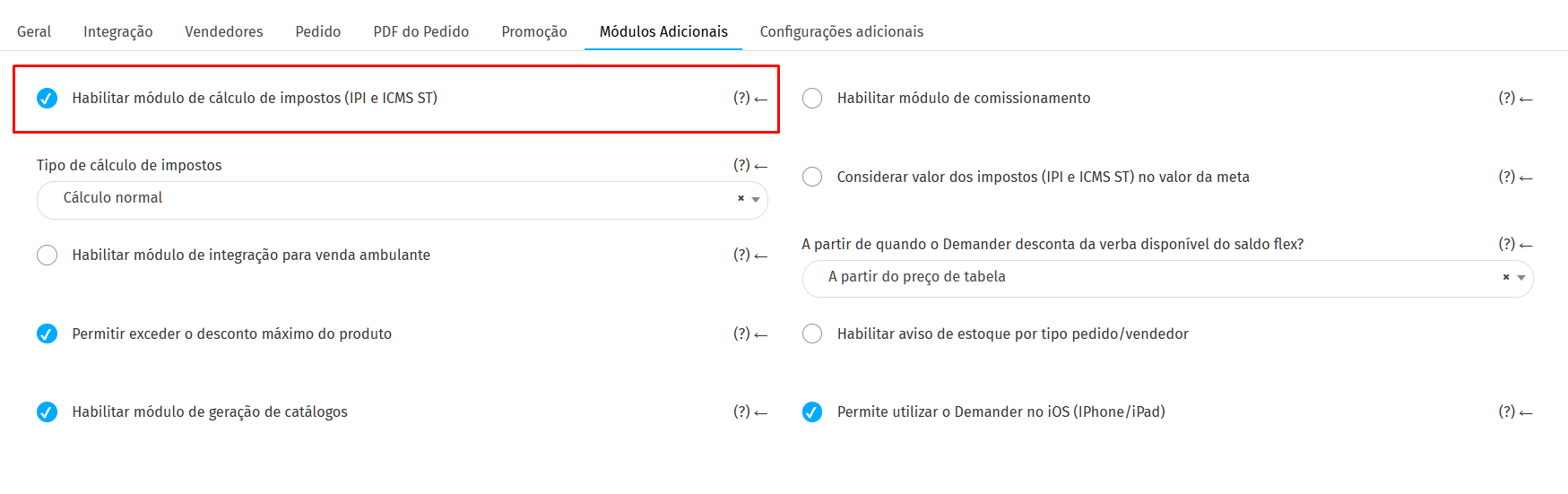
Still in Company Settings → Additional Modules, there are two optional settings:
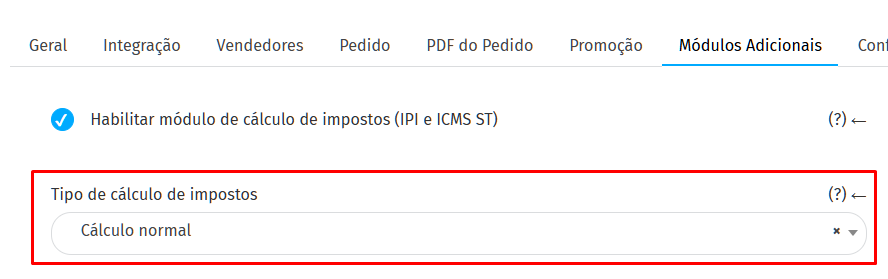
Type of tax calculation
Section titled “Type of tax calculation”- Normal calculation: the unit sales value will remain the same; The unit value with taxes will change due to rounding and truncation.
- Reverse calculation: the unit value with taxes will remain the same; The unit sales value will change due to rounding and truncation.
Consider the value of taxes (IPI and ICMS ST) in the target value
Section titled “Consider the value of taxes (IPI and ICMS ST) in the target value”Optional configuration used by companies that consider the value of taxes within the seller’s target

Order Types
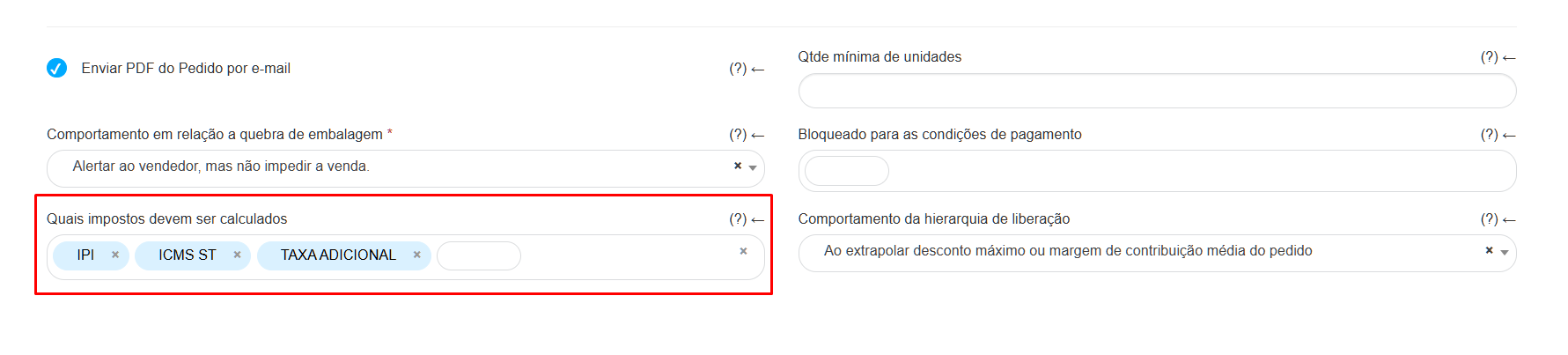
Section titled “Order Types”On the Order Types screen, in the “Configuration” tab, there is a mandatory configuration:
- What taxes should be calculated
This configuration determines which taxes will be applied to orders of this type.
Type of Tax Client
Section titled “Type of Tax Client”For the calculation to be applied to an order, the selected customer must be associated with a Tax Customer Type.
Registration
Section titled “Registration”- Register the Types of Tax Clients in Demander, by:
- Integration (Layout of Table 41 – Tax Client Type),
- Demander Web, on the [Tax Client Type] screen (https://sistema.demander.com.br/dinamico/tipo-cliente-tributario).
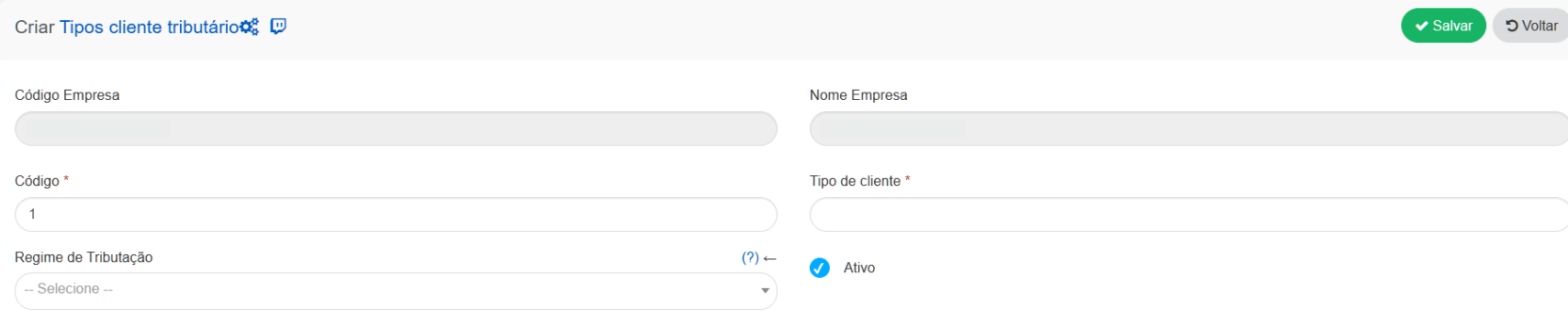
- After registration, link the tax type in client, in the Financial tab.
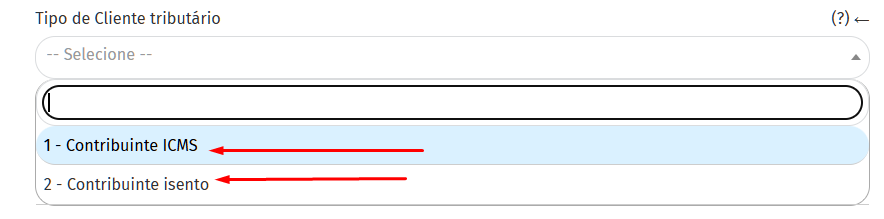
IMPORTANT: If your company uses integration with ERP, this link must be made via integration, through Layout of Table 18 – Customers, field 39.
Product
When registering the Product, it is mandatory that the NCM field is filled in to allow taxation to be calculated.
- It can be filled out manually on Demander Web (Products screen).
- If you use integration with ERP, the NCM must come through Layout of Table 15 – Products, field 25.
Taxation Configuration
Section titled “Taxation Configuration”The Taxation Configuration screen centralizes all the data necessary for the tax calculation to be carried out.
The ideal is to register this information via integration, using Layout of Table 42 – Taxation Configuration.
It is also possible to register manually on Demander Web; however, each variation must be registered manually, as taxation may vary depending on:
- Type of Tax Client
- Federal Unit
- Branch
- NCM
- Product
- Among other parameters
Required fields and full explanations
Section titled “Required fields and full explanations”*Required fields.
Section titled “*Required fields.”Identification
Section titled “Identification”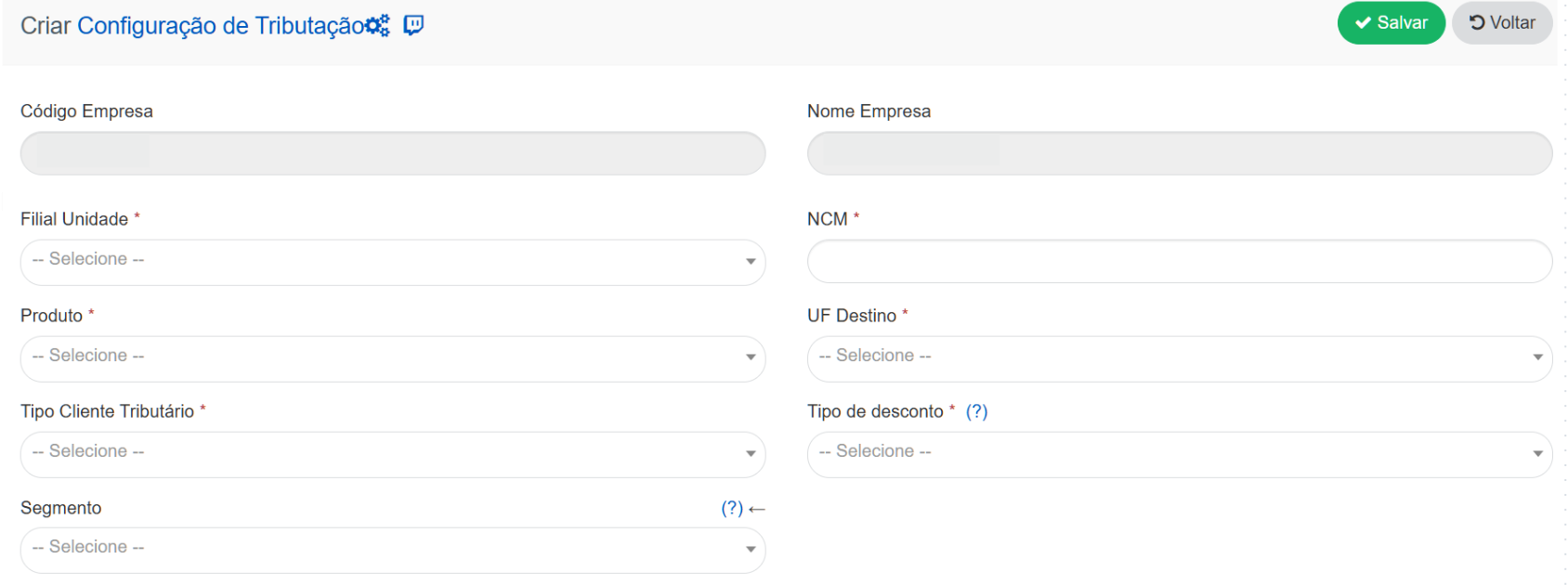
- Unit Branch: Branch designed to calculate Taxation.
- NCM*: Product NCM.
- Product*: Product Code (use “XX” to consider all products).
- Destination UF: Federal Unit of destination.
- Tax Client Type: Send “XX” to consider all types.
- Discount Type: Type of Tax Discount.
- Segment: Segment related to registration.
IPI Settings
Section titled “IPI Settings”
- Uses IPI in the Calculation Base: This configuration enables the use of IPI in the ICMS ST calculation base.
- IPI calculation mode:
-
1 – Calculation by tax rate
-
2 – Value per standard unit NOTE:
- If the modality is 1, the system uses the IPI calculation base and IPI rate fields from this table.
- If the modality is 2, the system uses the IPI Value per Unit field in table 15 – Product.
-
-IPI calculation base (%)*: Percentage applied to the unit sales value to compose the IPI calculation base.
- IPI Rate: Percentage of IPI to be calculated on the calculation basis.
ICMS and ICMS ST configurations
Section titled “ICMS and ICMS ST configurations”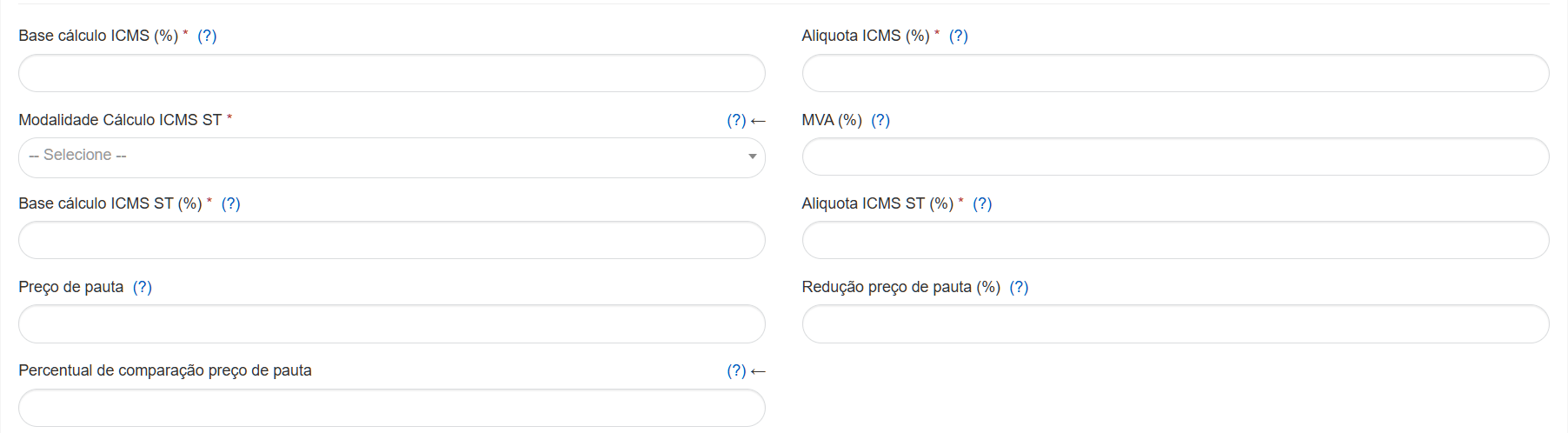
- ICMS calculation base (%*): Percentage applied to the unit sales value to make up the ICMS base.
- ICMS rate (%): Percentage of ICMS to be calculated on the calculation basis.
- ICMS ST* Calculation Mode: Defines the ICMS ST calculation behavior:
- 0 – MVA (Added Value Margin)
- 1 – Guide price
- 2 – PMPF (Weighted Average Price for the Final Consumer)
- 3 – MVA or Tariff Price (Comparison Percentage)
- MVA (%): Percentage of the Added Value Margin applied to the unit sales value to determine the ICMS ST calculation basis.
- ICMS ST calculation base (%)*: Percentage applied to the unit sales value to make up the ICMS ST base.
- ICMS ST Rate (%)*: Percentage of ICMS ST to be calculated on the calculated basis.
- Tariff price: Must only be informed if the product has a tariff price.
- Tariff price reduction (%): Percentage reduction applied to the tariff price.
- Tariff price comparison percentage: The value registered in this field will be used for the calculation when the ICMS ST Calculation Modality is equal to 3 - MVA or Tariff price (Comparison percentage)
Additional fee
Section titled “Additional fee”
- Additional fee modality: Defines whether the fee will be determined by unit value or percentage.
- Additional fee: Percentage or unit value used, as defined in the modality.