

Commission Module - Introduction
Available at:


This article aims to explain the Demander Commission Module.
About the Commission Module
Section titled “About the Commission Module”- This module is intended for calculating sales commissions. With this module you can set multiple commission levels. There are up to 13 different levels (Seller, State, City, Region, Customer, CustomerGroup, ProductGroup, Brand, Product, PriceList, PaymentCondition, PaymentMethod, Branch, PersonType (Physical or Legal).
- Demander calculates the commission based on data received from the ERP or registered manually and after placing the order. Commission data is sent to the ERP in Table 16 - Order field 44 “Commission Amount”, in Table 17 - Order Item field 26 “Commission Percentage” and field 27 “Commission Amount”.
Example scenarios
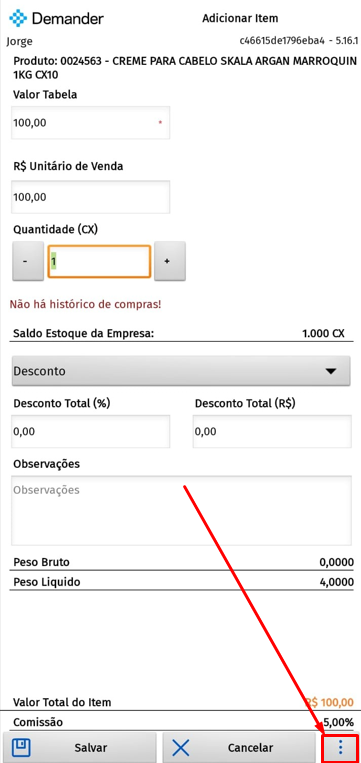
Section titled “Example scenarios”*In all scenarios it is possible to view the Commission Table by opening the order item and clicking on the icon with 3 dots.
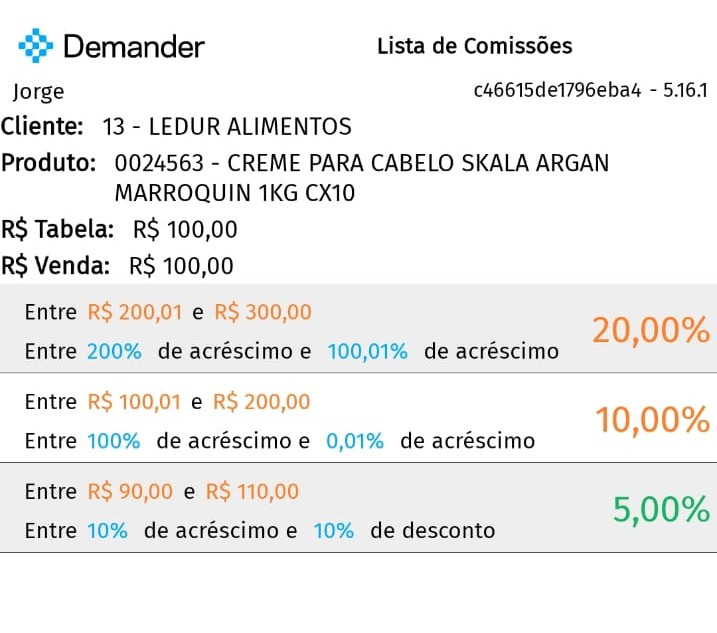
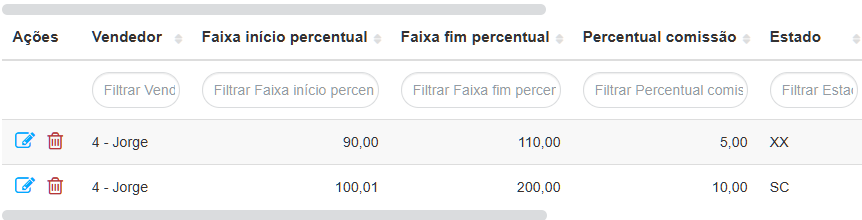
*Considering that the registration of commissions is as follows:
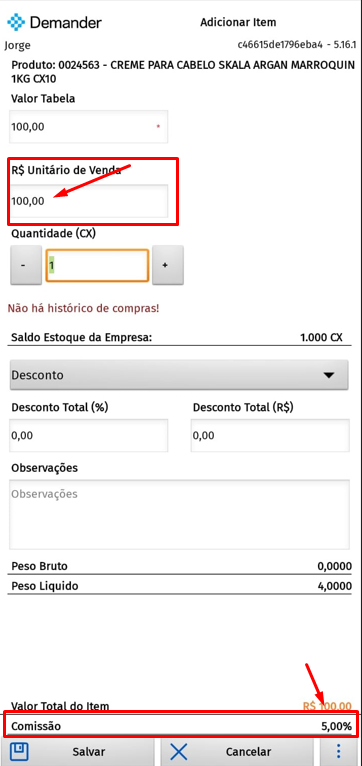
- Scenario 1:
- Commission level per Seller only.
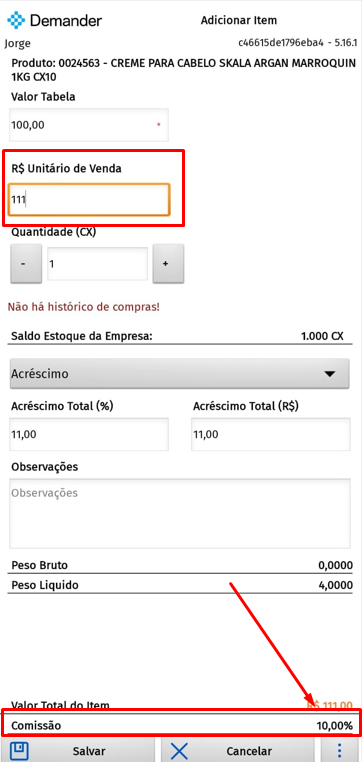
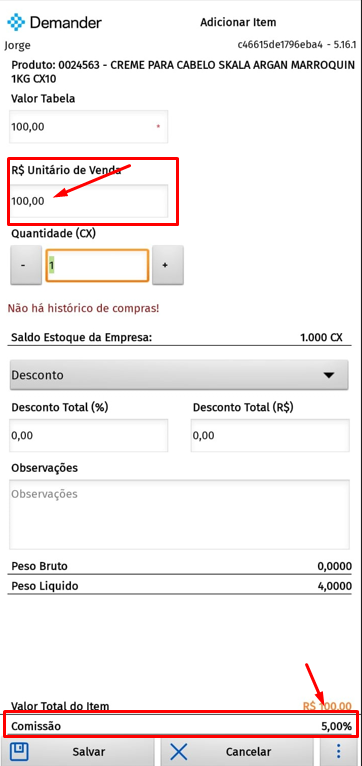
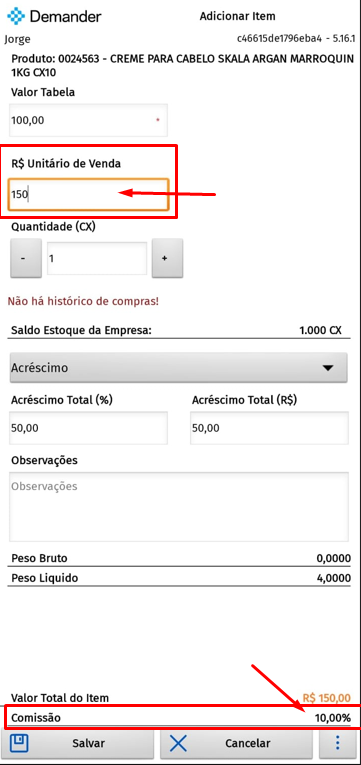
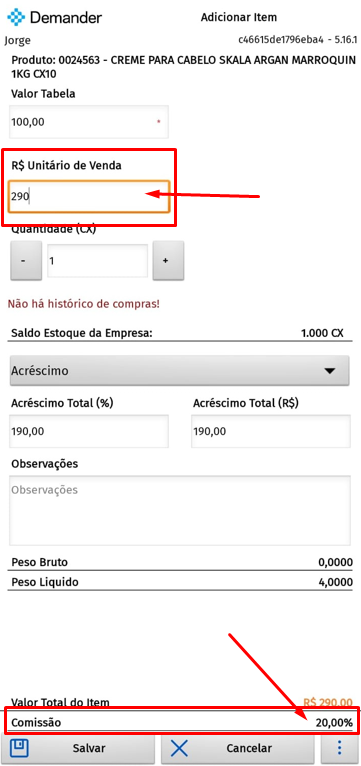
- Commission range for Seller Jorge
- From 90% to 110% (up to 10% increase/discount) of the product value falls within the 5% commission range.
- From 110.01% to 200% of the product value falls within the 10% commission range.
- From 200.01% to 300% of the product value falls within the 20% commission range.
- From 90% to 110% (up to 10% increase/discount) of the product value falls within the 5% commission range.
- Scenario 2:
- Commission level by Seller and State.
- Commission range for seller Carlos and for the state of Rio Grande do Sul (RS)
- From 90% to 110% (up to 10% increase/discount) of the product value falls within the 5% commission range. In the scenario in question, it was only possible to reach the commission range because the salesperson Carlos had a configured level and also the status of the customer in question.
- From 110.01% to 200% of the product value falls within the 10% commission range.
Frequently asked questions
Section titled “Frequently asked questions”Do I need integration to calculate commission?
Section titled “Do I need integration to calculate commission?”It is not necessarily possible to register manually through Demander Web,but it is highly recommended that the integration be carried out due to errors that can be generated when manually typing and also the maintenance of these records if the commissioning rule is very complex (with several levels).
What platforms is it available on?
Section titled “What platforms is it available on?”Check availability in Features Table
What reports are shown?
Section titled “What reports are shown?”Reports can be accessed via Demander Web
https://sistema.demander.com.br/dinamico/comissoes-representantes
https://sistema.demander.com.br/dinamico/comissao-representantes
How to configure the integration?
Section titled “How to configure the integration?”Read our article, Commission Module - Integration