Module Don't forget Product
Available at:

This article aims to explain what the Don’t Forget Product module is and how to configure it.
What is it?
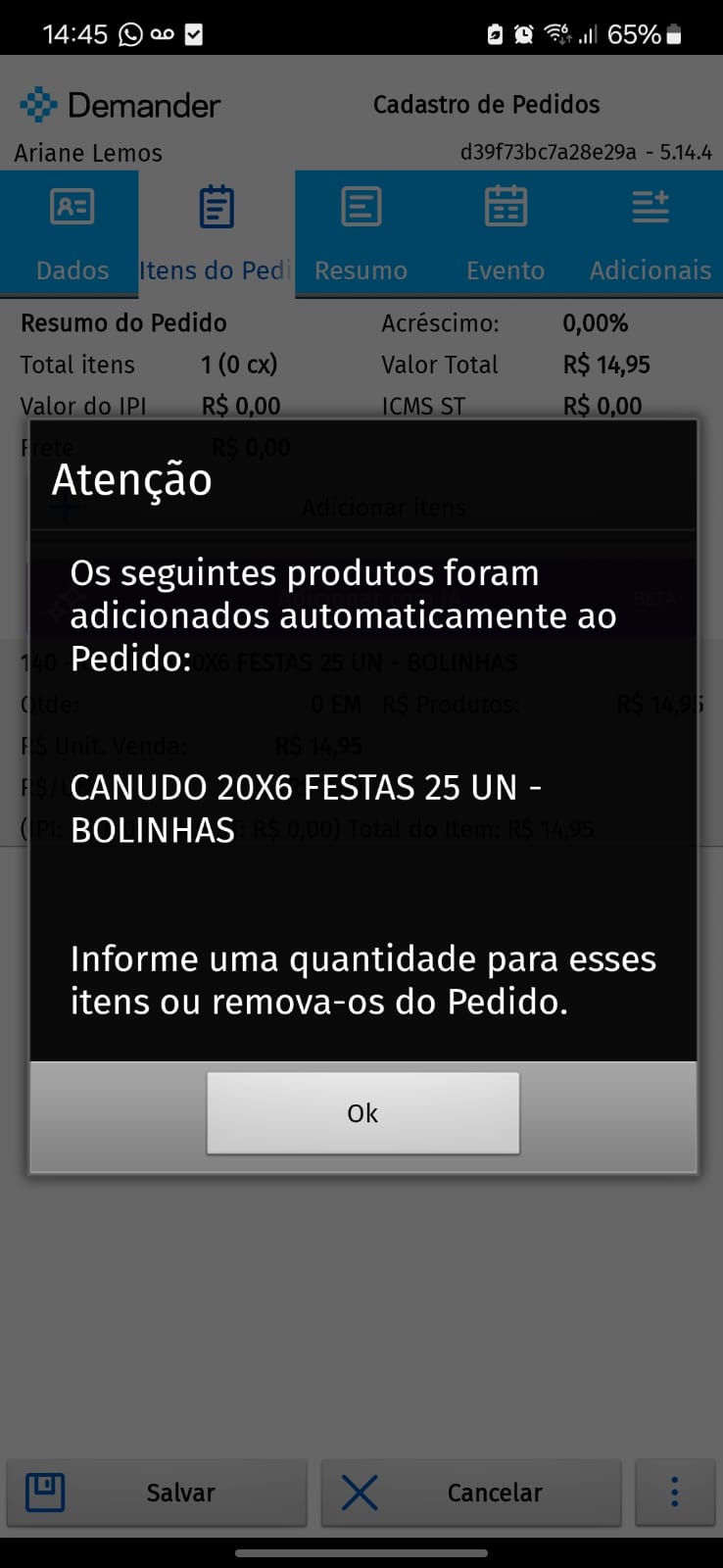
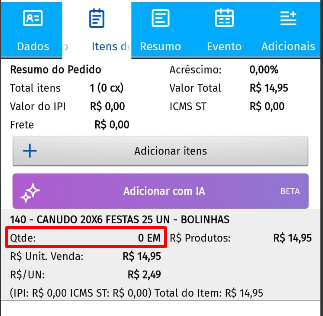
Section titled “What is it?”The Don’t Forget Product module helps the seller remember to offer certain items to customers. Thus, when starting an order, the pre-defined product will already be added automatically (no quantity). The seller can then set the quantity to save the order or delete the item if the customer does not want it.
How to configure?
Section titled “How to configure?”In Demander Web, access the [Don’t Forget Product] screen (https://sistema.demander.com.br/dinamico/nao-esquecer-produto) and click New. The registration has three mandatory fields: Product, Start date and End date.
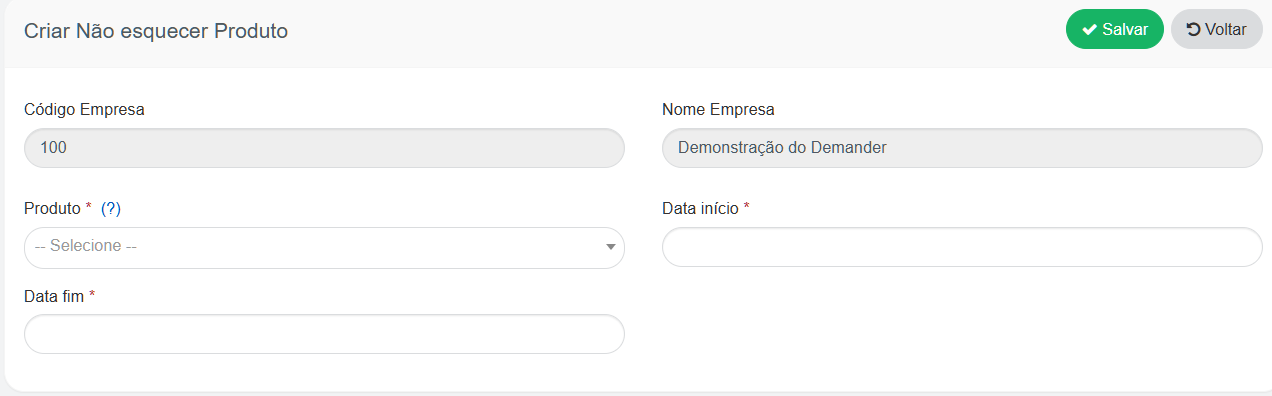
- Product: will be automatically included in orders from linked price lists, as long as the order type is set to “considers order”.
- Start date: defines the start date of the alert. End date: defines the end of the alert; After this date, the product will no longer be included automatically.
How does it appear on the Order?
Section titled “How does it appear on the Order?”When registering a new order and accessing the items tab, the configured product will already appear in the order (without quantity), as shown in the example below: