

Order picking module
This article aims to explain the Demander Order Picking Module.
See a demo of the module.
About the Order Picking Module
Section titled “About the Order Picking Module”- The Order Picking Module was developed with a view to speeding up and improving the order picking process, providing an integrated solution with Demander. It can be used on Android and iOS platforms or accessed directly through Demander Web.
- Below are listed some features of the application:
- Separation of products via barcode reading;
- Product exchange in the middle of separation;
- Check-list at the end of the separation (Demander’s auxiliary fields are used);
- View product images and zoom in;
- Accessibility (increase/decrease font, increase/decrease image thumbnail size);
- Possibility to cancel a separation;
DemanderWeb
Section titled “DemanderWeb”Release for Separation
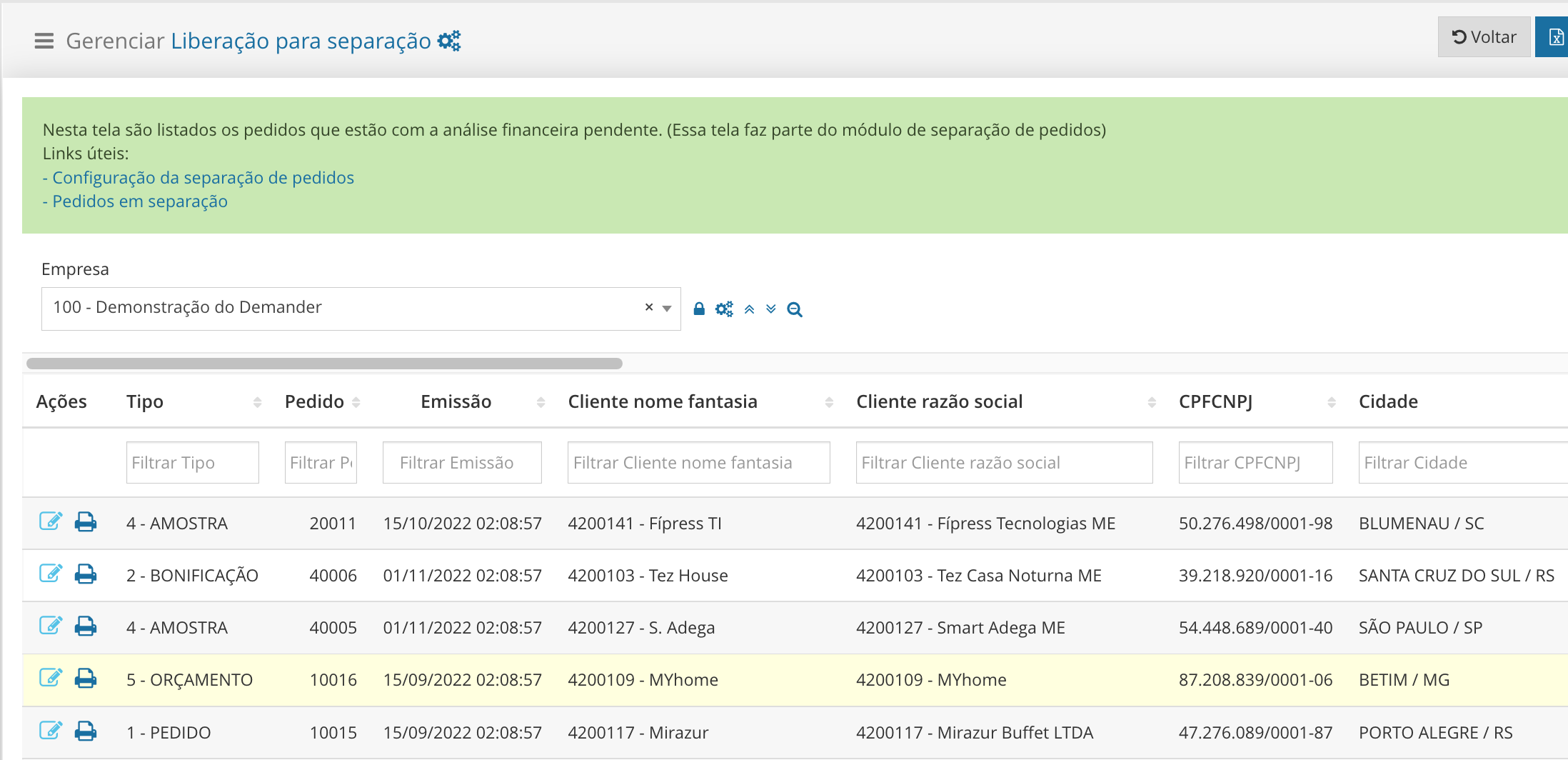
Section titled “Release for Separation”- On Demander Web we provide the Release for Separation page, where requests can be analyzed. This page was created because the order, before being released, may undergo some customer analysis, where someone from the administration does the customer’s financial consultation and, if everything is ok, releases the order.
-
When clicking on edit, a new page opens and some tabs can be seen. This page aims to offer customers an environment for analyzing the order, and after analysis it is possible to change the status so that the order can be separated, or, if the order is not in compliance, it can be cancelled.
-** Order Tab: In this tab, order information is displayed. Here there is also the order status field, this field is what controls whether the order will go to the picking application. - Order Items Tab: In this tab, the order items for checking are displayed. - Financial Securities Tab: **In this tab, the client’s outstanding financial securities are displayed.

Consultation of separation orders
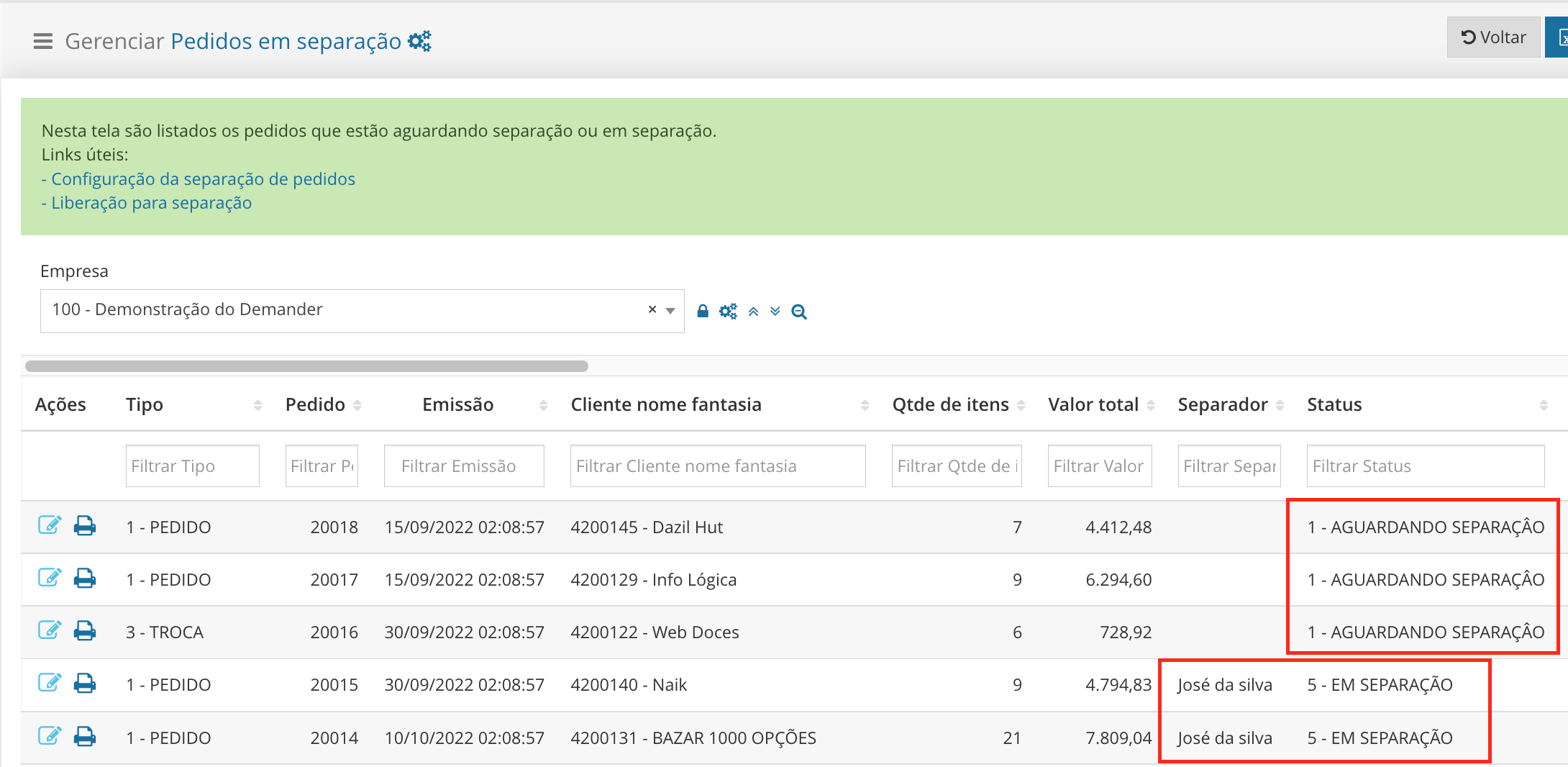
Section titled “Consultation of separation orders”- The [Separate Orders] page (https://sistema.demander.com.br/dinamico/pedidos-em-separacao) is also available on Demander Web. On this page you can track the orders that are available in the picking application to be picked. As can be seen in the image below, orders that have the status Awaiting Picking have not yet been started, whereas orders that have the status Picking, indicates that they have already started, but have not yet been completed, it is also possible to view the user who is picking the order. After the separation is completed, the order will be removed from the list on this page.
Order picking
Section titled “Order picking”Orders can be separated using Demander Web, the Android application and iOS.
Separation by Demander Web
Section titled “Separation by Demander Web”- Picking by Demander Web takes place within the system by accessing the [Order Picking] page (https://sistema.demander.com.br/separacao-pedidos). Using this screen is the same as using it in the application, which is described in detail in the link below.
Separation by the Separation application
Section titled “Separation by the Separation application”- Separation by application is detailed in the article Demander Separation Application.
Reports
Section titled “Reports”### Separation logs
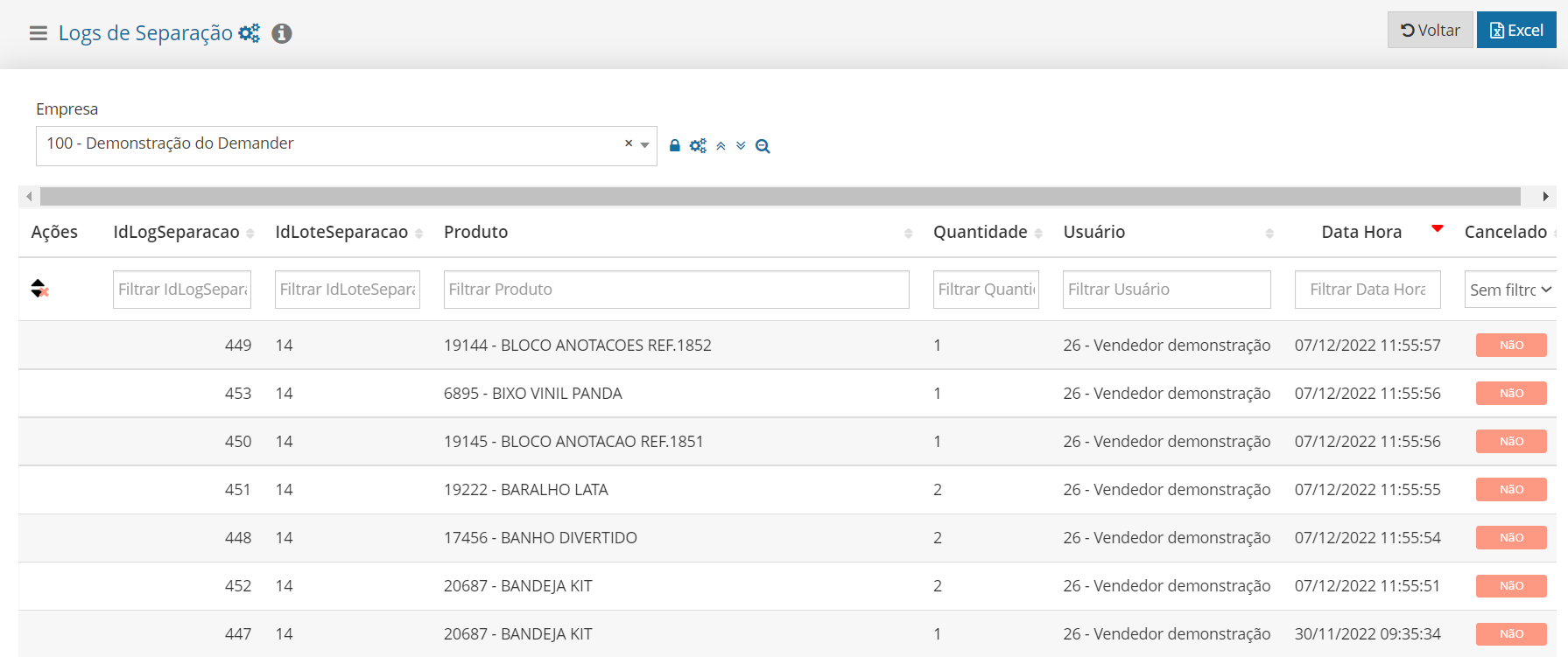
- On the Separation Logs page it is possible to see some information such as: user who carried out the separation, product, quantity, date/time, separation batch and whether the separation was canceled.
Productivity report
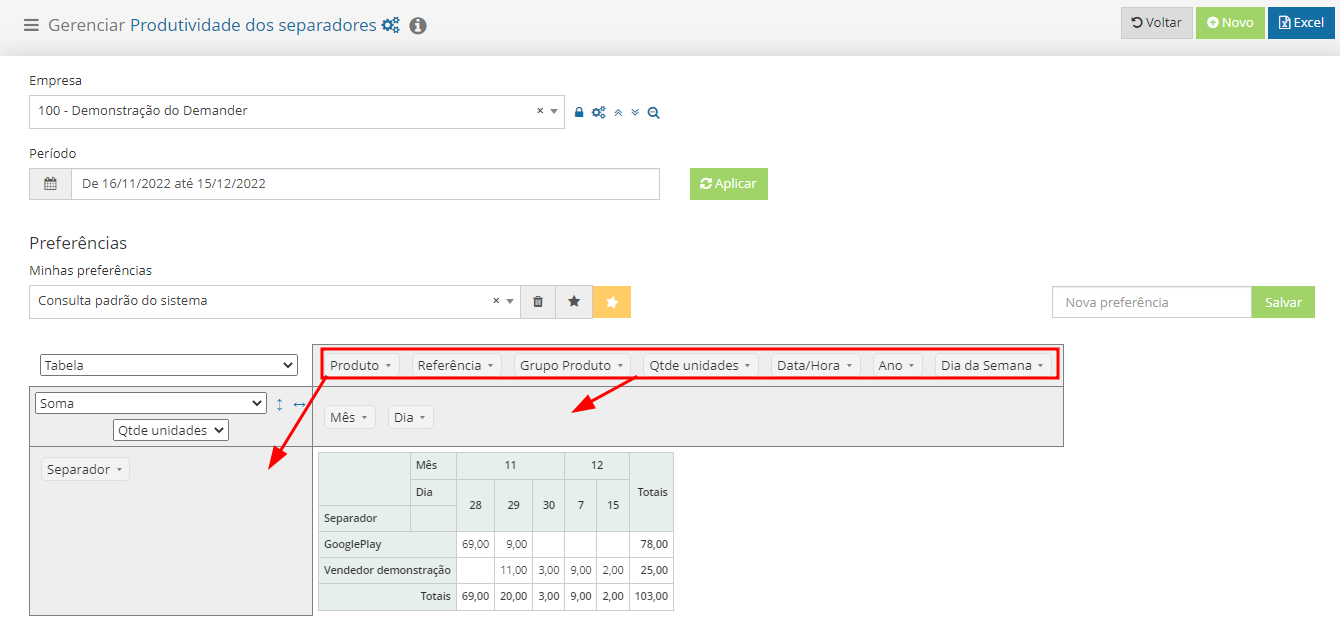
Section titled “Productivity report”- On the [Tab productivity] page (https://sistema.demander.com.br/dinamico/produtividade-separadores) the manager can monitor the productivity of the tabs. It is possible to configure the report as needed, simply dragging the blocks to generate the data in the column (where the Separator is in the image below) or to generate the data in the line (where the Month and Day are in the image below)
Frequently asked questions
Section titled “Frequently asked questions”-** Where to download the separation app??**
- The separation app is available on Google Play and AppStore.
Is it possible to sort orders without installing the application?
Section titled “Is it possible to sort orders without installing the application?”- Yes, it is possible to sort through the [Order Sorting] screen (https://sistema.demander.com.br/separacao-pedidos).### Does it work offline?
- No. An internet connection is necessary for the application to work.
Is this module free?
Section titled “Is this module free?”- No. It is necessary to purchase this separate module. For prices, contact our Commercial department.