

Street Sales Module Settings (Boleto and NF-e)
Available at:

This article explains how to configure the Ready Delivery Module in Demander.
1. Enable the additional module in company settings
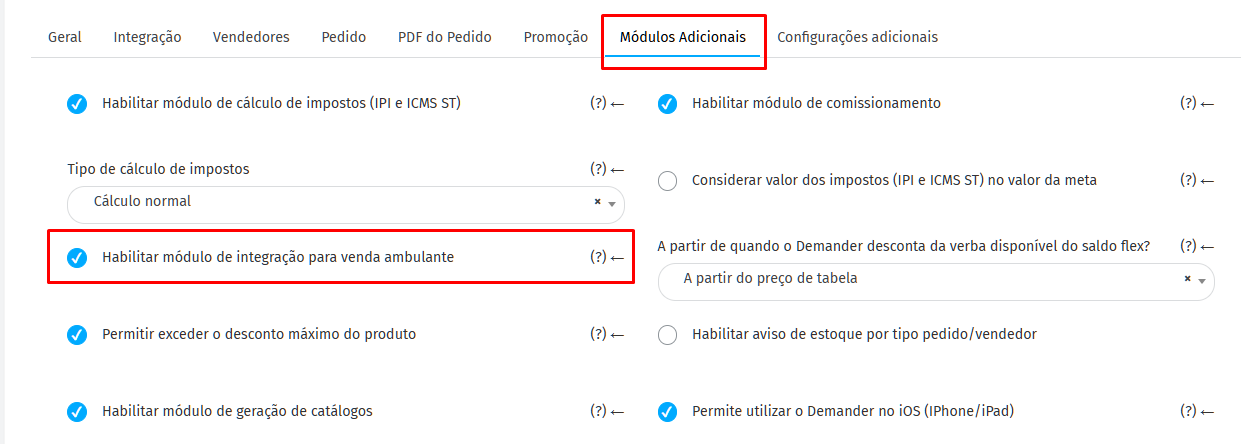
Section titled “1. Enable the additional module in company settings”In the [Company Settings] menu (https://sistema.demander.com.br/dinamico/configuracoes-da-empresa), it is necessary to enable the integration of the additional Ready Delivery module
2. Configure the ERP webservice address
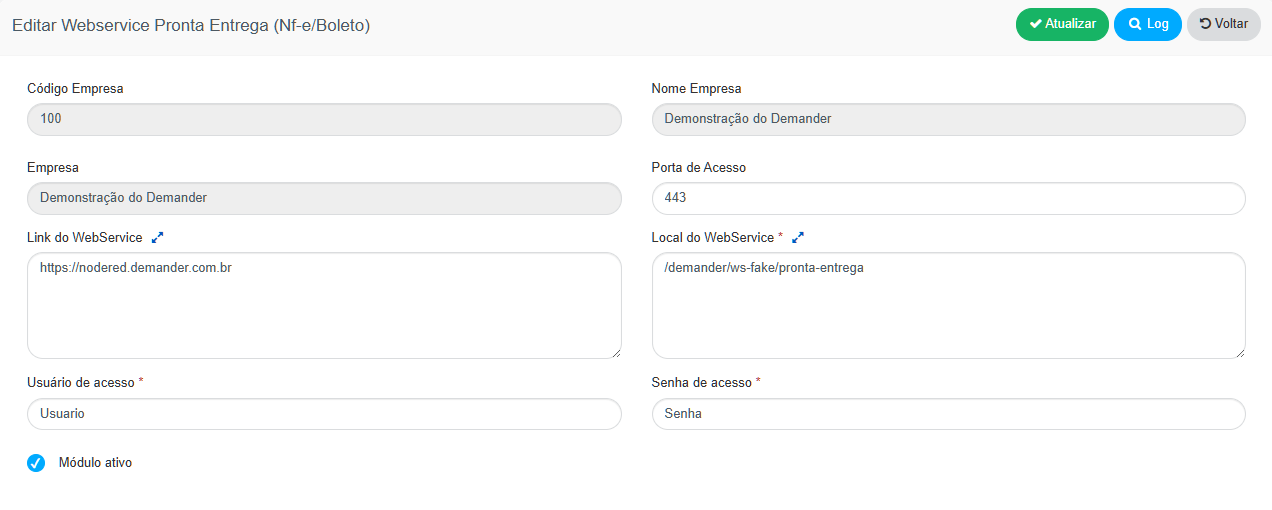
Section titled “2. Configure the ERP webservice address”Access the menu: Settings → Ready Delivery Webservice (NF-e/Boleto)
➡️ This field must include the public address of the webservice developed by the ERP, which will receive requests sent by Demander.
🔗 See here the webservice documentation that the ERP needs to make available.

3. Activate the issuance of NF-e according to the type of order
Section titled “3. Activate the issuance of NF-e according to the type of order”In the [Order Types] menu (https://sistema.demander.com.br/dinamico/tipo-de-pedido), enable the “Issue Note” option for all types of requests that should trigger the webservice.
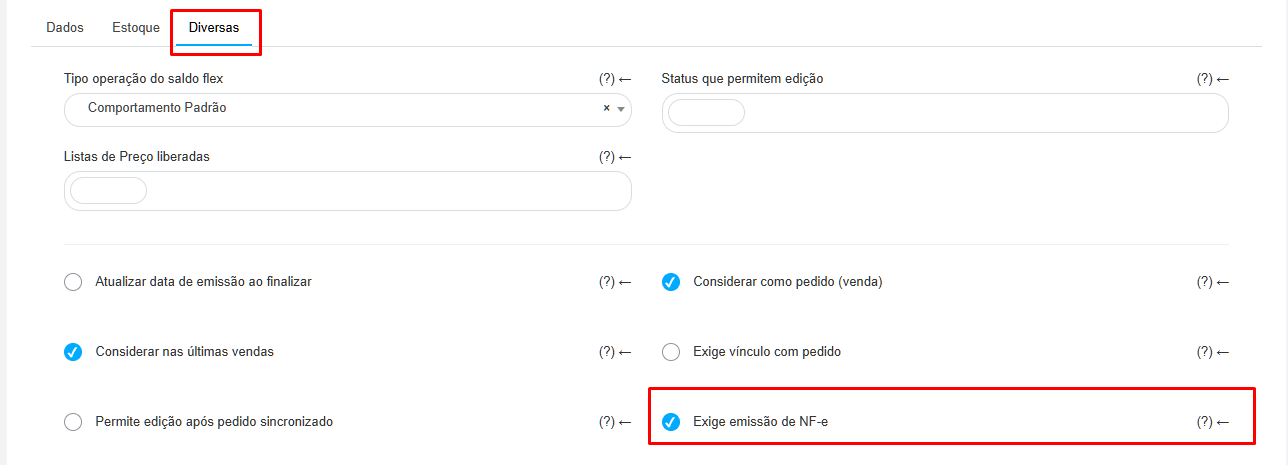
⚙️ When saving the order (on Android), Demander will activate the Invoice Issuance Webservice, wait for the response and automatically print the document.