

Discharge Value Concept
This article aims to explain the concept of Demander Discharge Value and how to register them:
Discharge Value Concept
Section titled “Discharge Value Concept”For the Demander, the “Unloading Value” refers to the amount that a customer must pay for the unloading of a load of products that were transported to him. This value is determined based on the values defined in the customer registration.
How does Demander calculate the Discharge Value?
Section titled “How does Demander calculate the Discharge Value?”The Unloading Value will be calculated considering the value defined in the customer’s “Unloading Value” field on the net weight of products in the order, checking if the Order Segment needs to “Calculate Unloading”.
- Example:
- At the customer we have the unloading value as R$ 0.0025 and the net weight of the order is 2000Kg
- 0.0025
How can I see the Discharge Value that was generated?
Section titled “How can I see the Discharge Value that was generated?”The “Discharge Value” value is calculated automatically when inserting products into the order. The value generated is stored in the “Accessory Expenses” field of the order. Then, after entering the order items, look for the “Accessory Expenses” field in the order.
-
Important
-** This value will be saved in the “Accessory Expenses” field of the order and added to the total order value.
- If you wish to use the Download Value and the “Accessory Expenses” field is not visible in the order, contact support.
-** If a Discharge Value is generated, it will not be possible to change it. But, if the Discharge Value is not generated for the order, then the “Accessory Expenses” field can be entered.**
-
The seller will be informed when saving the order, when a Discharge Value has been calculated.
- For some customers, the seller may have the option to reset the “Discharge Value” that was calculated automatically (Depends on the integration of Field 67 of Table 18 - Customers)
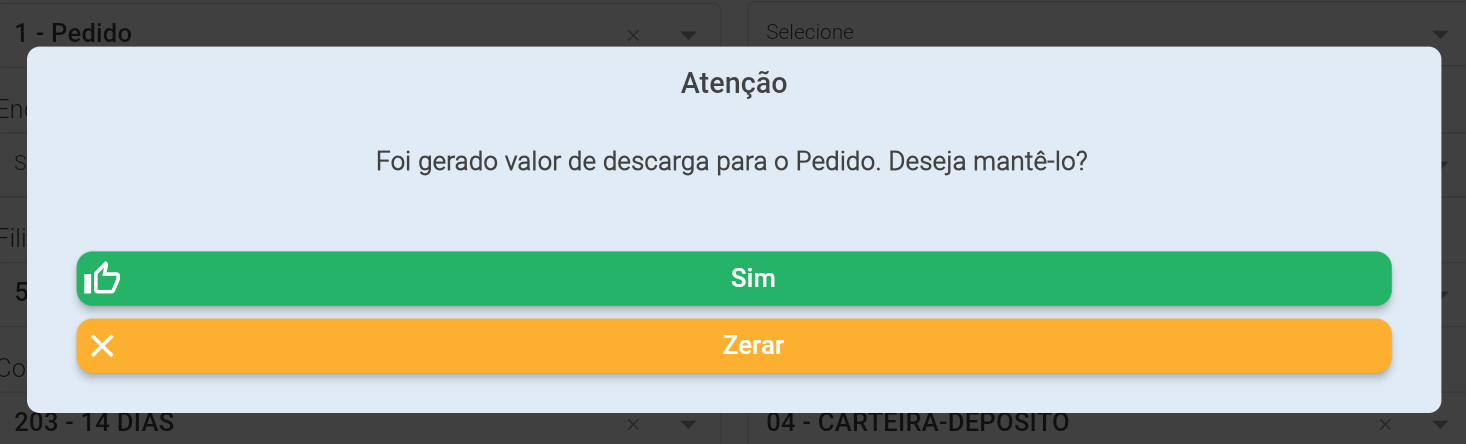
- When the customer does not allow the “Discharge Value” to be changed, the seller will be alerted but will not be able to interfere with the value generated.

Frequently Asked Questions:
How to enable the use of the Discharge Value?
Section titled “How to enable the use of the Discharge Value?”For the Discharge Value to work correctly, some steps need to be done:
- Have configured in Client > Financial

the “Unloading value” in R$ per kg of the net weight of the order.
-
Have enabled the “Calculate discharge” field in the Segment
-
In Company Settings
 Additional Settings the setting “Segment filter display configuration” must be set to “Apply filter and show field and record segment”
- ** Important: The above configuration, configured this way, will only allow one segment in the order. This is important because the discharge value is calculated depending on the segment.**
-
Integrate Field 67 - permiteAlterarDespesaAcessoria of Table 18 - Customers
- This field is NOT mandatory to be integrated, by default all customers allow Resetting the “Discharge Value”
- If you do not want to allow the option to reset the “Discharge Value”, you must send the value “0” (Zero) in this field.