How to Inactivate a Seller or User?
In Demander Web it is possible to inactivate a seller or user. Whenever a new seller is added to a company, Demander automatically creates a user for them.
How to inactivate a seller?
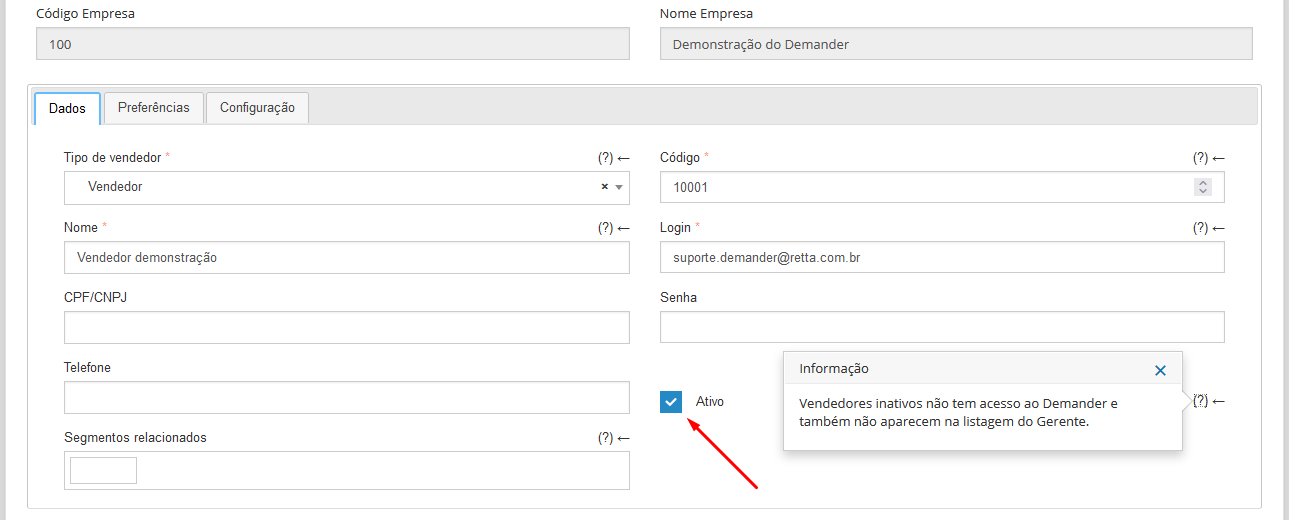
Section titled “How to inactivate a seller?”To inactivate a seller, you can perform the action through integration through table 02 - Sellers or directly in Demander Web in Registrations  Sellers. In edit seller, you will have the option to activate or inactivate a seller as shown in the figure below.
Attention! By inactivating a seller, the Demander Web user will automatically be inactivated. If necessary, you can reactivate the user and the seller will remain inactive.
How to inactivate a user?
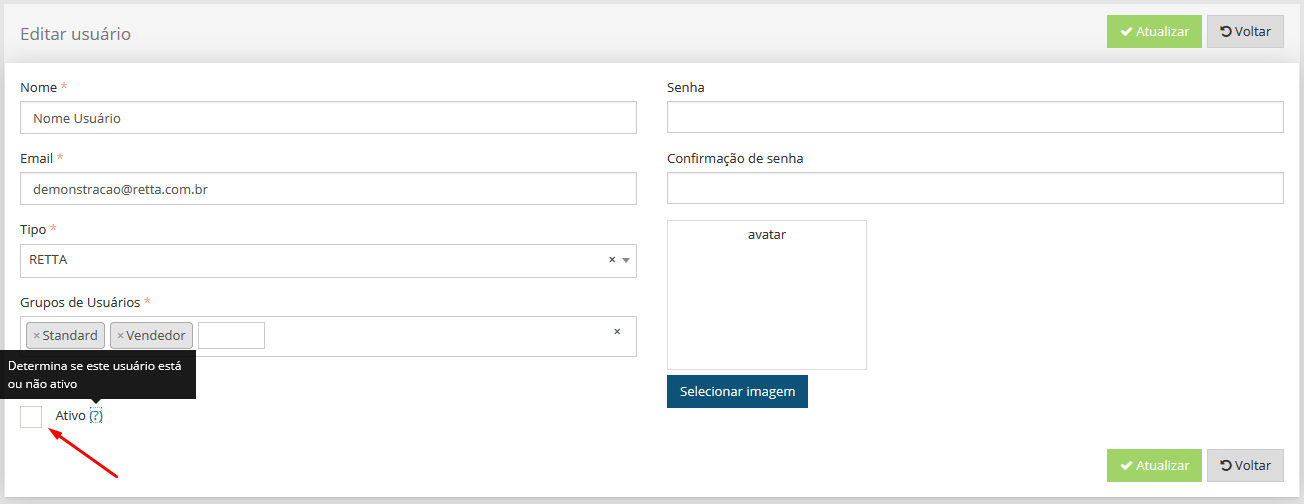
Section titled “How to inactivate a user?”To inactivate a user, you can perform the action directly in Demander Web in System registrations  Users. In edit user, you will have the option to activate or inactivate a user as shown in the figure below.
Attention! When a user is inactivated, only the Demander Web user will be inactivated. If the user is also a seller, the seller registration will remain active.