

2 - Levels of the Sales Expectation Perspective
Available at:

This article aims to explain what Perspective Levels are within Sales Expectations and how to register them in Demander.
What are Perspective Levels
Section titled “What are Perspective Levels”Perspective Levels define the hierarchy and direction of goals within the Sales Expectation — that is, what the goal should look at and what order of priority it will follow.
To create Sales Expectation Perspective Levels, you must already have a Sales Expectation Perspective previously registered.
How to register them
Section titled “How to register them”To register the Sales Expectation Perspective Levels, follow the path below and fill in the fields according to your company’s needs:
Path: Registrations → Sales Expectations → Perspective Levels
Perspective: Select one of the Perspectives already registered previously.
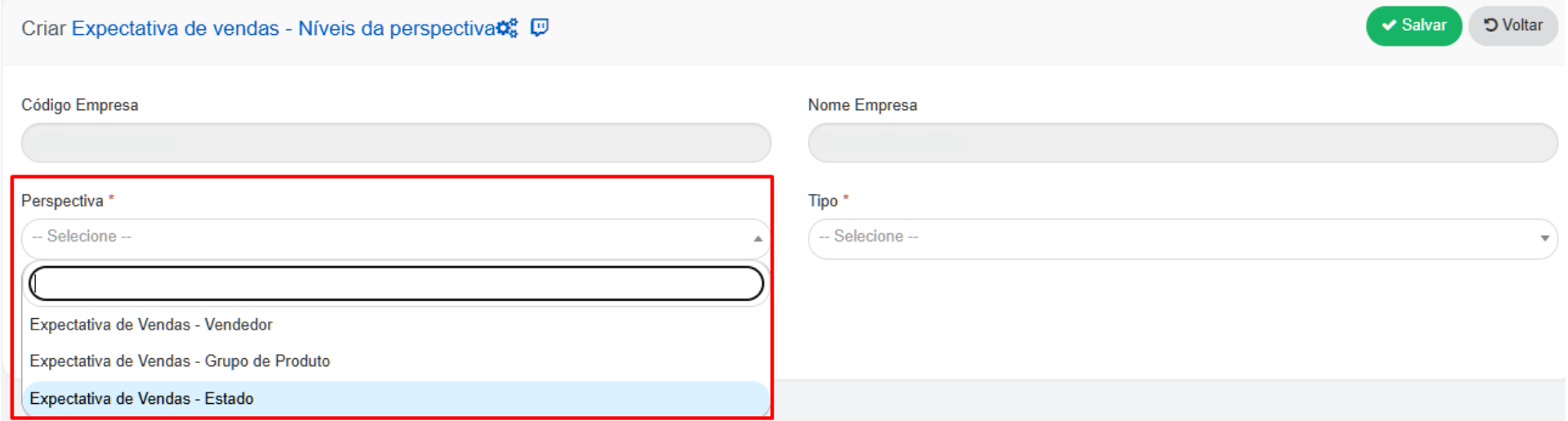
Type: Choose from the available options according to the Sales Expectation you wish to register.
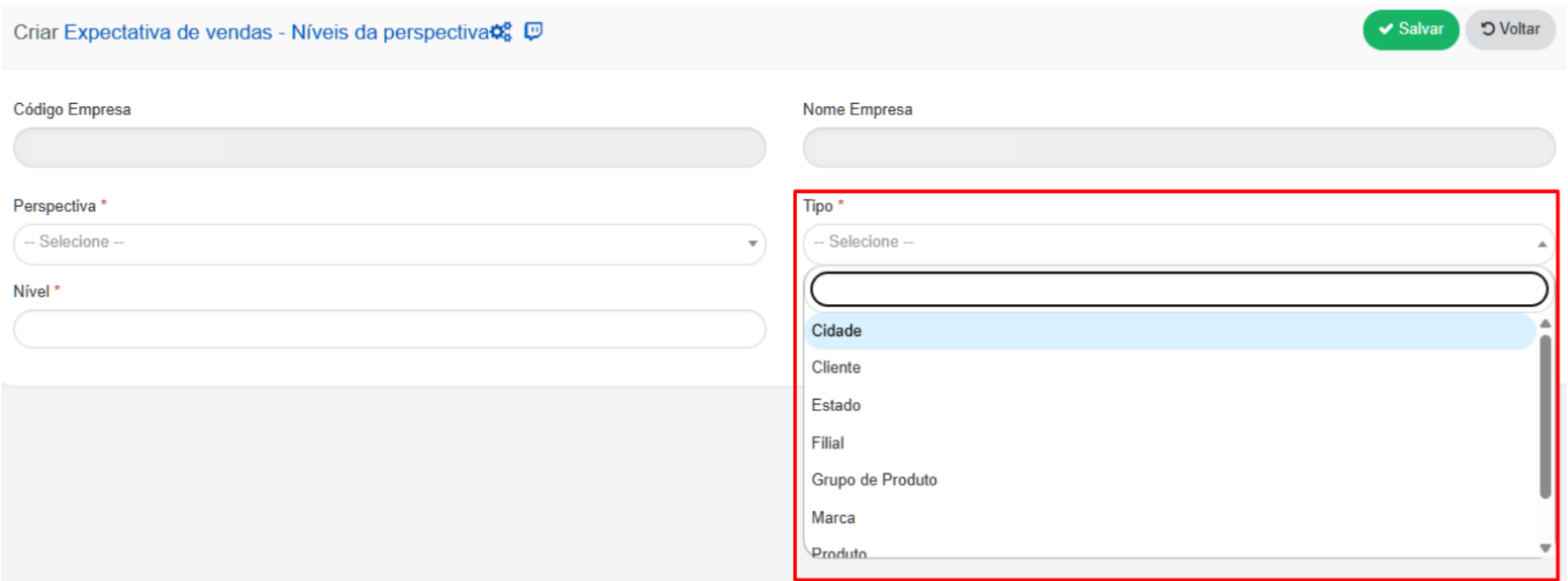
Level: Enter an integer (example: 1, 2, 3…). The number defines the order in which the Sales Expectation is presented in the mobile application.
- It is not mandatory to register several levels — it is possible to have just one, if the company’s Sales Expectation model does not use hierarchy.
- For each different Perspective, the numbering must always start at 1

View in the mobile application
Section titled “View in the mobile application”In the mobile application, Sales Expectation Levels are accessed by clicking on the indicator (graph).
Section titled “In the mobile application, Sales Expectation Levels are accessed by clicking on the indicator (graph).”When clicked, a new screen is displayed showing the next Expectation level and its description.
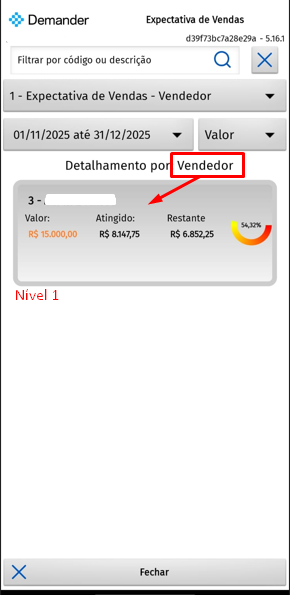
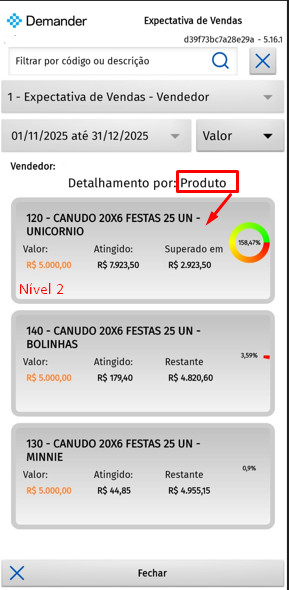
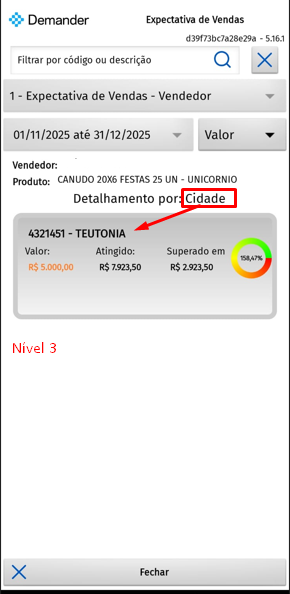
It is also possible:
- View other Sales Expectations, if any;
- Change the period through filters;
- View the Expectation in different formats: Value, Quantity, Net Weight and Gross Weight. These attributes are configured on the Sales Expectation Value screen.
Integration
Section titled “Integration”To import the Sales Expectation Perspective Levels via integration, access the article below: ➡️ Integration Layout: Table 61 - Sales Expectation - Perspective Levels