

Product positivity alert
The positivity alert helps sales representatives identify repurchase opportunities while adding products to an order. For each product, Demander compares the customer’s last purchase with the period defined by the company and shows an indicator on the product row.
Before configuring
Section titled “Before configuring”For a purchase to be included in the history used by the alert, its order type must have the Include in latest sales option enabled. Orders of types that do not use this option are excluded from the calculation, even if they have already been synchronized.
See Registering Order Types to learn how to review this setting.
Setting the period
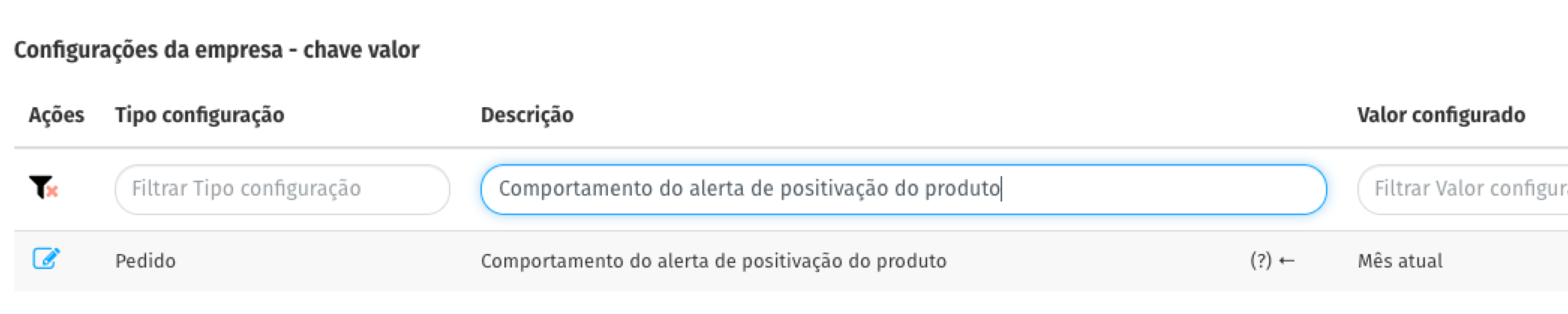
Section titled “Setting the period”In Demander Web, go to the company settings under Additional settings. In Product positivity alert behavior, choose one of the options below.
| Option | How the period is calculated |
|---|---|
| Disabled | Does not show the alert. This is the default value. |
| Current month | Considers purchases made from the first day of the current month through today. |
| Customer purchase interval | Uses the number of days set in the purchase interval in the customer’s record. For example, an interval of 15 days considers purchases from the last 15 days. |
| Last 30 days | Considers purchases made in the 30 days before the current date. |
| Last 60 days | Considers purchases made in the 60 days before the current date. |
Understanding the indicator in the order
Section titled “Understanding the indicator in the order”While entering the order, the application shows the result next to the product information.
| Indicator | Meaning |
|---|---|
| Last purchase date in green | The customer purchased the product within the configured period. |
| Last purchase date in red | There is a previous purchase, but it is outside the configured period. |
| Never purchased in orange | There is no eligible purchase of this product for the customer. |
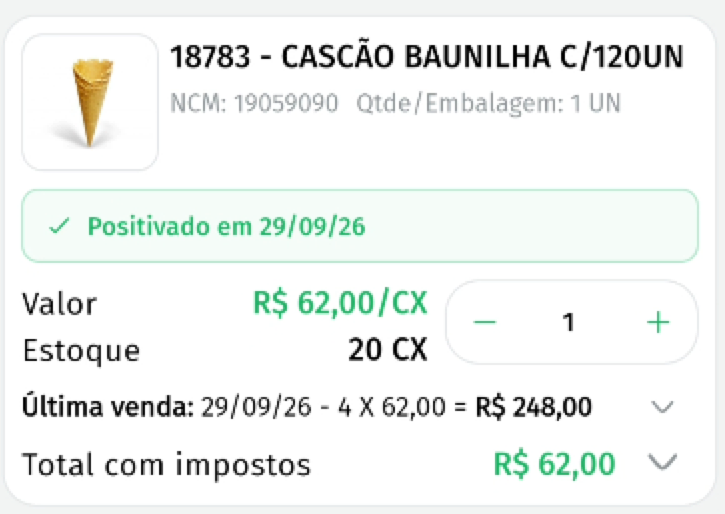
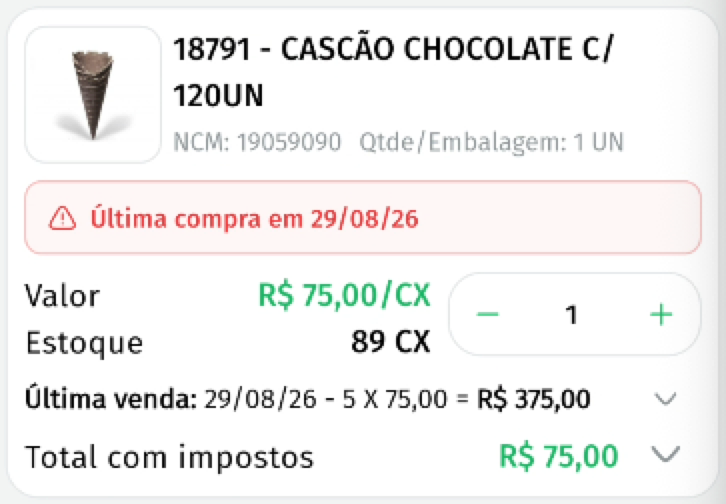
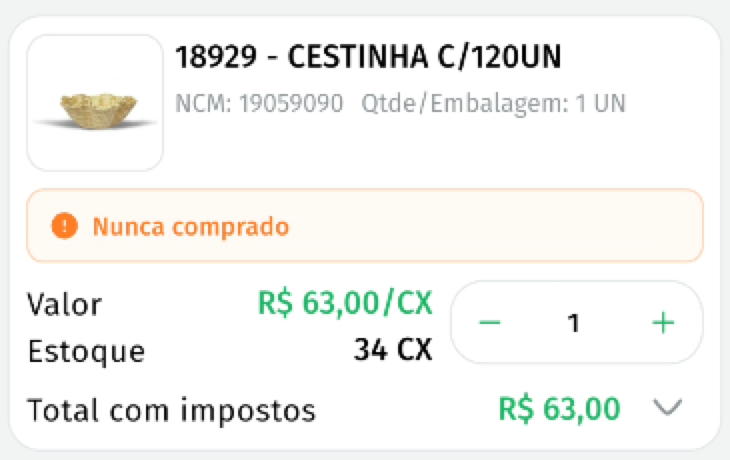
The alert considers a purchase made exactly on the first date of the period as within the period. For example, with the Last 30 days option, a purchase made exactly 30 days ago appears in green.
Which purchases are included in the calculation
Section titled “Which purchases are included in the calculation”Demander uses the most recent purchase of the product by the customer. The following are considered:
- local orders on the device, including those that are only saved (with Saved status), even before synchronization;
- eligible order history that has already been synchronized;
- only orders whose type is configured to be included in latest sales.
Therefore, local saved orders may be included in the calculation even before synchronization and can be consulted in the application without an internet connection. To use already synchronized history, the setting and corresponding data must be available on the device.
How each period works
Section titled “How each period works”Current month
Section titled “Current month”The start of the period is always the first day of the current month. If today is October 18, for example, purchases made since October 1 appear as positive.
Last 30 or 60 days
Section titled “Last 30 or 60 days”The start of the period is calculated from the current date. If today is October 18, the Last 30 days option considers purchases made since September 18; the Last 60 days option considers purchases made since August 19.
Customer purchase interval
Section titled “Customer purchase interval”The period follows the interval registered for the customer in the order. This option assumes that the customer has a valid purchase interval registered.
Frequently asked questions
Section titled “Frequently asked questions”Does the alert appear for every product?
Section titled “Does the alert appear for every product?”No. It only appears when the setting is different from Disabled. Products without eligible history receive the Never purchased indicator.
Is an order saved on the phone considered before synchronization?
Section titled “Is an order saved on the phone considered before synchronization?”Yes. Orders saved on the device are part of the calculation, provided that the order type is configured to be included in latest sales.
Why was a purchase not included in the alert?
Section titled “Why was a purchase not included in the alert?”Check whether the order belongs to the same customer, whether the order type has the Include in latest sales option enabled, and whether the purchase date is within the selected period.