

How to register Prices for Products
Available at:

This article aims to explain how product prices are registered in the Demander system.
Product Price on Demander
Section titled “Product Price on Demander”To register a product price, it is necessary that the products and price lists have already been registered.
Product price is the link between an item and a price list. In it, you can configure discount rules, promotions, weights, and even different values per customer, all within the same list.
It is also possible:
- Create price options within the same list, using the Pre-fixed Prices field;
- Define multiple commercial variations and restrictions as per company policy.
How to register with Demander
Section titled “How to register with Demander”Access the menu: Registrations → Product Prices → New
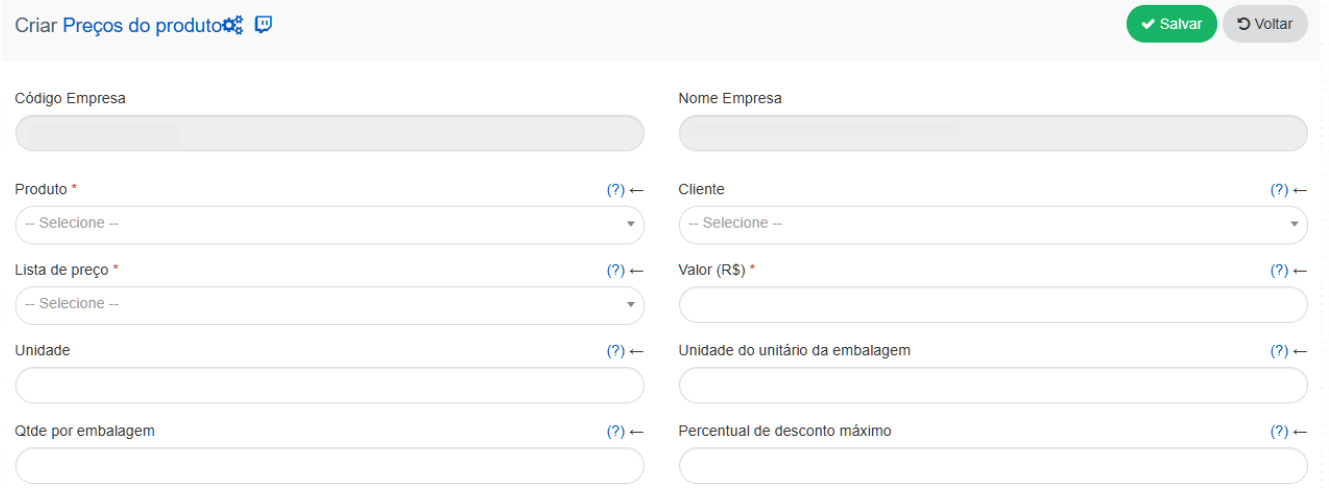
*Product: Product that will have an assigned price.
*Price list: Price list to which the product will belong.
*Value(R$): Value, in reais, that will be attributed to the product.
Customer: If a customer is informed, this price will only be valid for the selected customer. If none is selected, the price will apply to everyone.
Unit: Unit associated with the price of the product.
Packaging unit unit: Unit of measurement of the packaging unit.
Quantity per package: Product quantity per package.
Maximum discount percentage: Maximum discount rate for the product.
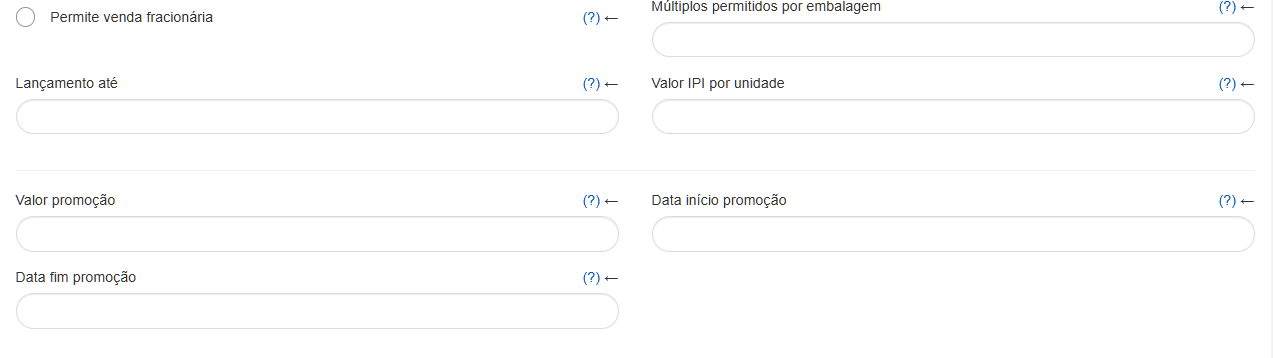
Multiples allowed per packaging: Allows the product to be sold in such a way that the packaging is broken and only multiples of the value entered can be sold. Example: A product has a package with 20 items. If the value 5 is entered, the seller will be able to break the packaging and sell items in quantities that are multiples of 5.
Allows fractional sales: Allows or not the fractional sale of the product.
Launch by: Product price launch date.
IPI value per unit: IPI value per unit related to the price of the product.
Promotion value: Value of the product on promotion, if any.
Promotion start date: Start date of the product promotion.
Promotion end date: End date of the product promotion.
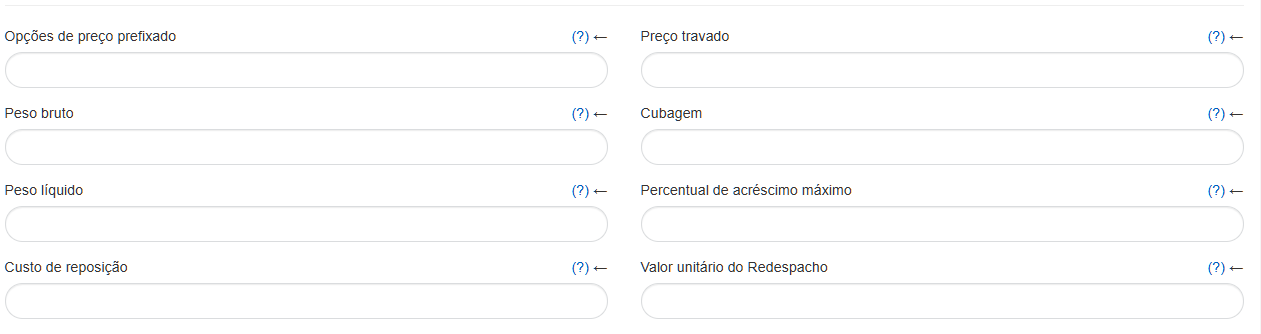
Pre-fixed price options: The values must be registered and separated by ; (semicolon). Ex: 1.79;1.89;1.99
Locked price: Fixed price for the product. No increase or discount will be allowed.
Gross weight: Gross weight of the product.
Cubage: Cubic measurement of the product packaging.
Net weight: Net weight of the product.
Maximum increase percentage: Maximum increase rate of the product price.
Replacement cost: Cost of replacing the product.
Redespacho unit value: Defines the unit value applied to redispatch, the value defined in this field will automatically fill in the redispatch value when placing a new order.
Import via Excel
Section titled “Import via Excel”If the import is done via an Excel spreadsheet, product prices will be created automatically during the process — there is no need to register them manually.
For more details, see How to import product price lists via spreadsheet.