

How to register Payment Terms
Available at:

This article explains what Payment Conditions are and how to register them in Demander, as well as showing how to release or hide them in orders and define one or more conditions for each customer.
Payment Terms Concept
Section titled “Payment Terms Concept”The payment term is the agreement that defines how and when the value of a purchase will be paid.
While the payment method determines the method used (card, Pix, cash, etc.), the payment condition deals with the deadlines, installments and rules for this payment.
Examples of payment terms:
-
In sight
-
30 days 30/60/90 days
-
50% on entry and 50% on delivery
How to register with Demander
Section titled “How to register with Demander”Access the [Payment Terms] screen (https://sistema.demander.com.br/dinamico/condicoes-de-pagamento/) and click New.

Data Tab
Section titled “Data Tab”Fill in the required fields:
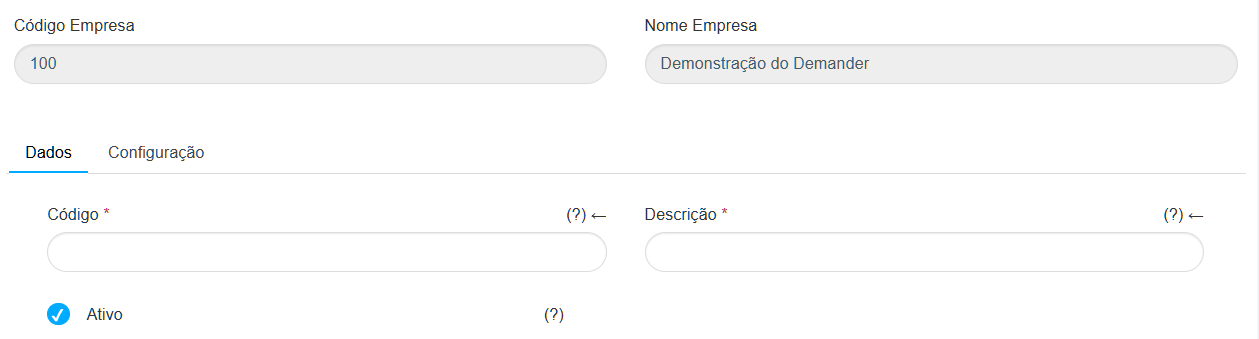
- Code: Unique identifier for each payment condition.
- Description: Name that will appear to the seller when placing the order (example: cash, 30/60 days, bank slip, check 30 days). Active: Inactive conditions cannot be used.
Settings Tab
Section titled “Settings Tab”Here you define how the payment condition will be used in the system:
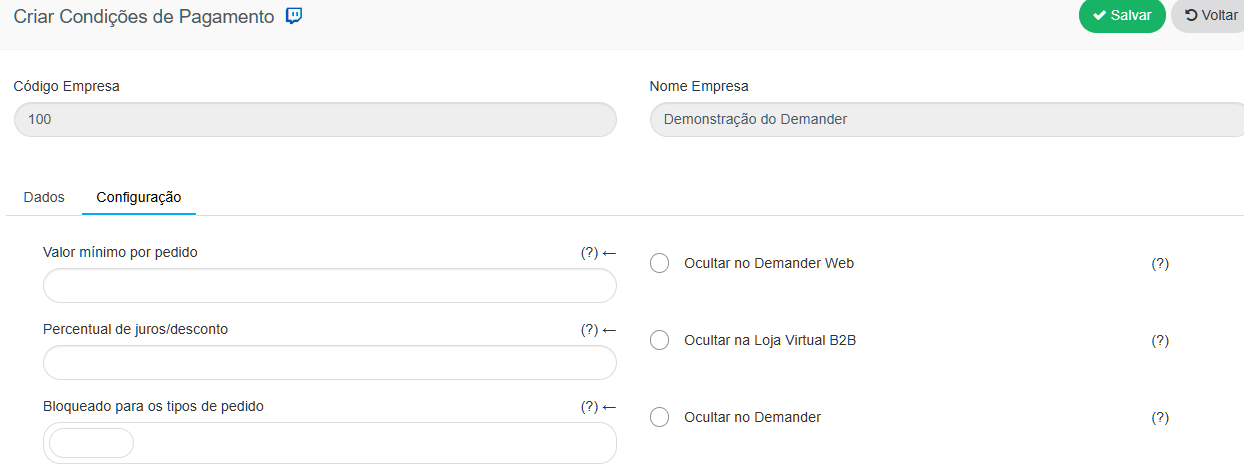
- Minimum value per order: Defines the minimum value that the order must have to use this condition.
- Interest/discount percentage: Applies a fee to the total order value.
- Negative value (-2.5) is considered a discount.
- Positive value (2.5) is considered interest.
- Locked for order types: Prevents the condition from being used on selected order types.
- Hide in Demander Web: Prevents the condition from being used when registering orders via the web.
- Hide in Online Store: Hides the condition in the online store, preventing orders from it.
- Hide in Demander: Hides the condition for sellers in the app.

- Average term: Defines the average number of days for the payment condition.
- When there is an average term configured and the customer has a standard condition, the system will only display conditions with a term equal to or shorter than that defined.
- Considers credit limit: Activates credit limit control, preventing the customer from exceeding their maximum allowed amount.
- Released Payment Methods: Defines which payment methods can use this condition. If the shape is defined on the client, this validation is ignored.
- Deadlines: Defines the installments that will appear in the order PDF.
- The field must contain only comma-separated numbers.
- Example: 30,60,90
How to release or hide in the order
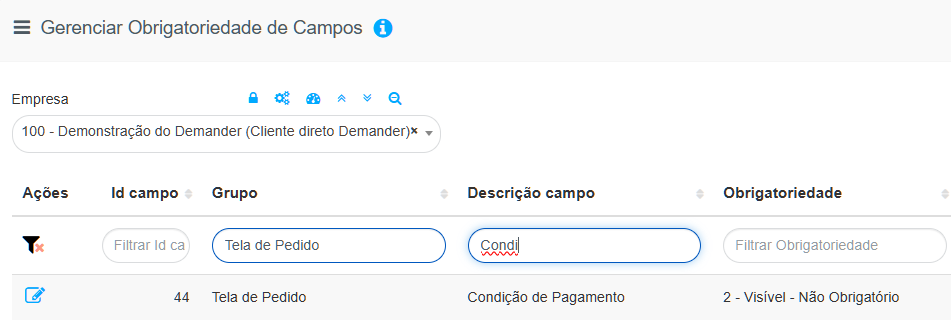
Section titled “How to release or hide in the order”By default, the Payment Terms field appears as visible but not required on orders.
You can configure the field to:
-
Be mandatory (the order will only be saved if the field is filled in); Be visible, but optional;
-
Stay hidden if it is not relevant to your company.
To adjust, access the Mandatory Fields screen and search for “Payment Condition” in the Field Description field. The related group is Order Screen (as shown in the system screenshot).
How to define a default condition in customer registration
Section titled “How to define a default condition in customer registration”In Demander, it is possible to define a default payment condition for each customer, choose whether the seller can change it and also configure additional released conditions.
This means that, when creating a new order, the system automatically fills in the customer’s default condition. If the customer has blocked conditions, additional conditions will not appear as an option.
How to configure:
Section titled “How to configure:”- Access Demander Web → Customers→ Financial tab.
- In the Payment Condition field, select the desired default condition.
- If you want to block editing by the seller, select the corresponding option.
- 🔎 If the field does not appear, release it through the Field Requirement screen.
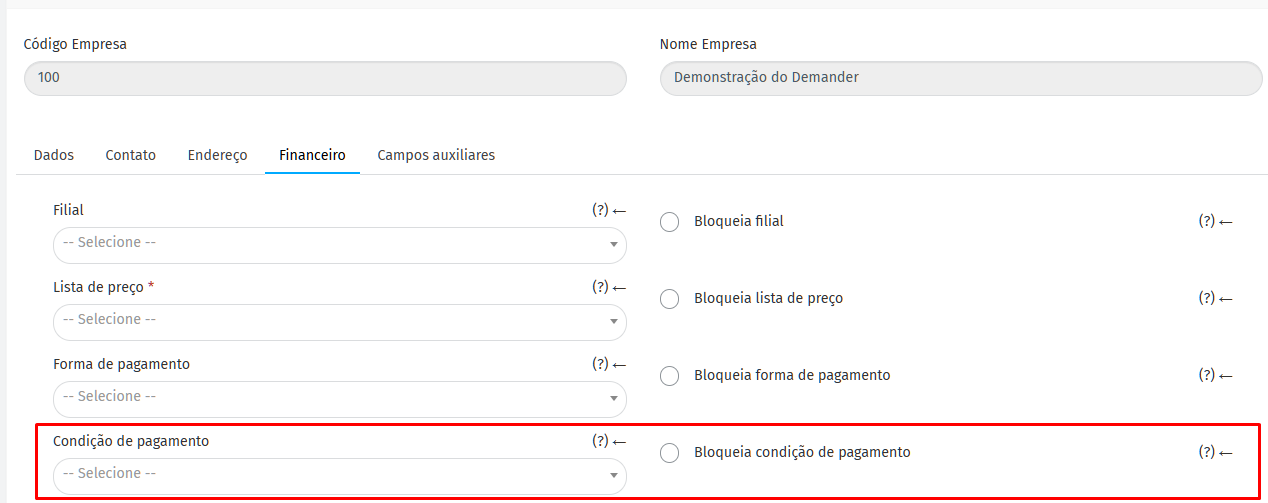
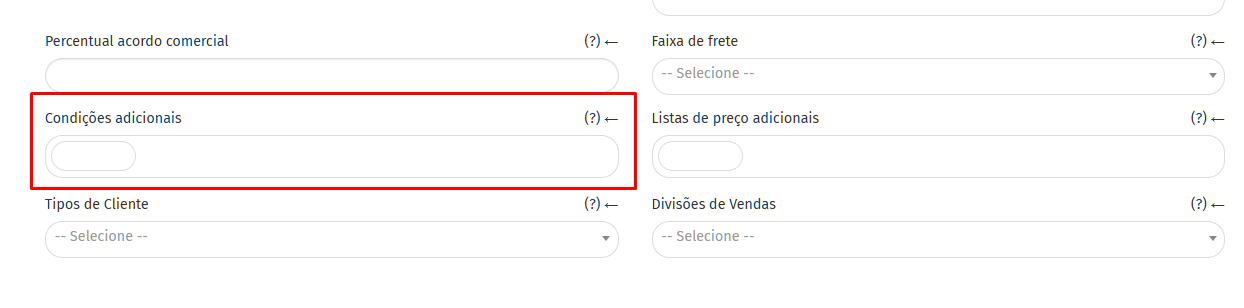
To release additional conditions, enable the Additional Conditions field in the customer registration (also in the Field Requirements). Do not select the blocking option, just define which additional conditions the customer can use.
Thus, the system will automatically fill in the default condition when selecting the customer in the order — but the seller will be able to choose another one among those released.
 ## Explanatory Video