

Product Grid Module
This article aims to explain the Product Grid functionality that is available starting from Demander Android version 4.14.
About the Product Grid
Section titled “About the Product Grid”With the product grid, it is possible through the Android App to sell products with different variations, such as Color and Size, for example.
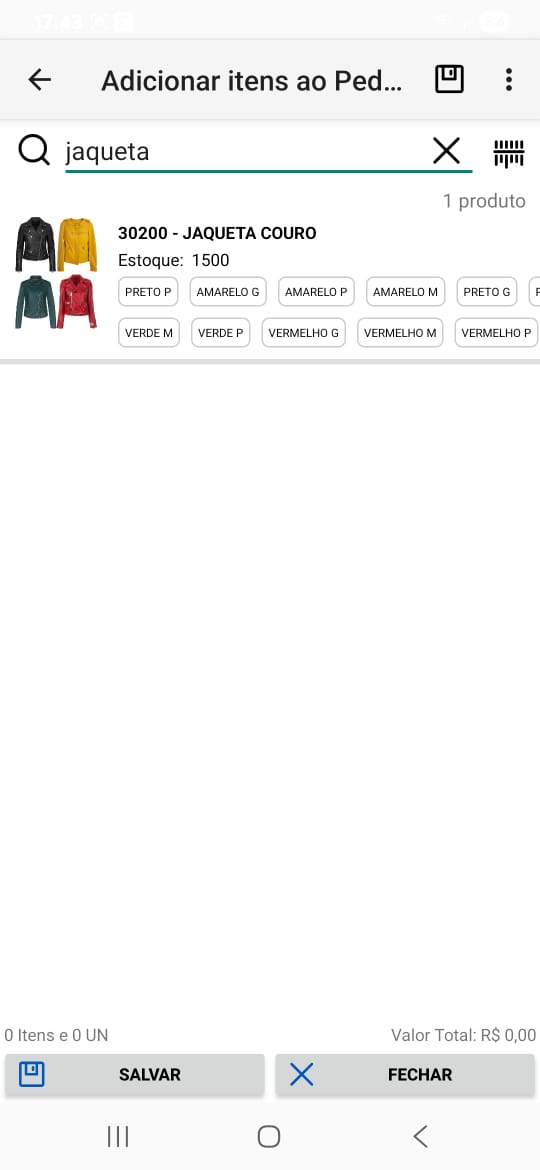 | 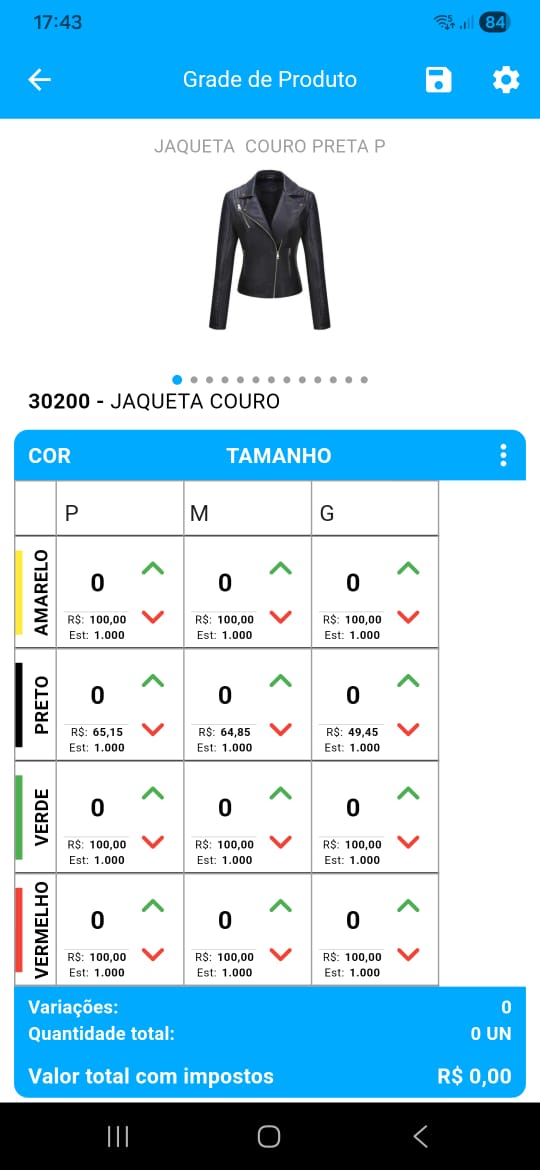 | 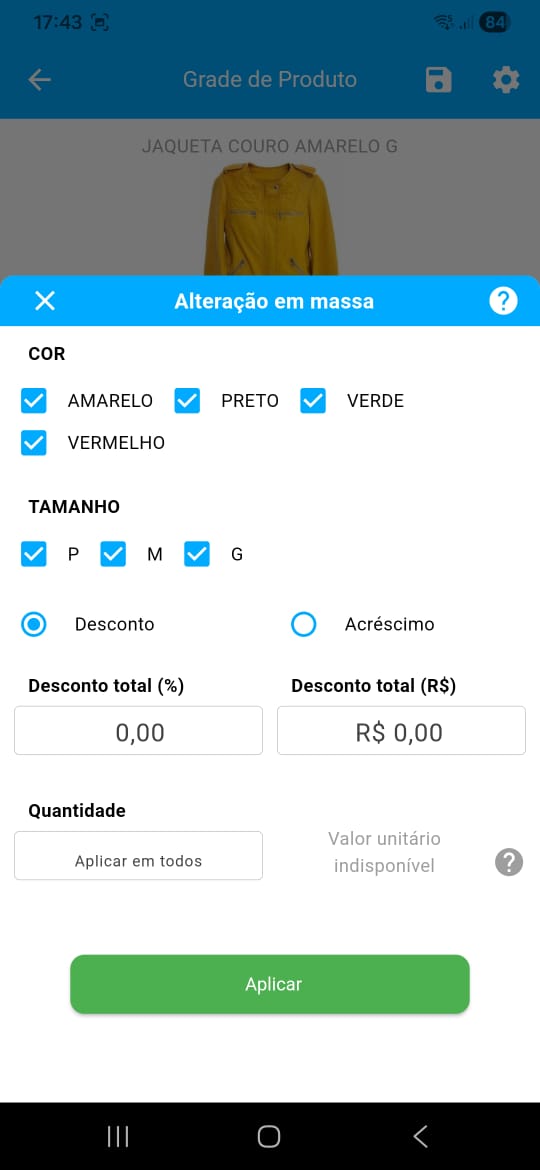 |
Frequently asked questions
Section titled “Frequently asked questions”How many variations can be used?
Section titled “How many variations can be used?”- It is possible to have several variations registered, but each product can have up to two variations.
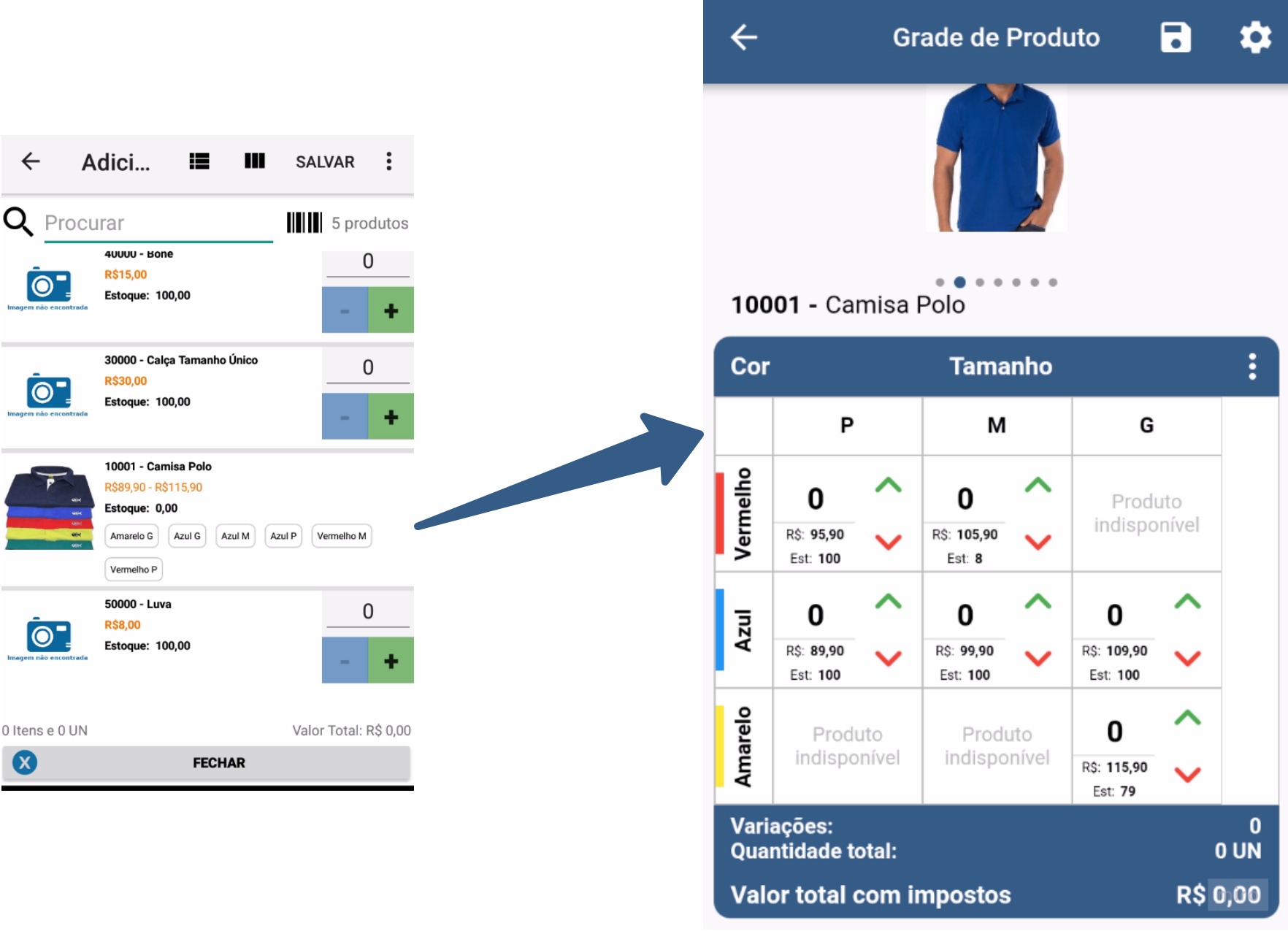
- You can have, for example, a Red Sneakers 40 where (Variation #1 is “Red” and Variation #2 is “40”) and a Striped Shirt M where (Variation #1 is “Striped” and Variation #2 is “M”).
- Example of grid with 2 variations:
- It is also possible to use the Grid with just one variation.
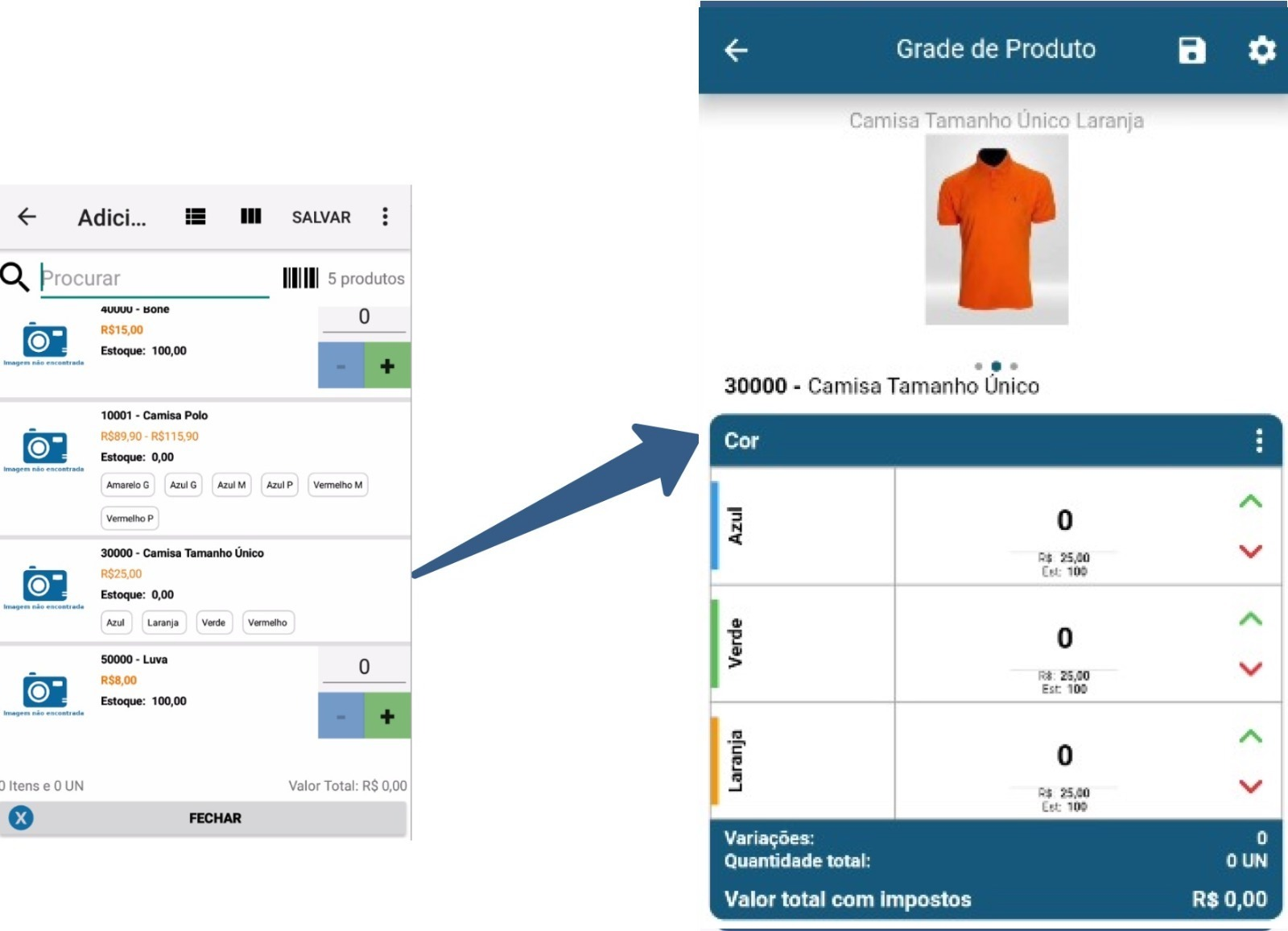
- For example, a One Size Green Shirt where (Variation#1 is “Green”).
- When the grade product is being sent with Variation#1, the (color) descriptions will be positioned Vertical.
- Example of grid with 1 variation where the grid variation sent in the product is Variation#1:
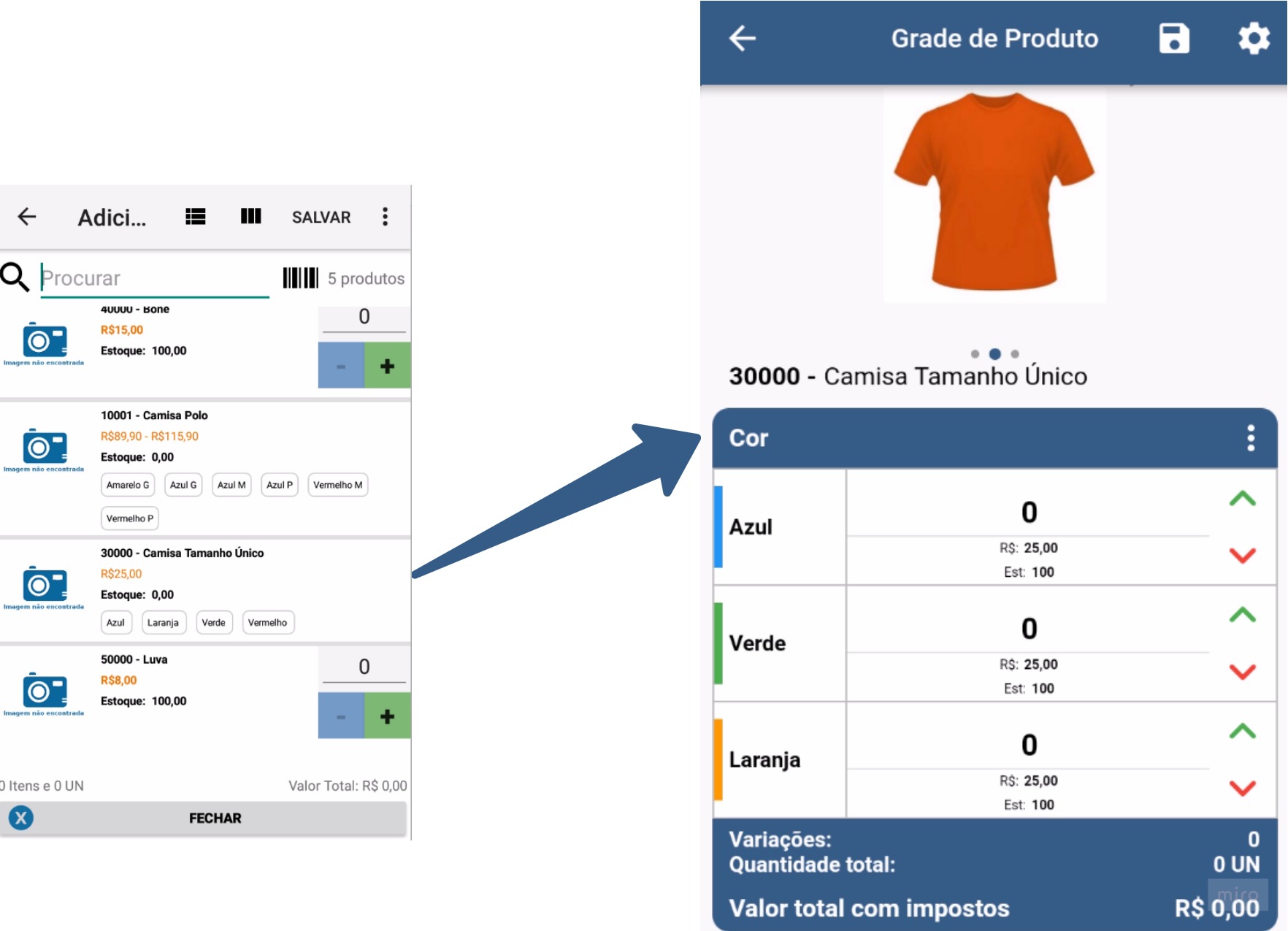
- For example, a One Size Green Shirt where (Variation#2 is “Green”).
- When the grade product is being sent with Variation#2, the descriptions (color) will be positioned in Horizontal.
- Example of grid with 1 variation where the grid variation sent in the product is Variation#2:
Display the product photo in the matrix grid?
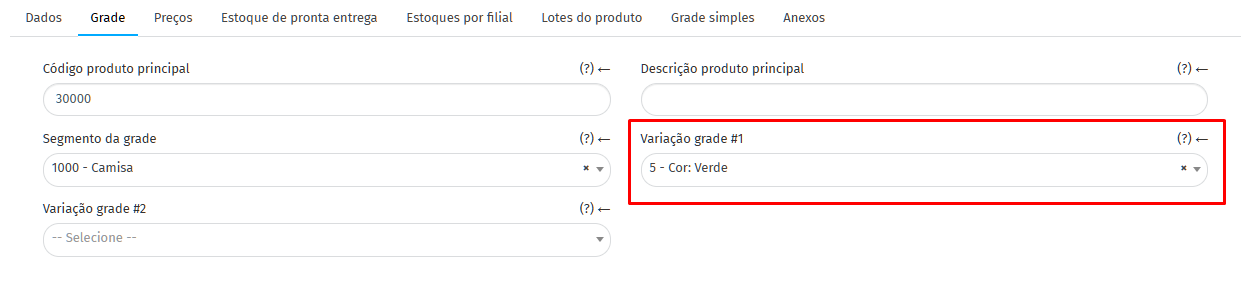
Section titled “Display the product photo in the matrix grid?”Important: The product photo in the grid will only be displayed if:
- The product has only one variation.
- The grid variation is sent in Grid Variation #1 (As in the image below):
- The setting “Display the product photo in the matrix grid (only one variation can be configured)” is set to “Yes”.
What Product/Price configurations does Grid respect?
- Latest price suggestion
- Promotional price
- Packaging breakage
- Multiples allowed
- Fractional sale
- Discount/Addition (It is not possible to add an increase directly to the product in the grid, but if the last suggested price is higher than the current price of the product, it is shown as an increase)
- Tax Calculation (Normal and Reverse)
How to enable the Grid module?
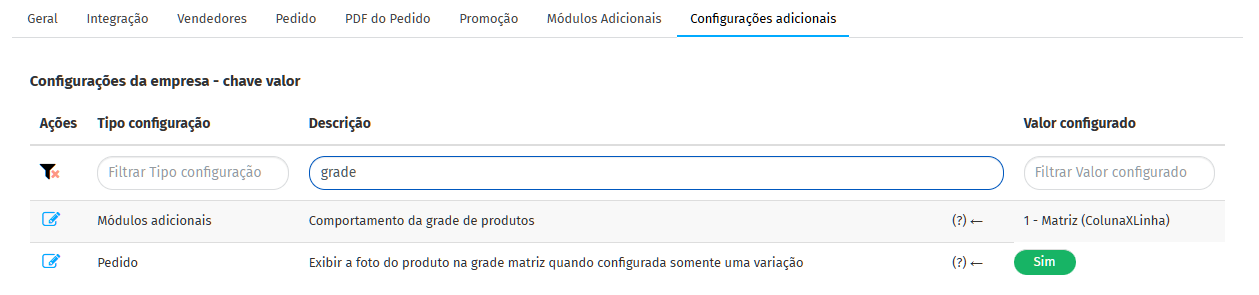
Section titled “How to enable the Grid module?”To enable the module, access the “Company Settings” screen, in the Additional Settings tab, search for grid and configure it this way.
- Product grid behavior: 1 - Matrix (ColumnXLine)
- Displays the product photo in the matrix grid (only one variation can be configured).
Product Grid Integration
Section titled “Product Grid Integration”- To perform Product Grid integration, access the article “Product Grid Integration”