

Visit Module Without Sales
Available at:


This article explains in detail the concept of a visit without a sale, how to register reasons, register a visit and consult reports.
Section titled “This article explains in detail the concept of a visit without a sale, how to register reasons, register a visit and consult reports.”What are visits without sales
Section titled “What are visits without sales”Visits without sales are records created by the salesperson whenever a visit to the customer occurs without a sale taking place at that time.
Section titled “Visits without sales are records created by the salesperson whenever a visit to the customer occurs without a sale taking place at that time.”In other words, the seller records the attempted sale and the reason why it did not occur.
Section titled “In other words, the seller records the attempted sale and the reason why it did not occur.”Common examples:
Section titled “Common examples:”customer didn’t want to buy
Section titled “customer didn’t want to buy”lack of stock
Section titled “lack of stock”missing buyer
Section titled “missing buyer”store closed
Section titled “store closed”competitor made lower price
Section titled “competitor made lower price”Each visit is recorded with date, reason and observations, ensuring important information for commercial monitoring.
Section titled “Each visit is recorded with date, reason and observations, ensuring important information for commercial monitoring.”What is the point of registering a visit without a sale?
Section titled “What is the point of registering a visit without a sale?”Used for:
Section titled “Used for:”measure sales attempts
Section titled “measure sales attempts”track commercial visits
Section titled “track commercial visits”create attendance goals
Section titled “create attendance goals”identify reasons for loss
Section titled “identify reasons for loss”generate management reports
Section titled “generate management reports”For commercial management, it is a way of controlling results beyond revenue.
Section titled “For commercial management, it is a way of controlling results beyond revenue.”How to register reasons for visits without sales
Section titled “How to register reasons for visits without sales”Reasons can be registered via Demander Web or via integration. To register through Demander:
- Registrations → Reasons for visits without sales
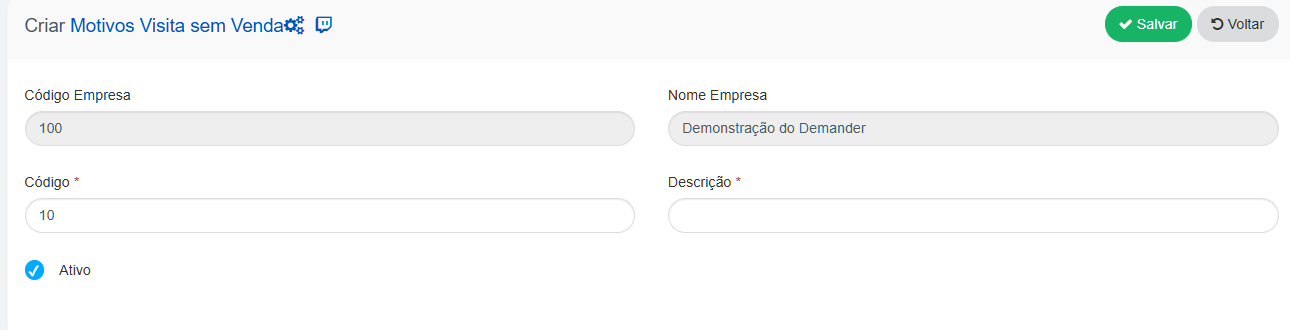
Available fields:
Section titled “Available fields:”- *Code: Identifier of the reason for the visit without selling.
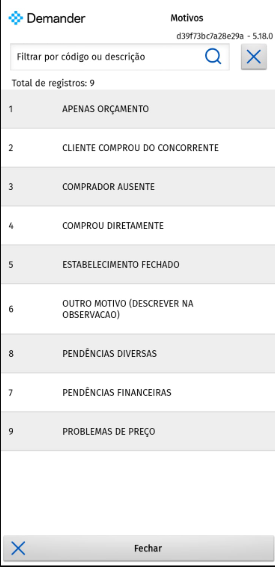
- *Description: Reason the seller did not make the sale, some examples: CUSTOMER STOCKED, CUSTOMER CLOSED, BUYER ABSENT, PURCHASED FROM THE COMPETITOR.
- *Active: Inactive reasons will not appear when creating a visit without a sale.
Inactive reasons do not appear during visit creation.
Visit registration without sales
Section titled “Visit registration without sales”Required settings:
Section titled “Required settings:”Company Settings → Additional settings → “Visit without sale” button
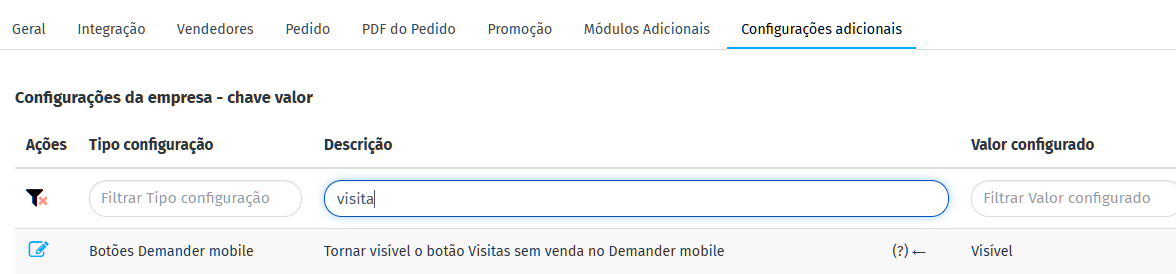
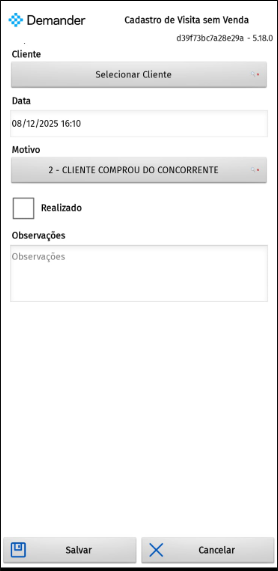
Can be registered via mobile:
Access the Visit button without sales

When going new, it will always ask for the reason for being selected. The reasons must be registered in advance.
Or on Demander Web:
Registrations → Visit without sales
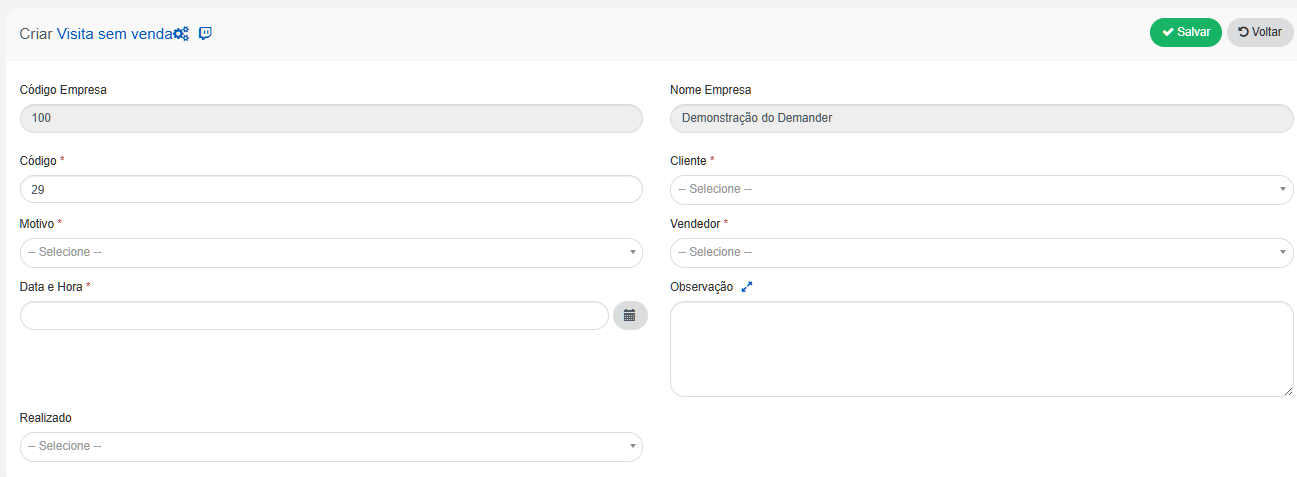
Available Fields:
*Client: Visited client
*Date: The date, hour and minute will be automatically filled in, this field cannot be changed.
*Reason: All active reasons registered on the Reasons for visits without sales screen will be listed. The reasons must be registered in advance.
Performed: Informs whether the visit was carried out or not.
Notes: Additional information from the visit record without sales.