

Product Restriction Policy
What is it for?
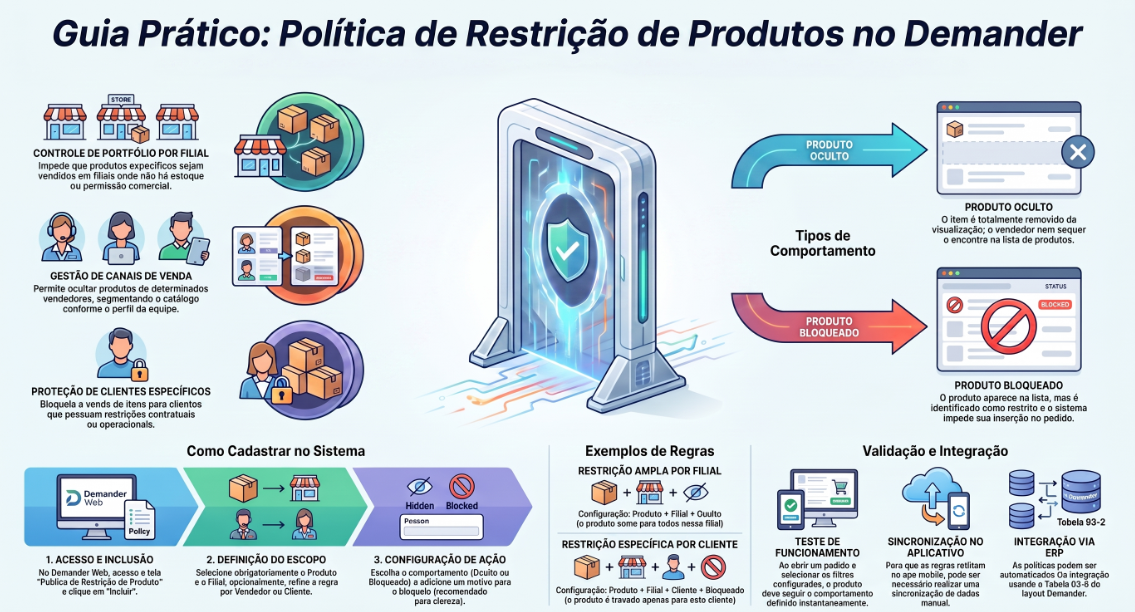
Section titled “What is it for?”The Product Restriction Policy allows you to hide or block products in orders, according to the branch, seller, and customer.
Use this feature when a product:
- Should not be sold in a specific branch;
- Should not be presented to a specific seller;
- Cannot be sold to a specific customer.
How does it work?
Section titled “How does it work?”The system checks the restriction based on the order details.
Demander Web Registration: Product Restriction Policy
Example
Section titled “Example”If Product 10 is configured as Hidden for Seller 1 at Branch 2, it will not be displayed when that seller places an order for that branch.
Types of restriction
Section titled “Types of restriction”- Hidden: the product does not appear in the product list.
- Blocked: the product is identified as restricted and cannot be used in the order.
How to register a restriction
Section titled “How to register a restriction”- Access the Product Restriction Policy screen.
- Click Include.
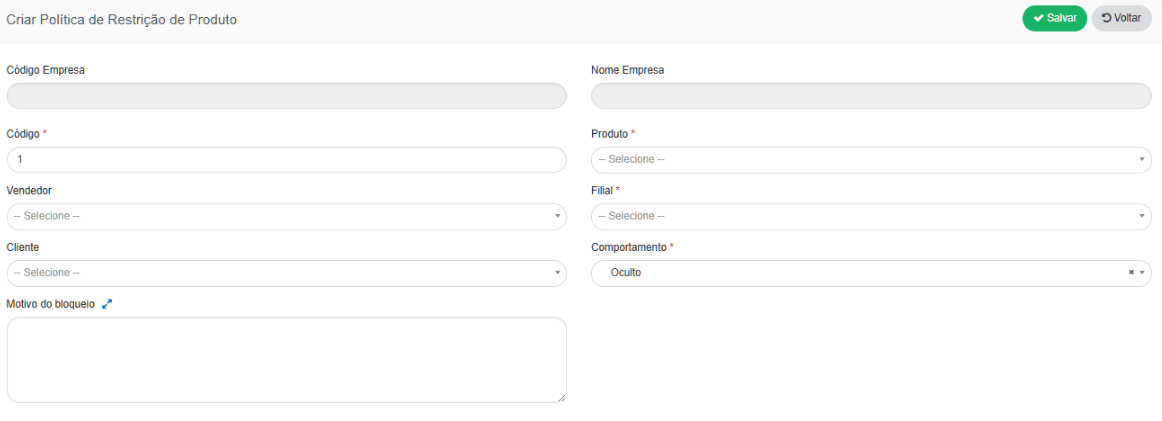
- Fill in the fields:
- Product: select the product to be restricted. Mandatory field.
- Branch: select where the restriction will be applied. Mandatory field.
- Seller: select the seller if the restriction is specific to them. Optional field.
- Customer: select the customer if the restriction is specific to them. Optional field.
- Behavior: choose between Hidden or Blocked. Mandatory field.
- Blocking Reason: enter the reason for the restriction. Optional field, but recommended.
- Click Save.
Attention
Section titled “Attention”- Each product must be registered in a separate policy.
- If Seller or Customer are not specified, the rule will not be specific to them. Leave these fields empty only when the restriction should apply broadly to the branch.
Examples
Section titled “Examples”-
Restriction for a branch:
Product + Branch + Hidden
The product will not be displayed in that branch. -
Restriction for a seller:
Product + Branch + Seller + Blocked
The product will be blocked for that seller in the specified branch. -
Restriction for a customer:
Product + Branch + Customer + Blocked
The product will be blocked for that customer in the specified branch.
How to test
Section titled “How to test”After saving:
- Open an order.
- Select the configured branch.
- Select the seller and customer, if applicable.
- Search for the product.
The result should follow the chosen behavior:
- Hidden: the product will not be displayed.
- Blocked: the product will be identified as blocked.
If the restriction is not applied, verify whether the branch, seller, customer, and product are correct. In the mobile app, a synchronization may also be required to update data.
ERP Integration
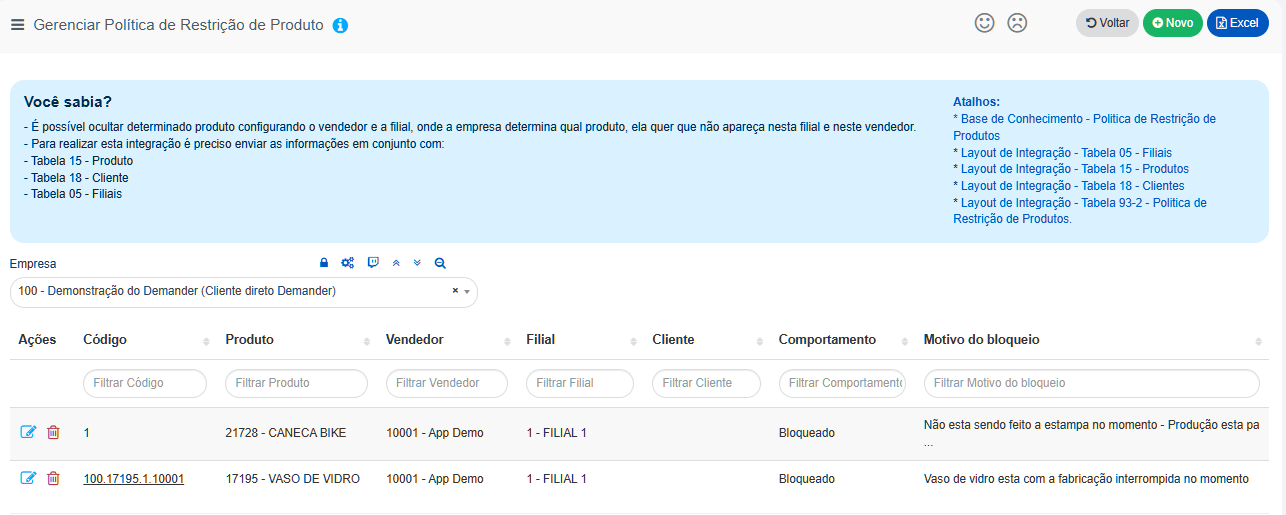
Section titled “ERP Integration”Policies can also be registered via integration using Table 93-2.
See the article: Integration Layout: Table 93-2 – Product Restriction Policy.
For manual registration, using this layout is not required.