

Redispatch Concept
In this article, the concept of Redispatch by Items will be presented.
- What is Redispatch per item?
- How to activate Redispatch?
- How are Redispatch values per Order Item used?
- Add automatic suggestion in Redispatch?
- Frequently Asked Questions?
- How to integrate Redispatch values?
What is Redispatch per item?
- Item redispatch is a method of freight transport that involves the transfer of goods between two or more vehicles during the journey to the final destination. This process is common in situations where a single vehicle is not capable of transporting all the goods to the desired destination.
How to activate Redispatch?
- In Price List >> “Use redispatch value” must be checked
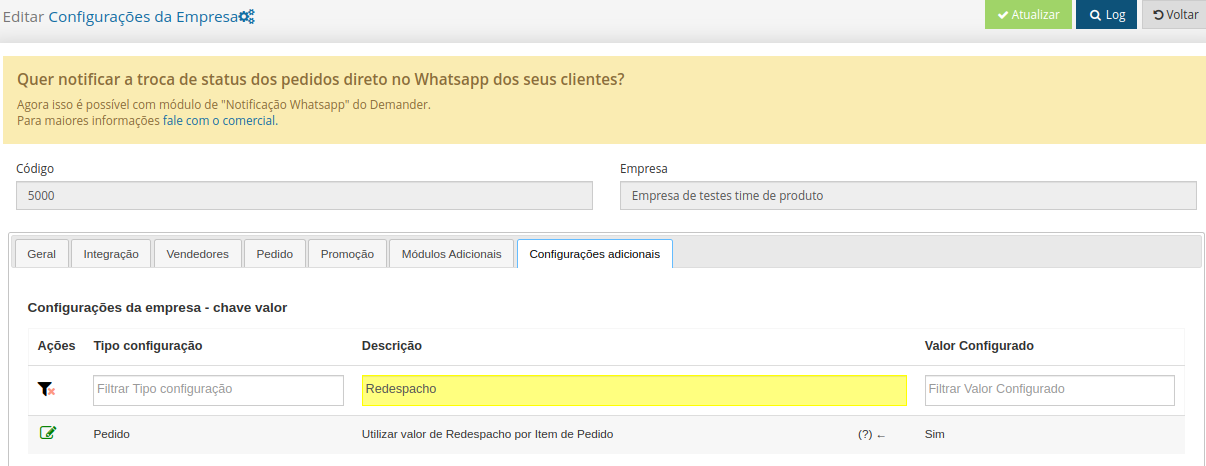
- Redispatch is activated through additional settings within Demander. To access the configuration, simply follow the example below:
- EX: Company Settings >> Additional settings >> Use Redispatch value per Order Item.
How are Redispatch values per Order Item used?
-
When the company configuration is activated, then the redispatch module is active, but the field to add a redispatch value to the item will only appear for price lists that have the “Use redispatch value” setting checked.
-
If both configurations are active, the Redispatch value field will be added to the order items. When placing an order, the seller may inform a redelivery value for each product.
-
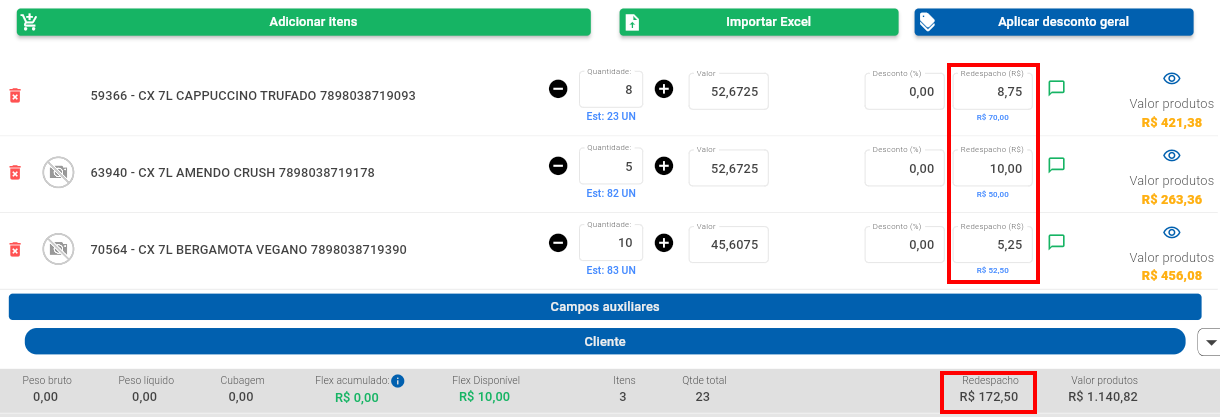
The value entered will be used to calculate total redelivery of the item as we can see in the example below.
-
In the image below we have the 1st Product with 8 units, and the redelivery value per unit set at R$ 8.75. Demander will calculate the quantity of units at the redispatch price.
- EX: 8 UN x R$ 8.75 = R$ 70.00, this way this order item will have a redelivery value equal to R$ 70.00.
-
The total redelivery value of the order will be the sum of all redelivery values of the items.
-
**IMPORTANT - Redispatch values are not added to the “Product Value” of the items and are also not added to the total order value.
 How to add automatic suggestion in Redispatch?
 -
For the Redispatch value to be automatically filled in when issuing a new order, it is necessary to define a value in the ‘Redispatch Unit Value’ field, located on the Product Price screen.
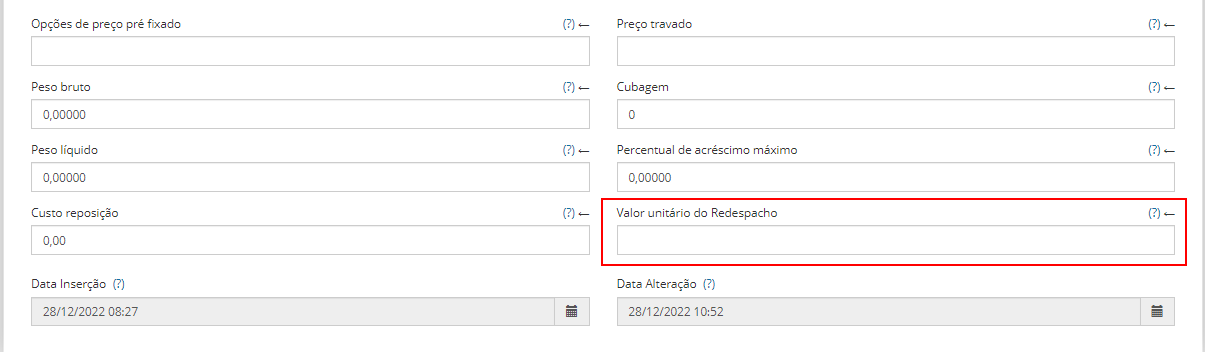
- This field ensures that new order issues have the Redispatch value automatically filled in as defined in this configuration
Frequently Asked Questions?
- How to Integrate Redispatch values?
- Table 09 - Price List
- Field 11 - Use Redispatch value
- Table 17 - Order Item
- Field 48 - Redispatch Unit Value
- Table 16 - Order
- Field 76 - Total Redispatch Value
- Table 13 - Product Prices
- Field 28 - Redispatch Unit Value
- Table 09 - Price List