

Pricing Policies Module
Available at:


This article aims to explain the Demander Pricing Policies Module.
About the Pricing Policies Module
Section titled “About the Pricing Policies Module”- Module intended for creating discount/addition policies that can be defined from different Types and at different Levels. With this, you can create different scenarios to apply discount/additions according to your needs. For example, it is possible to have a seller-type or customer-type policy, where it can be applied to the order level or to the order item level and it is also possible to mix these types, another example, for the State “RS” and Customers in the Market Segment, the price Policy is one, now for the State “RS”, in the Market Segment and who use the “CASH” Payment Condition, the price Policy is another.
- Types: Branch, Seller, Customer, State, Product Group, Product, Customer Type, Sales Division, Price List, Payment Condition, Payment Method, Customer Segment, Product Segment and Shipping Types.
- Levels: Can be applied to the order level or the order item level.
Example scenarios
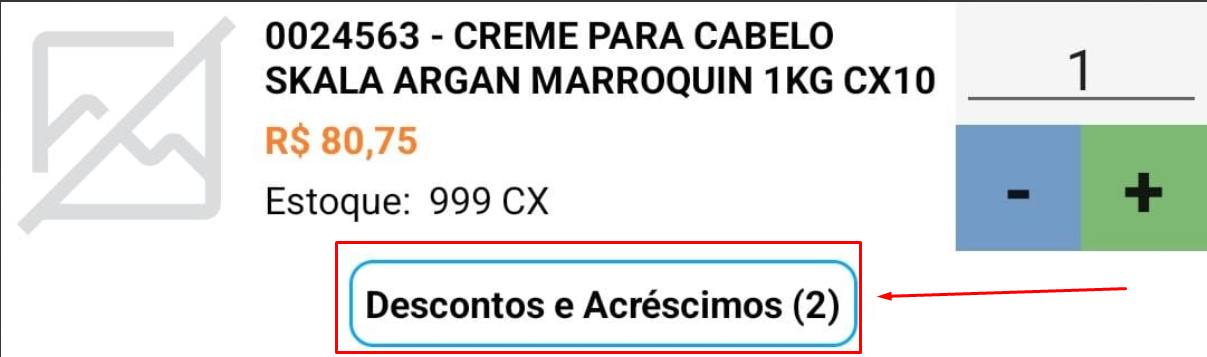
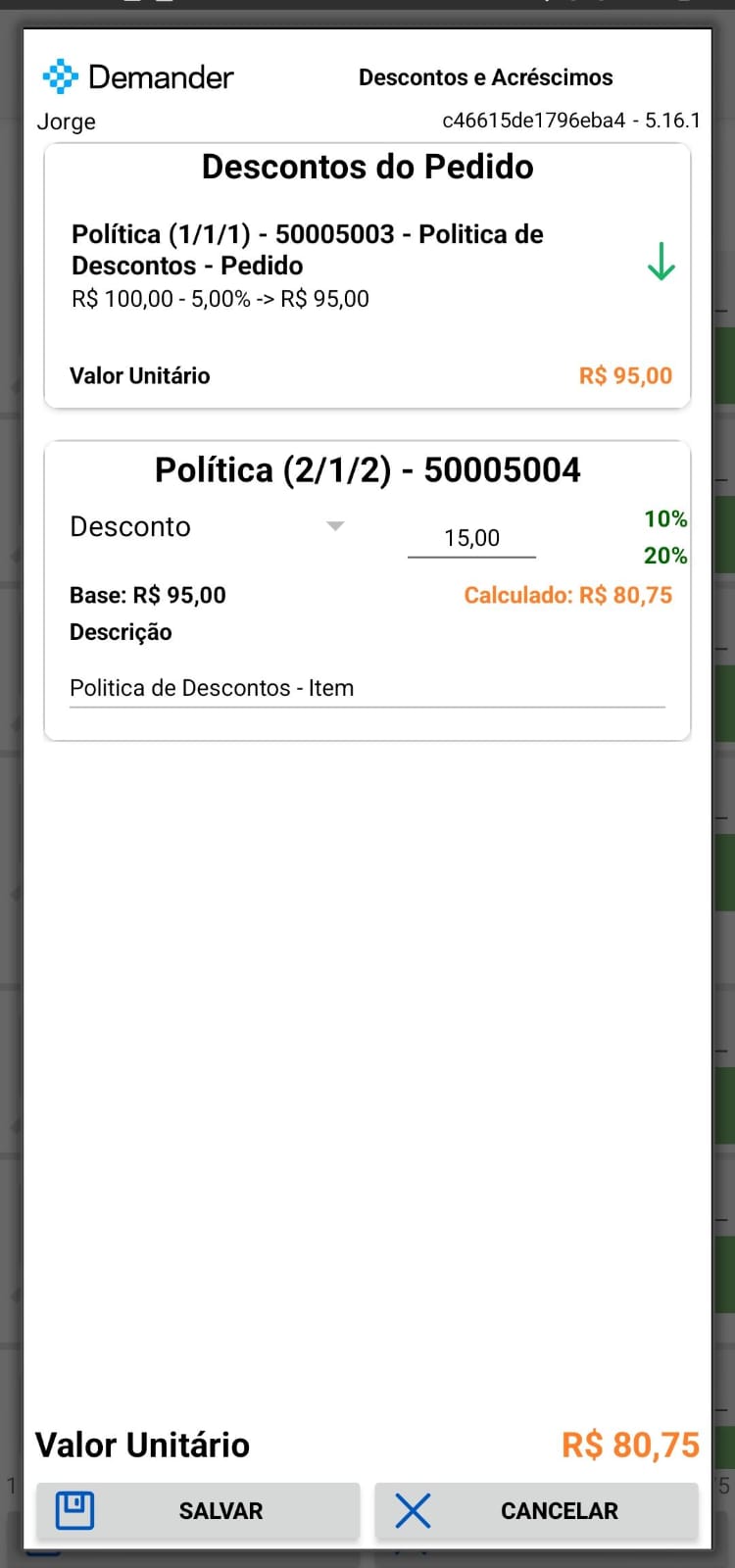
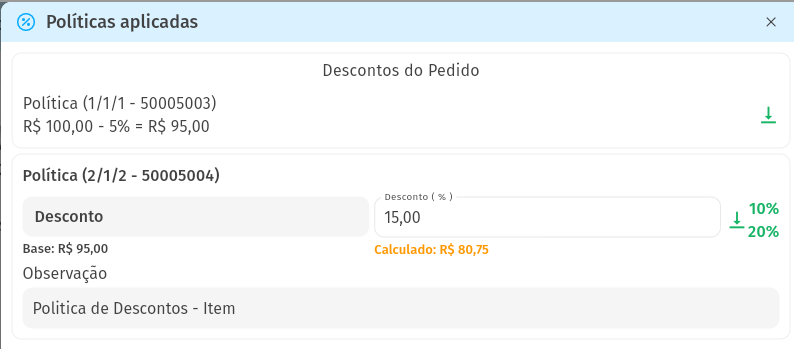
Section titled “Example scenarios”- Scenario 1: Seller Jorge has discount policies at the order and item level. At the order level you have a 5% discount, at the item level you have between 10 and 20% discount, but the default value is 15%. Considering that the price of the product is R$100.00, when adding the product the value changes to R$80.75. The calculation considers the following, first apply 5% discount on the order, the value of the product is R$95.00, then apply the 15% to the item level, in the end the product is R$80.75.
- Android
- Demander Web

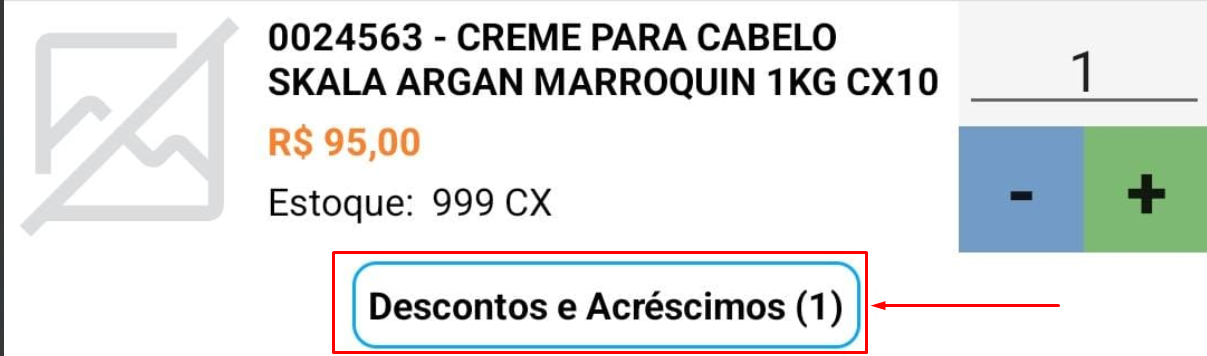
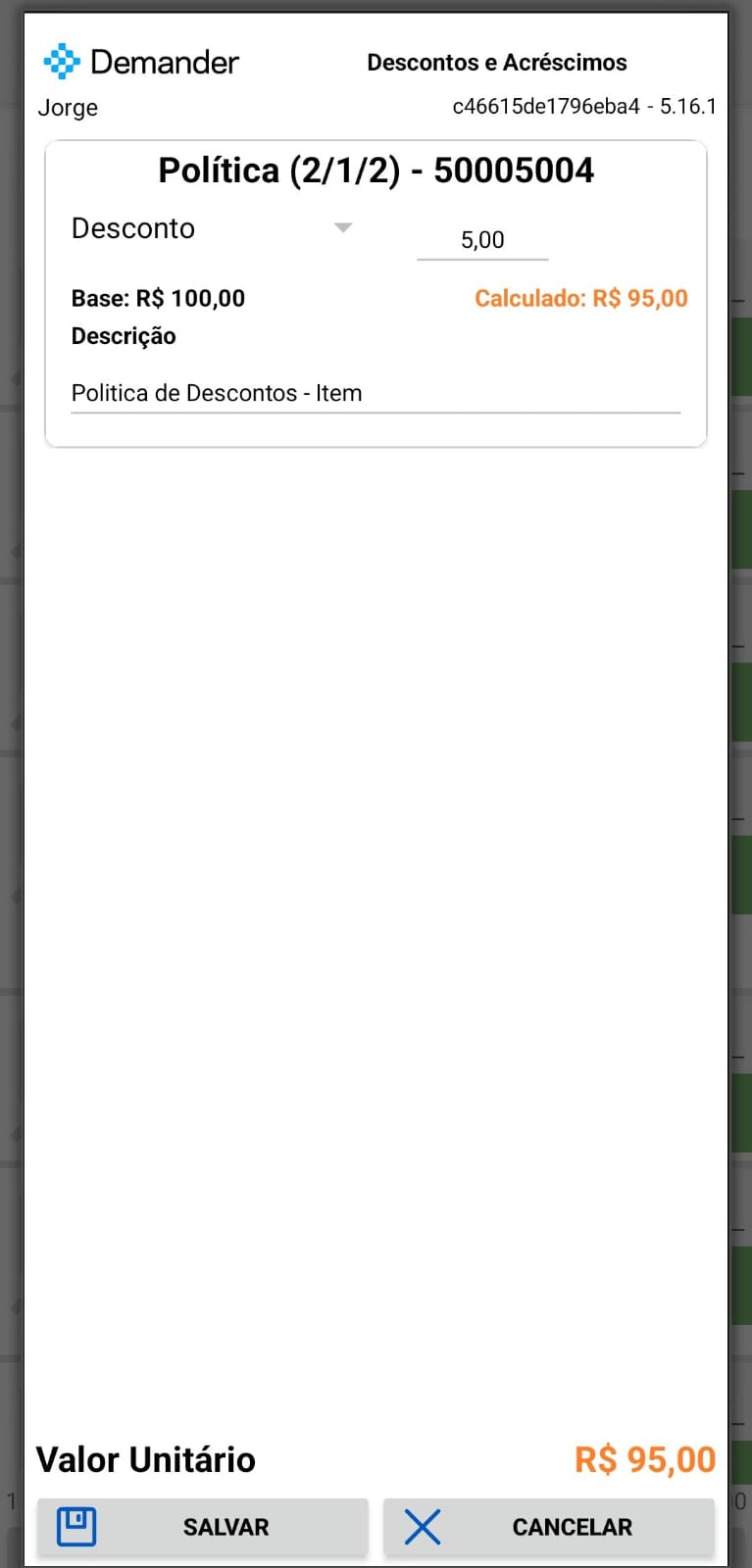
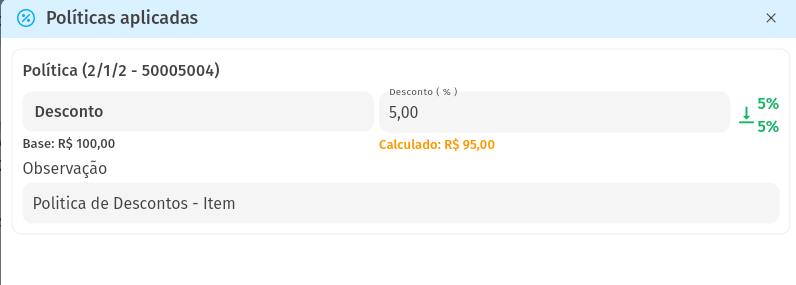
- Scenario 2: Seller Jorge, has a policy only at the item level, the discount is between 5% and 10%, but the standard value is 5%. Considering that the price of the product is R$100.00, when adding the product the value changes to R$95.00.
- Android
- Demander Web

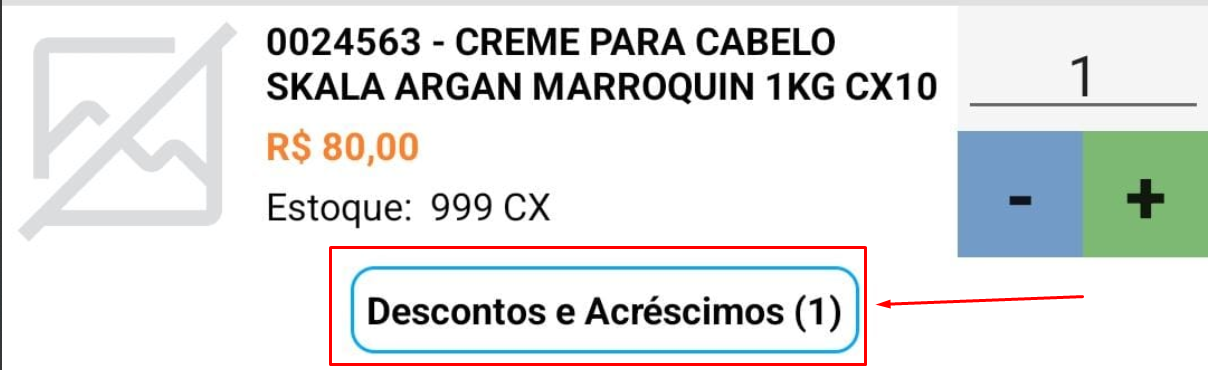
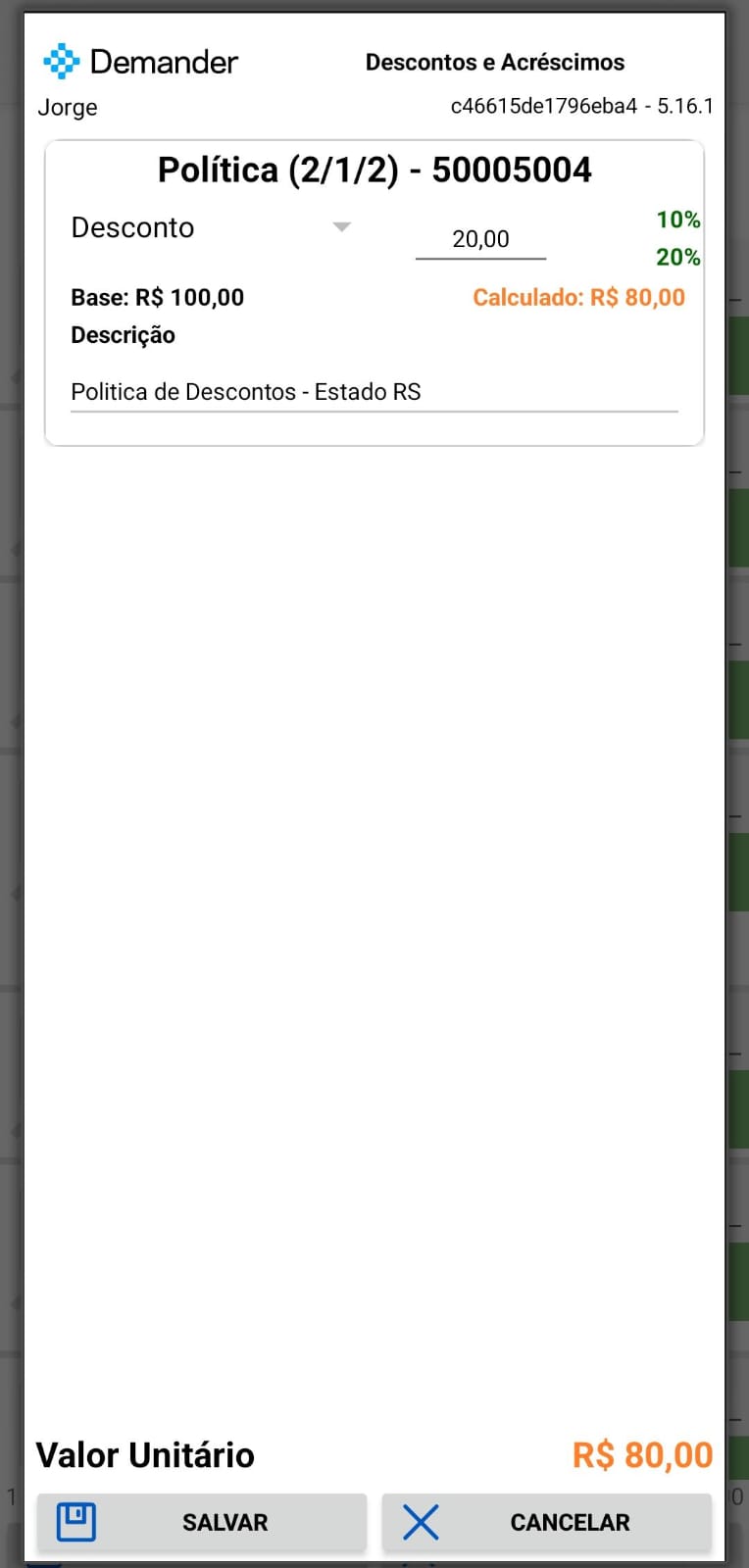
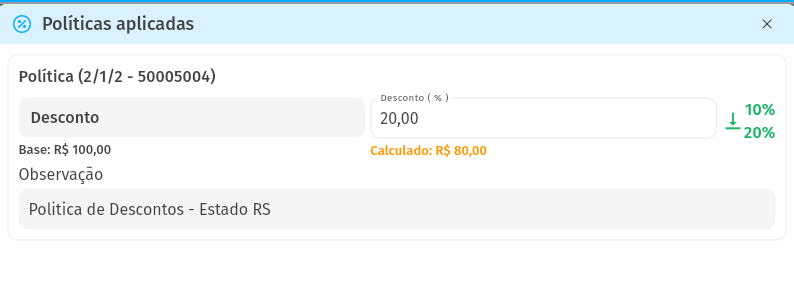
- Scenario 3: Seller Jorge, there is no policy defined per seller, but there is a policy registered for the RS State Type, where all sellers who select a customer from the state of RS will fall under this policy, the discount is between 10% and 20% and the standard value is 20%. Considering that the price of the product is R$100.00, when adding the product the value changes to R$80.00.
- Android
- Demander Web

Frequently asked questions
Section titled “Frequently asked questions”Where are Pricing Policies applied?
Section titled “Where are Pricing Policies applied?”- Each Policy can be applied to the order level and/or the order item level. The exception is the Product Segment Policy, which can only be applied at the order item level.
- It is possible to have more than one policy for both the item and the order and also have policies on the item and the order in the same order.
- The first policy applied is always that of the order, for example: There are two policies registered, one of 5% discount on the item, and the other of 10% on the order, considering that the item costs R$100.00, the order discount will be applied first, the item will be R$90.00 now calculating the 5% on the item, the final value is R$85.50.
How to integrate and activate the Pricing Policies module?
- To do this, access the article “Integrate and activate the Price Policies module” which explains the entire integration and activation part of this module,