Discount concept for order value
Available at:


This article explains what it is and how to configure Order Value Discount in Demander.
Example of using the Discount for the Order Value
Section titled “Example of using the Discount for the Order Value”What is the Order Value Discount
Section titled “What is the Order Value Discount”In Demander, we can configure an Order Value Discount, entering an initial value and a discount percentage. This discount is validated when saving the order.
Validation hierarchy:
- First, check if there is any discount registered for the customer.
- Then, validate the discount for the order value.
Example of using the Order Value Discount
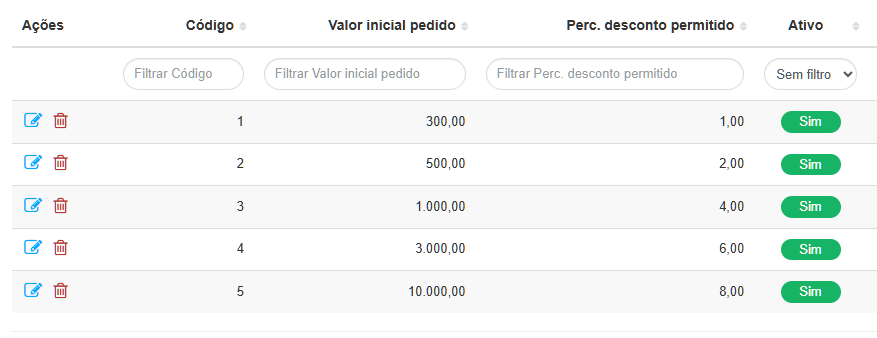
The Initial Order Value is the minimum value necessary to apply the discount defined in Perc. Discount Allowed.
Example:
- Orders over R$300.00 → discount allowed: 1%
- Orders over R$500.00 → discount allowed: 2%
- And so on
How to register a Discount for the Order Value
Registration can be done in two ways:
- Manual: Directly on Demander Web.
- Import via integration: using the integration layout Table 58 – Discount based on Order Value
How to configure via Demander
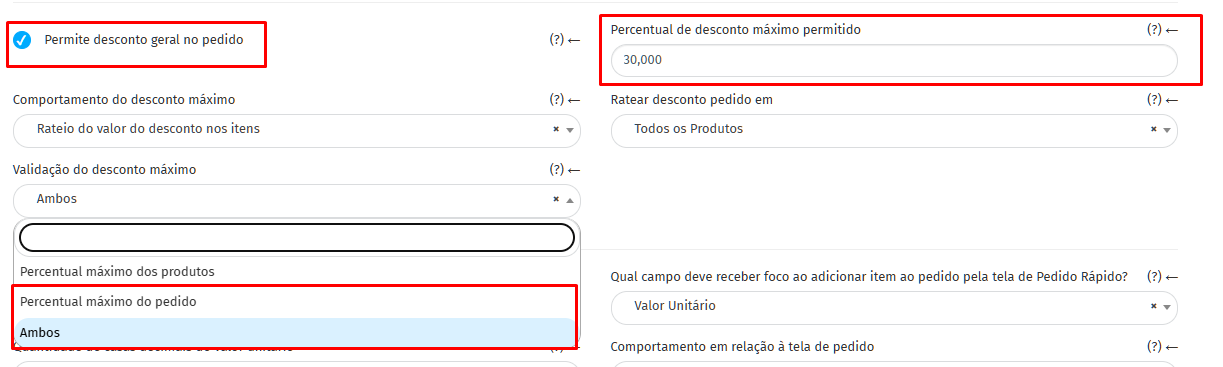
- Access Company Settings→ Orders tab.
- To activate the Order Value Discount, you must:
- Mark Allows general discount on the order.
- Make sure the maximum discount amount allowed on the order is not less than Perc. Discount Allowed.
Configure maximum discount validation as Maximum Order Percentage or Both.
3 . Then, access the [Discount for order value] screen (https://sistema.demander.com.br/dinamico/desconto-valor-pedido) and click the button again
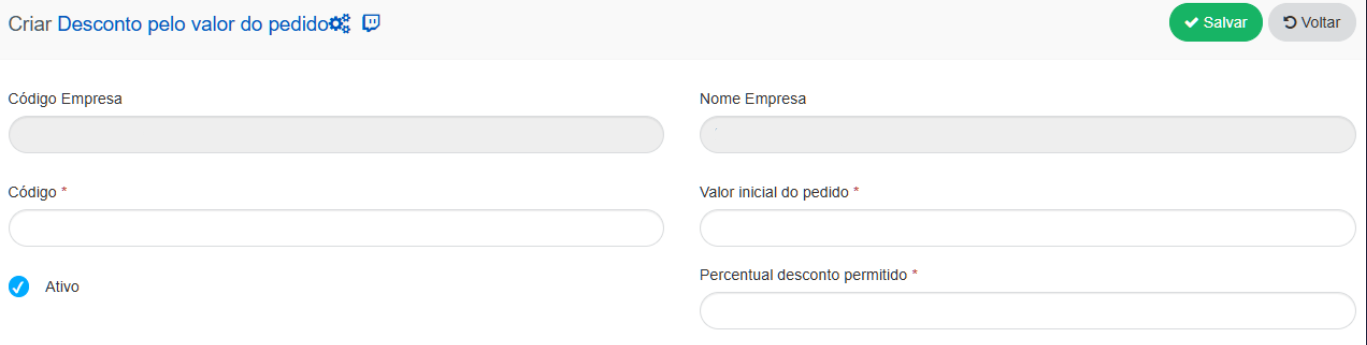
Code *: Discount identifier for the order value.
Initial order value *: Minimum value that the order must have to be able to apply the general discount.
Allowed discount percentage *: Discount rate that will be applied to the order.
Active: If the discount for the order value is inactive, it will be impossible to use it.
How to use
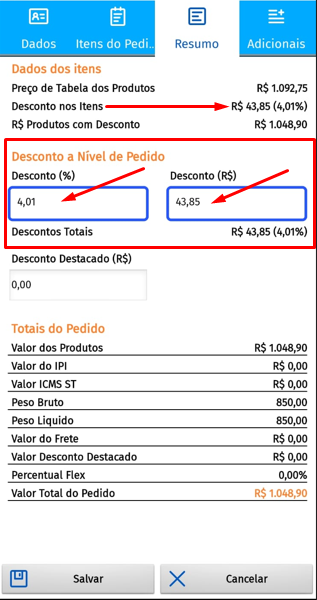
- On the Summary tab, locate the Order Level Discount section.
- In the available fields, enter the desired discount, which can be in % or R$.
- Demander suggests a discount following this hierarchy:
- First, check if there is a discount registered for the customer. Then, check if there is a discount based on the order value. If none of the above exist, it suggests the percentage defined in Company Settings.
Important:
- The suggested discount will only be displayed when clicking on one of the fields in the Order Level Discount section.
- The suggested value can be changed manually.
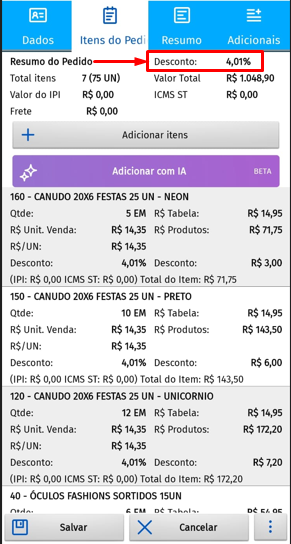
- In the Order Items tab, the discount percentage applied will be displayed on each item.