

Adding/Removing columns from lists
On most Demander screens it is possible to add, remove or change the position of listing columns.
It is possible to identify the screen that has this option by observing this icon with 3 lines next to the screen title.
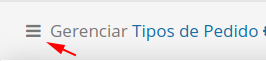
Let’s take the Order Type screen as an example.
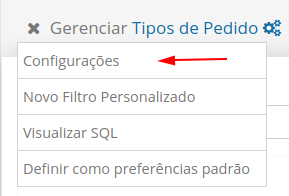
After clicking on the icon with the 3 risks, some options will appear, click on “Settings”.
On the left we can see all the available columns, in “Hidden Columns” are the columns that do not appear on the screen, in “Visible Columns” are those that appear on the screen.
The right and left arrows are used to toggle the columns between visible and visible, the up and down arrows define the order in which the visible columns are shown on the screen. The icon with two up arrows puts any column first, the icon with an arrow changes the order up one by one. The two arrows place the column last, and the icon with a down arrow changes the order down one by one.
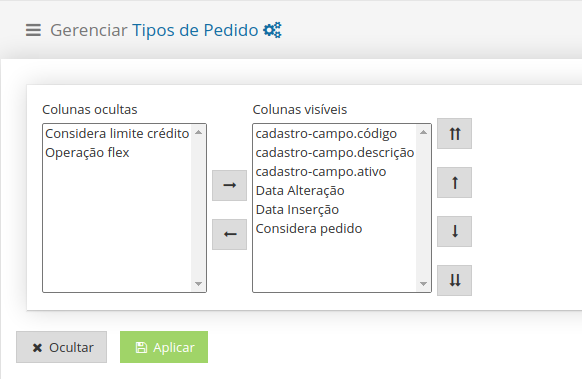
After making the changes, simply click the “Apply” button.