Pallet Calculation Concept
This article will show how Pallet calculations are activated.
-
How to activate palletization calculations? What is palletization calculation?
-
Palletization is a technique used in stock and cargo management and consists of determining the best way to organize products on pallets to improve the available space and facilitate handling.
-
When you place an order, Demander calculates not only the space each product occupies on the pallet, but also how many pallets will be needed to meet demand. This not only speeds up the process, but also contributes to more efficient and organized inventory management, resulting in greater productivity and cost reduction.
How does Demander calculate palletization?
-
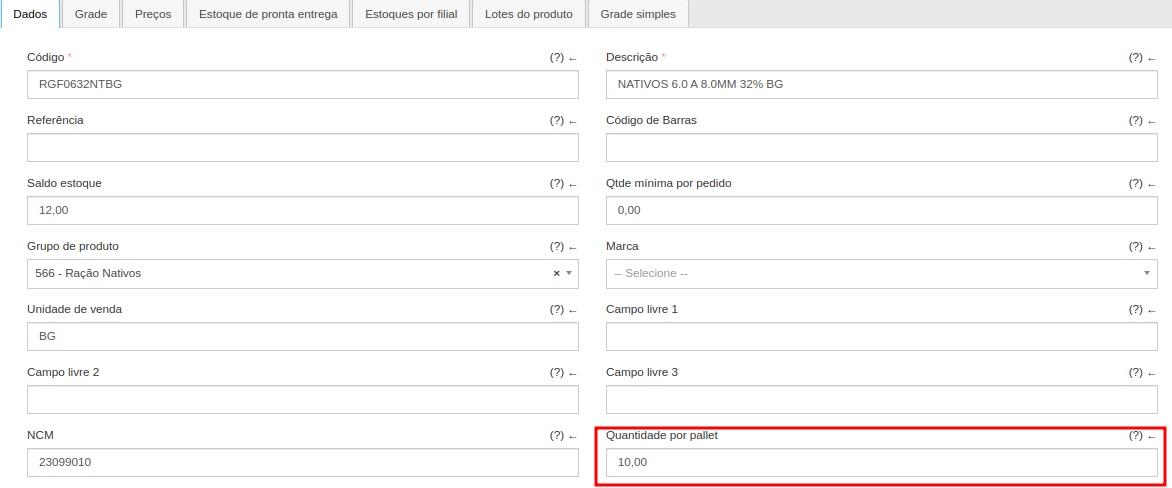
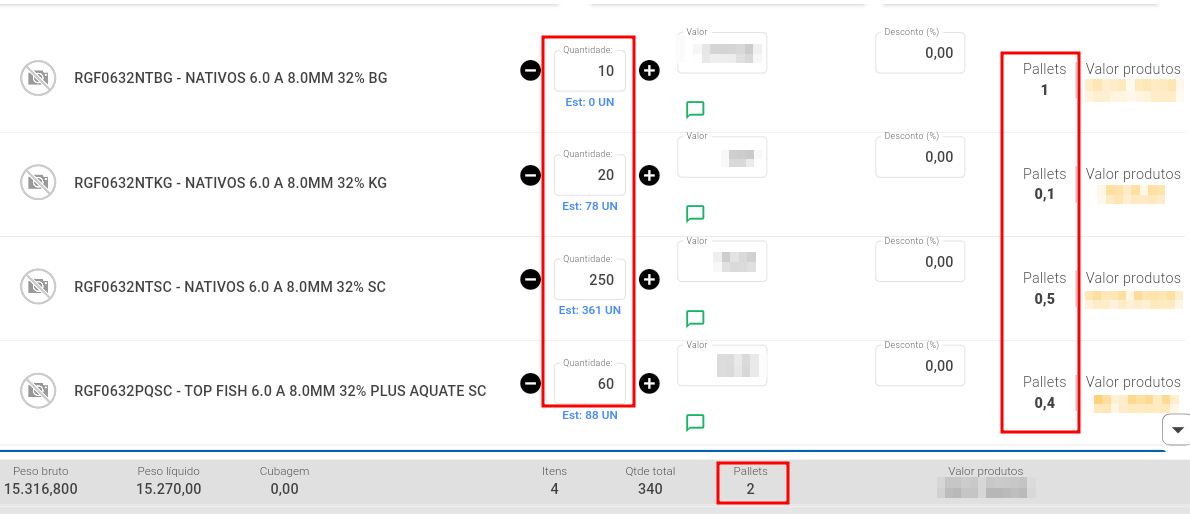
The calculation of pallets is determined based on the quantity of items added to each product. In the product registration, you can configure how many products are equivalent to 1 pallet.
-
In the first product in the image above, a ratio of “10.00” products to the quantity of pallets was configured. This means that for every 10 items of the same product added, “1” pallet is counted. The Demander adds up the number of pallets for each product and counts the total number of pallets in the order.
How to activate palletization calculation?
- To activate pallet calculation, you need to search the product screen and select a specific product. Within the management of that product, locate the “Quantity per Pallet” field. For example:** Products** >> Data Tab >> “Quantity per Pallet”. Here you can enter the quantity of products that will be added per pallet.