

Demander IA - Import of order items using artificial intelligence
Available at:


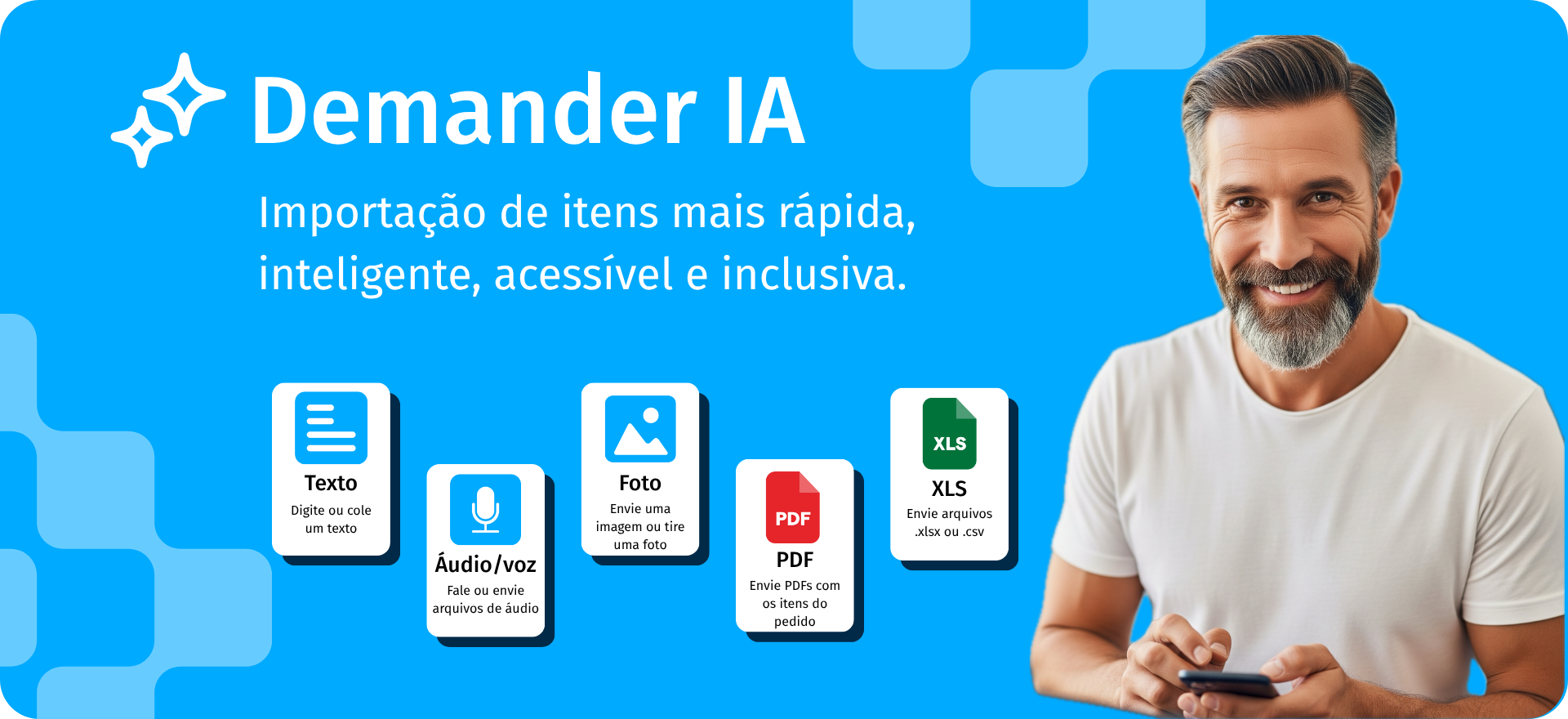
With Import of Order Items by Artificial Intelligence, Demander makes the order issuing process faster, smarter, more accessible and more inclusive.
With this functionality, sellers who deal with large volumes of items can automate this process, eliminating the need
manual typing — which reduces errors, saves time and makes the experience quick and reliable, both for the seller and the customer.
Below, we explain how this functionality works and how you can take advantage of it in your daily life.
Where to find:
- Availability of functionality.
- When and for whom is it useful?
- How does Import work?
- Import Options.
- Frequently asked questions
- Examples
- Demo video
Availability of functionality
Section titled “Availability of functionality”This functionality is available natively on Demander Web and in the Android and iOS apps (new Demander app)
Currently, this functionality is in the testing phase and available free of charge to some users.
- We may remove it from the system at any time without notice.
- There is the possibility of future charges for using the functionality.
When and for whom is it useful?
Section titled “When and for whom is it useful?”This functionality is especially useful in some scenarios:
- When the order has already been made in another way and just needs to be entered.
- When the order contains many items, making manual entry unfeasible or very time-consuming.
- When the customer sends product information via WhatsApp, email or even written on paper.
- When the customer wants to reorder the same order, simply import a photo from the PDF of the previous order.
How does import work? - A “Demander IA” button appears on the Demander Web Orders screen.
Section titled “How does import work? - A “Demander IA” button appears on the Demander Web Orders screen.”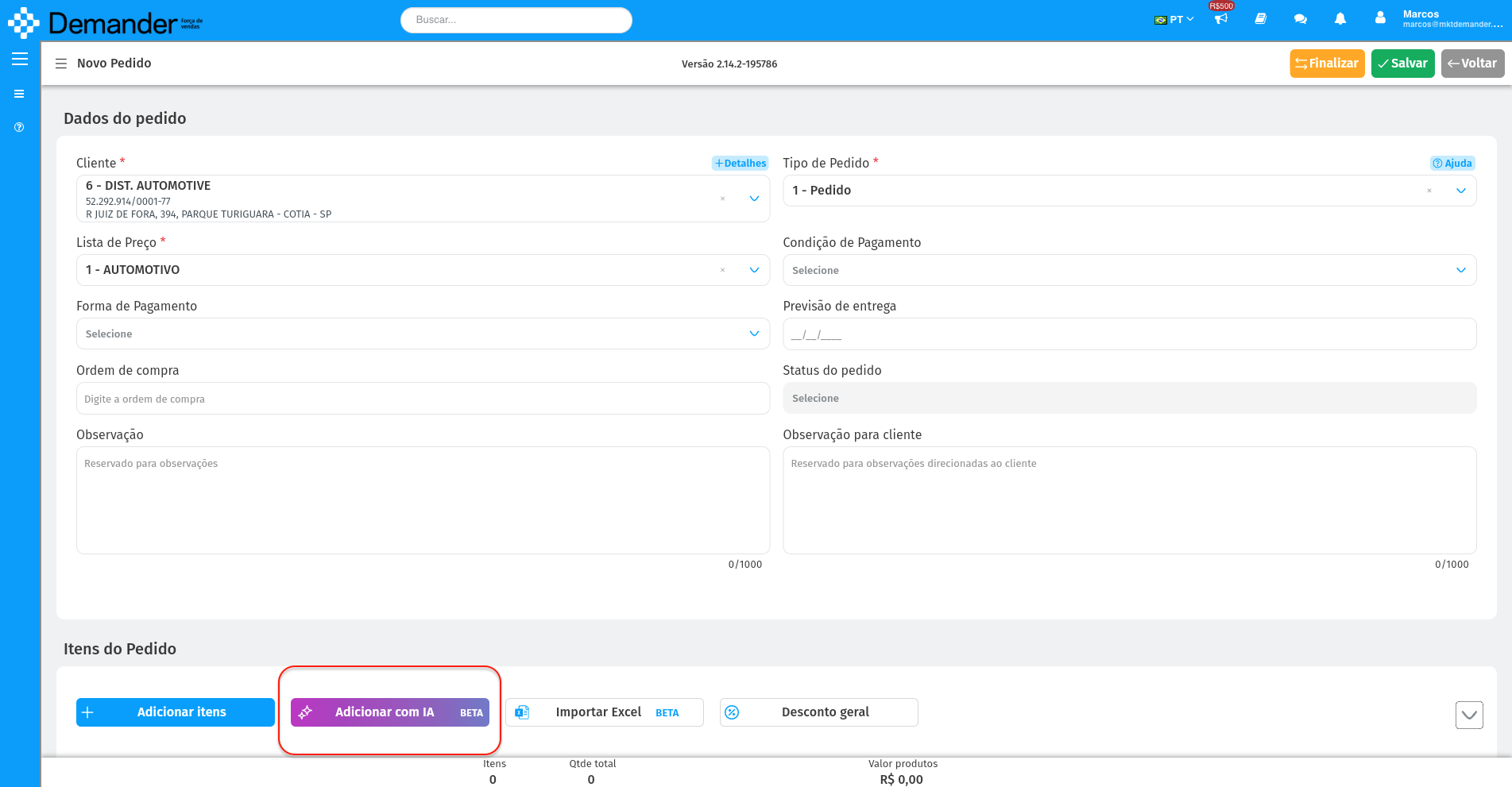
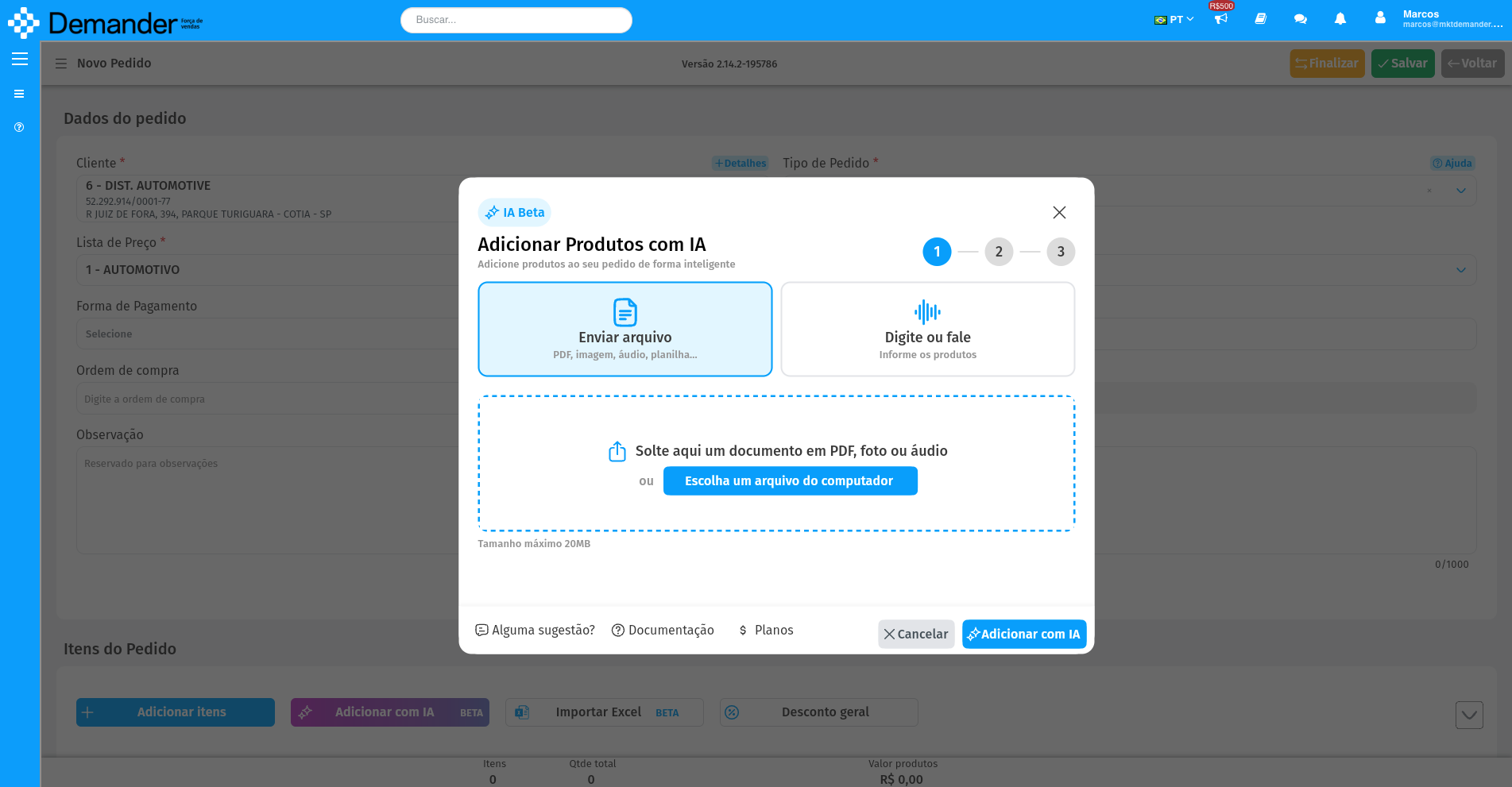
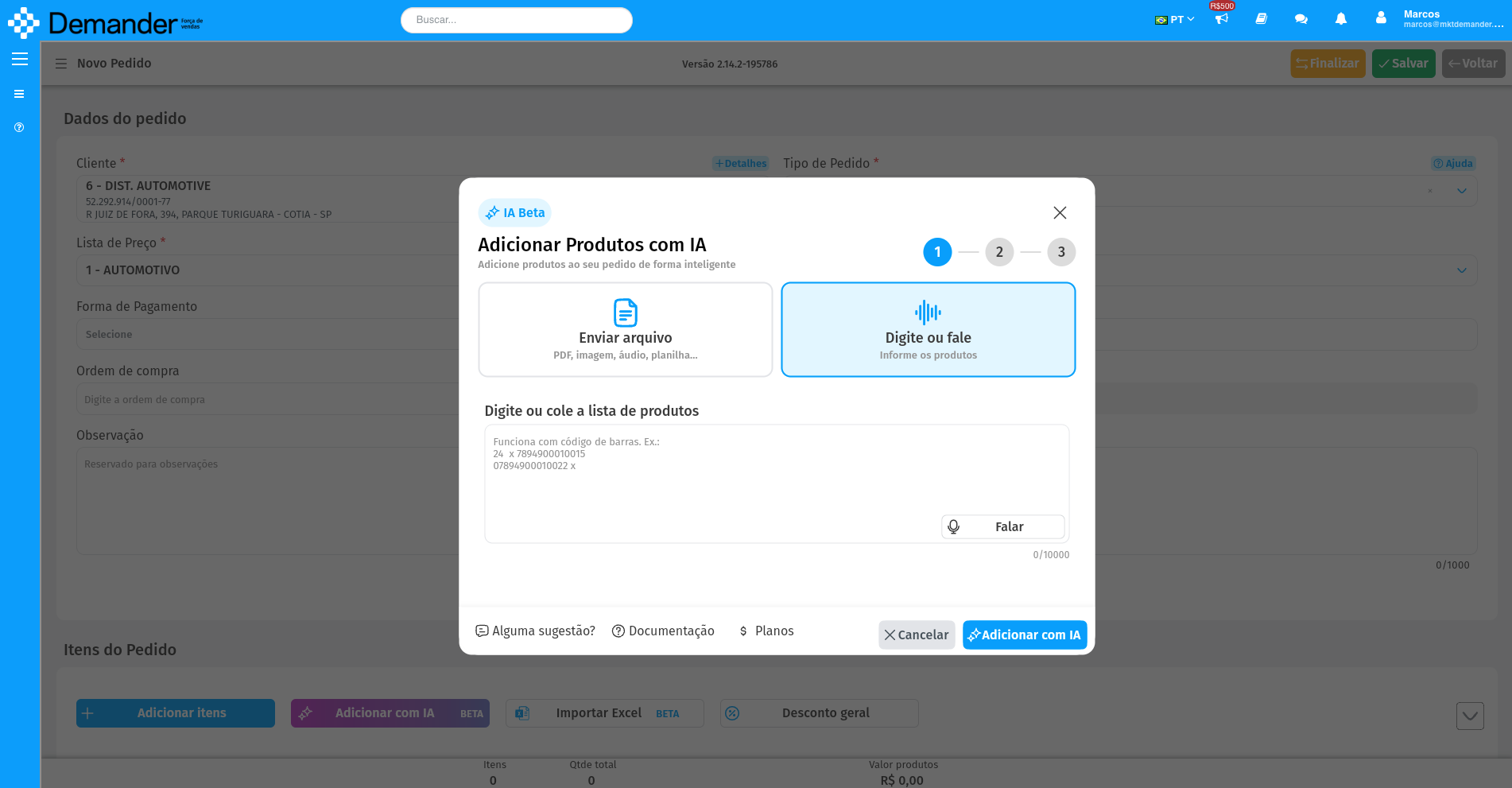
- By clicking this button we display the import screen as shown below with two options for the user to choose how they want to insert the items.
Send file
- Where he can send PDF, photo, audio or spreadsheet files. (Here the user selects the file on their computer/smartphone and sends it to Demander IA)
Type or speak
- Where you can send texts, type or simply speak the products. (Here the user can copy a text from WhatsApp and paste, or they can type or simply click on “Speak” and dictate the order items, they will be transcribed as the user speaks).
Examples
Section titled “Examples”PDFCenario: The customer sent a purchase order in PDF via whatsapp/email, simply import the PDF with the items.
- Demander Web
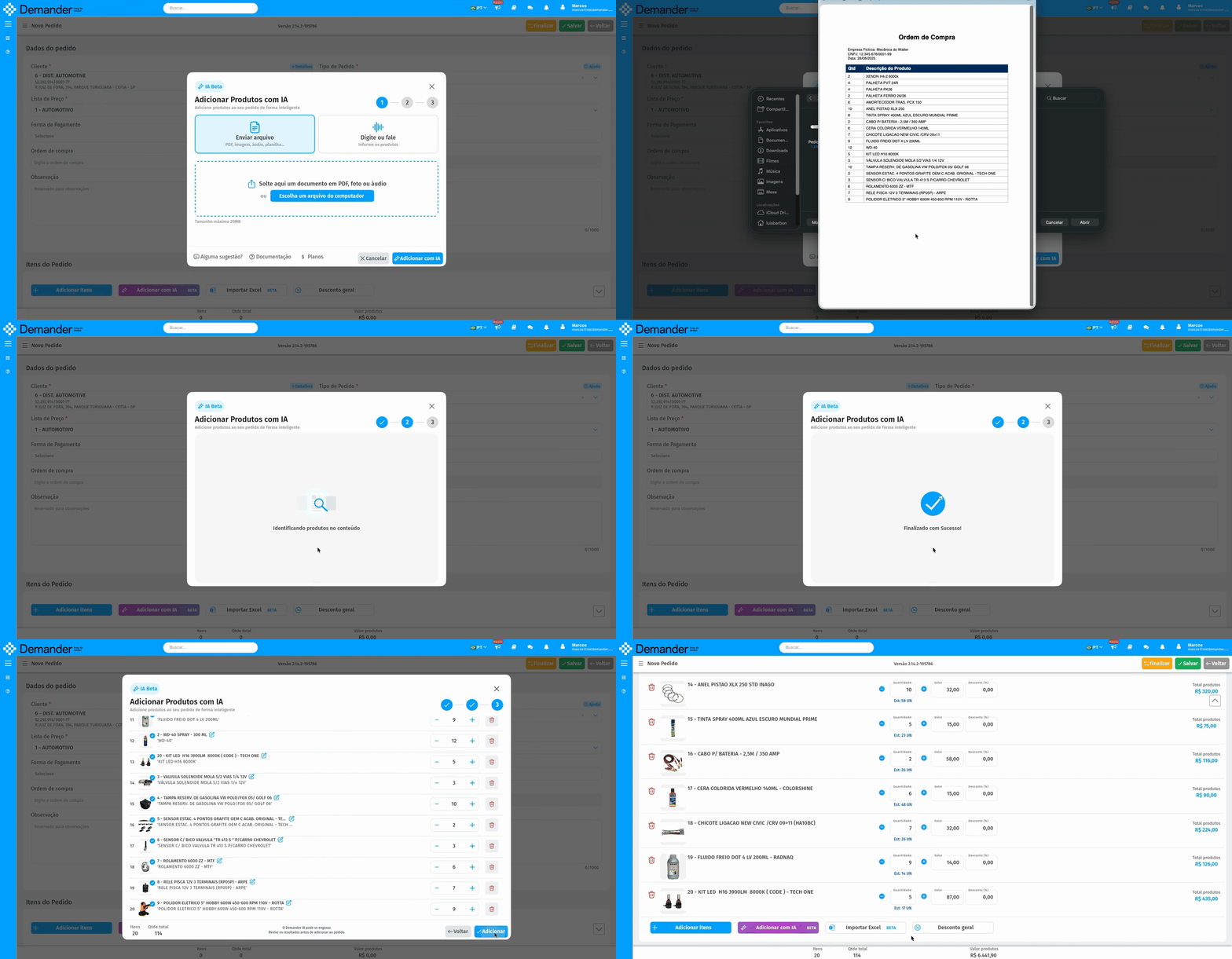
- Demander Mobile
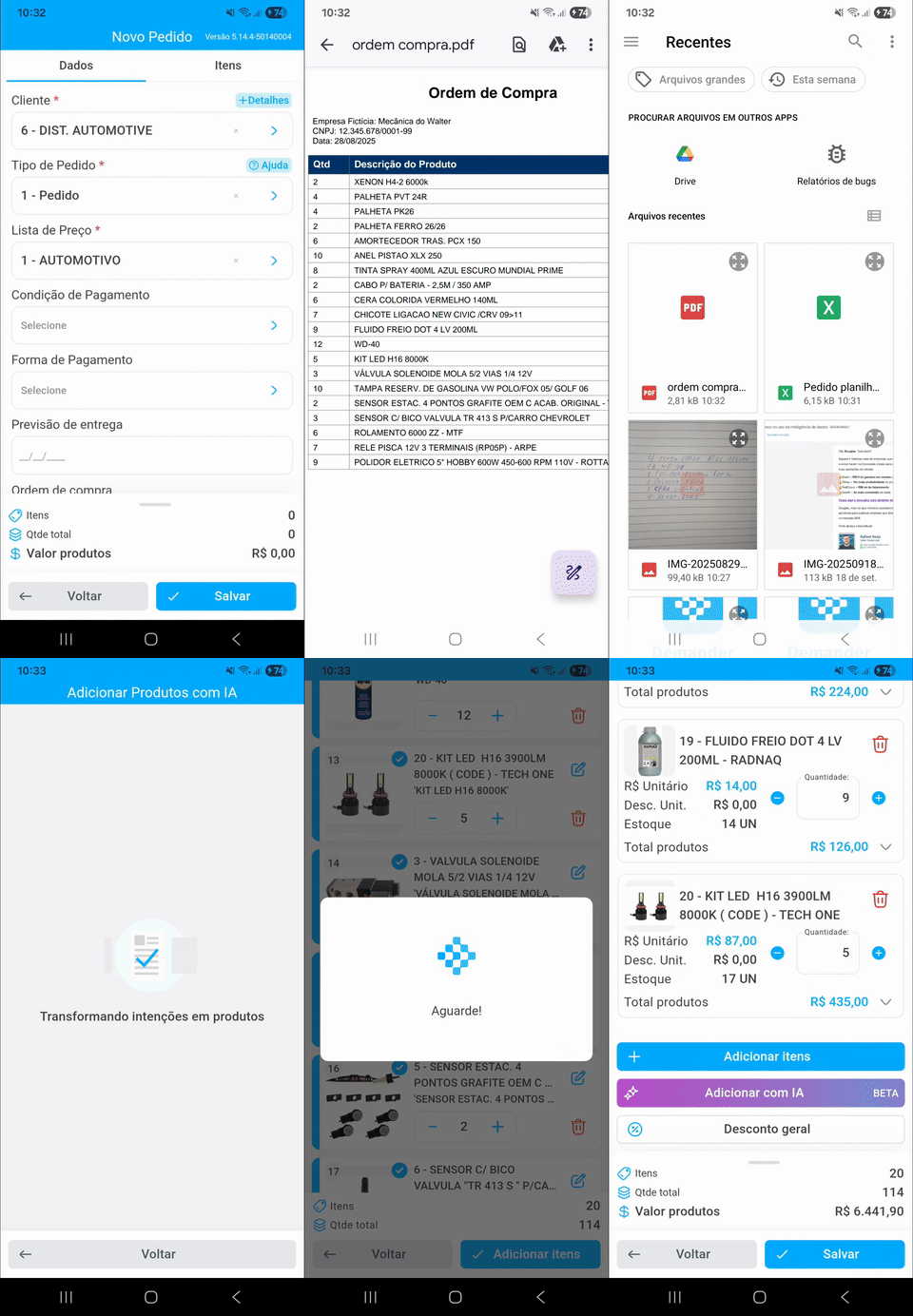
**WhatsApp photo (handwritten)Scenario: Customer sent a photo of a handwritten paper with quantities and products via WhatsApp.
- Demander Web
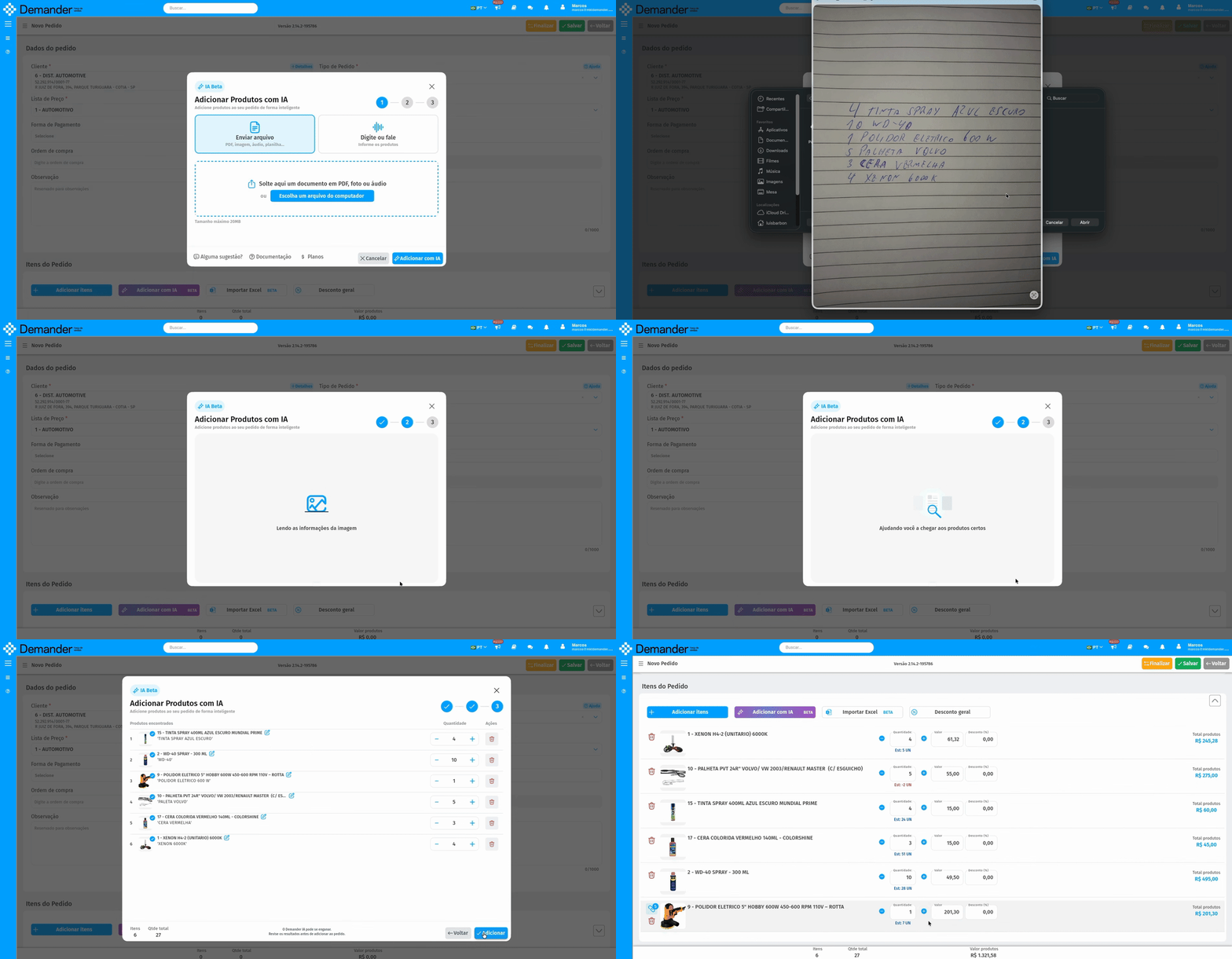
- Demander Mobile
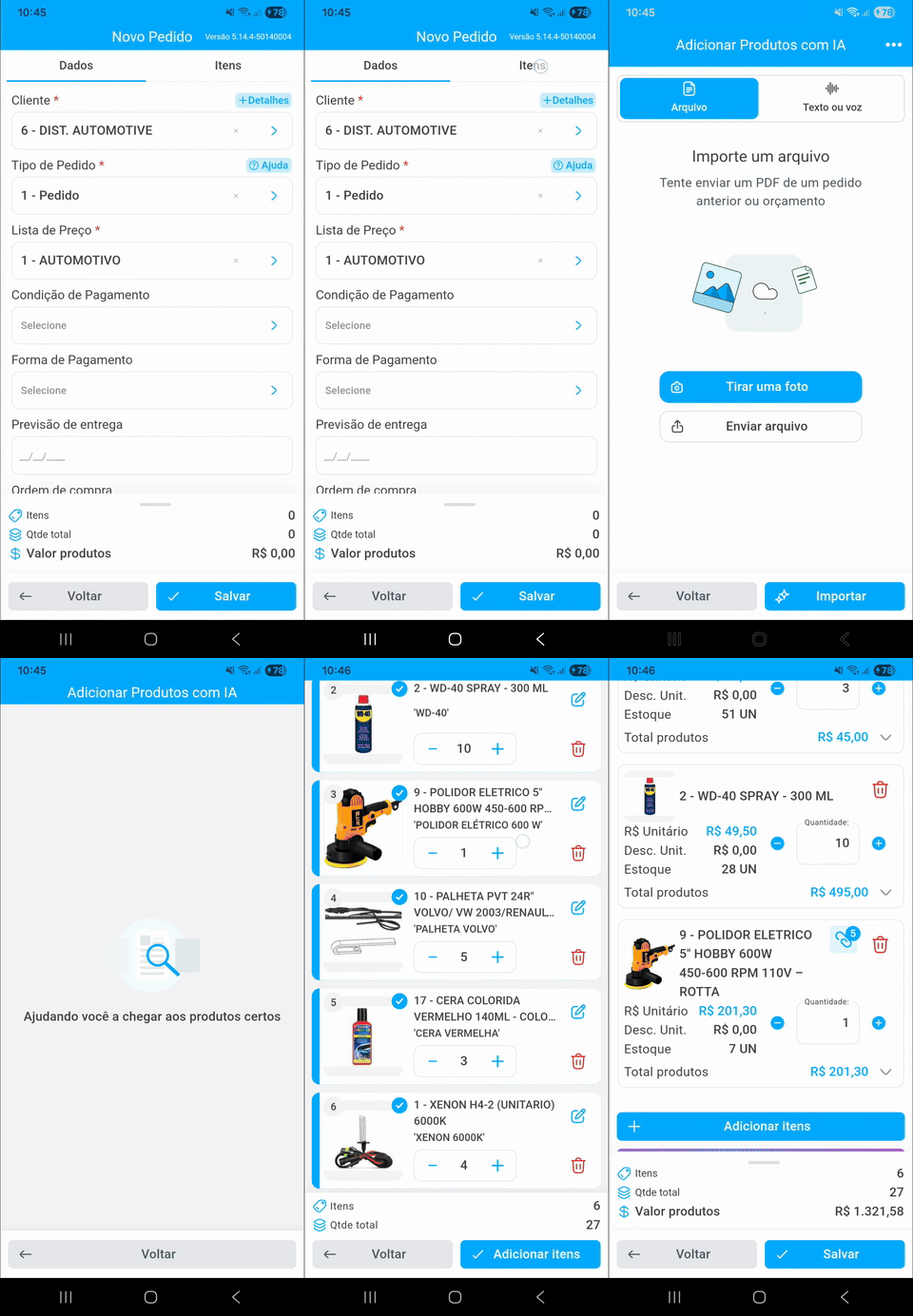
Whatsapp audioScenario: Customer sent an audio via WhatsApp asking for some products.
- Demander Web
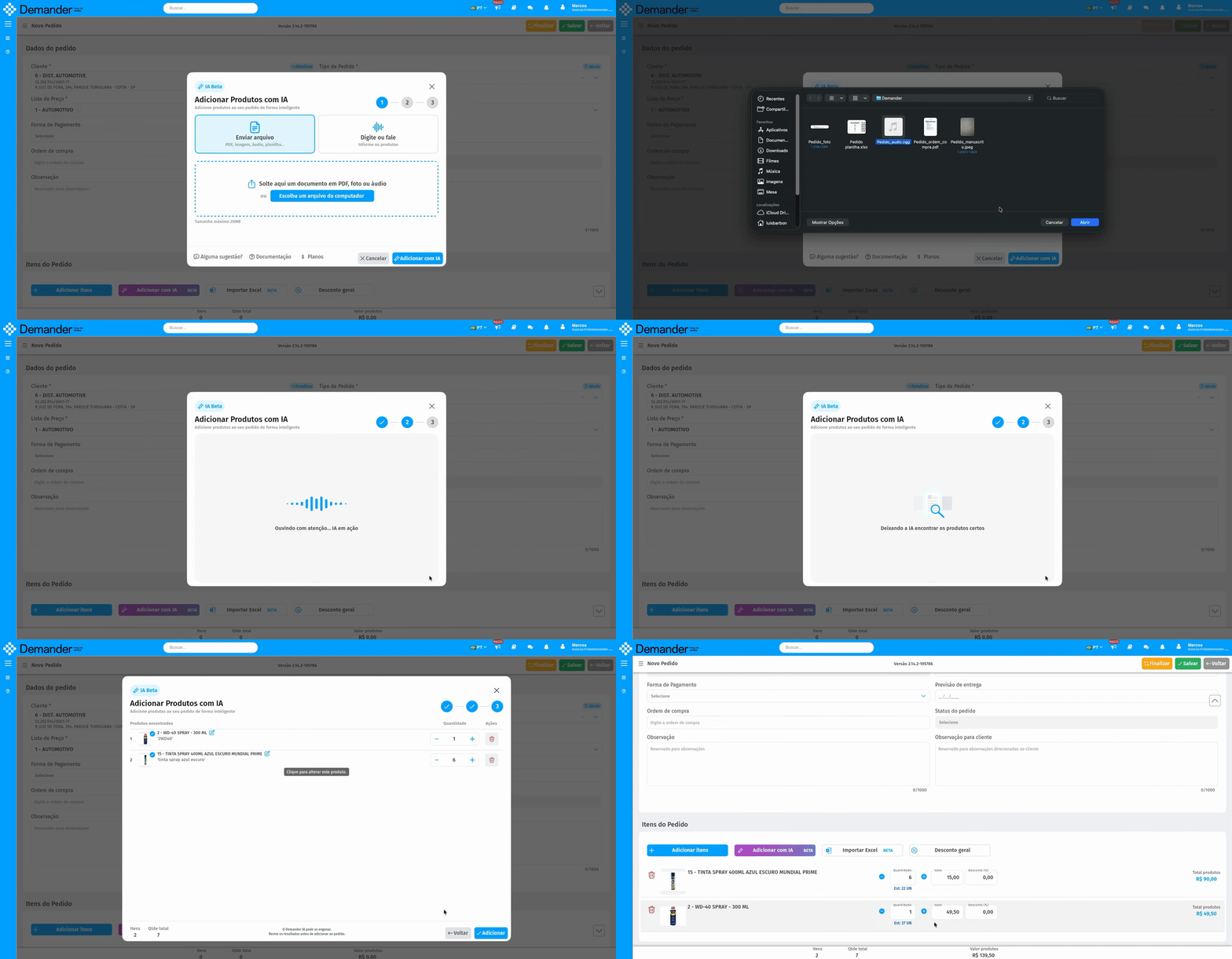
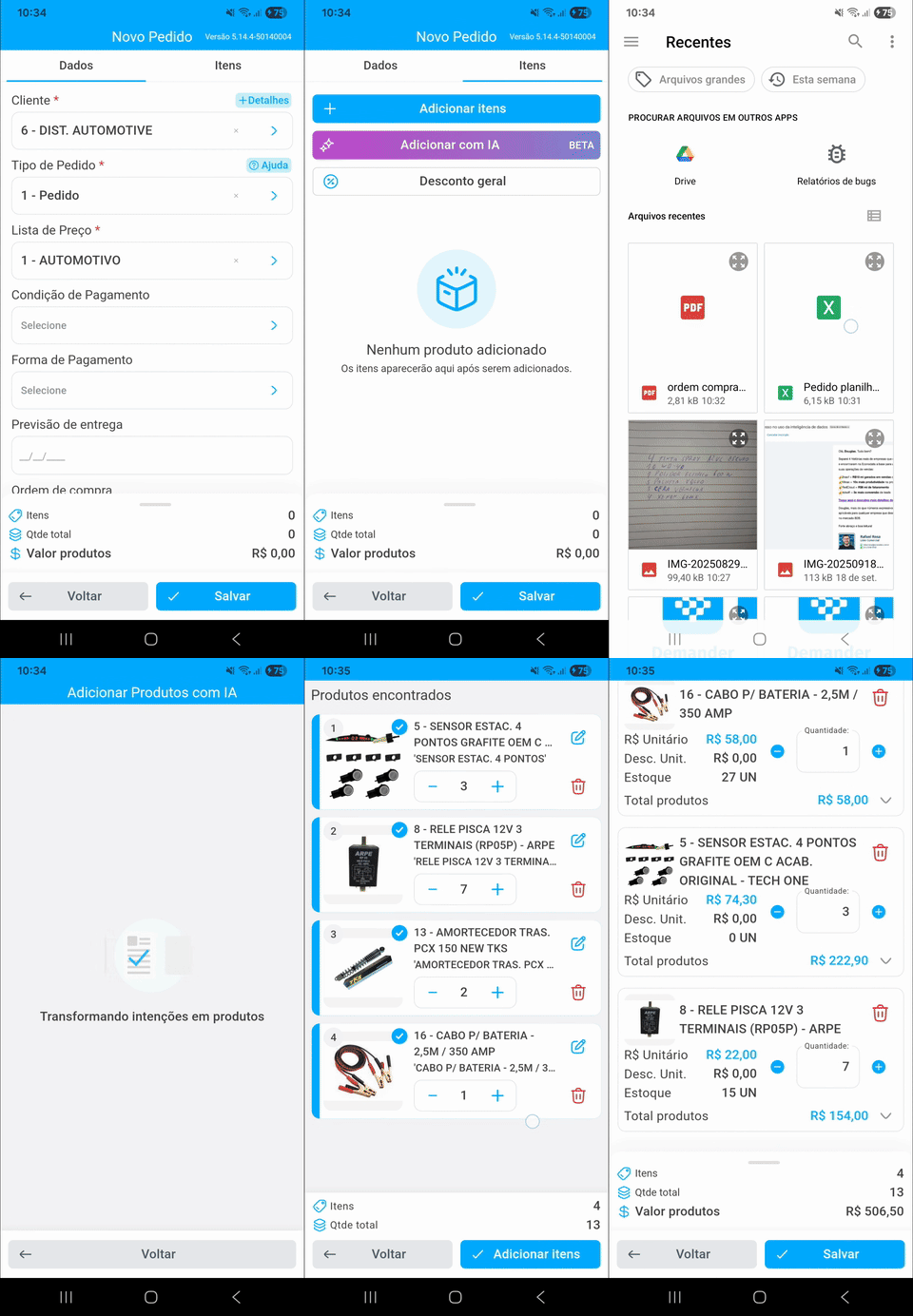
Spreadsheet with productsScenario:** Customer sent a spreadsheet with products and quantities by email/Whatsapp.
- Demander Web
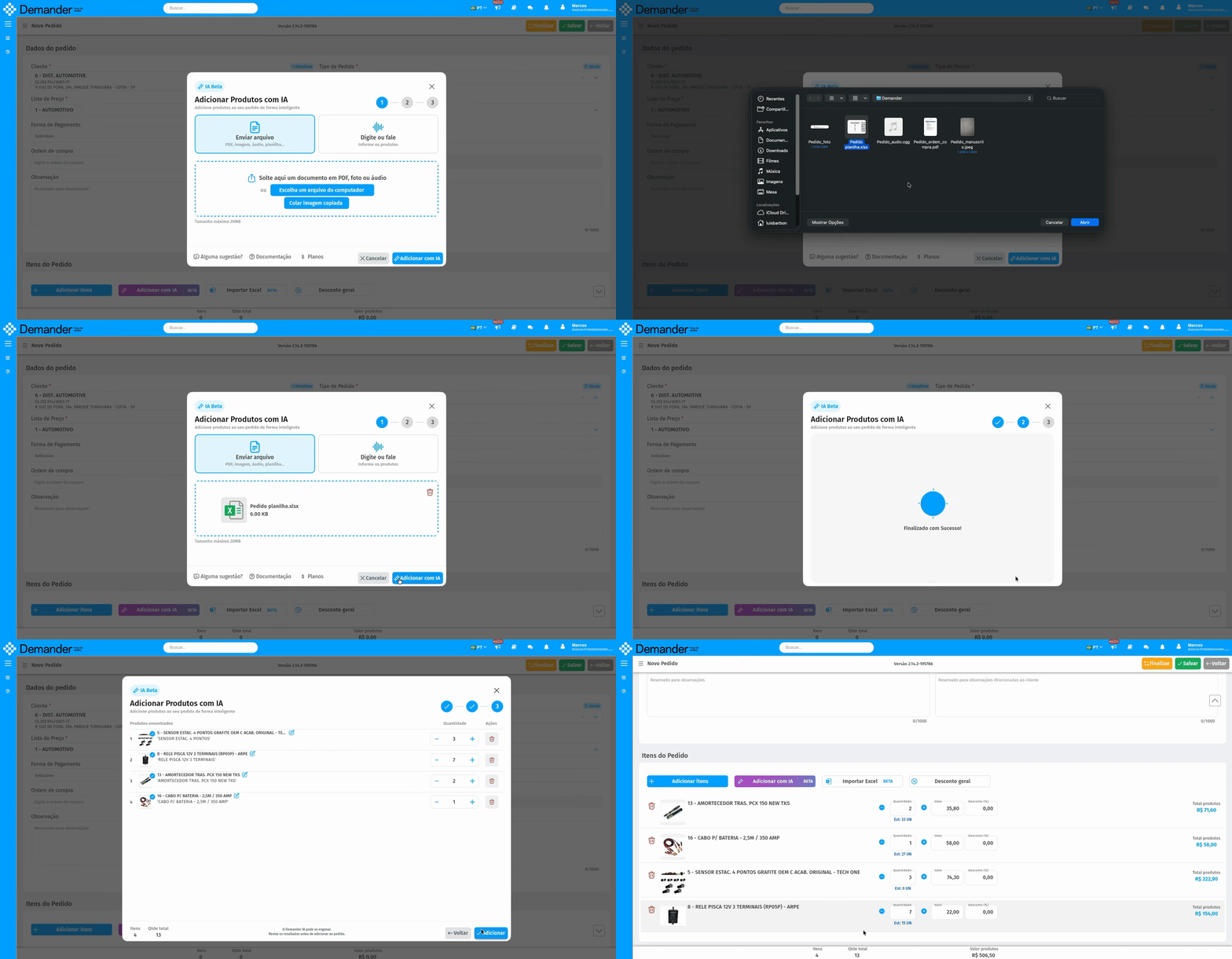
- Demander Mobile
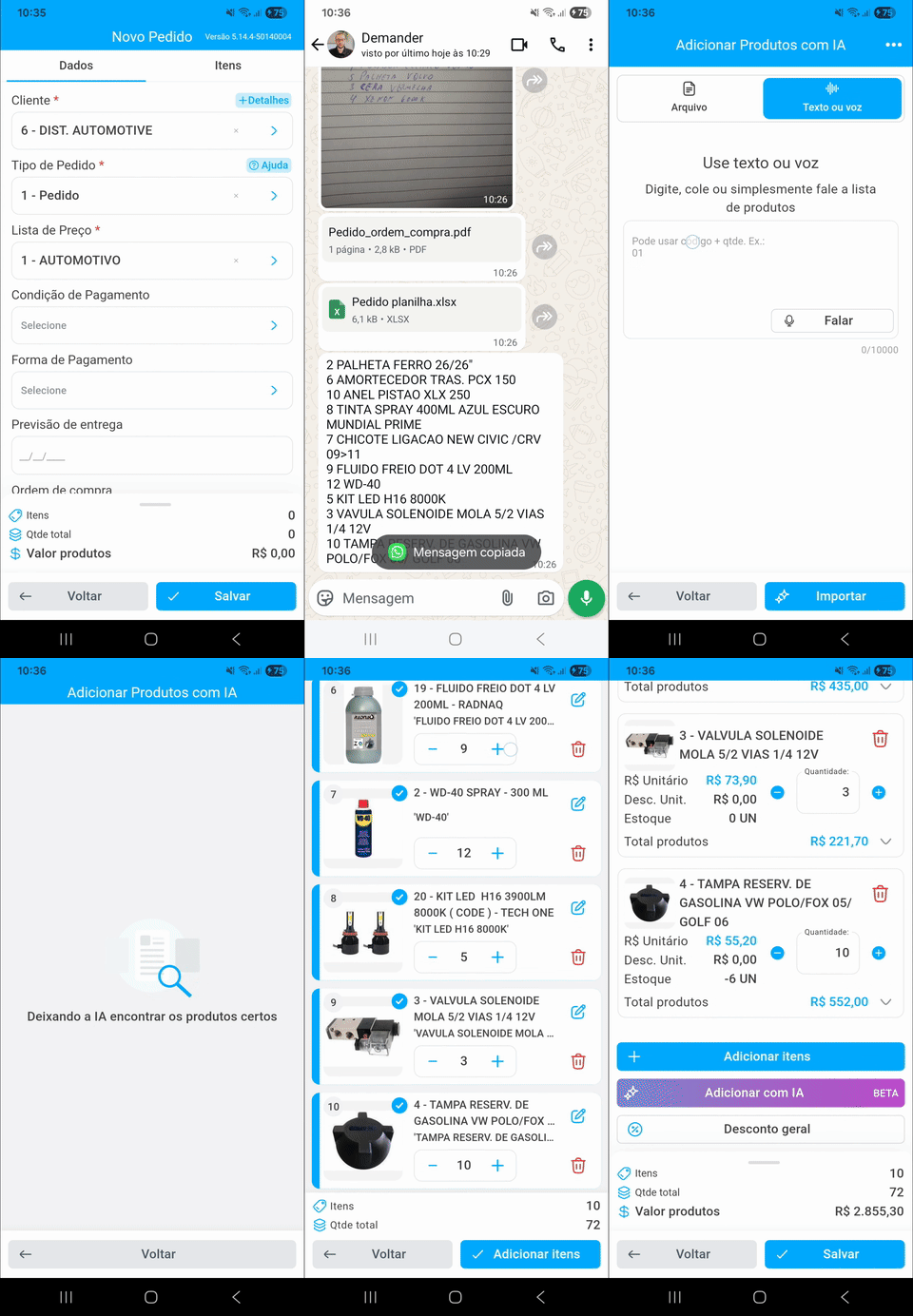
TextScenario: Customer sent a list of items by email/Whatsapp, just copy the text and paste it into the field and Add with AI.
- Demander Web
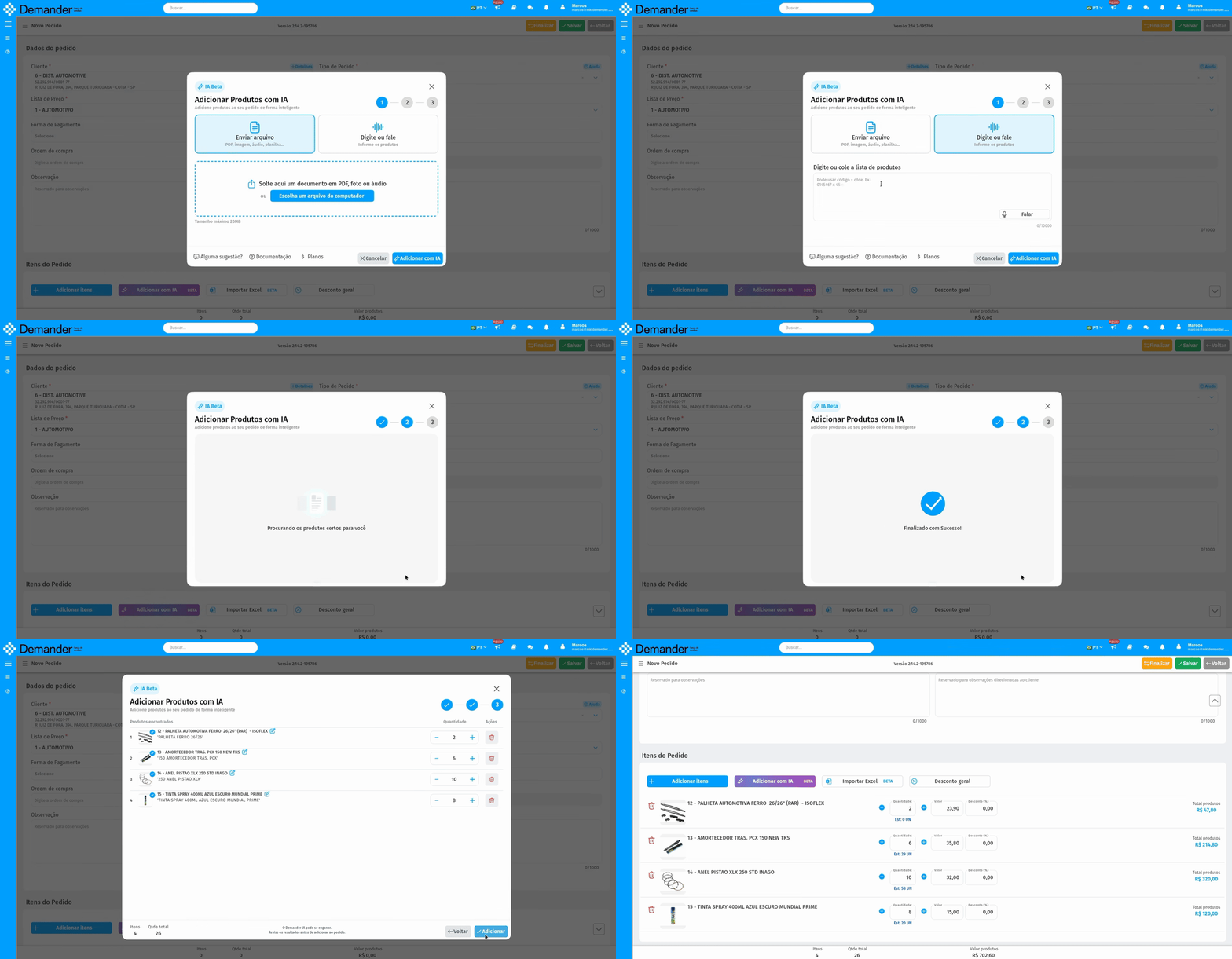
- Demander Mobile
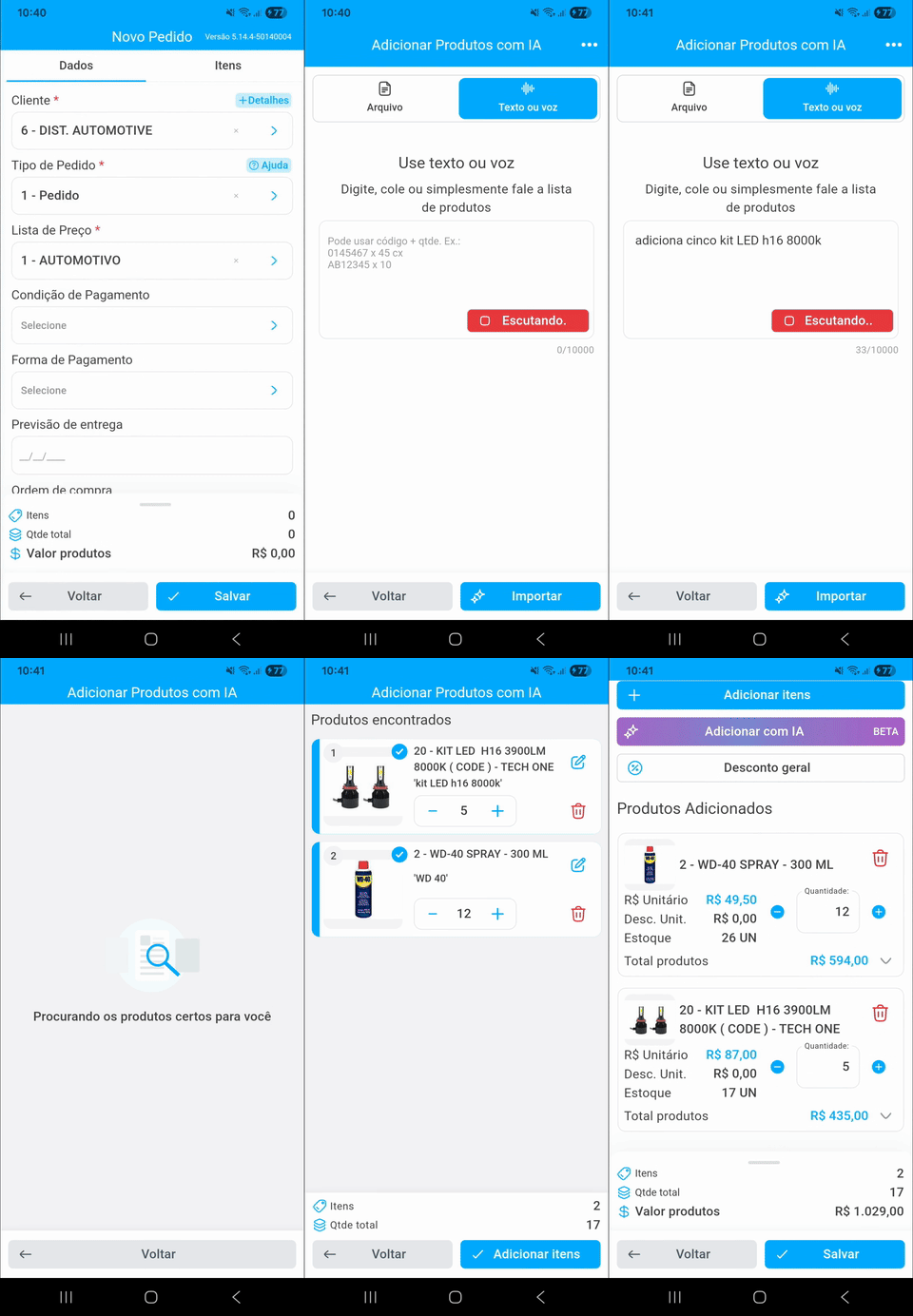
VoiceScenario: The seller is in traffic or doing another activity. He can click on the Speak button and dictate the order items, Demander AI interprets and imports the items that the seller spoke.
- Demander Web
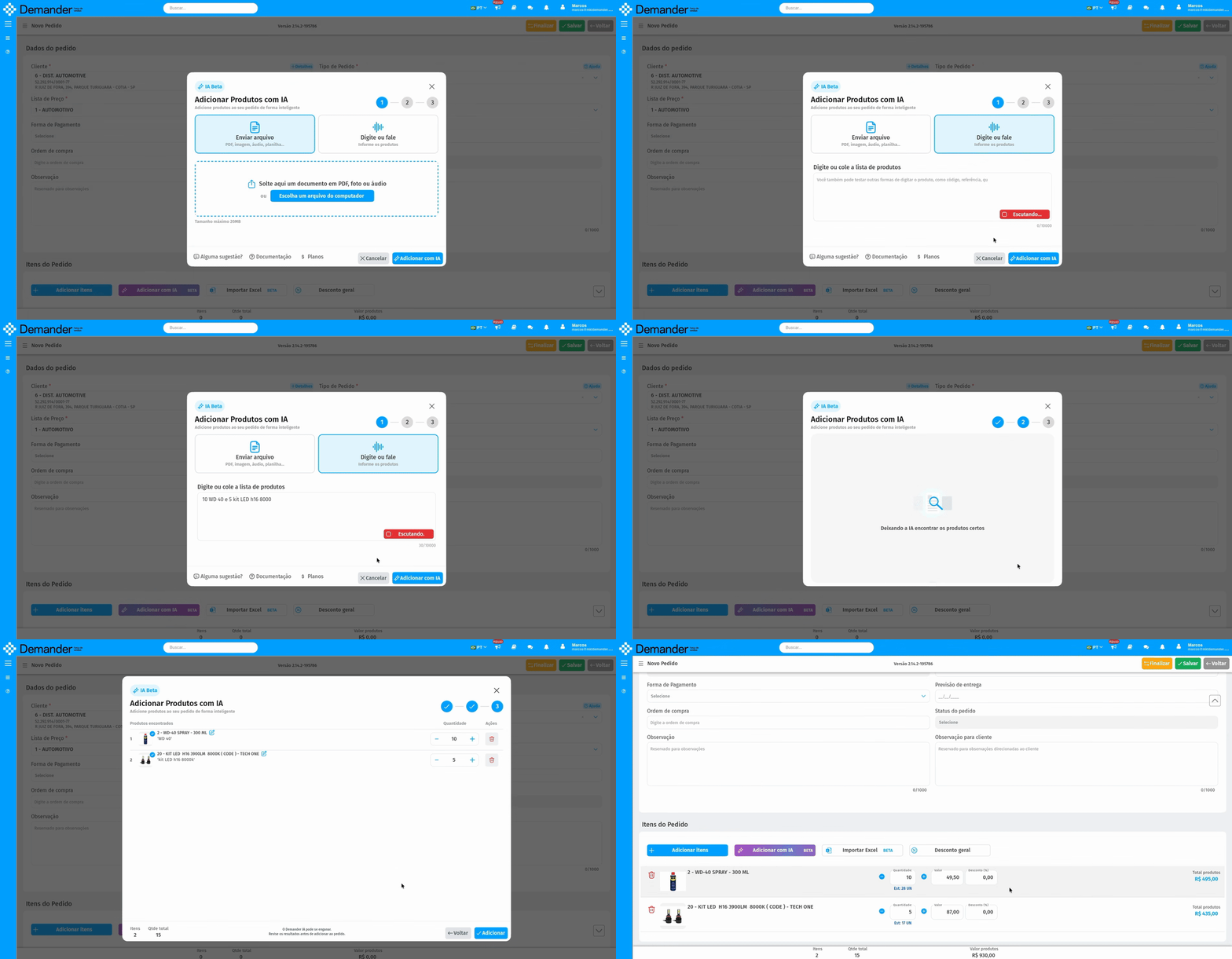
- Demander Mobile
After searching for items with AI, simply add them to the order.
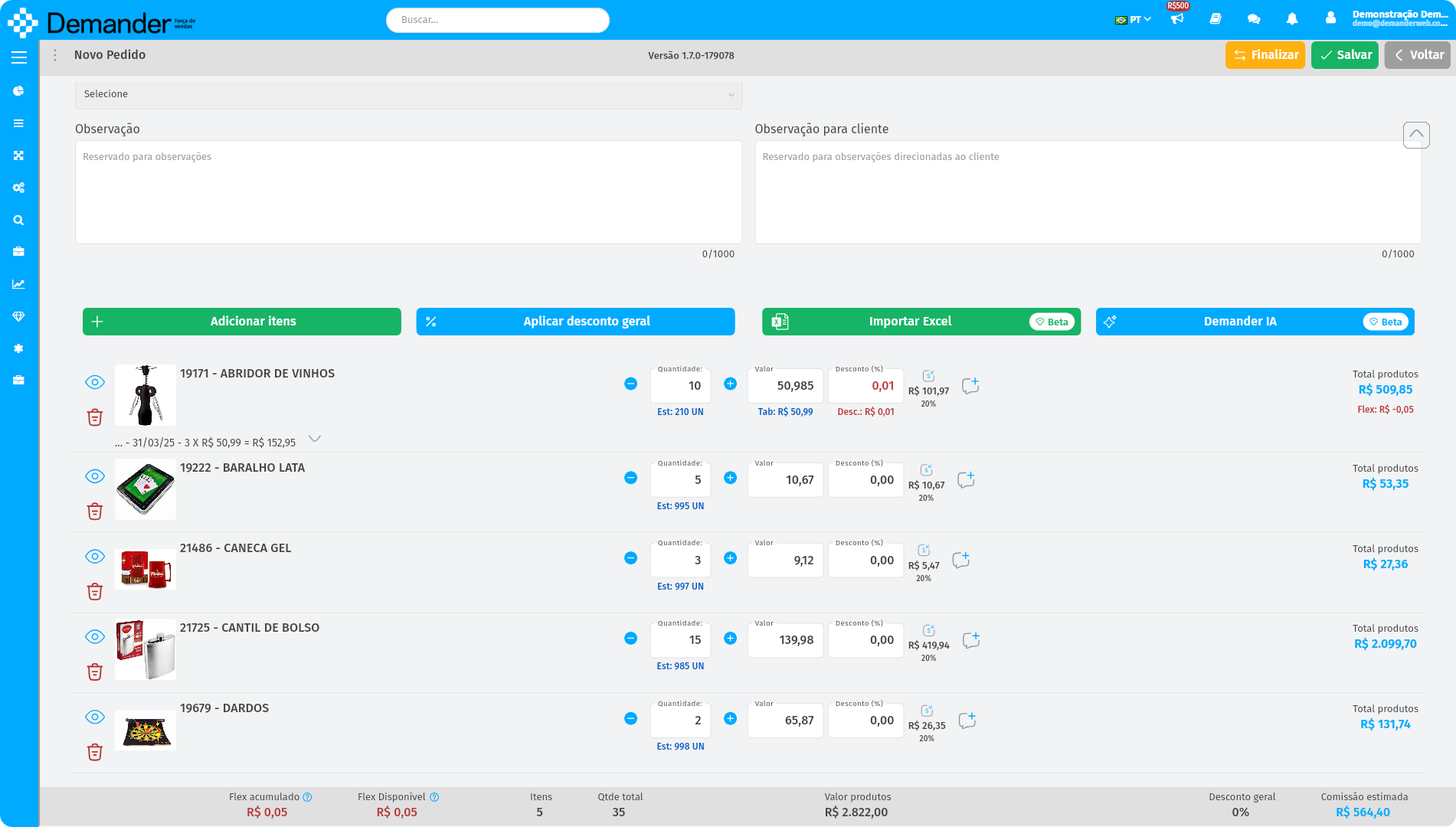
If the order already has items added, the system offers three options to manage the import:
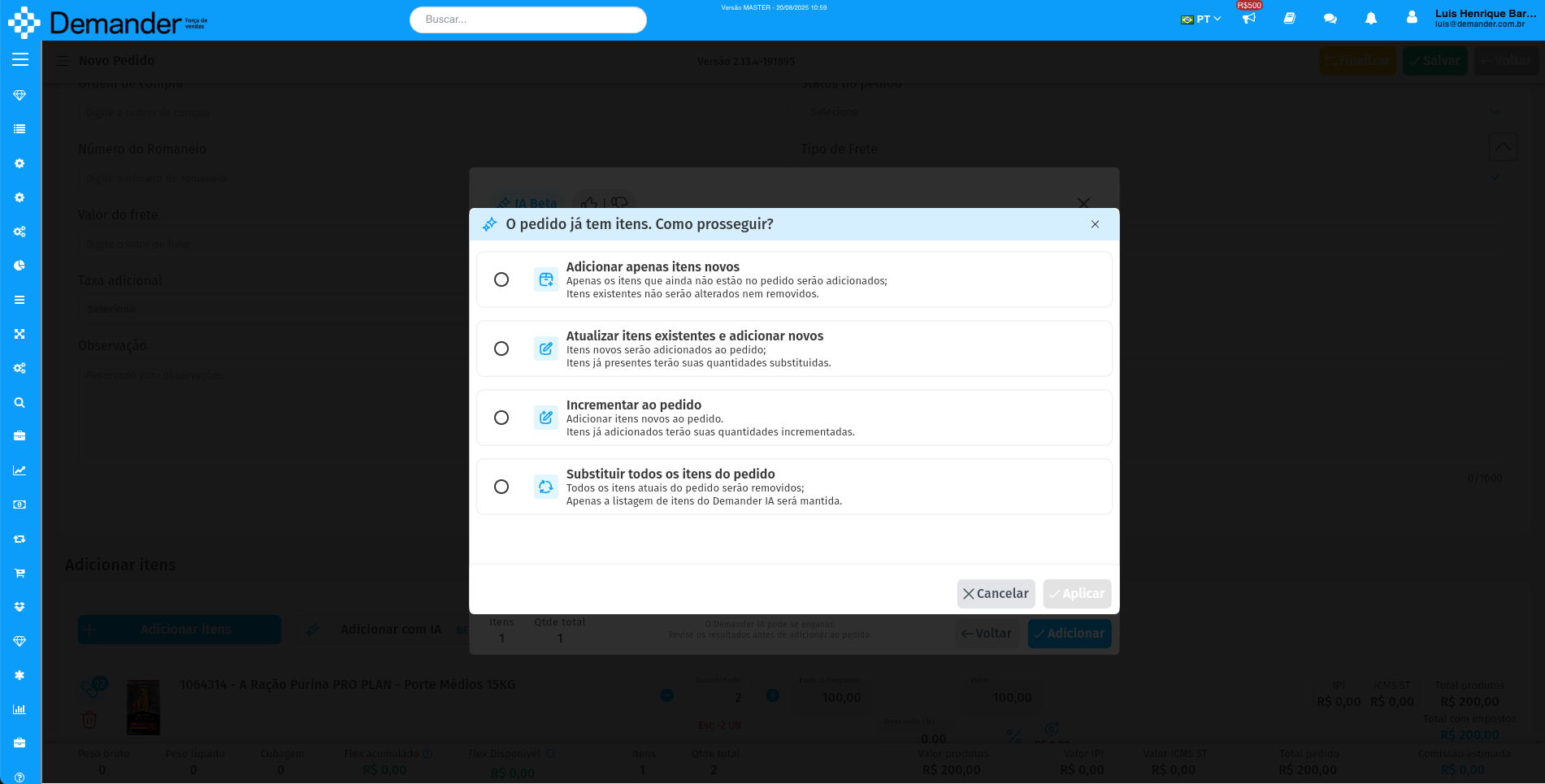
Import Options-
Section titled “Import Options-”Import new items only
-
Adds only items to the order that are not already in the current order.
-
Items that are already on the order remain unchanged, even if the file contains different quantities.
-
No item will be removed from the order, even if it is not in the Excel file.
-
Add new items and update existing ones
-Adds items from the Excel file that are not already in the order to the order.
- Items that are already on order will have their quantities adjusted according to the Excel file.
- No item will be removed from the order, even if it is not in the Excel file.
-
Replace all items
- Removes all items from the current order and adds only items from the Excel file.
- When importing is complete, the order will contain exclusively the items present in the Excel file.
Frequently asked questions
Section titled “Frequently asked questions”Is it available to everyone?
Section titled “Is it available to everyone?”Yes. All plans include access to Demander IA and can test the feature.
Is there a charge?
Section titled “Is there a charge?”Demander IA is currently in beta and free to use. In the future, usage-based charges may apply.
Is there a usage limit?
Section titled “Is there a usage limit?”During the beta phase, you can use Demander IA without hard limits. In the future, we may apply limits to ensure the best experience for everyone.
Does it work only with files received via WhatsApp?
Section titled “Does it work only with files received via WhatsApp?”No. It works with files from any source, as long as the data can be extracted or you can take photos or screenshots. WhatsApp, email, and Telegram are some examples.
Can I use Demander IA on any device?
Section titled “Can I use Demander IA on any device?”During the beta phase, Demander IA is available on Demander Web and Demander iOS. It will also be available on Demander Android soon.
What file types can be imported?
Section titled “What file types can be imported?”PDF files; spreadsheets (.xls, .xlsx, and .csv); images (.jpg, .jpeg, and .png); and audio files (.ogg and .mp3).
What happens if the file contains products that do not exist?
Section titled “What happens if the file contains products that do not exist?”Products that exist in the system will be imported as usual.
The system will display a list of products that could not be added, with the option to remove each item or search for a similar product.
Can I import items with product variants?
Section titled “Can I import items with product variants?”Items with product variants cannot currently be imported.