

Order release hierarchy
Available at:


This article aims to explain the Order Release Hierarchy Module.
About the Order Release Hierarchy Module
Section titled “About the Order Release Hierarchy Module”With this module it is possible to retain orders issued, so that one or more Users can analyze this Order and decide whether to Approve or Reject the Order, leaving a description so that the Seller can know the reason. Order retention is done by Order Type, and it is possible to configure it to not retain orders, retain all orders of a type of order, only retain when the order exceeds the maximum discount (of the order, the product or both), only retain when exceeding the average contribution margin of the order and also when retaining when exceeding the maximum discount or average contribution margin of the order.
Frequently asked questions
Section titled “Frequently asked questions”How to configure the Release Hierarchy?
Section titled “How to configure the Release Hierarchy?”- Maximum Discount Validation:
- First of all, for this configuration to be applied, it is necessary that in the “Company Settings“ “Order” tab, the Company must define the “Maximum discount validation” configuration so that it is configured as Maximum order percentage, Maximum order percentage or Both.
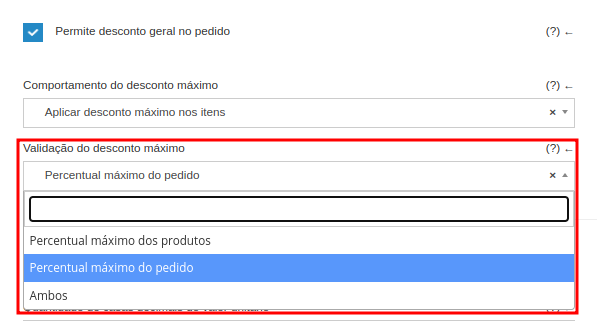
- Maximum Discount Behavior:
- In this configuration we have two types of behavior where our discount will be applied.
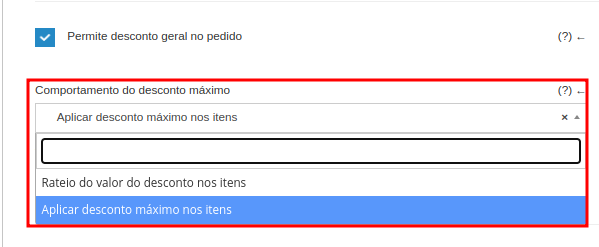
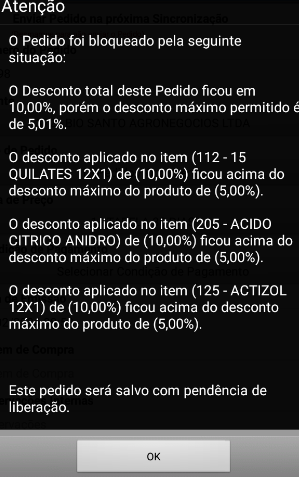
- Apportionment of the discount value on items: The discount percentage entered is applied to the total order value. The discount applied to each item will be calculated based on the maximum discount value allowed for each product, being prorated proportionally across all products that allow a discount. Therefore, within Demander, a calculation will be made, where the maximum applied at the order level is compatible in the distribution between the items in the order. As each product allows up to 5% discount, the discount at the order level will only allow 5%, divided between the products, as it does not allow the product limit to be exceeded, there is no way to fall into release due to the discount at the order level.

- Apply Maximum Discount on items: The discount percentage entered is applied directly to the item, according to the maximum discount percentage available for the products. For products that allow a discount percentage greater than that entered, the amount entered will be applied, and products that allow a discount lower than that entered will be applied the maximum allowed. In this case, it will consider the other settings regarding the maximum discount, as the validation setting must be both. This way, a discount will be applied at the order level that is greater than the maximum discount for the items.
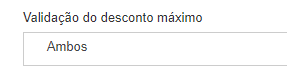
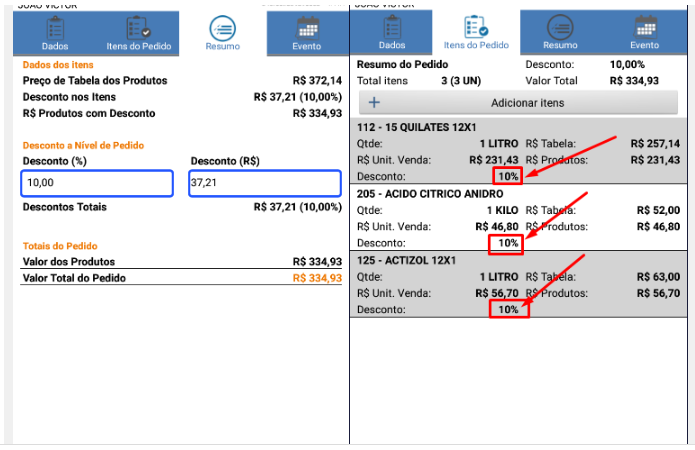
- When the company has a release hierarchy, when extrapolating the maximum discount, when registered at the order level, it will fall into release.
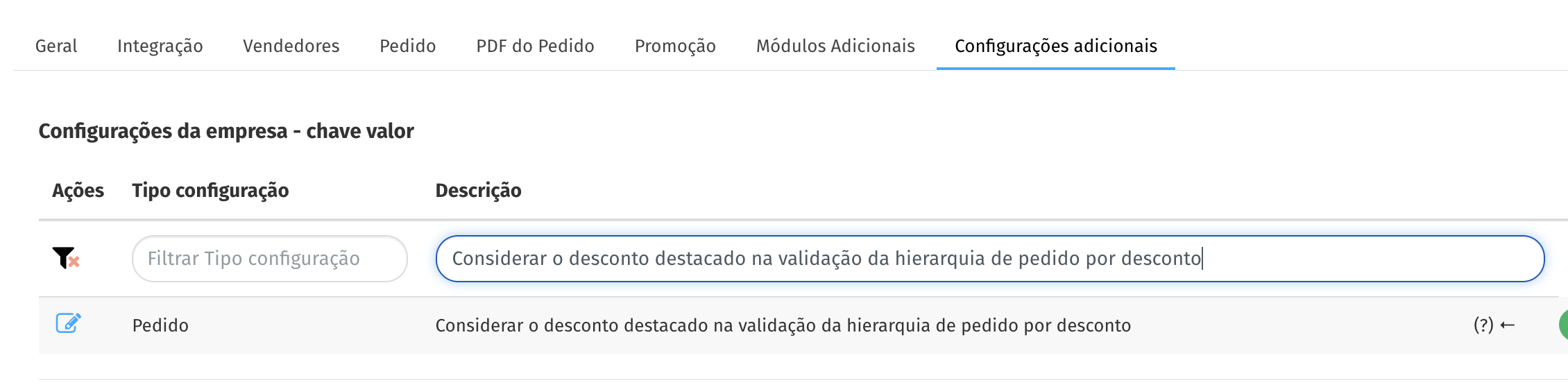
Consider the Discount Highlighted in the Hierarchy
Section titled “Consider the Discount Highlighted in the Hierarchy”This configuration defines whether the highlighted discount informed in the order should be considered in the validation of the Release Hierarchy.
When the option “Consider the highlighted discount when validating the order hierarchy by discount” is habilitada, the system will add the order discount value with the highlighted discount value to perform the validation in the hierarchy.
Practical example:
- Order discount: 5%
- Highlighted discount: 3%
- Configuration enabled → the system will consider 8% total discount for validation purposes in the release hierarchy.
If disabled, the hierarchy will normally be validated only based on the order discount, disregarding the highlighted discount. In this scenario, the highlighted discount will be validated separately, following the company’s commercial rules
To configure, access Company settings -> Additional Settings ->“Consider the highlighted discount when validating the discount order hierarchy”
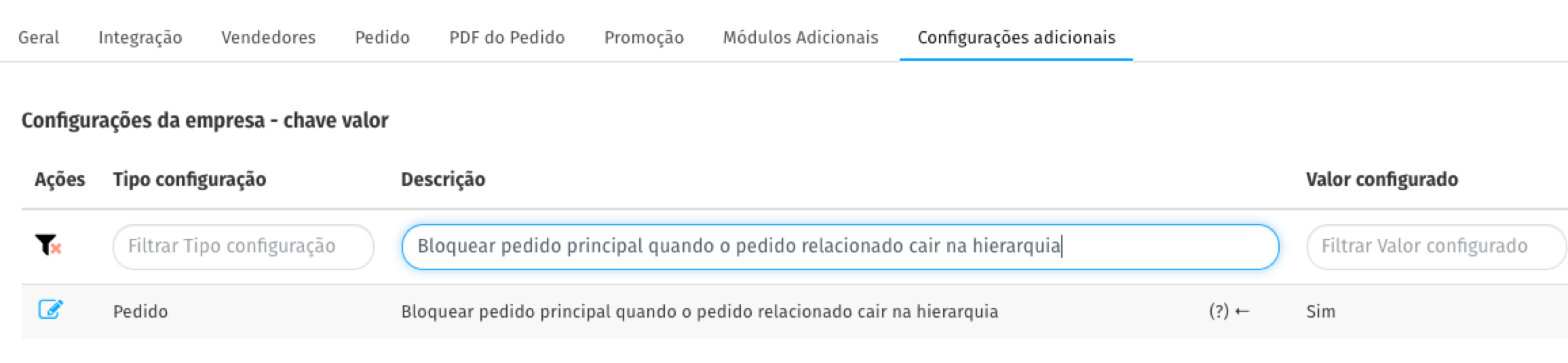
Block the main order when the related order enters the hierarchy
Section titled “Block the main order when the related order enters the hierarchy”This setting is intended for companies that issue a main order together with a related order. When the related order must go through the release hierarchy, it prevents the main order from being exported before that release is decided.
To use it, go to Company Settings > Additional Settings > Block the main order when the related order enters the hierarchy.
With the setting enabled:
- orders that are only Saved cannot be selected as related orders. Since a related order may be blocked and can no longer be edited, this restriction prevents it from becoming impossible to finalize;
- the Allow linking synchronized related order setting is always considered No, regardless of its configured value;
- the Main order field is locked when editing the order, preventing the relationship from being changed.
When a related order is blocked by the hierarchy:
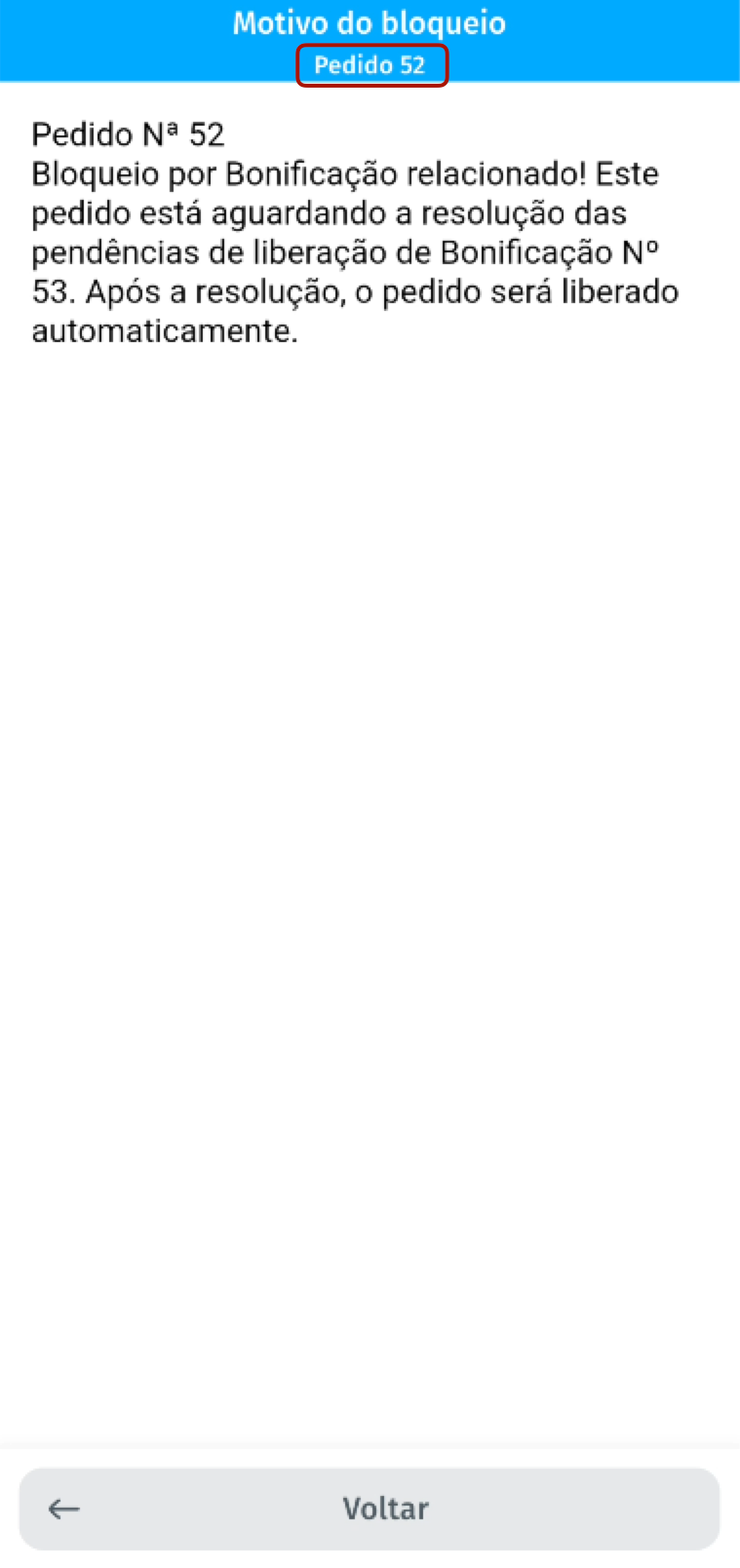
- the linked main order is also set to pending and blocked from editing, and the block reason identifies which related order created the pending status;
- export of the main order to the ERP waits for the decision on the related orders.
The main order is only released to continue its flow after all related orders leave the hierarchy through release or rejection. While any related order remains pending, it stays blocked from editing and ERP export.
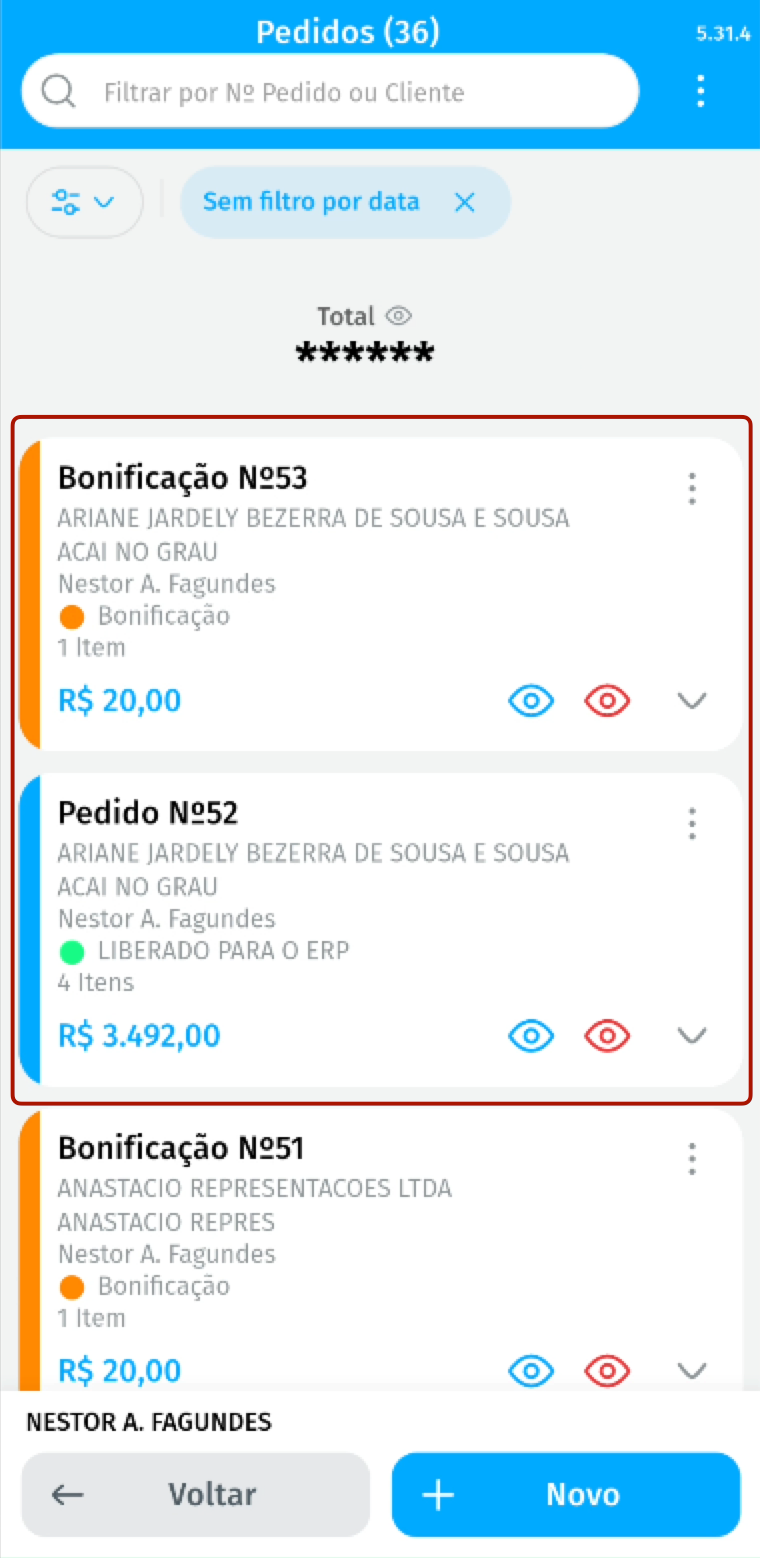
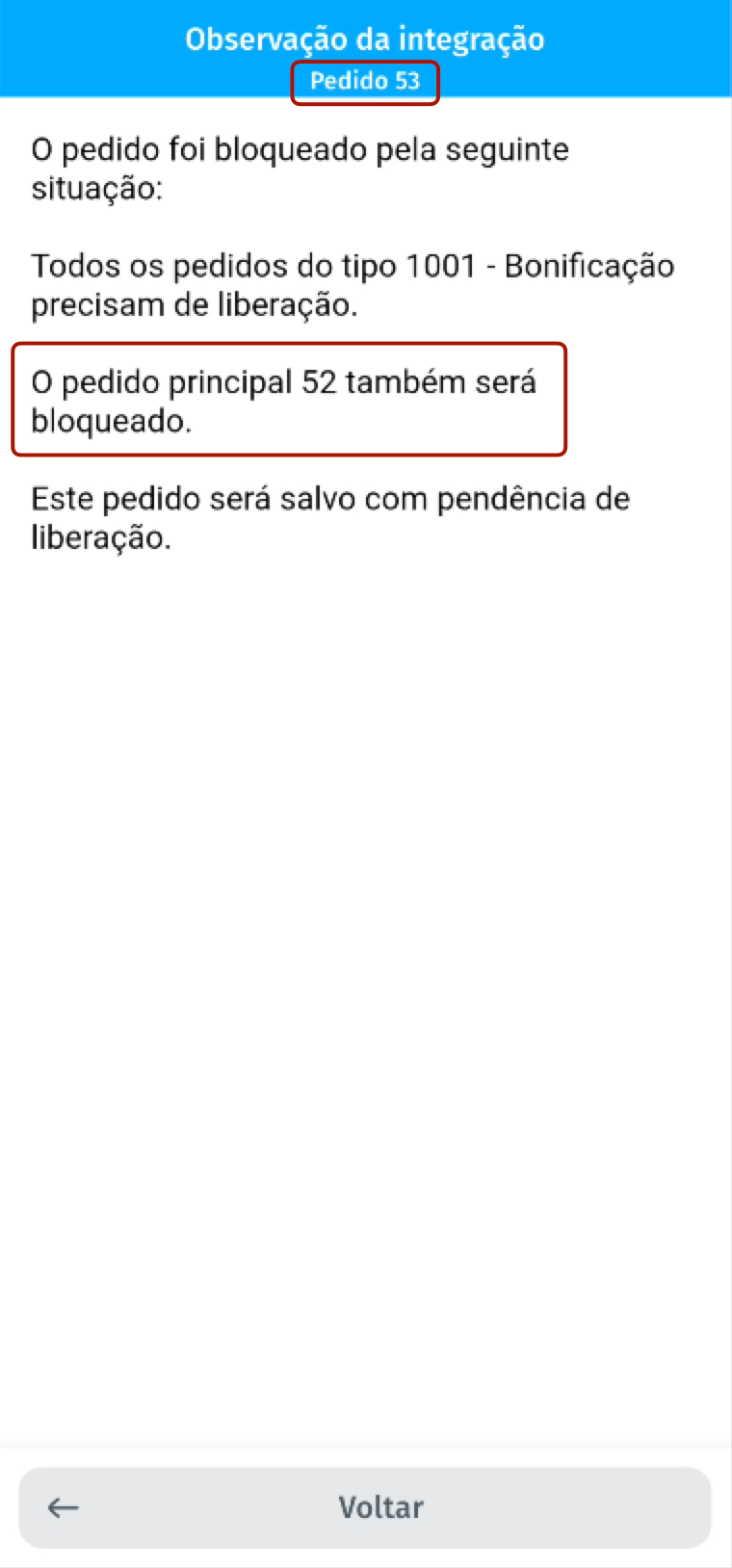
Example: main order no. 52 has related order no. 53. If order no. 53 enters the hierarchy, main order no. 52 becomes pending and cannot be edited. Once all related orders are released or rejected, the main order can be exported.
Company Configuration
Section titled “Company Configuration”In Company Settings, General tab. You must define an Order Status for rejected requests.
- Creation of the Release HierarchyNow it is necessary to register the Release Hierarchy, access “Release Hierarchy” and click on the button.
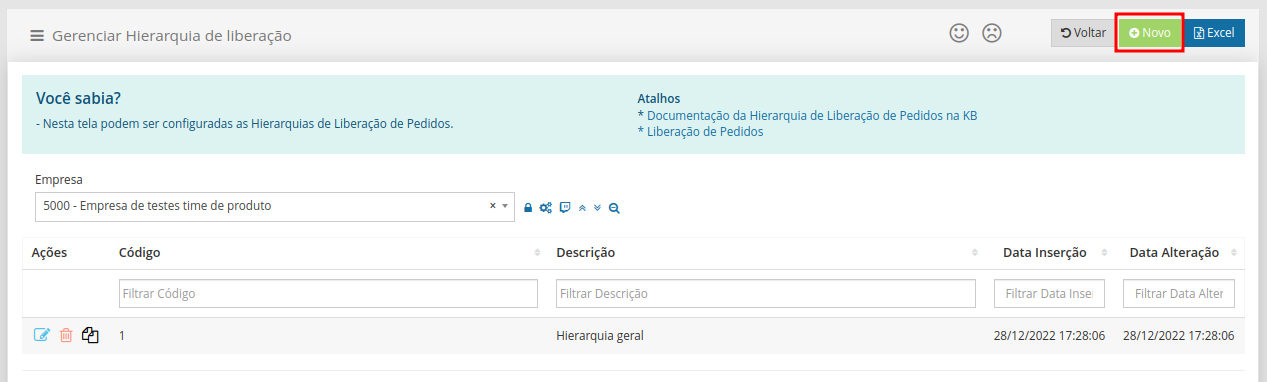
On the Hierarchy registration screen it is possible to define.
- Code: Code that identifies the Hierarchy (Code must be numeric. No two codes can be the same)
- Description: Name to identify the Hierarchy.

After filling out, click

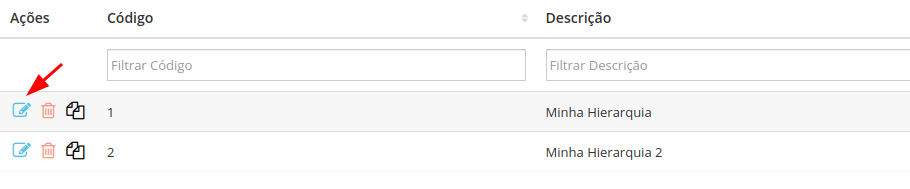
After Saving, you will return to the list with the registered Hierarchies, click on the button to Edit the record
All Users who release this Hierarchy are listed here. To add a User, click

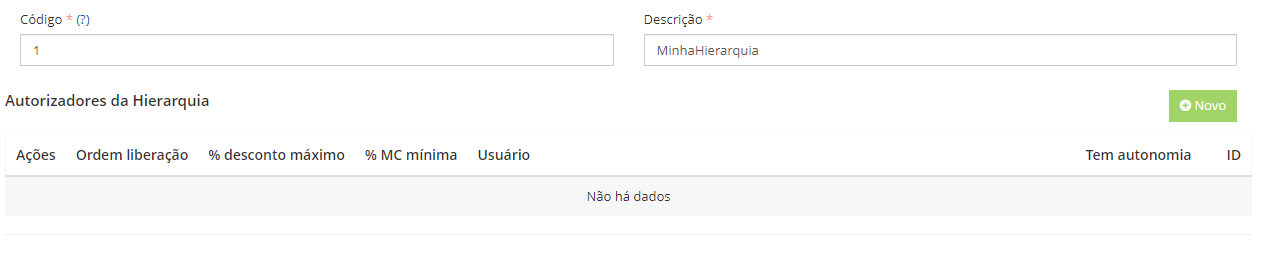
Inform the release order, the User who will make this release, a maximum discount percentage or minimum contribution margin percentage and whether the authorizer has the autonomy to release it alone.

How the Release Hierarchy works
Section titled “How the Release Hierarchy works”Users configured as authorizers will be able to release or reject orders according to their assessment. The authorization of requests follows a defined order, where the authorizer with the lowest number configured in the release order has priority. After your authorization, the request passes to the next authorizer, if any.
-** Example:
- Scenario 1: Request rejection
- Authorizers:
- João: Release order 1, discount percentage 2%
- Luiz: Release order 2, discount percentage 5%
- Order: 3% discount
- If João rejects the request, it will not be passed on to Luiz and will be immediately rejected. No other authorizer will need to evaluate the request.
- Scenario 2: Discount within the first authorizer’s range
- Authorizers:
- João: Release order 1, discount percentage 2%
- Luiz: Release order 2, discount percentage 5%
- Order: 1.5% discount
- In this case, only João needs to authorize the order, as the discount is within his authorization range.
- Authorizers:
- Scenario 3: Discount outside the range of the first authorizer, but within that of the second
- Authorizers:
- João: Release order 1, discount percentage 2%
- Luiz: Release order 2, discount percentage 5%
- Order: 3% discount
- Here, João must authorize first. If authorized, the request passes to Luiz, who can then authorize or reject the request.
- Authorizers:
- Authorizers:
- Additional Rules:
- Orders with a discount percentage greater than the highest configured percentage cannot be saved.
- In the example above, the highest percentage configured is 5%. Therefore, orders with a discount greater than 5% cannot be saved.
- The seller will receive an alert if they try to save an order with a discount above the allowed limit. They can adjust the discount and try saving again.
- Orders with a discount percentage greater than the highest configured percentage cannot be saved.
Autonomy for Order Release
Section titled “Autonomy for Order Release”*NOTE: This configuration only makes sense when there is more than one user at the same level.
- Example: Walter and José are level 1 authorizers.
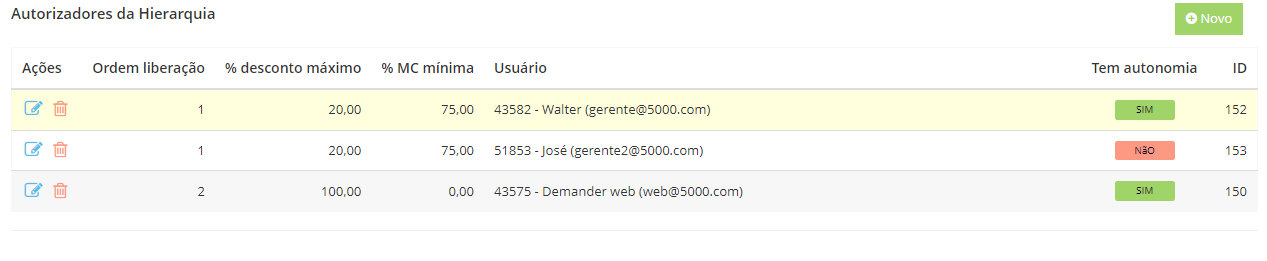
- If Walter has the autonomy to release it himself and José does not, it means that Walter can release the request without the need for José to also release it.
- If José releases, Walter will still need to release (as José does not have autonomy)
- If José rejects the request, Walter will no longer be able to release him, as the request will have already been canceled (the autonomy is only for Release, not Rejection).
Order Type Configuration
Section titled “Order Type Configuration”Go to “Order Types”, edit the Order Type will be configured.
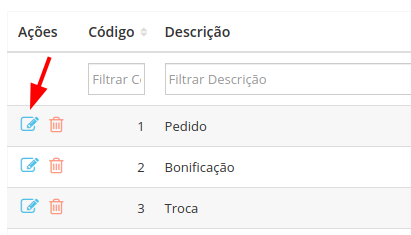
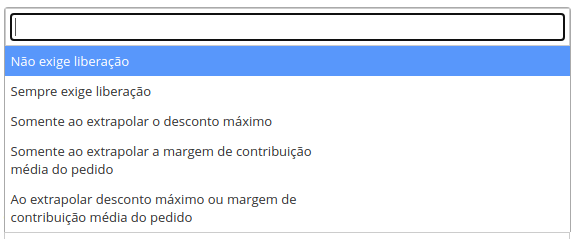
In the “Configuration” tab there is the “Release hierarchy behavior” configuration with 3 options.
- Does not require release: No validation is performed, the order is not retained.
- Always Requires Release: All orders placed with this Order Type will be held by the Release Hierarchy.
- By selecting this option, a field can be populated with the minimum order value to be retained in the hierarchy. This means that only orders with a value above that defined in the field will be blocked. To block all set 0.00
 - Only if the maximum discount is exceeded: Only orders that exceed the maximum order discount will be retained.
- NOTE: only in this configuration does the hierarchy behavior work as in the example below; For other configurations see examples.* *
- Example: If we have two authorizers, João with release order 1 and a discount percentage of 2%, and Luiz with release order 2 with a discount percentage of 5%. So if a seller places an order with a 1.5% discount, this order will have to be released by João but it will not be released by Luiz. The request will only need to be approved by Luiz if he exceeds the discount limit that João is allowed to authorize.
-** Only when exceeding the order’s average contribution margin: Only orders that exceed the order’s average contribution margin will be retained. - When exceeding the maximum discount or average contribution margin of the order: **Only orders that exceed the maximum discount or exceed the average contribution margin will be retained.
Seller Configuration
Section titled “Seller Configuration”In the “Seller Registration”, “Configuration” tab, the Hierarchy configuration must be filled in.
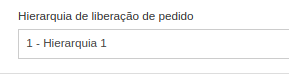
How to release/reject a held order?
Section titled “How to release/reject a held order?”It is possible to release/reject in two ways, via Demander Web or via the app. In both cases, the user must be registered in the release Hierarchy as a user authorized to make this release. To learn more, access the article “Using the Order Release Hierarchy”