Prefixed Price Functionality
Available at:


This article aims to present the prefixed pricing functionality in Demander.
What are fixed prices?
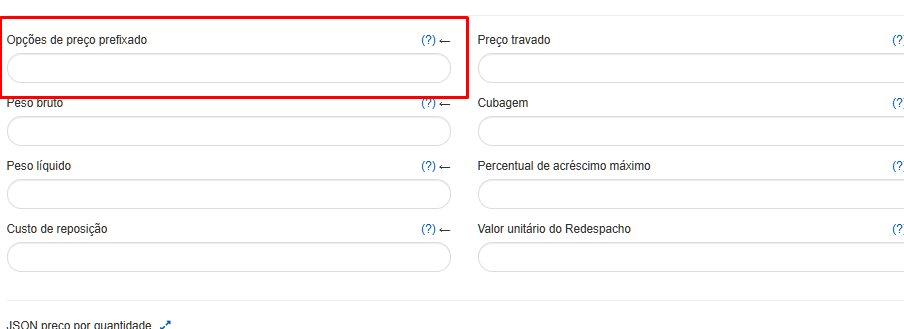
Section titled “What are fixed prices?”In Demander, it is possible to register predefined values for the seller to choose at the time of sale. These values do not generate discounts or additions, and the seller is obliged to select one of the available options.
How to configure?
Section titled “How to configure?”If your company uses integration with Demander, the ideal is to register this information via integration, using Table 13 - Product Price, Field 15.
This field should only be filled in if it is necessary to allow the seller to choose the unit price from a pre-fixed table.
Example: If the values “5.90;5.95;6.15;” are sent, the seller must select one of the three prices informed. There is no limit to the number of values registered.
Manual registration with Demander
Section titled “Manual registration with Demander”Manual registration should only be carried out if the company does not use integration. This is because, if the data is changed manually and there is active integration, the information will be overwritten.
On Demander Web, follow the steps:
- Access the [Product Price] screen (https://sistema.demander.com.br/dinamico/precos_produto).
- Select the product within the defined price list.
- Register pre-fixed prices.
The values must be registered separating them by “;” (semicolon).
Example: 1.79;1.89;1.99