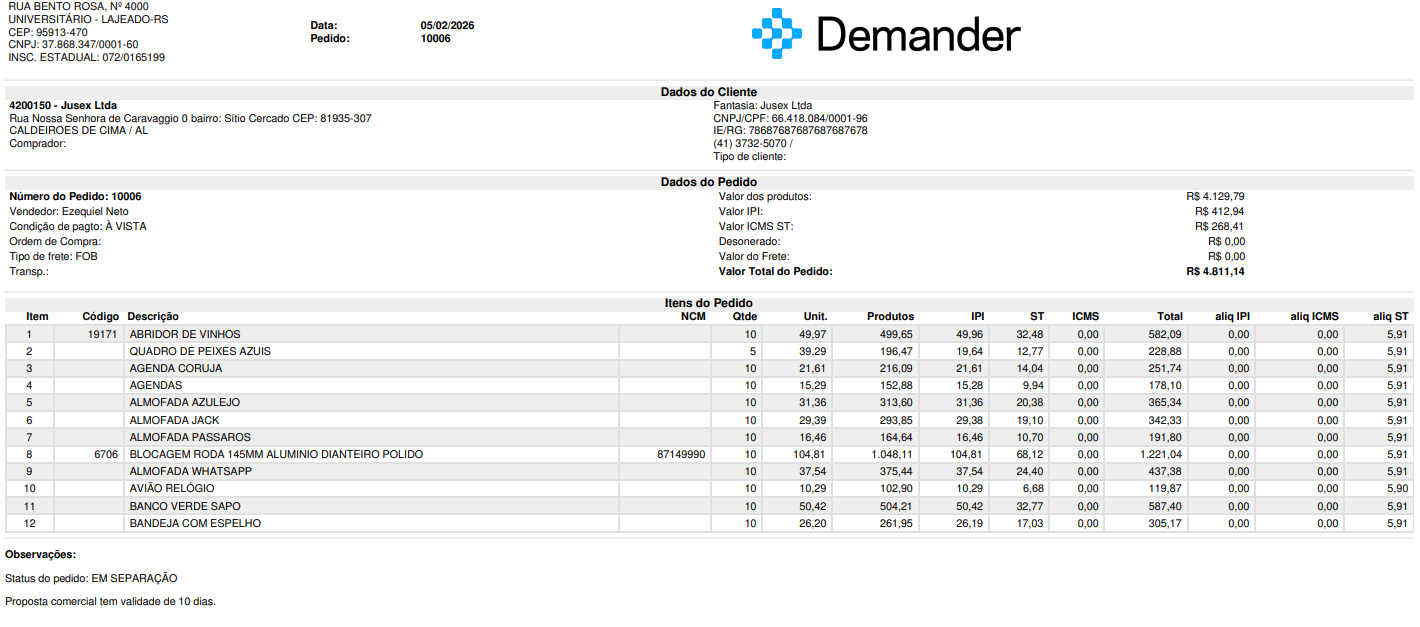
Order PDF – Configuration, Generation and Differences between Models
Available at:

This article explains the functionality of the Order PDF, how to configure it, how to generate it and the differences between the Basic and Customized template.
How to configure which basic template the company will use?
Section titled “How to configure which basic template the company will use?”The Basic PDF template already has standard templates available for use. To check or change the model:
- Access the [Company Settings] screen (https://sistema.demander.com.br/dinamico/configuracoes-da-empresa)
- Go to the Order PDF tab

📌Note: In the basic model it is possible to request adjustments such as:
- Hide or show fields
- Add specific fields Change the order of fields
To do this, contact support via phone (51) 3714-7050 or email support@demander.com.br.
How to generate a PDF of the order
Section titled “How to generate a PDF of the order”The PDF template is the same on all platforms (Web, Android and iOS).
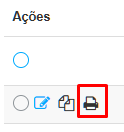
- Web Demander: On the Orders screen, click the actions column icon to generate the PDF.
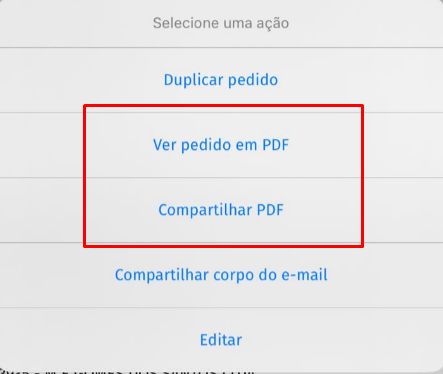
- iOS: Access the 3 dots next to the order → click View PDF.
- Android: Press the order → click View Order in PDF.
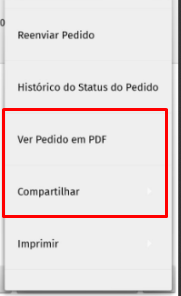
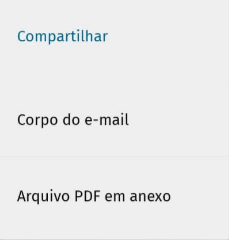
You can also use the Share directly option, choosing between:
- Email body
- Attached PDF file (allows sending via WhatsApp, for example)
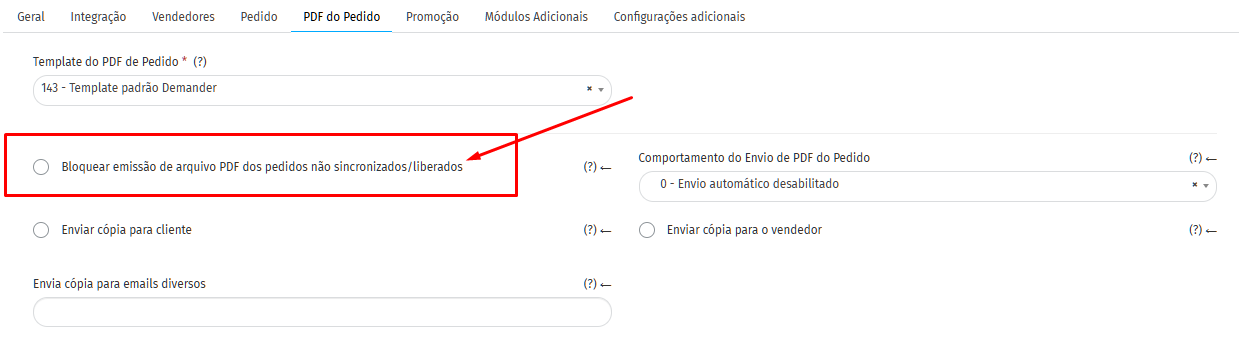
Blocking PDF generation for unsynchronized orders
Section titled “Blocking PDF generation for unsynchronized orders”By default, there is a setting that blocks PDF generation for unsynchronized or unfinished orders.
It can be adjusted on the Company Settings > PDF of the Order.
Differences between the Basic and Custom template
Section titled “Differences between the Basic and Custom template”| Appearance | Basic (free of charge monthly) | Customized (R$ 49.90/month) |
|---|---|---|
| Templates assets | Only 1 active template at a time | Multiple active templates (e.g.: tax, commercial, proposal) |
| Information configuration | Can request creation/adjustment of template with existing variables (without aesthetics) | Includes information adjustments in all templates |
| Visual appearance | Standard, no customization (neutral layout) | Aesthetic customization (colors, fonts, covers, visual identity) |
| New variables | Always under additional budget | Always under budget additional |
| Adjustments after deployment | Simple changes at no cost | Unlimited simple changes at no cost. Large adjustments may be limited to 1 per year |
| Multiple different appearances | Not applicable | Exception → additional budget |
Main rules
Section titled “Main rules”-
New variables (non-existing): always under additional budget.
-
Simple adjustments (order, hide/show variables already available): free of charge.
-
Unique visual appearance in Custom: multiple distinct appearances → additional budget. Initial configuration: done by Customer Service (with knowledge of HTML/CSS/JS) or by the Product.
-
Customers cannot edit templates directly, only configure fields from the pre-defined list.
-
Technical calls (e.g. misalignment, page breakage): free of charge. Billing for partners: carried out for resale, which decides whether or not to pass it on to the end customer.
Discount per item in the PDF
Section titled “Discount per item in the PDF”The order PDF can show the discount applied on each item, depending on the template in use.
Basic template
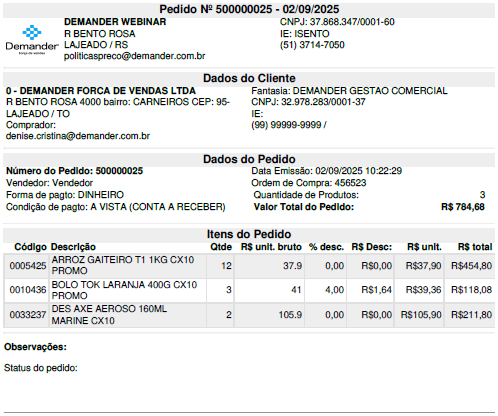
Section titled “Basic template”- Some basic templates already show item discount columns or lines (for example, the standard template without tax with discount).
- If the company’s active model does not show the item discount, you can ask support to:
- Switch to a basic template that already includes discount
- Adjust the current template to display the item discount field (existing variable), without visual redesign
Highlighted discount (value on the order total, not allocated across items) is a different field. It only appears in the PDF if the template includes that information. See Highlighted discount on the order.
Custom template
Section titled “Custom template”In Custom, showing item discount (and highlighted discount) is part of the contracted layout. If the current PDF does not show the discount as desired, open a ticket with support asking for a template adjustment — simple show/hide changes for existing variables follow the rules in the table above.
Visual examples
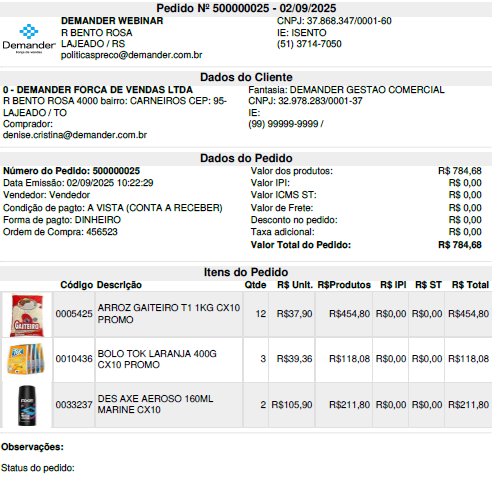
Section titled “Visual examples”Basic Model: Standard layout, without personalized visual identity.
143 - Demander standard template………………………………………….. 166 - Demander standard template - no tax with discount
Customized Model: Aesthetic and visual layout according to the company’s identity.
Custom PDF in horizontal