

Registering Products
On Demander Web, you can register, edit and delete products.
The mandatory nature and visibility of some fields may vary depending on each company’s business rules.
Data
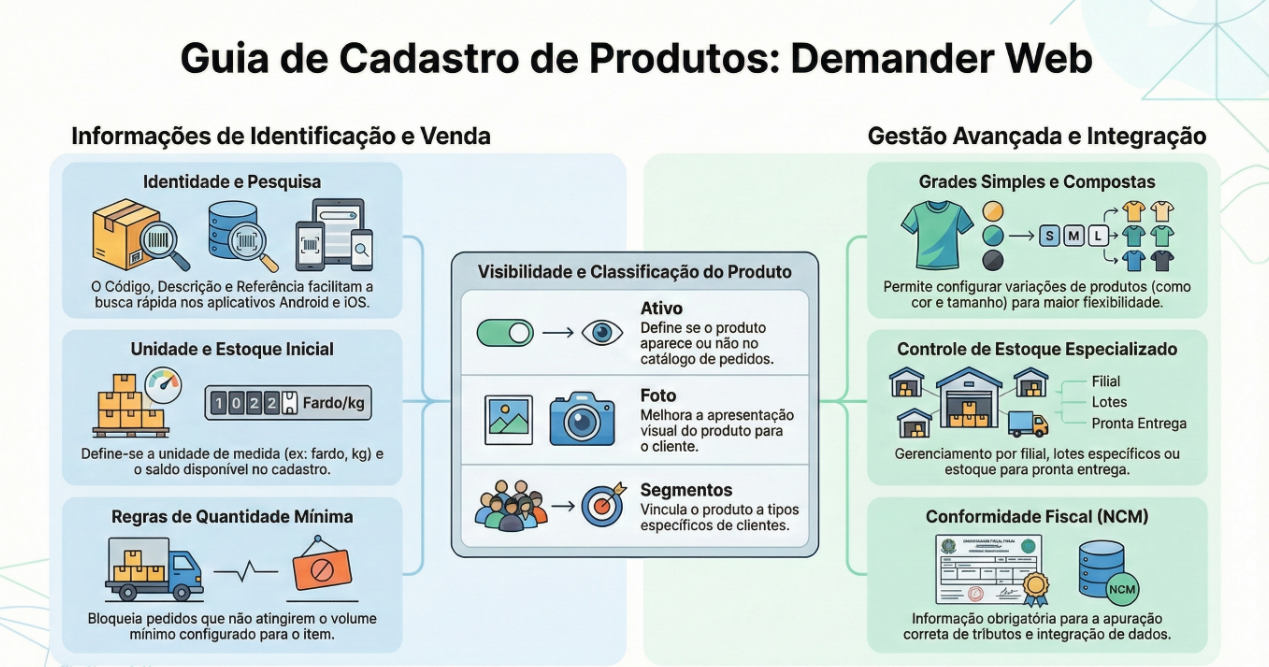
Code: Unique product identifier.
Description: name and characteristics that describe the product.
Reference: internal product reference. It can be used as a search filter on Android and iOS.
Barcode: can be EAN8, EAN13, UCC12, DUN14 or an internal company code. It is also used as a search filter on Android and iOS.
Stock balance: product balance at the time of registration.
Minimum quantity per order: it will not be possible to place an order with a quantity below the configured minimum.
Product group: the product can be associated with a previously registered group.
Brand: the product can be associated with a previously registered brand.
Sales unit: unit associated with the product (e.g. box, bale, kg).
Free field 1, 2 and 3: fields for description, observation or additional information.
NCM: product tax code; This information is necessary for calculating taxes.
Note: Text displayed to the seller in the product information.
Online Store Note: text displayed next to the product in the Online Store.
Related segments: segments linked to the product to classify customer types.
Active: inactive products do not appear in the order register.
Photo: product image to improve presentation to the customer.
This is the Composite Product Grid. For more information, we have a step-by-step guide on how to configure it, visit: Composite Product Grid.
To find out the difference between the grids, visit: Concept of Composite Product Grid vs. Simple Product Grid.
Prices
Section titled “Prices”To find out how to register prices, we have a specific article, visit: Registering Product Prices.
Ready Delivery Stock
Section titled “Ready Delivery Stock”We have a specific article for ready-delivery stock, to find out more go to: Registering Ready-to-Deliver Stock.
Stock by Branch
Section titled “Stock by Branch”We have a specific article for this registration, to find out more visit: Registering Stock by Branch.
Product Batches
Section titled “Product Batches”To learn more about how to register product batches, we have a specific article, visit: Registering Product Batches.
Simple Grid
Section titled “Simple Grid”This is the Product Grid, or Simple Product Grid. For more information, we have a specific article to configure it, visit: Product Grid (Simple Grid).
To find out the difference between the grids, visit: Concept of Composite Product Grid vs. Simple Product Grid.
To import products via integration, access the article below: