

Import of Order Items through Excel file
Available at:

The item import functionality via Excel in Demander was created to facilitate the inclusion of products in orders quickly and efficiently.
This option is especially useful for users who need to register large volumes of items without the need for manual entry.
Below, we detail how this functionality works and how you can take advantage of it.
Where to find:
- Feature Availability.
- When and for whom is it useful?
- How does Import work?
- Import Options.
- Template Download.
- Export of Items already added.
- Frequently asked questions?
- Demo video
Functionality Availability This functionality is only available on Demander Web and not available on Android and iOS apps.
Section titled “Functionality Availability This functionality is only available on Demander Web and not available on Android and iOS apps.”Currently, this functionality is in the testing phase and available free of charge to some users.
- We may remove it from the system at any time without notice.
- There is the possibility of future charges for using the functionality.
When and for whom is it useful?
Section titled “When and for whom is it useful?”This functionality is especially useful in two main scenarios:
- When the order has already been placed and just needs to be entered.
- When the order contains many items, making manual entry unfeasible or very time-consuming.
How does import work? On the Demander Web Orders screen, an “Excel Import” button appears, clicking this button displays the import screen as shown in the figure below:
Section titled “How does import work? On the Demander Web Orders screen, an “Excel Import” button appears, clicking this button displays the import screen as shown in the figure below:”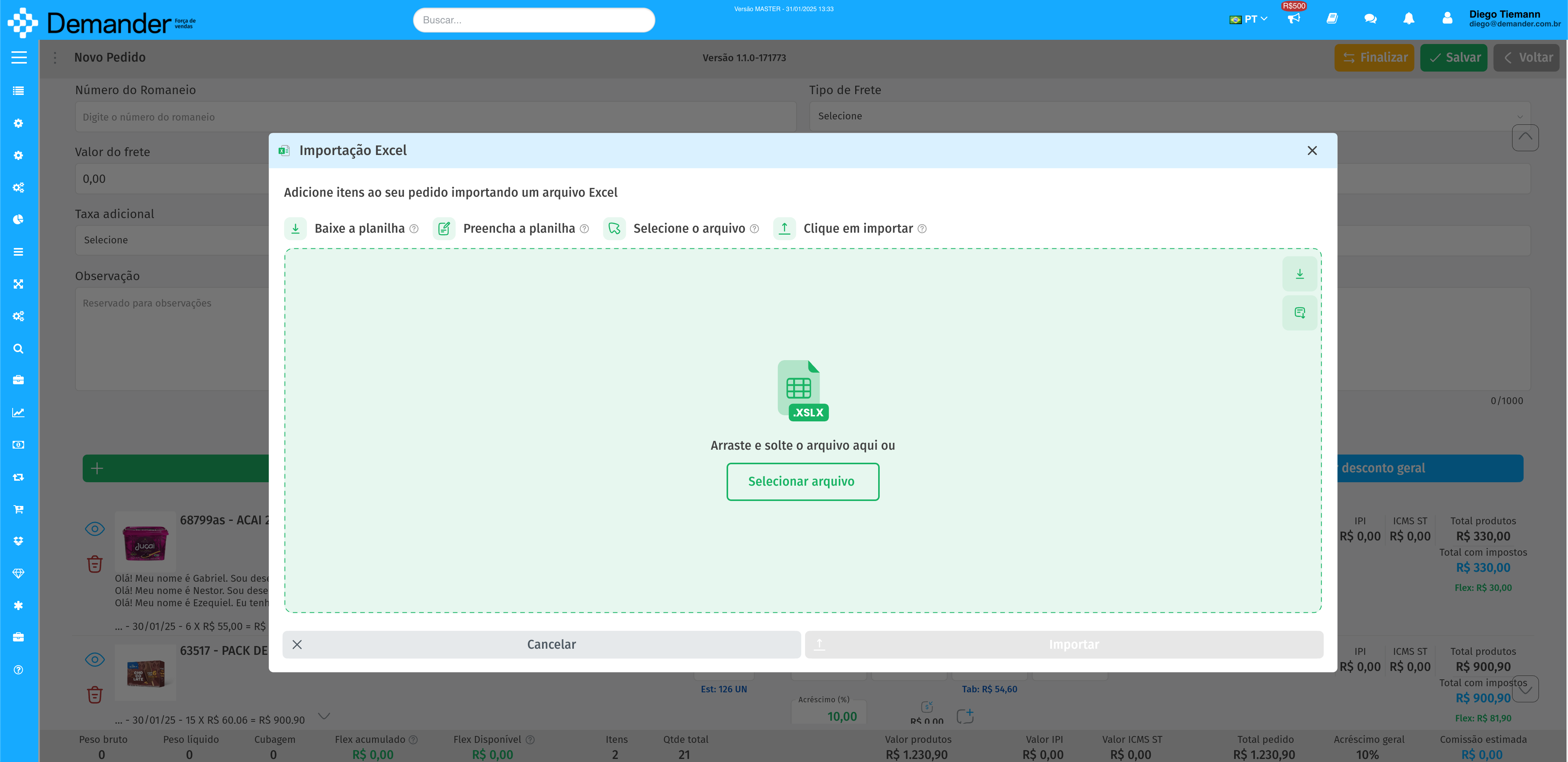
The user can drag the Excel file (in the format compatible with the Template) onto the screen or select the file they want to import.
Import allows you to add items to the order through an Excel file.
If the order already has items added, the system offers three options to manage the import:
Import Options-
Section titled “Import Options-”Import new items only
- Adds only items to the order that are not already in the current order.
- Items that are already on the order remain unchanged, even if the file contains different quantities.
- No item will be removed from the order, even if it is not in the Excel file.
- Add new items and update existing ones
- Adds items from the Excel file that are not already in the order to the order.
- Items that are already on order will have their quantities adjusted according to the Excel file.
- No item will be removed from the order, even if it is not in the Excel file.
- Replace all items
- Removes all items from the current order and adds only items from the Excel file.
- When importing is complete, the order will contain exclusively the items present in the Excel file.
Template Download
Section titled “Template Download”The system allows you to download an Excel template file with the following columns:
- Product Code
- Product Description
- Quantity
This is the format required for the file to be accepted for import.
Export of Items Already Added
Section titled “Export of Items Already Added”In addition to importing, the system also allows you to export items already added to the order in the import template format. This allows modifications to the file before a new import, making it easier to update the order.
This functionality aims to provide more agility and precision in order management within Demander.
Frequently Asked Questions?
- Can any file be imported? No, only xlsx files with columns according to the standard template.
Section titled “- Can any file be imported? No, only xlsx files with columns according to the standard template.”- Is it possible to import spreadsheets generated by Numbers (Mac spreadsheet application)? Yes, as long as you export the spreadsheet as xlsx.
Section titled “- Is it possible to import spreadsheets generated by Numbers (Mac spreadsheet application)? Yes, as long as you export the spreadsheet as xlsx.”- What happens if Excel contains non-existent products?
Section titled “- What happens if Excel contains non-existent products?”If the file contains products that do not exist in the system registry:
Section titled “If the file contains products that do not exist in the system registry:”- Existing products will be imported normally.
- The system will display a list of products that could not be added.