

Meu ERP Online integration setup
Configuration is in Integração Meu ERP Online, under the integration cadastros menu.
Select the correct company before you create or edit the record.
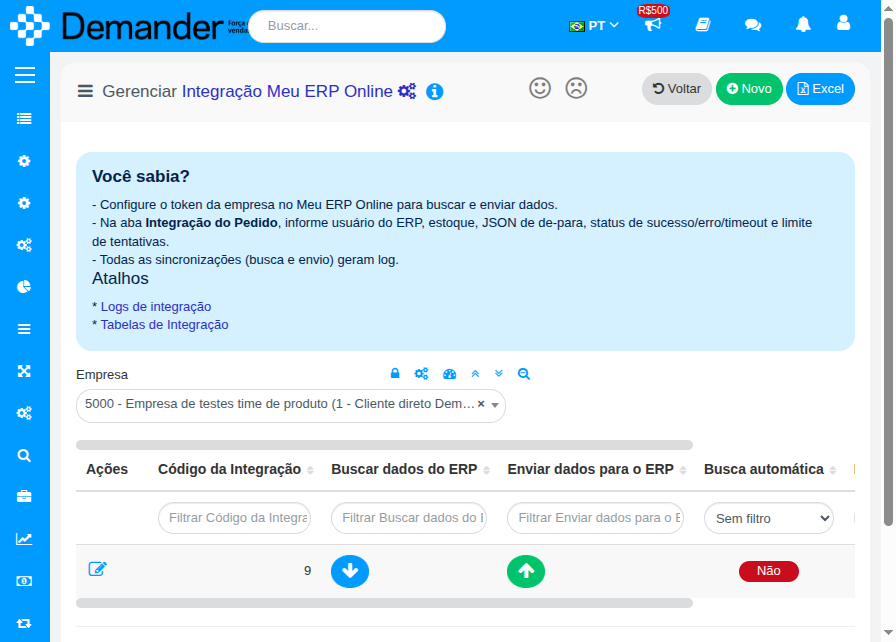
On the list you will find:
- Buscar dados do ERP (down arrow) — schedules fetch in the background
- Enviar dados para o ERP (up arrow) — schedules customer and order send
- Shortcuts to Logs de integração and Tabelas de Integração
Geral tab
Section titled “Geral tab”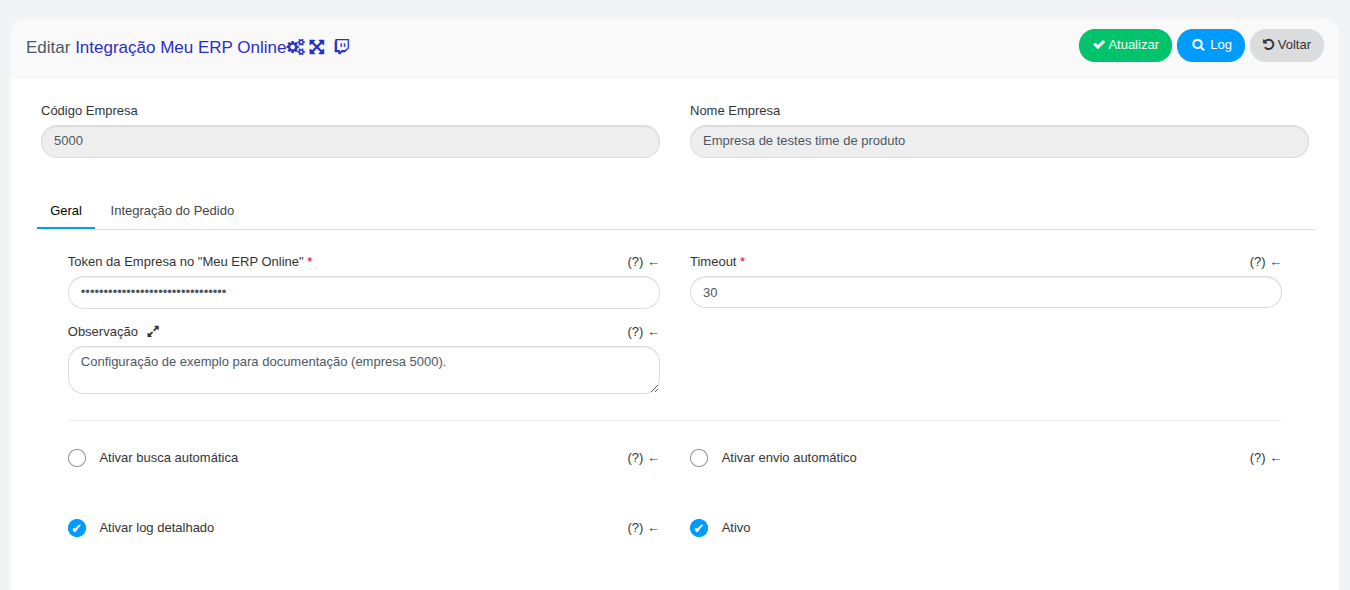
| Field | Purpose |
|---|---|
| Token da Empresa no Meu ERP Online | Auth token from Meu ERP Online (required) |
| Timeout | Request timeout in seconds (minimum 15) |
| Observação | Internal notes; not sent to the API |
| Ativar busca automática | Fetch every 30 minutes |
| Ativar envio automático | Send customers and orders every 30 minutes |
| Ativar log detalhado | Also stores detailed logs on success (failures are always logged) |
| Ativo | Enables or disables the company integration |
Integração do Pedido tab
Section titled “Integração do Pedido tab”Used when sending orders. Fill it in before you enable automatic send.
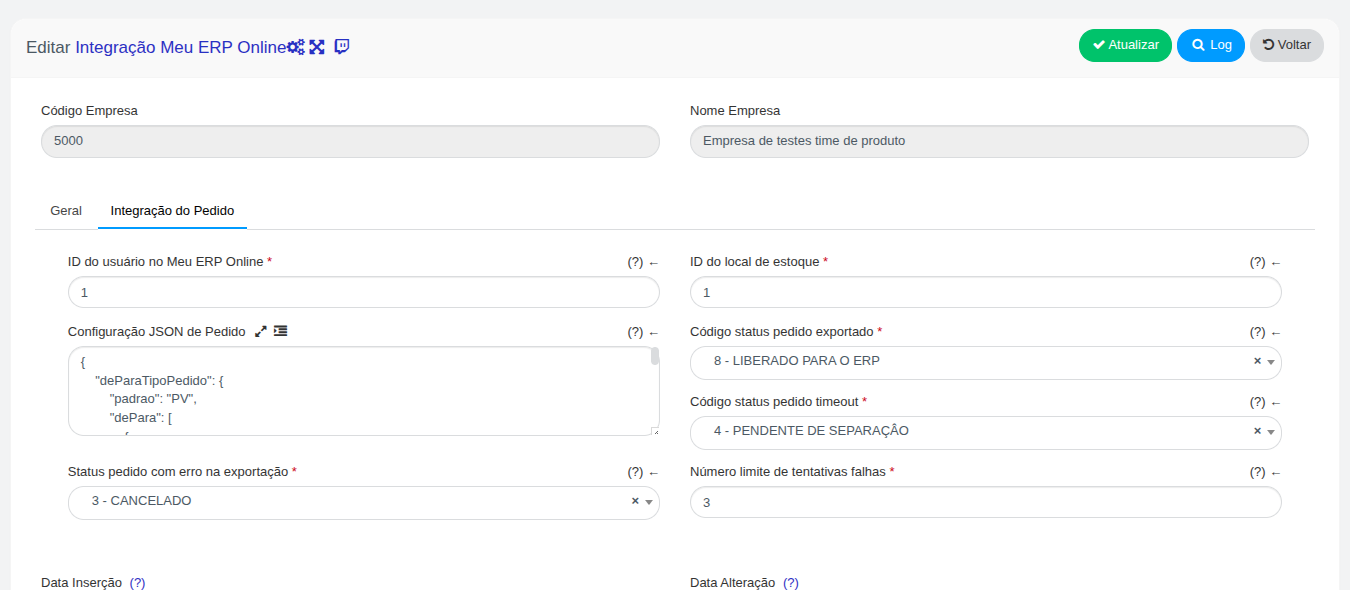
| Field | Purpose |
|---|---|
| ID do usuário no Meu ERP Online | Sent as idUsuario and idUsuarioAbertura on the document |
| ID do local de estoque | Sent on each order item (idLocalEstoque) |
| Configuração JSON de Pedido | Order type mapping (modelo) and document status mapping in the ERP |
| Código status pedido exportado | Demander status after a successful send |
| Código status pedido timeout | Status when the API times out |
| Status pedido com erro na exportação | Status after the failure limit is reached |
| Número limite de tentativas falhas | How many attempts before the order is marked with error |
Order JSON example
Section titled “Order JSON example”{ "deParaTipoPedido": { "padrao": "PV", "dePara": [ { "codTipoPedido": 1, "valor": "PA" }, { "codTipoPedido": 5, "valor": "OC" } ] }, "deParaStatus": { "padrao": "R", "dePara": [ { "codStatus": 2, "valor": "E" }, { "codStatus": 5, "valor": "C" } ] }}deParaTipoPedido→ documentmodeloin the ERPdeParaStatus→ document status letter in the ERP (Rdraft,Eissued,Ccancelled,Vsent,Ivoided,Ochecked,Xdeleted,Zcontingency)
Only orders whose type and status in Demander have Send return to ERP enabled are sent (those flags are not listed on this screen).
Integration tables (fetch)
Section titled “Integration tables (fetch)”In Tabelas de Integração Meu ERP Online each row is a Demander layout with an SQL query.
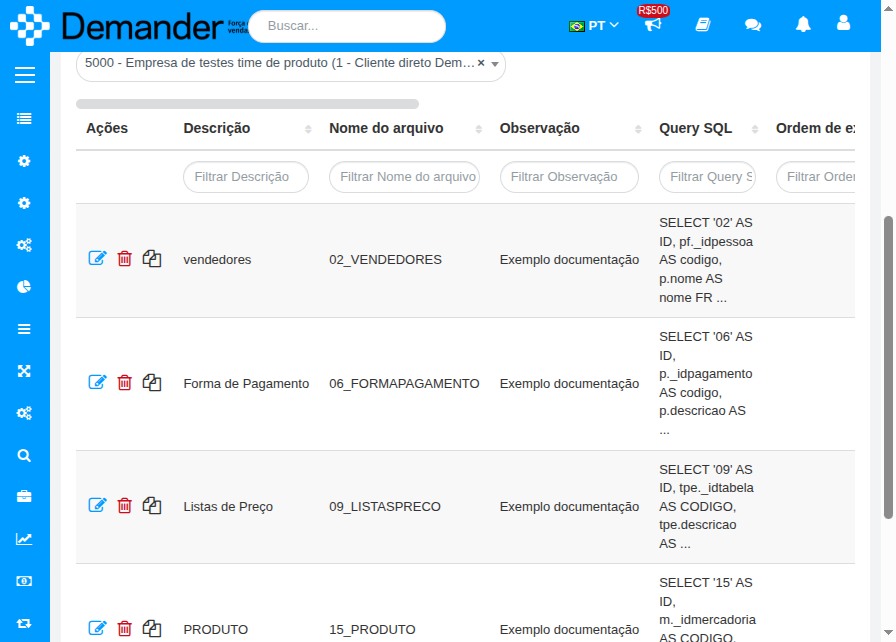
Key points:
- The file name uses the layout prefix (e.g.
09_LISTASPRECO). - Import is positional: column order in the
SELECTmust match the layout field order. Column names in the API response are ignored when building the file. - Testar query runs one page and shows the total, without importing.
- You can run fetch for a single table from the grid button.
What is typically fetched: What Demander fetches.
Logs de integração Meu ERP Online lists fetch and send runs. The magnifier opens the detailed log (request, response, and per-record errors).
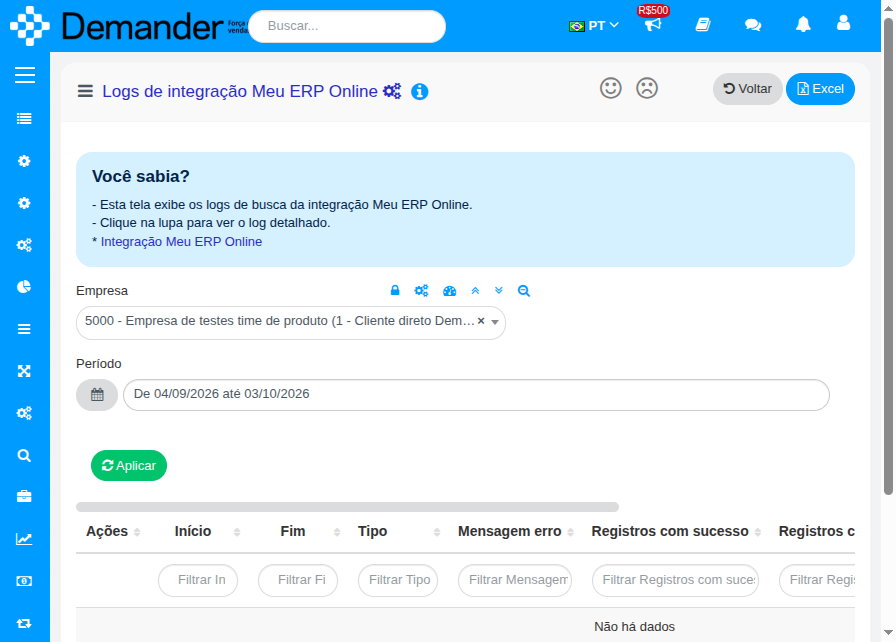
After a manual trigger, Demander schedules the job in the background and redirects here. Wait a few moments and reload to see the result.