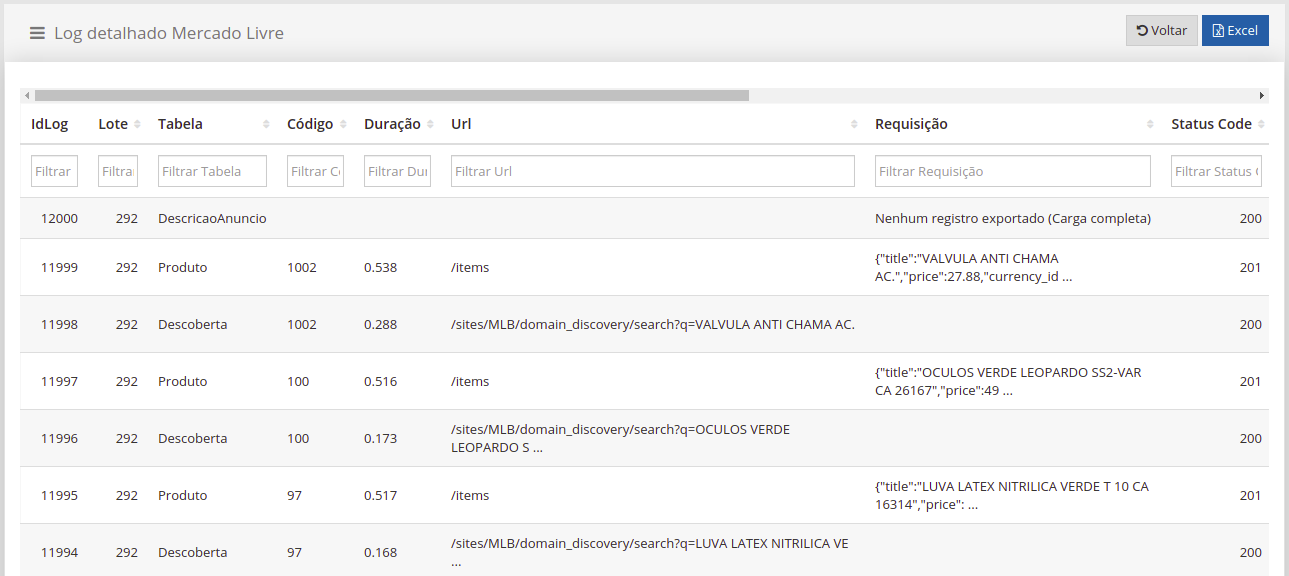
How to consult Mercado Livre integration logs?
On the Mercado Livre Integration Logs screen, it is possible to consult the logs generated automatically at each synchronization, as well as the details of each log.
Mercado Livre Integration Logs
Section titled “Mercado Livre Integration Logs”In Queries  Mercado Livre Integration Logs you will have the screen that generally presents the logs of records sent and searched in Mercado Livre. Using the horizontal scroll bar, you can also see the number of successful records, those with errors, whether the synchronization happened automatically and whether the synchronization was successful.
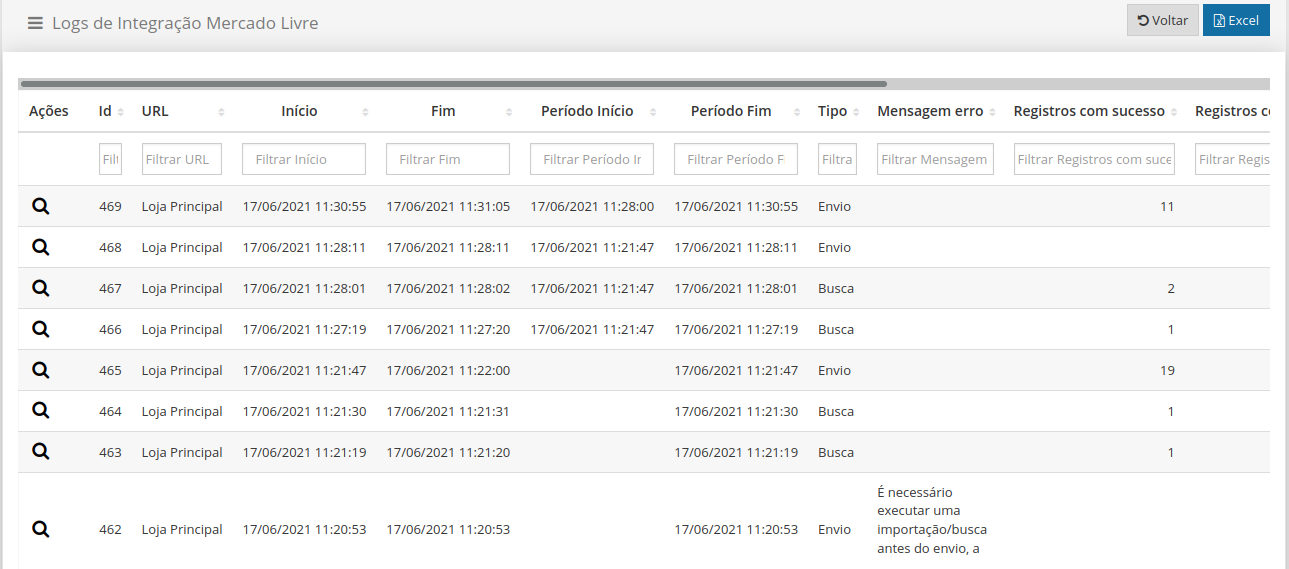
Actions: Magnifier

, the Detailed Log screen will open.
Detailed Log
Section titled “Detailed Log”Here you will find more detailed information about the Log searched, information that helps you understand and identify any synchronization problems. It will also be possible to observe the request sent and the response received through a JSON file, simply double-click on the text (Request or Return) in the desired line. Using the horizontal scroll bar you can also check the date the item was inserted and whether it was successful or not.