

Configuring the Cayena integration
The configuration is in Integração Cayena, in the integration records menu.
Select the company before creating or editing the record. Each company has a single record.
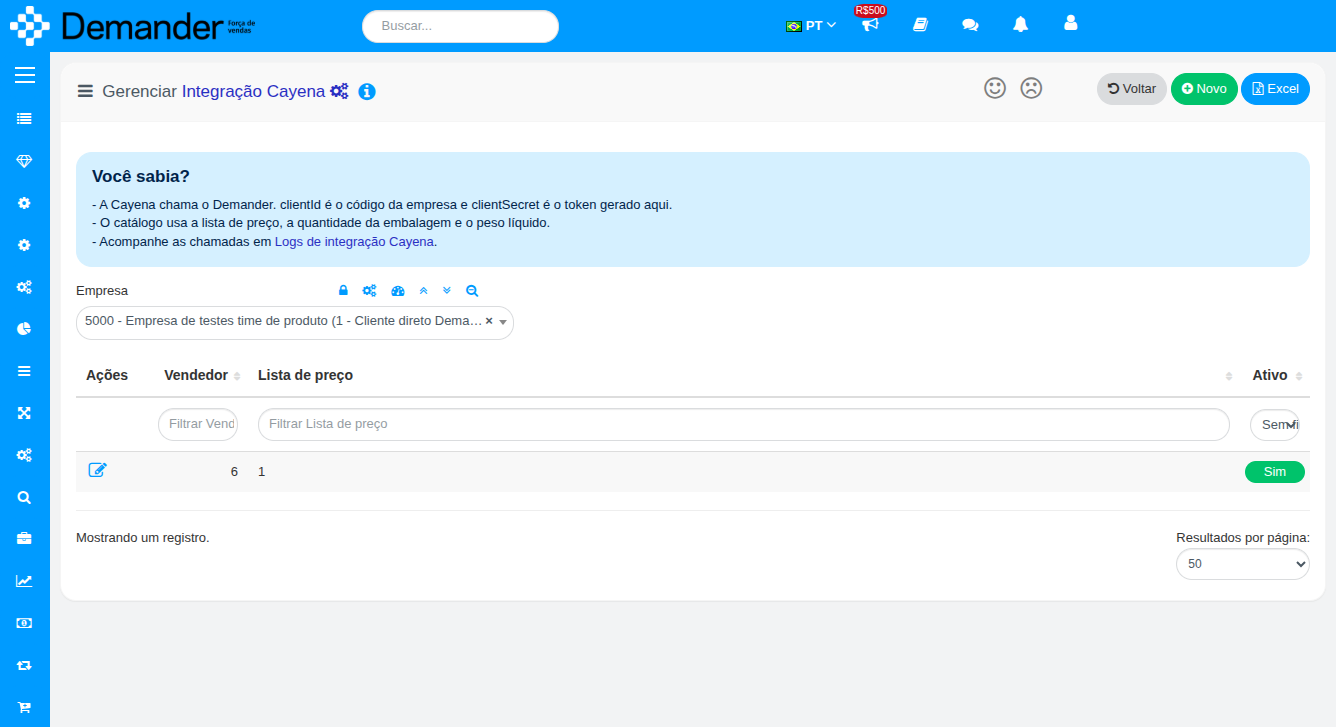
On create, save the record and open it again in edit mode to enable the token Gerar button.
General tab
Section titled “General tab”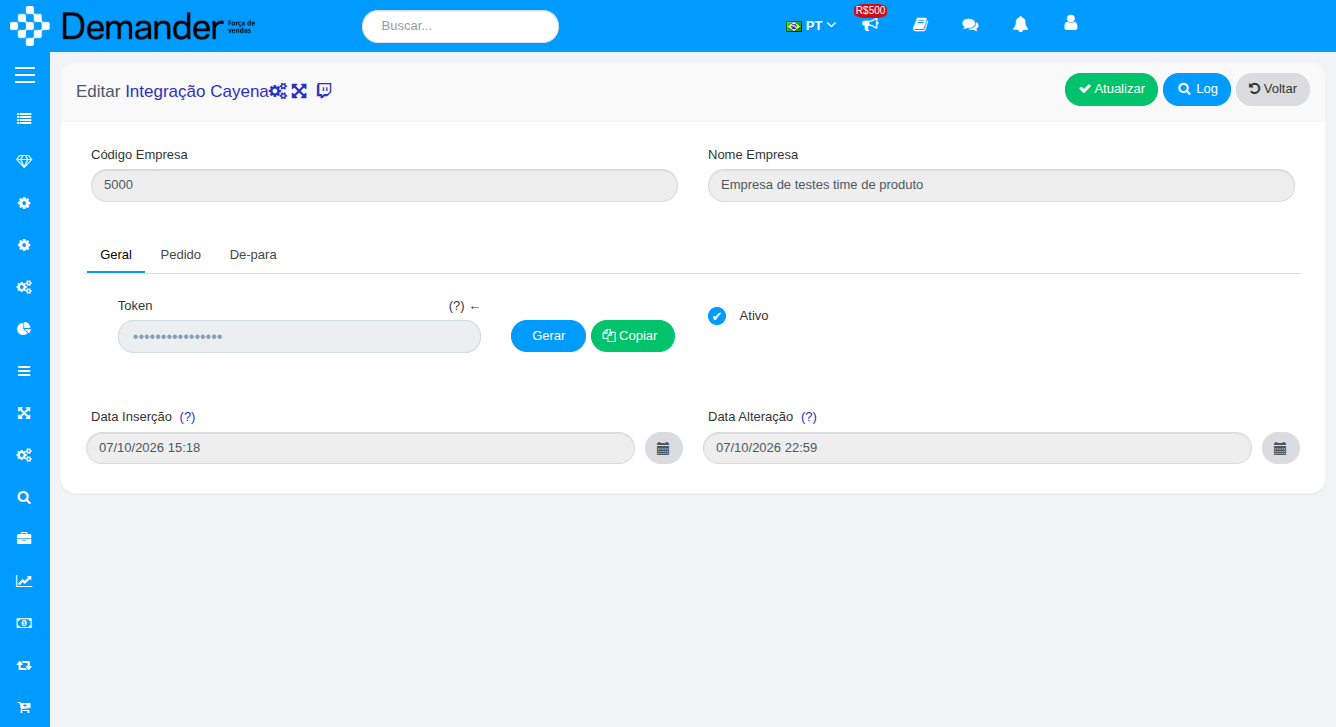
| Field | Use |
|---|---|
| Token | Company secret. Cayena sends this value as clientSecret. The company code is the clientId. |
| Ativo | Turns this company’s API on or off. Unchecked, authentication is refused. |
Copiar copies the token. Gerar replaces the value. After you generate it again, Cayena must update clientSecret. Access tokens already issued stop working.
Order tab
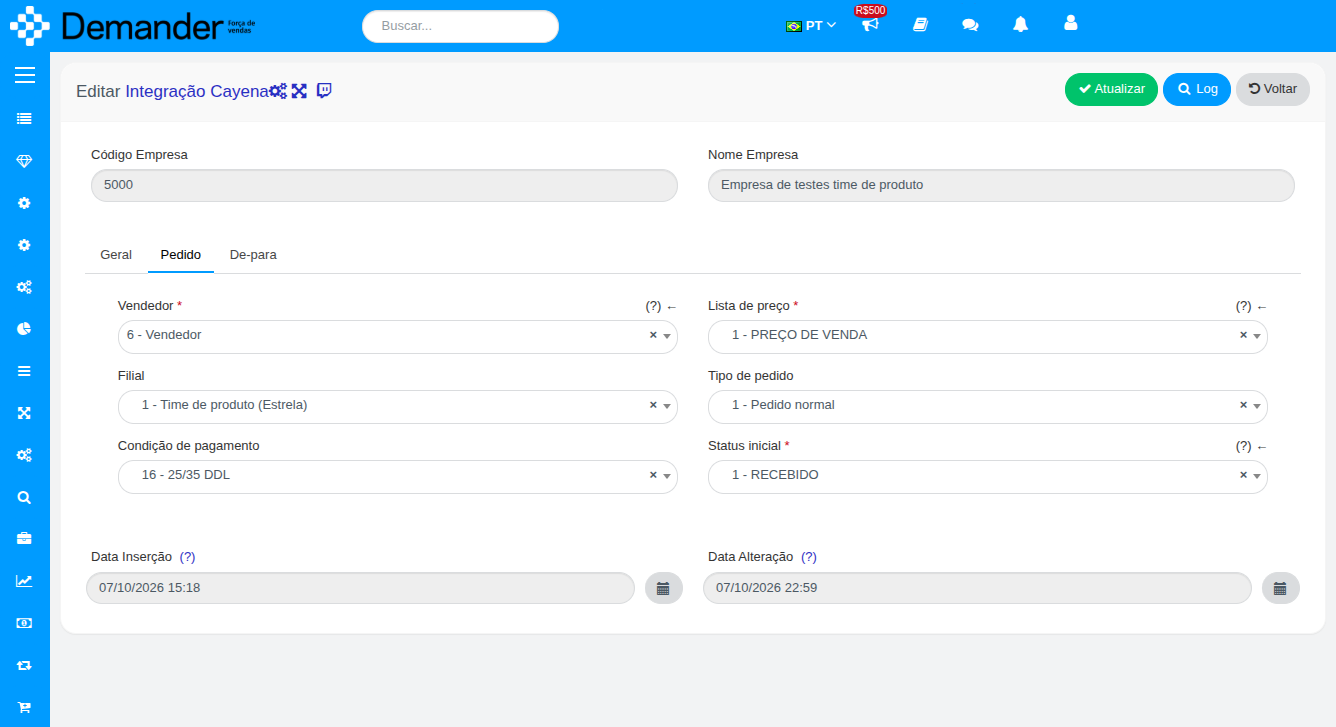
Section titled “Order tab”These fields apply to every order Cayena sends. Cayena does not choose vendor, list, branch or payment term in the call.
| Field | Required | Use |
|---|---|---|
| Vendedor | Yes | Vendor stored on the order. The order number follows this vendor’s range. |
| Lista de preço | Yes | Only products priced on this list enter the catalog and can be sold. |
| Filial | No | Stored on the order when filled. |
| Tipo de pedido | No | Stored on the order. Empty: Demander uses type 1. |
| Condição de pagamento | No | Stored on the order when filled. |
| Status inicial | Yes | Status of the accepted order. In the mapping, this code must use orderStatus CONFIRMED. |
Use a vendor with an available number range. If the range is exhausted, the order is not stored.
Mapping tab
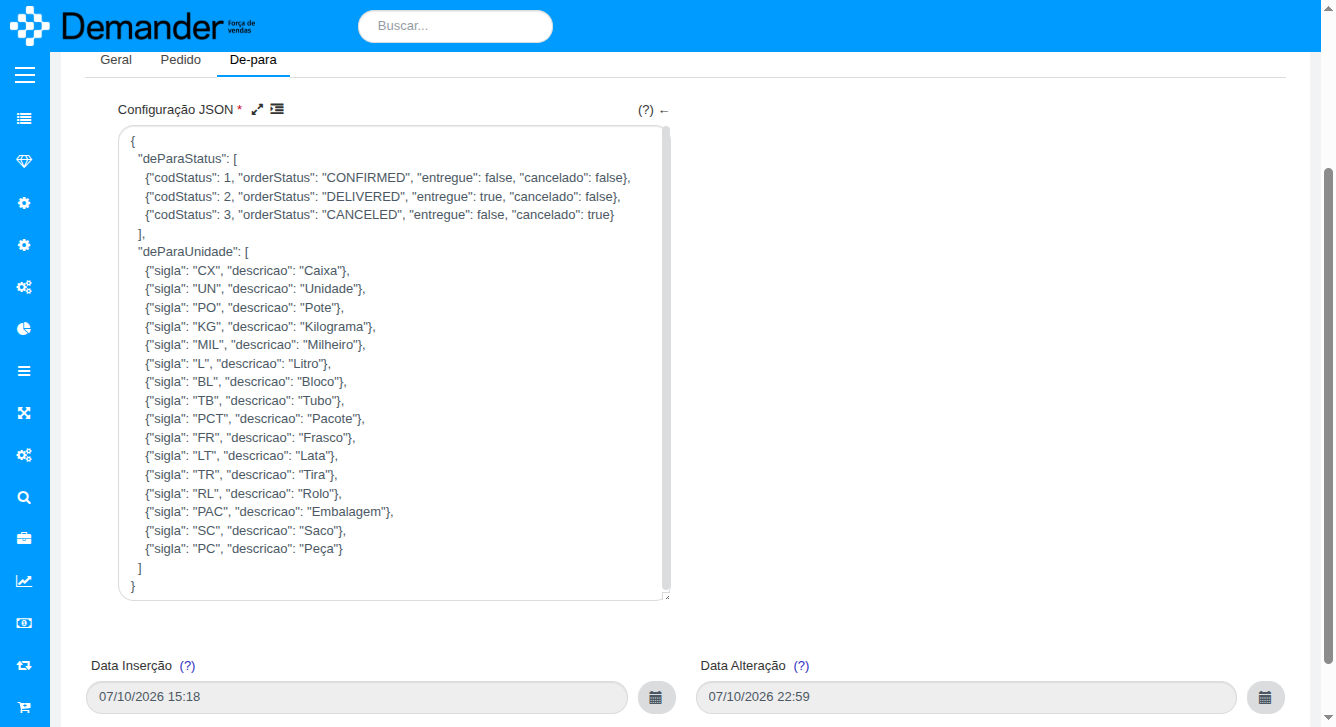
Section titled “Mapping tab”The JSON links Demander codes to the texts Cayena receives.
Status
Section titled “Status”Each item has codStatus, orderStatus, entregue and cancelado.
- The initial status from the Order tab is in the list with
orderStatusCONFIRMED. entreguetrue only on the status in which the order was delivered. That status makes the status query return the delivery date.canceladotrue marks the cancellation status. The text sent to Cayena isorderStatus, for example CANCELED.- Do not repeat the same
codStatus. - Include every status the order can take after it is accepted. A status outside the list makes the order query fail.
The same Cayena order number does not create another order, whether it is confirmed, delivered or cancelled.
Each item has sigla and descricao. The acronym is the product unit in Demander. The description is the text sent to Cayena and cannot equal the acronym.
Include every unit used on the price list. If a product on the page has no unit, or the acronym is not in the mapping, the whole catalog page fails.
Minimum example:
{ "deParaStatus": [ { "codStatus": 1, "orderStatus": "CONFIRMED", "entregue": false, "cancelado": false }, { "codStatus": 2, "orderStatus": "DELIVERED", "entregue": true, "cancelado": false }, { "codStatus": 3, "orderStatus": "CANCELED", "entregue": false, "cancelado": true } ], "deParaUnidade": [ { "sigla": "UN", "descricao": "Unidade" }, { "sigla": "CX", "descricao": "Caixa" } ]}Replace the codes with the company’s real statuses. The codStatus of the CONFIRMED item must be the same Status inicial from the Order tab.
Calls are in Logs de integração Cayena. The shortcut is also in the notice on the list.
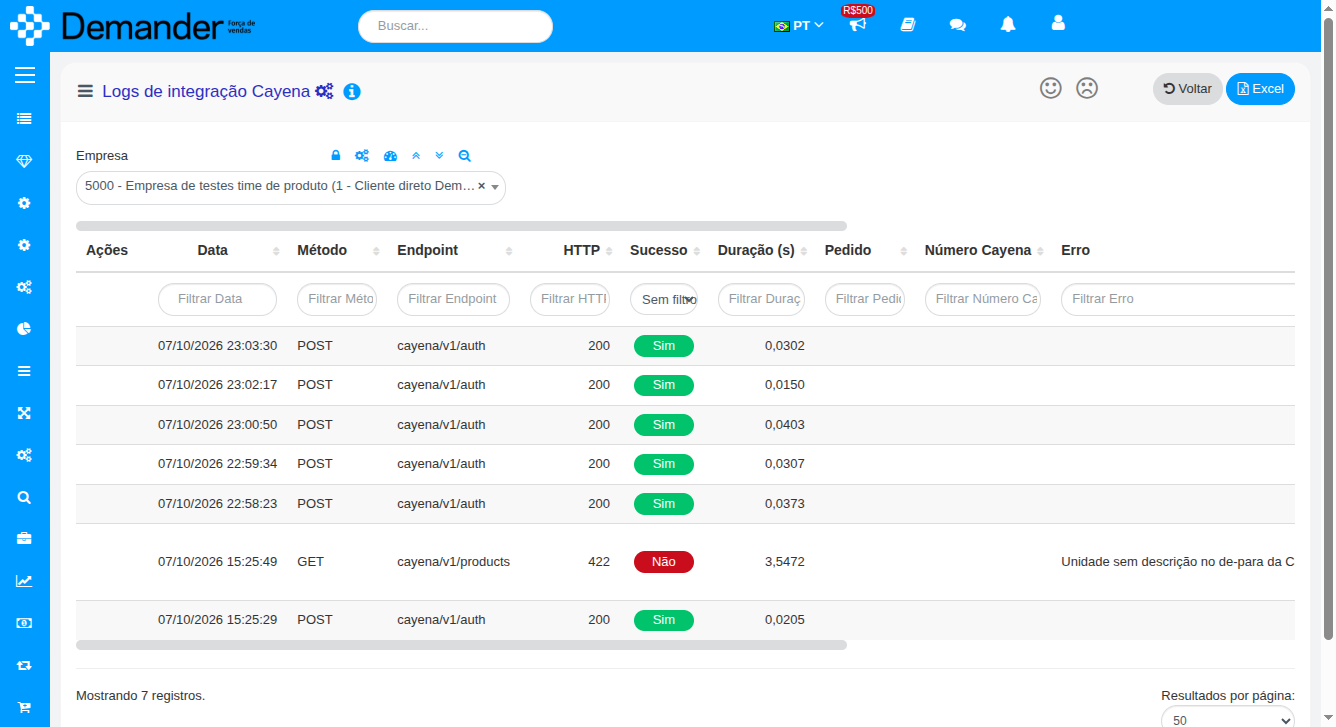
The grid shows date, method, endpoint, HTTP, success, duration, order and Cayena number. Request and response store the body, with token, secret, email, phone and document masked. The product listing stores only the page summary, not the full catalog.
Logs are deleted after 15 days.
Call contract: Cayena API.