

Problems and Solutions
Possible problems with Firebird 3.0 connection
Section titled “Possible problems with Firebird 3.0 connection”When connecting to the Firebird database in version 3.0, the error below may be displayed when trying to connect:
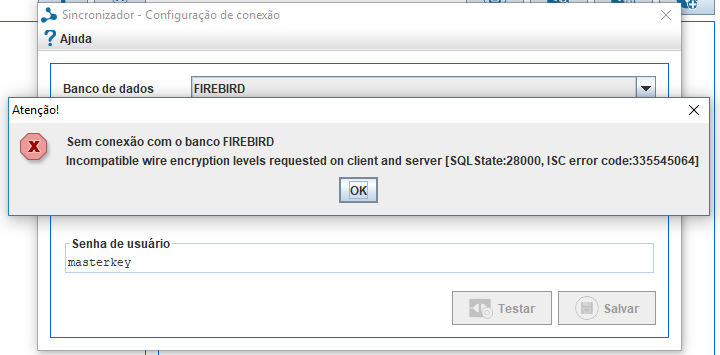
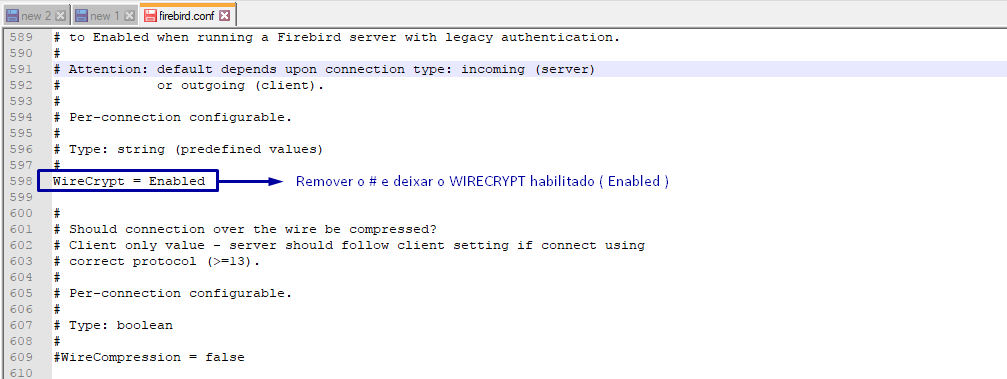
To resolve this, you may need to configure the firebird.conf file located in the database installation folder (usually in the C:\Program Files\Firebird\Firebird_3_0 directory). Open the file with a text editor and look for the line that starts with:** #WireCrypt =** and change it to WireCrypt = Enabled.
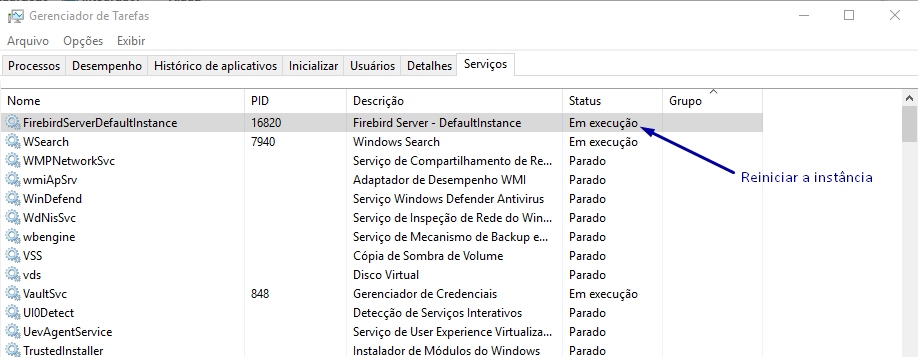
After making the change, you need to restart the database service. Enter the Task Manager option and look for the Firebird database instance and restart.
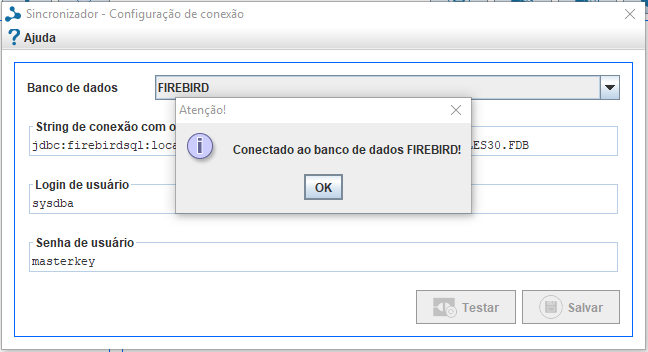
Once this is done, the Synchronizer should be able to connect with the Firebird bank.
Data insertion in Firebird 2.5 does not complete the command
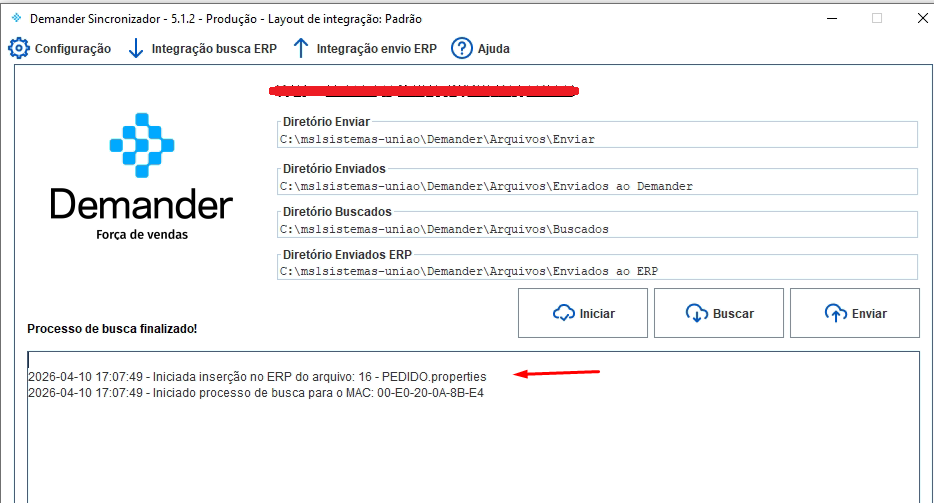
Section titled “Data insertion in Firebird 2.5 does not complete the command”When executing an insert SQL in the Firebird database, the command does not complete, leaving the synchronizer as if it were locked
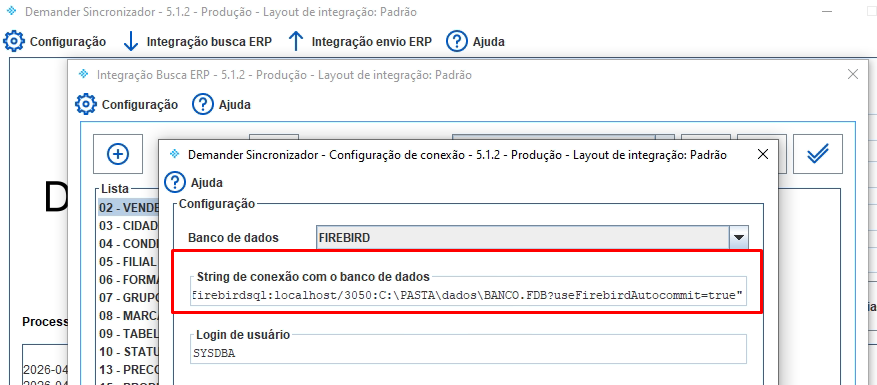
To solve this, we need to add the parameter to the connection string: ?useFirebirdAutocommit=true“
Handling character issues between reception and database
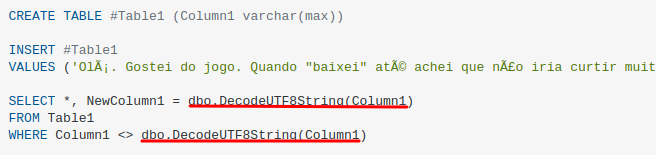
Section titled “Handling character issues between reception and database”If you have a character formatting problem based on UTF8, ANSI or others, the guide is to place conversion routines from UTF8 to the desired format in the INSERT command that is executed in the database. In the case of SQLSERVER with Ansi, check the example in the image below.
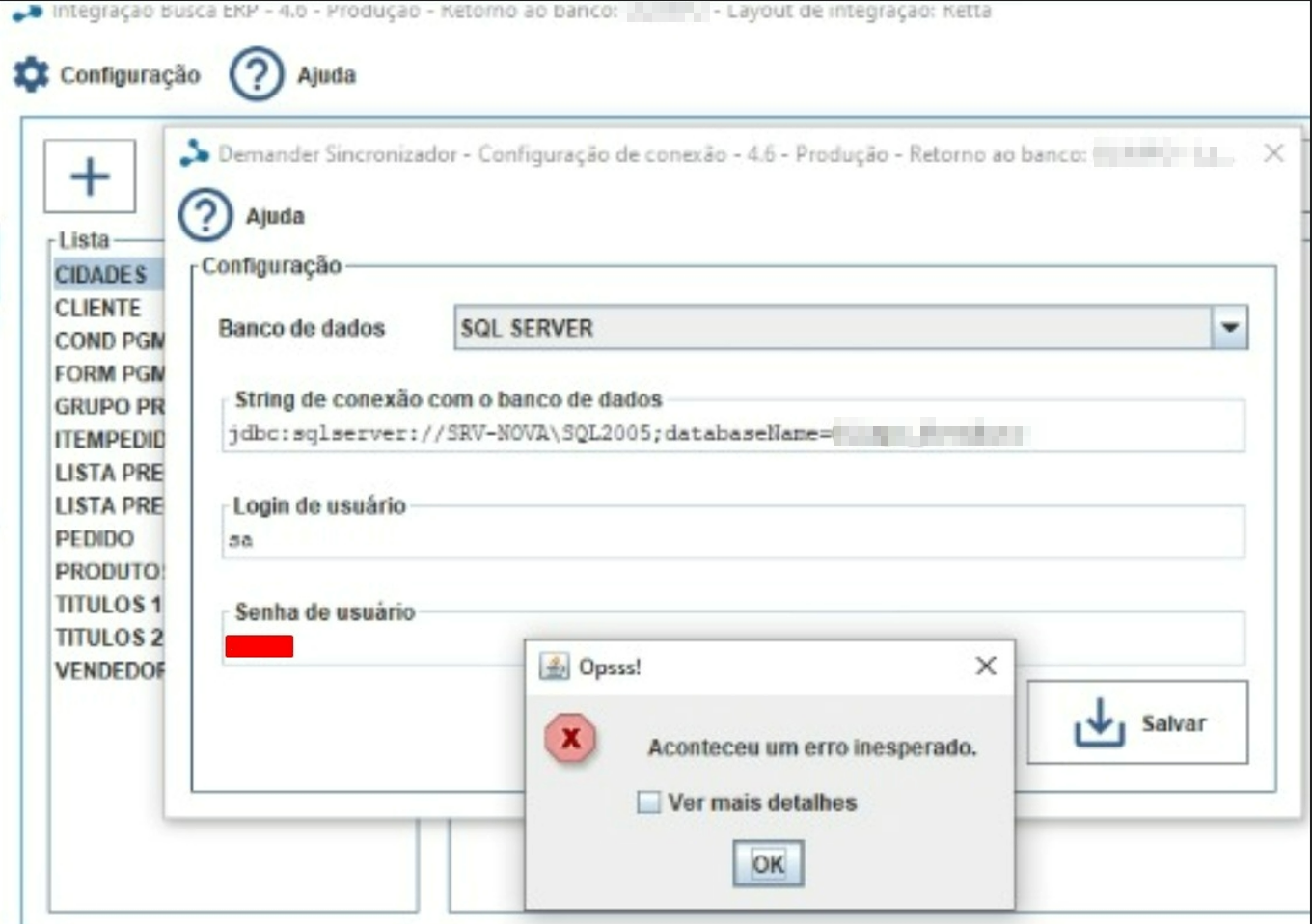
Failed to connect to the database. Error: The driver could not establish a secure connection to SQL Server
Section titled “Failed to connect to the database. Error: The driver could not establish a secure connection to SQL Server”Failed to connect to the database. Error: The driver could not establish a secure connection to SQL Server by using Secure Sockets Layer (SSL) encryption. Error: “The server selected protocol version TLS10 is not accepted by client preferences [TLS12]”. ClientConnectionId:d3ddc8c2-e973-4092-9195-7e473f217380
Solution:
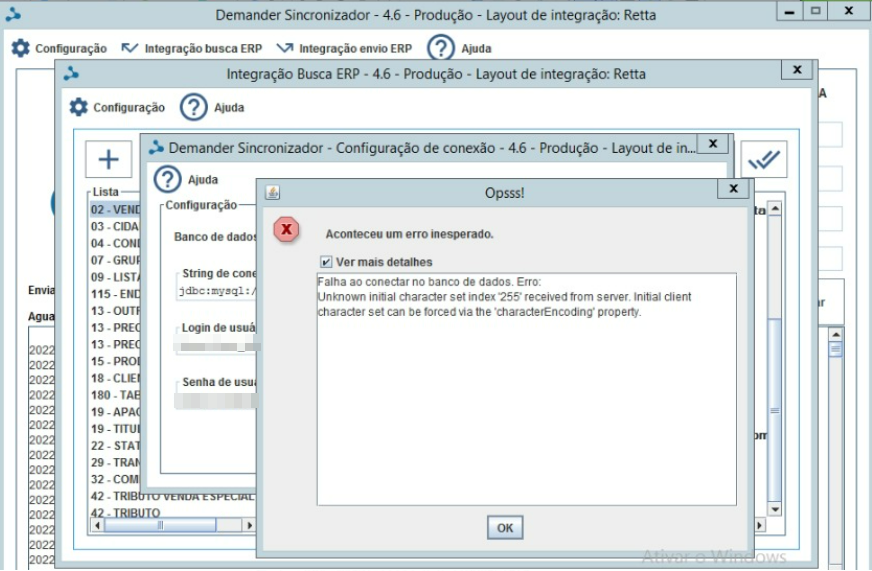
Failed to connect to the database: Error Unknown initial character set index ‘255’ received from server. Initial client character set can be forced via the ‘characterEncodin’ property.
Section titled “Failed to connect to the database: Error Unknown initial character set index ‘255’ received from server. Initial client character set can be forced via the ‘characterEncodin’ property.”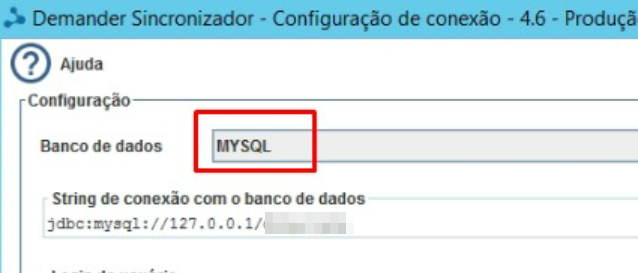
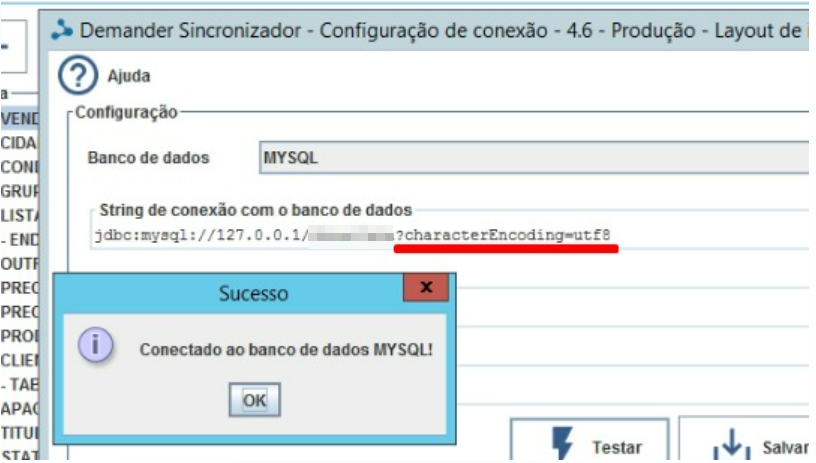
Solution:
Add to the end of the connection string ?characterEncoding=utf8
Errors when executing SQLs in Firebird 5.0.
Section titled “Errors when executing SQLs in Firebird 5.0.”When upgrading to Firebird 5.0, we identified that some SQLs that worked normally in previous versions started to show errors. This was due to significant changes to the internal mechanism for handling and validating data types in the new version.
Just like in ERP, in Synchronizer it is also necessary to make adjustments to queries, especially involving numerical conversions.
Error displayed
The most common error is:
SQL type for this field is not yet supported.
This problem is often related to conversions to types from the NUMERIC(10,2) pattern or similar.
How we solve it
Based on the cases we’ve already faced, the fixes involved two main approaches:
1. Adjust connection string
Explicitly add COLLATION and DIALECT in the connection string to ensure compatibility with the database.
jdbc:firebirdsql:localhost/3050:C:\PATH\BANK.FDB?charSet=UTF-8&sql_dialect=3
2. Change numeric conversions to DOUBLE PRECISION
In several scenarios, conversions to NUMERIC or DECIMAL started to generate an error. The solution was to replace it with DOUBLE PRECISION.
Before:
SELECT
CAST(FIELD AS NUMERIC(15,4)) AS FieldName
FROM
TABLE
After:
SELECT
CAST(FIELD AS DOUBLE PRECISION) AS FieldName
FROM
TABLE