

How to get the Loja Integrada API key?
To be able to obtain the API key that will be used in Demander to integrate your store, you will need to have an account at Loja Integrada, if you do not have one, register here. It is essential that your account has at least the plan Pro 1 or any contracted above, otherwise it will not be possible to integrate Demander with the Integrated Store.
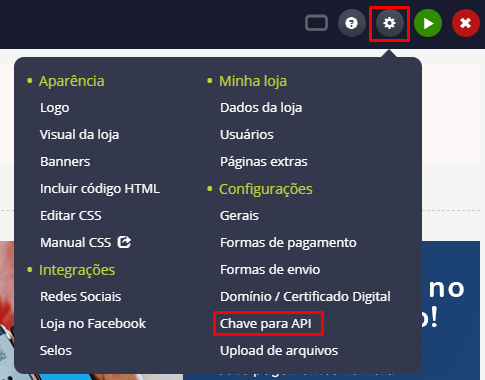
After meeting the basic requirements to obtain the API key, access your account and go to the menu in the top right corner of the screen and click on the gear icon, then click on “API Key”, as shown in the image below.
As the next procedure, click on “Register new key” as shown in the image.

Now enter the key identifier, it will be used so we can understand which connection the key refers to, finally click register.
Your registered keys will be listed as shown in the image, copy the key we just generated located in the second column of the list.

Finally, go to the Integrated Store configuration and enter the key in the field called “API Key”.
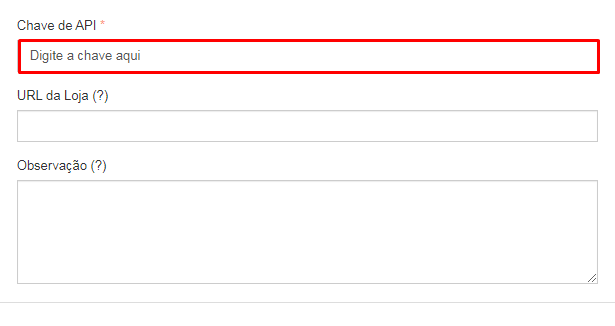
Okay, now your key has been added, just fill in the other fields to configure your integration.