

Configuring integration with Bling
To learn more about Bling, be sure to check out our article Integration with Bling - Demander.
The integration configuration is carried out on the System registrations screen  Bling Integration This screen displays the integration configuration.
It is possible to have only one integration registered per Company.
Read our article that explains how to register an Api Application on Bling
Configuration screen fields
Section titled “Configuration screen fields”Below are the fields on the configuration screen.
*In red mandatory fields.
General Tab
Section titled “General Tab”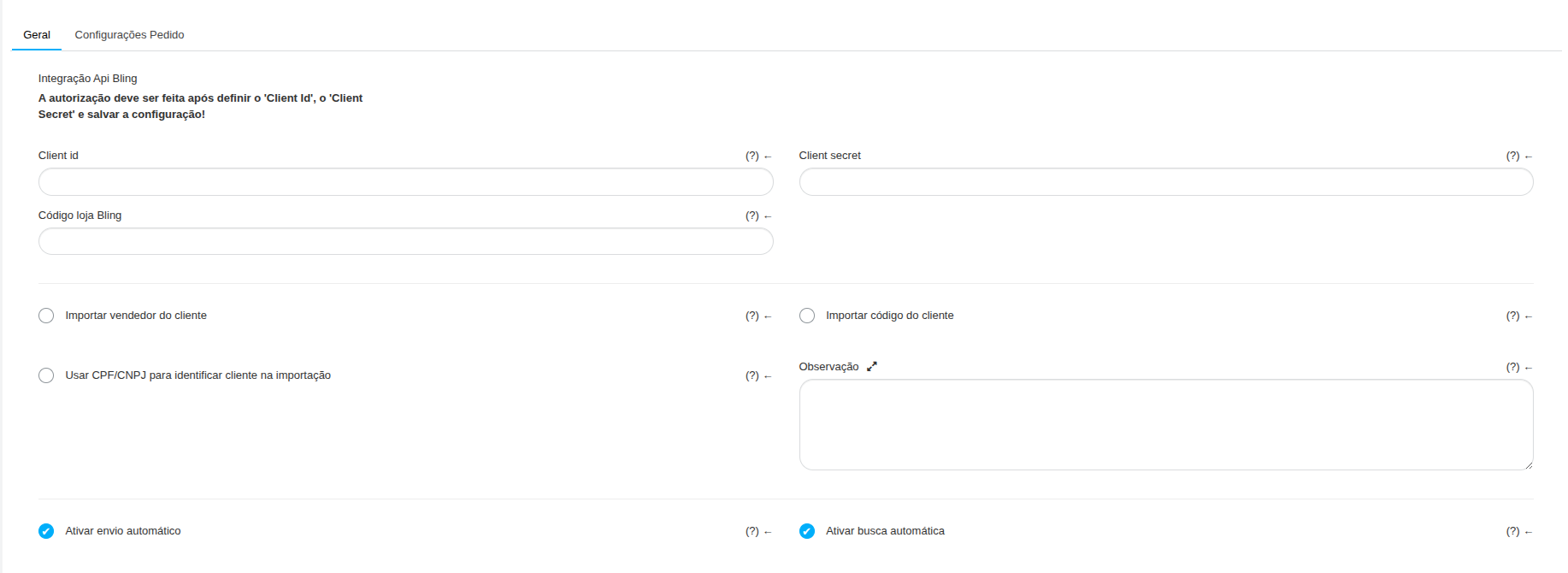
*Client ID
- The code from the same field as the Api application registered on Bling must be entered
*Client secret
Section titled “*Client secret”- The code from the same field as the Api application registered on Bling must be entered
Bling store code
- Bling store code from which Demander will import product prices. If not filled in, price import will be ignored.
Import seller from customer
- If this option is selected, the Customer’s seller on Bling will also be listed on Demander.
Import client code
-
If this option is checked, the imported customer will receive the same code assigned to them in Bling in Demander.
-
If unchecked, imported customers will receive a sequential code generated by Demander itself. Use CPF/CNPJ to identify customers upon import
-
When importing customers from Bling to Demander, a link is created between idCliente (Bling) and uniqueId (Demander). If this link does not exist, Demander will create a new customer. With this option selected, before creating, the system will try to locate a customer with the same CPF/CNPJ; If found, it will automatically create a relationship between the Bling and Demander records, thus updating the related record in Demander.
-
If unchecked, the Demander will not attempt to relate by CPF/CNPJ Note
-
This is a free text field that can be used to save information about the integration.
Enable automatic sending
- Determines whether Demander should automatically send data to Bling.
- When checked, sending occurs automatically every hour.
NOTE: Sending is incremental, that is, only data that has changed since the previous send is sent.
Enable automatic search
- Determines whether Demander should automatically perform data fetching on Bling.
- When checked, the search occurs automatically every hour.
NOTE: The search is incremental, that is, only requests that have changed since the last search are searched.
Order Settings Tab

*Exported order status
- Determines the status the order will receive after being exported to Bling
*Maximum shipping quantity for failed order
- Maximum quantity that the Demander will attempt to send the order in case of failures. It could be due to validation in Bling, missing fields…
*Order status when exceeding “failure quantity”
-
Status that the order takes on Demander after reaching the maximum shipping quantity with Bling failures Bling Api Integration
-
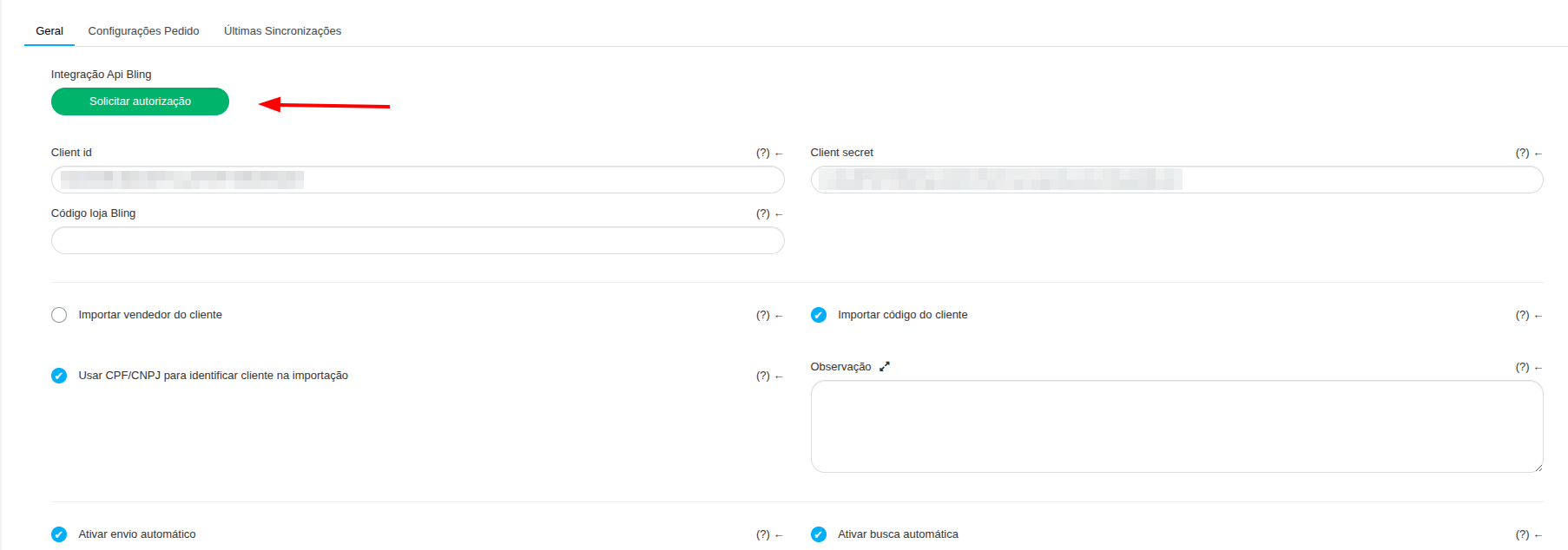
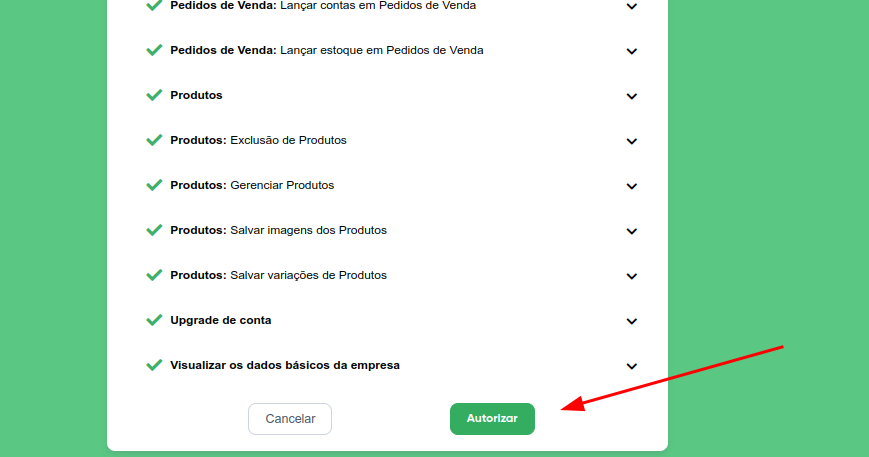
After configuring the fields above and saving the configuration, a button will be displayed in this space that makes the authorization request to Bling. It is important that you click on ‘Request authorization’, authorize the integration in the tab that will open and then click on ‘Update’ to edit the integration for the information to be saved. At this time, it is not necessary to be logged into your Bling account
Latest syncs tab
Section titled “Latest syncs tab”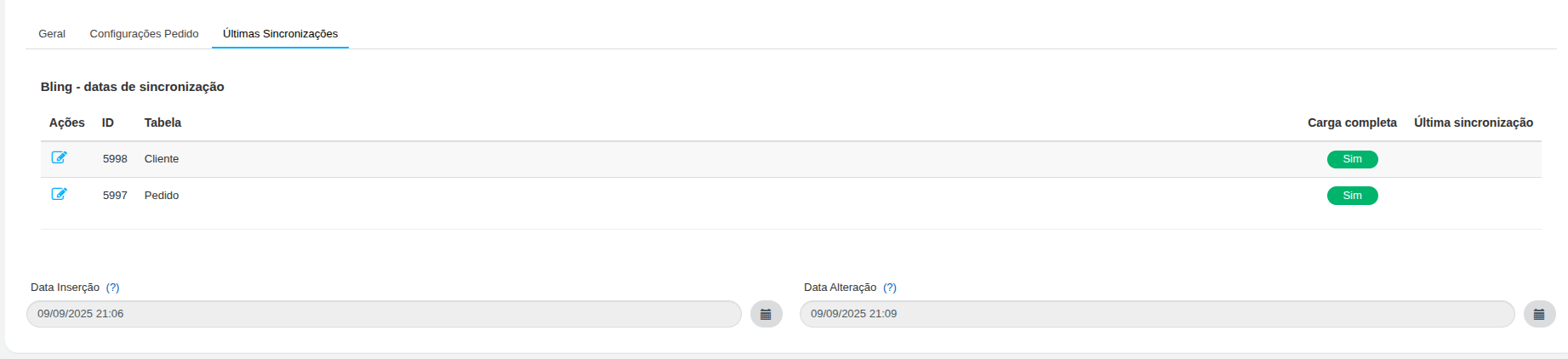
This tab is generated after saving the configuration in the “General Tab”, it displays the list of tables integrated with Bling, and for each table we have the time of the last synchronization. After the first data import, you can see that more tables will appear on this screen.
You can edit these records by changing the following fields:
Full charge
- When checked, it forces a complete synchronization in the next synchronization, that is, all records in this table will be sent or received, according to the table.
Date/Time- In the next synchronization, the integration routine will send or import from Bling all records that changed after the configured date.