

How to register an Api Application on Bling
To register an Api Application, you will need to have a Bling account. It is essential that your account has at least the COBALT plan or any contracted above, otherwise it will not be possible to integrate Demander with Bling.
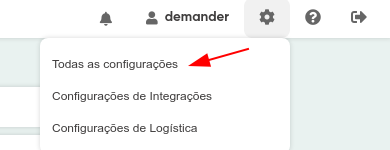
After meeting the basic requirements, access your account and go to the menu in the top right corner of the screen and click on the gear icon, then click on “All settings”, as shown in the image below.
As the next procedure. Click on “Registrations” on the left and “Application Registration” on the right, as shown in the image.
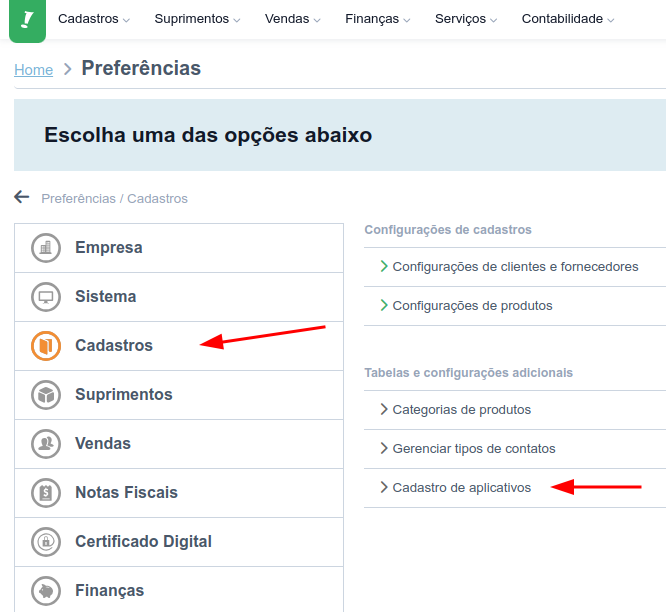
(If you are logged into Bling, you can CLICK HERE to find these settings). Now, on the application registration screen, click on ’CREATE NEW APPLICATION’On the registration screen, select the options like the image and click on ‘Next’.
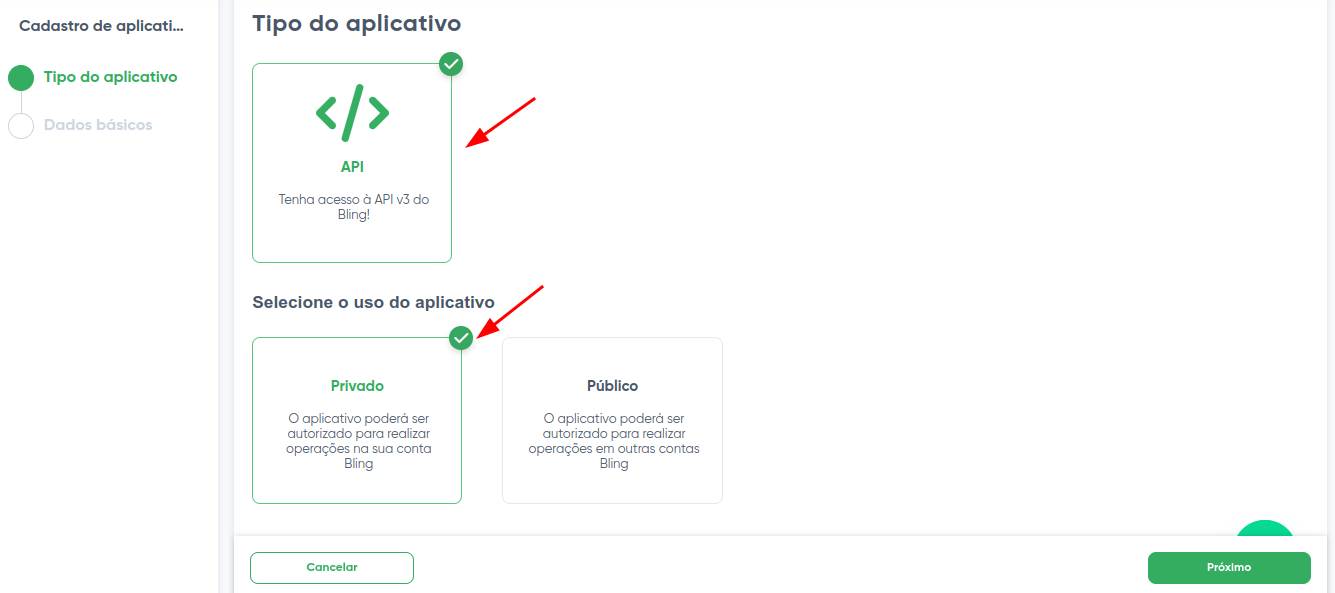
In the next tab, we will have some fields with information about the application to be registered. You can fill in the field-by-field instructions below:
- Name: Demander
- Category: Other
- Category name: Sales Force
- Description: Sales force system
- Redirect URL: https://sistema.demander.com.br/public/bling/retorno-autorizacao
- Developer name: Demander
- Email: support@demander.com.br
- Cell phone: (51) 3714-7050
- List of scopes: when clicking on ‘Add’, a configuration window will open with several menus and submenus. To avoid integration problems, all permissions must be selected
Now click ‘Save’ and you will be able to see the Client Id and Client Secret information necessary to configure the integration in Demander.
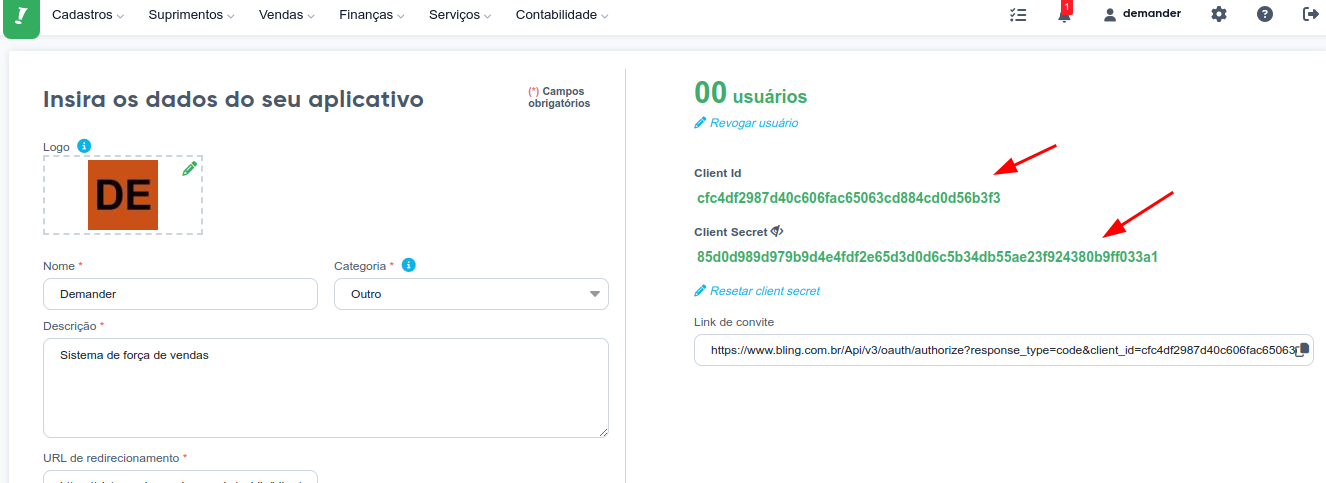
Click save again so that all application settings are saved in Bling. The Client Id and Client Secret information must be entered on the integration configuration screen in Demander.