

Credit limit
Available at:

This article aims to explain the concept and use of the credit limit in Demander.
📌 In this article you will find:
- Definition
- [How to configure](#how to configure)
- Integration
- Validation
- How to stop validating the credit limit
- Financial Securities
- Definition
The credit limit allows financial control when issuing orders.
It can be evaluated according to:
- Order type
- Order status
- Payment condition
- Payment method
Each of these records has a field to indicate whether the credit limit should be considered.
For the credit limit to be validated in an order, all related records (order type, order status, payment condition and payment method) must have the “Consides credit limit” field activated.
Furthermore, it is necessary to define the credit limit value for the customer (Financial Customer).
- How to configure
Go to Company Settings > Additional Settings, where you will find two options related to the credit limit:
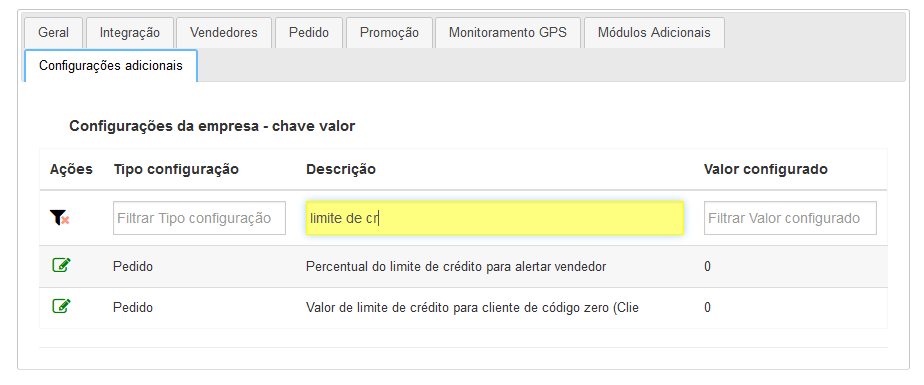
- Percentage of credit limit to alert seller: When placing an order, if the customer has already exceeded the defined percentage, the system will alert the representative. With this setting active, credit limit control is enabled.
- Credit limit value for customer with code zero (new customer): Defines the default credit limit for new customers.
- Integration
To activate the functionality via integration, see the tables below:
- Table 10 - Order Status Types
- Table 04 - Payment Conditions
- Table 06 - Payment Methods
- Table 18 - Customers
Order type has no integration, configuration must be done directly in Demander Web, just access the Order Types. screen
- Validation
On both Demander Web and Demander mobile, there will be informative or restrictive alerts.
- Demander Web
- To check available limit
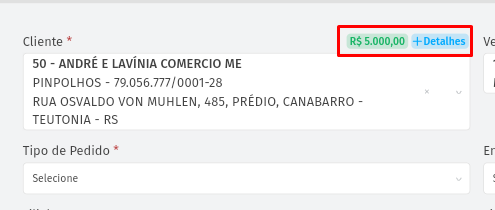
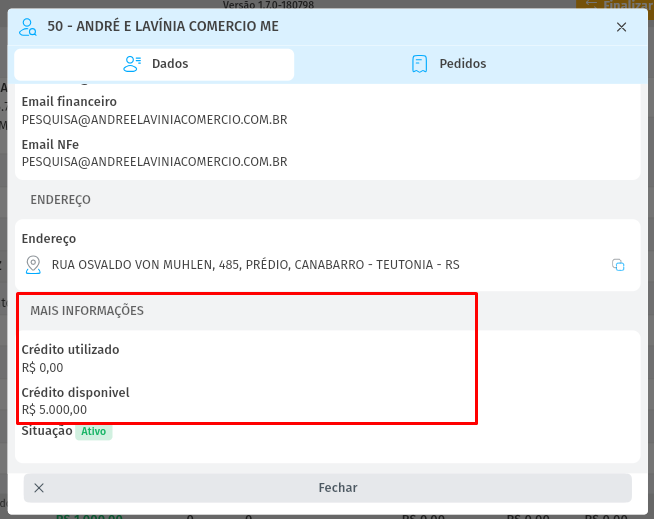
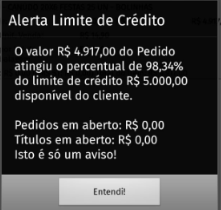
- Message that appears to warn the seller that the limit is close.
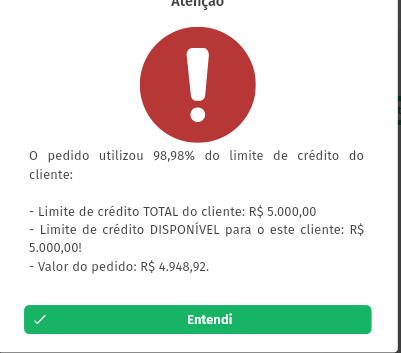
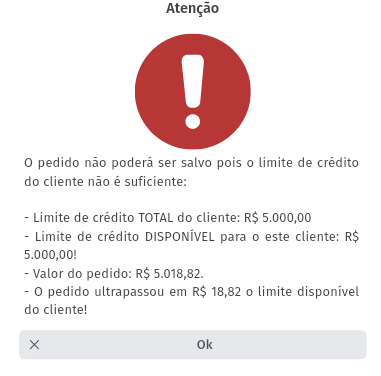
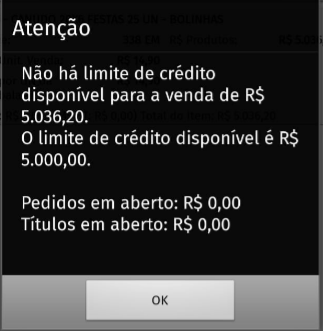
- Message that appears when exceeding the limit
- Demander mobile
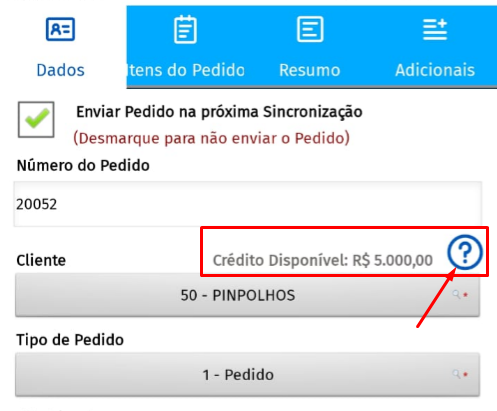
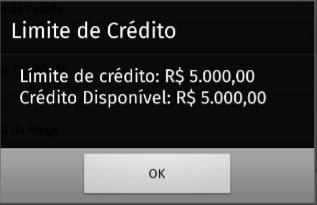
- To check available limit
- To check available limit
- Message that appears to warn the seller that the limit is close.
- Message that appears when exceeding the limit
- How to stop validating the credit limit
For an order to stop consuming the credit limit and free up the balance for new orders, it must have a status that does not consider the credit limit.
However, when activating this functionality, all orders — including old ones — that have a status that validates the credit limit (or that have no status configured, but with the other fields active) will have an impact on the limit calculation.
Therefore, it is essential to ensure that the integration of the status of old orders (especially those already invoiced) is updated in Demander. This avoids undue blocking due to limit consumption that should no longer be considered.
The status update is done through Table 22 – Order Status Update.
- Financial Securities
Financial securities are also considered when calculating the customer’s credit limit. They only stop impacting the limit after they are paid off or inactive in Demander.
The integration of securities can be done through Table 19 – Financial Securities