Product Promotion and Promotional Banner
Available at:


This article aims to explain the concept and use of Product Promotion and Promotional Banner. In this article you will find the following topics:
PRODUCT PROMOTION
Definition of Product Promotion NoDemander Product Promotion is a set of actions, methods and resources that aim to increase the volume of sales of products or services, over a determined period of time. In this case, it could be anything from a price reduction to an illustrative banner.
Product Promotion Configuration
On the [Product Price] screen (https://sistema.demander.com.br/dinamico/precos_produto) it is possible to add products to the promotion, just click on the option to edit the item
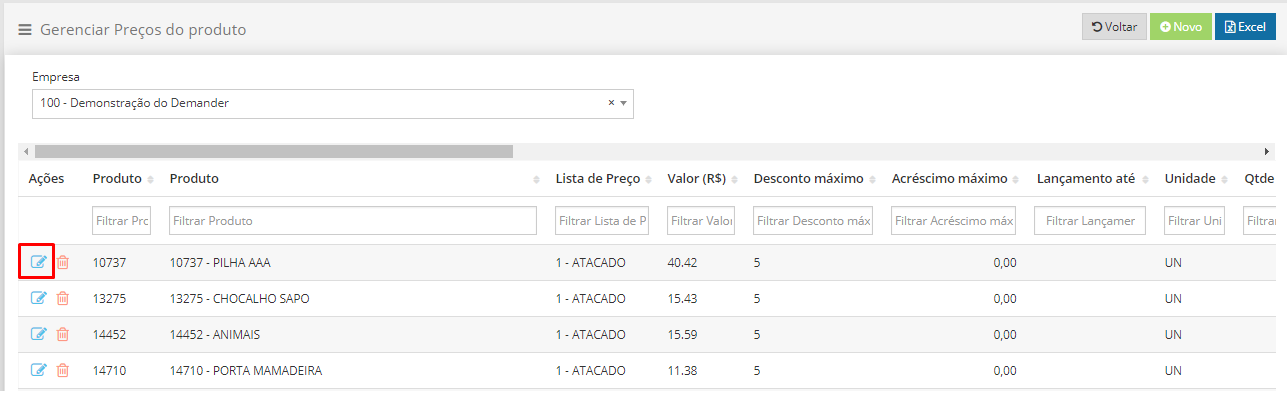
After accessing the editing screen, the option will appear to register the value and date on which the promotion will be valid.

IMPORTANT: If your company uses an ERP integration with Demander, this information needs to be sent through table 13 - PRODUCT PRICE, fields 9, 10 and 11 into the system!
Usability of Product Promotion
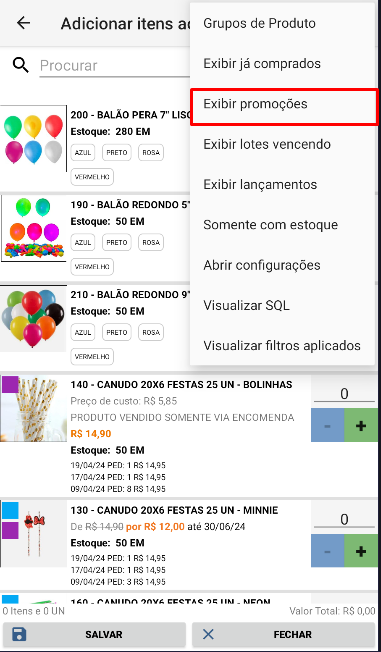
The Product Promotion appears in the B2B Store, on Android, Web and iOS. With this, you can view all your products on sale in the product list. With the exception of the B2B Store, when filtering products it will be possible to search only for products that are on sale, as shown in the image below.
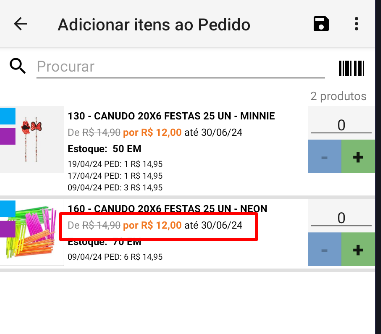
After registering the promotion, it will appear as shown in the image below.
PROMOTIONAL BANNER Available only on Android
Definition of Promotional Banner
At Demander, the Promotional Banner is an eye-catching image for advertising products in promotional campaigns that appears to the representative when placing a new order.
Promotional Banner Configuration
In Company Settings  Promotion it is possible to configure the image that will appear to the representative, as well as a deadline for displaying it

Usability of the Promotional Banner
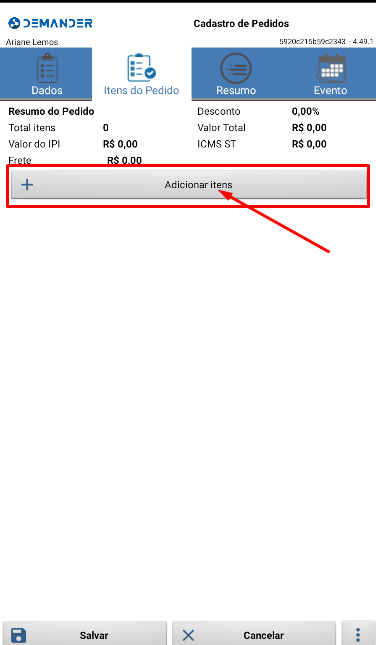
After filling in the field on the Company Settings screen, simply synchronize the device. When accessing the screen for inserting items into the order, the banner will appear