

How to change or recover a user or salesperson password
This article explains how to change or recover passwords in Demander, considering the differences between users and salespeople.
User and salesperson
Section titled “User and salesperson”- User: Created directly in Demander Web and typically represents a partner, third party, or administrator—someone who only accesses Demander Web.
- Salesperson: Created via integration or through the salesperson registration screen, and can access Demander Web, Android, or iOS.
Manually changing a user password
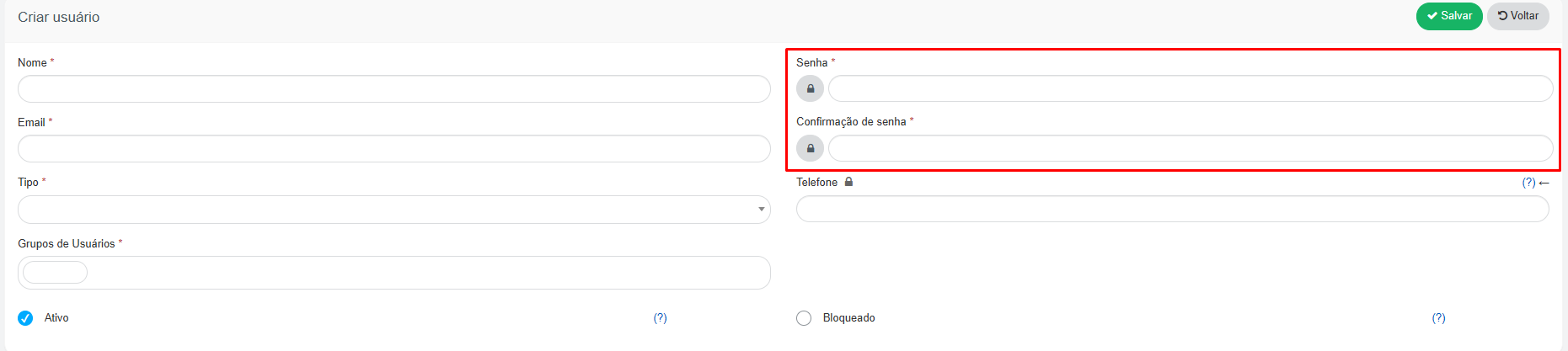
Section titled “Manually changing a user password”On the Users screen, you can edit the record and fill in the Senha (Password) and Confirmação de senha (Password confirmation) fields with the new password. This change can only be performed by an administrator user.
Manually changing a salesperson password
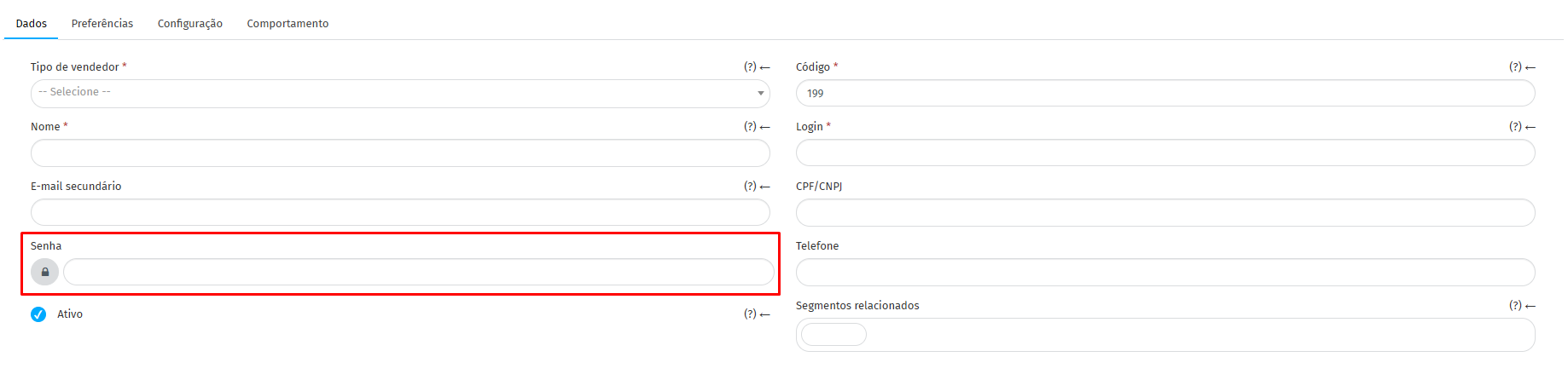
Section titled “Manually changing a salesperson password”In the salesperson registration (Cadastros → Vendedores), under the Dados (Data) tab, the Senha (Password) field allows setting a new password directly. As with users, this change can only be performed by an administrator user.
Recovering password via login screen
Section titled “Recovering password via login screen”For both users and salespeople, passwords can be recovered using the Esqueci minha senha (Forgot my password) option on the initial login screen. Simply enter the registered login email, and Demander will send a recovery link. For the email to be delivered, the registered login must be a valid email address.
Self-service password reset is available only in Demander Web. There is no password recovery in the mobile app (Android or iOS).
Changing a salesperson password via integration
Section titled “Changing a salesperson password via integration”For companies using integrations, the salesperson password can also be changed through table 02 - Salespeople, using the Senha Atual (Current Password) and Senha Nova (New Password) fields. The Senha Atual field validates the password currently in use at the time of the change, and Senha Nova receives the new password to be applied.
Password requirements
Section titled “Password requirements”Every password registered in Demander must have at least 8 characters, including:
- A number;
- An uppercase letter;
- A lowercase letter;
- A special character, such as
!,@,#,$, among others.