

How to create sales teams and allow a manager to view orders from other salespeople?
For a manager to view orders from other salespeople, it is necessary to organize users into a Sales Team and register the manager in that same team.
Procedure
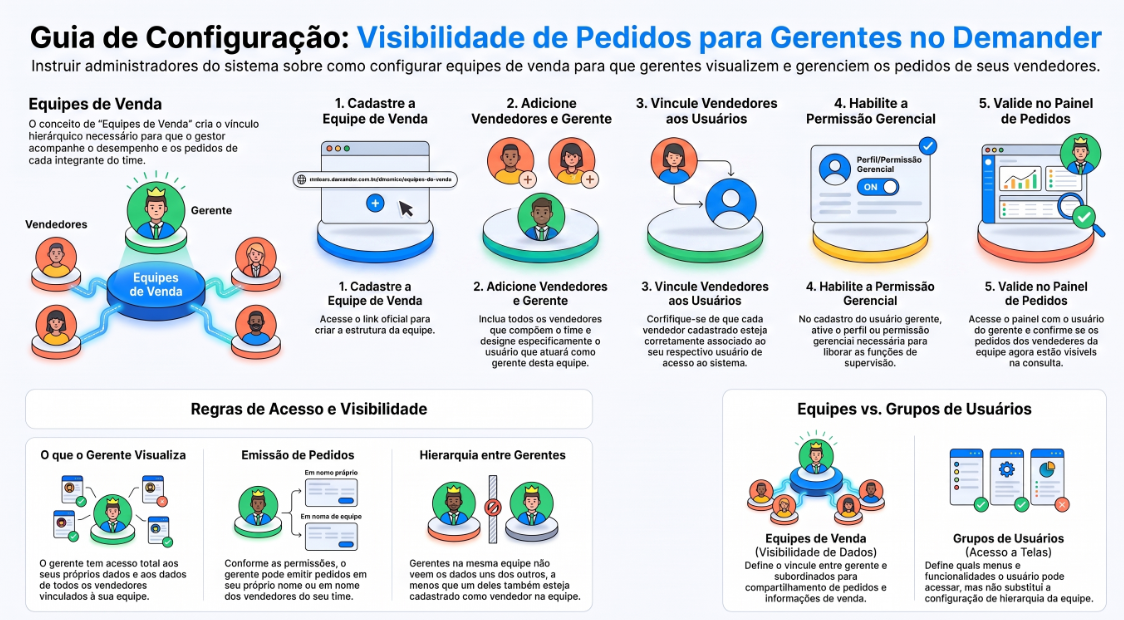
Section titled “Procedure”- Register the team at: Sales Teams
- Include the salespeople who will be part of the team.
- Include the manager as manager of this team.
- Confirm that each salesperson is linked to their respective access user.
- In the manager user’s registration, enable the required managerial profile/permission.
- Access the dashboard or order query using the manager’s user account and validate if the orders of the team’s salespeople are displayed.
With this configuration, the manager gains access to their own data and to the data of the salespeople linked to the team. They can also issue orders in their own name or on behalf of the team’s salespeople, according to configured permissions.
Attention: if there are multiple managers in the same team, they will not necessarily view each other’s data. They will view their own data and the team’s salespeople’s data. If the manager is also registered as a salesperson, they will be treated as a salesperson for this purpose and can be viewed by other managers on the team.
To create only a group of permissions without sharing the sales team, use User Groups. This setting controls which screens the user can access, but does not replace the link between manager, salespeople, and team.