Block issuing orders to defaulting customers
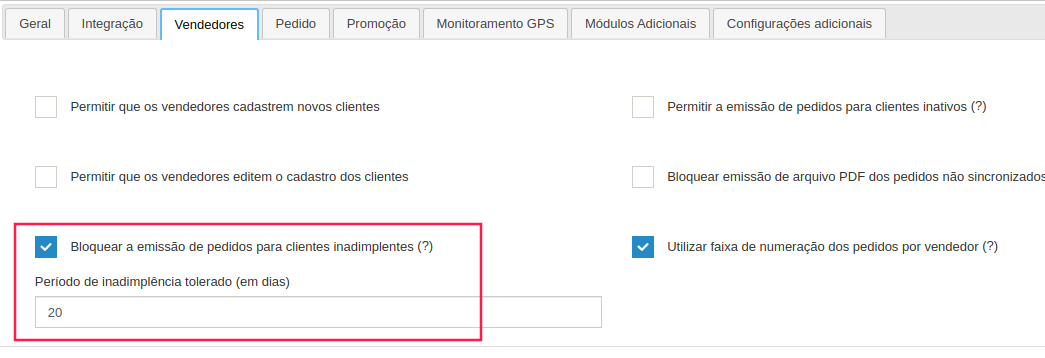
It is possible to define a number of days to block order issuance for defaulting customers. The customer becomes a defaulter when he has an overdue title.
How to configure
Section titled “How to configure”To do so, simply follow the path below and fill in the field as needed.
Settings

Company Settings

Sales
The number of days is calculated in calendar days, in the example we have 20 days, if a customer has a title due on 10/5 it will be possible to issue orders until 10/25, from 10/26 the issuance will be blocked.
Defaulting customer message in the app
Section titled “Defaulting customer message in the app”If the company does not want this message to be displayed, there is currently no way to remove it from the system. The only way to prevent it from displaying is not to send overdue financial securities.