

1. How to map financial data? (PlugSales)
This functionality is used to communicate customer financial data to salespeople. To map financial data in PlugSales, each record must return the following fields:
*Attention, fields with (*) are mandatory and must contain data in their fields.
- ID*
- Numeric field of type inteiro that identifies the customer’s payable account.
- Financial table identifier. (The value is not displayed in the application).
- This field is required.
- All financial data must contain an ID.
- Financial data cannot contain identical IDs.
- CLIENT*
- Numeric field of type integer.
- This field must carry the ID of the customer that has financial data.
- The ID entered in this field must be the same as the one listed in the [customers] tab (/en/plugsales/02-plugsales-dados-sobre-os-clientes/573623-plugsales-como-mapear-clientes/).
- VALUE*
- Numeric field of type real(float/decimal) with the value of the financial outstanding.
- DUE_DATE*
- texto field with the account due date in the format:YYYY-MM-DD.
- PAYMENT_FORM
- Numeric field of type inteiro with the ID of the payment method.
- It must be the same ID entered in the [Payment Method] tab (/en/plugsales/07-plugsales-formas-de-pagamento/573624-como-mapear-formas-de-pagamento/) as it will be used to create a relationship between these records in the application.
- SITUATION*
- texto field that will be displayed as document status. Examples: Paid, Open, Pending.
- ADD CUSTOM FIELD*
- Using custom fields you can enter more FINANCIAL information.
- In this field it is necessary to determine the typing (Monetary or String).
- A field in your database must be related.
- The record in this field will be displayed next to the FINANCIAL information. Learn more about how ‘Add custom field’ works. Note: For these fields to be reported correctly, we recommend creating a specific view and entering it in the PlugBot panel.
Read: Creating a view to map financial data
To start configuring financial data, define the interval at which PlugBot should synchronize user records from your system to your PlugSales.
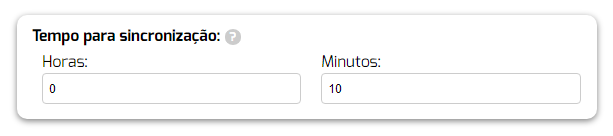
Note: We recommend using at least 10 minutes
After selecting the Source Tableor entering the SQL Source, click “Load data”.
With the data loaded, you can begin the field mapping process, following the instructions for each field.
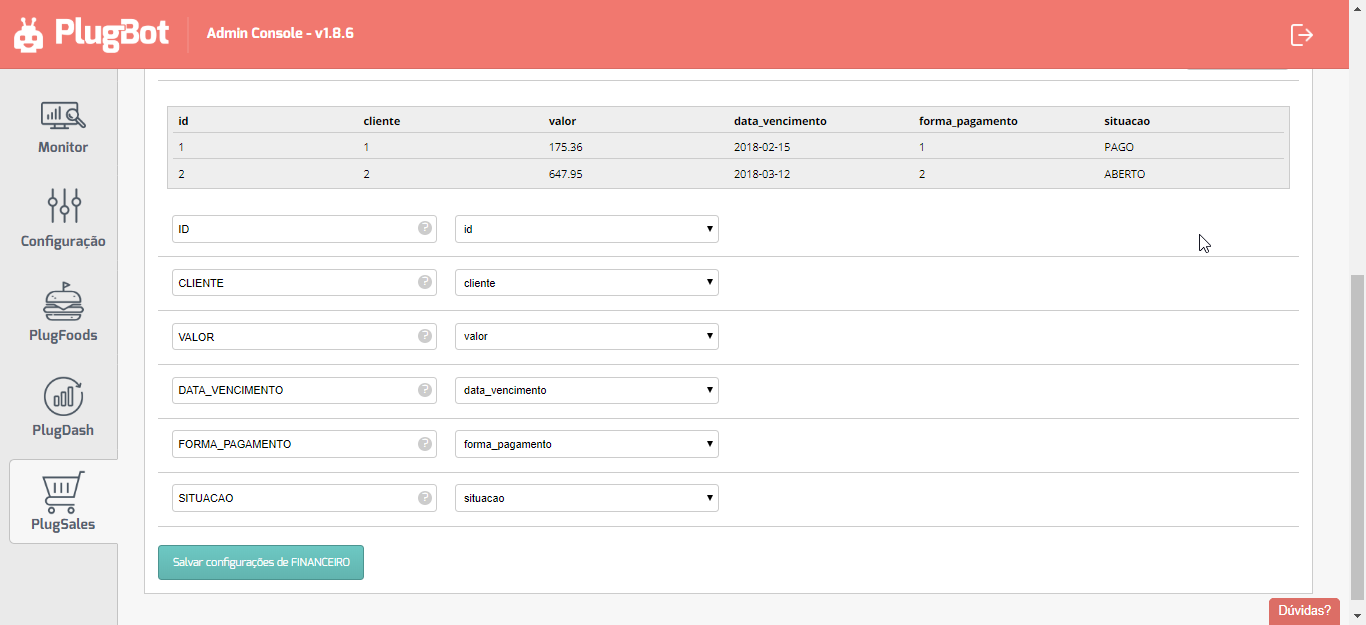
With all fields mapped, click “Save FINANCIAL settings” at the bottom of the screen.