

2.How to install PlugBot?
To download PlugBot, access the Downloads page by clicking on the “Downloads” link in the panel’s side menu:
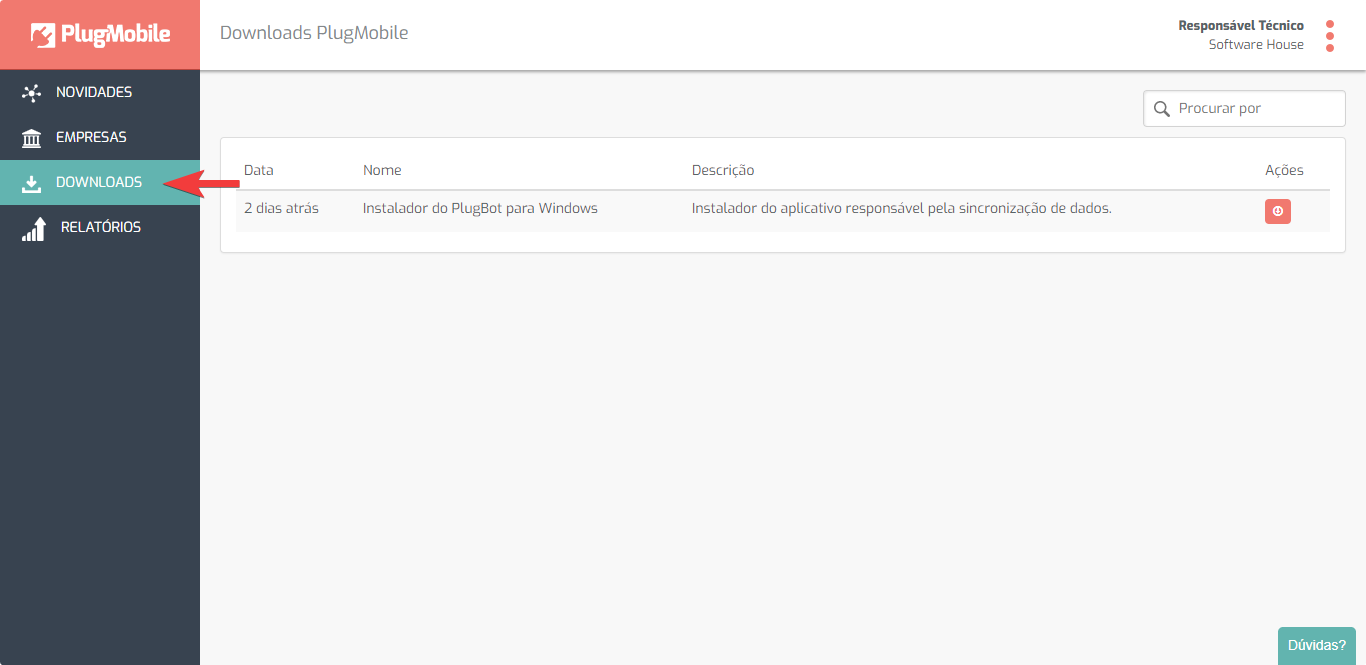
On the Downloads page you will find a list of files available for download.
Download the PlugBot installer for Windows:

Wait for the download progress and that’s it! The PlugBot installer has been downloaded successfully.
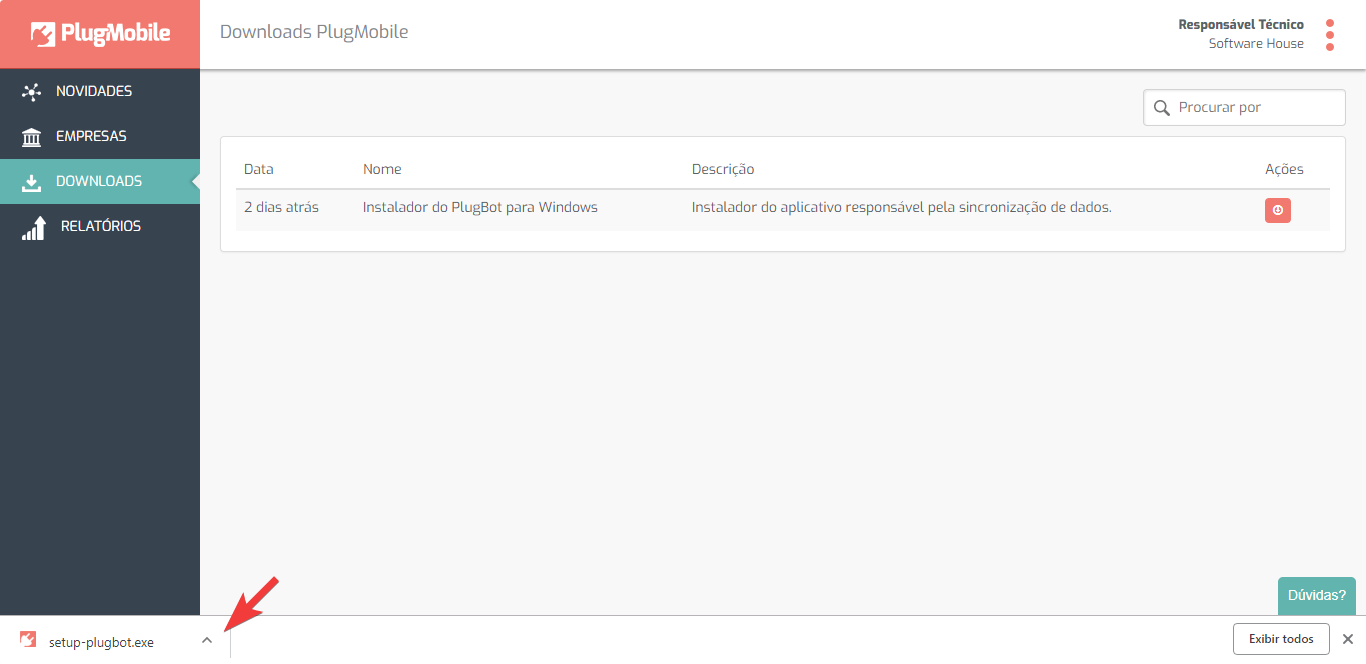
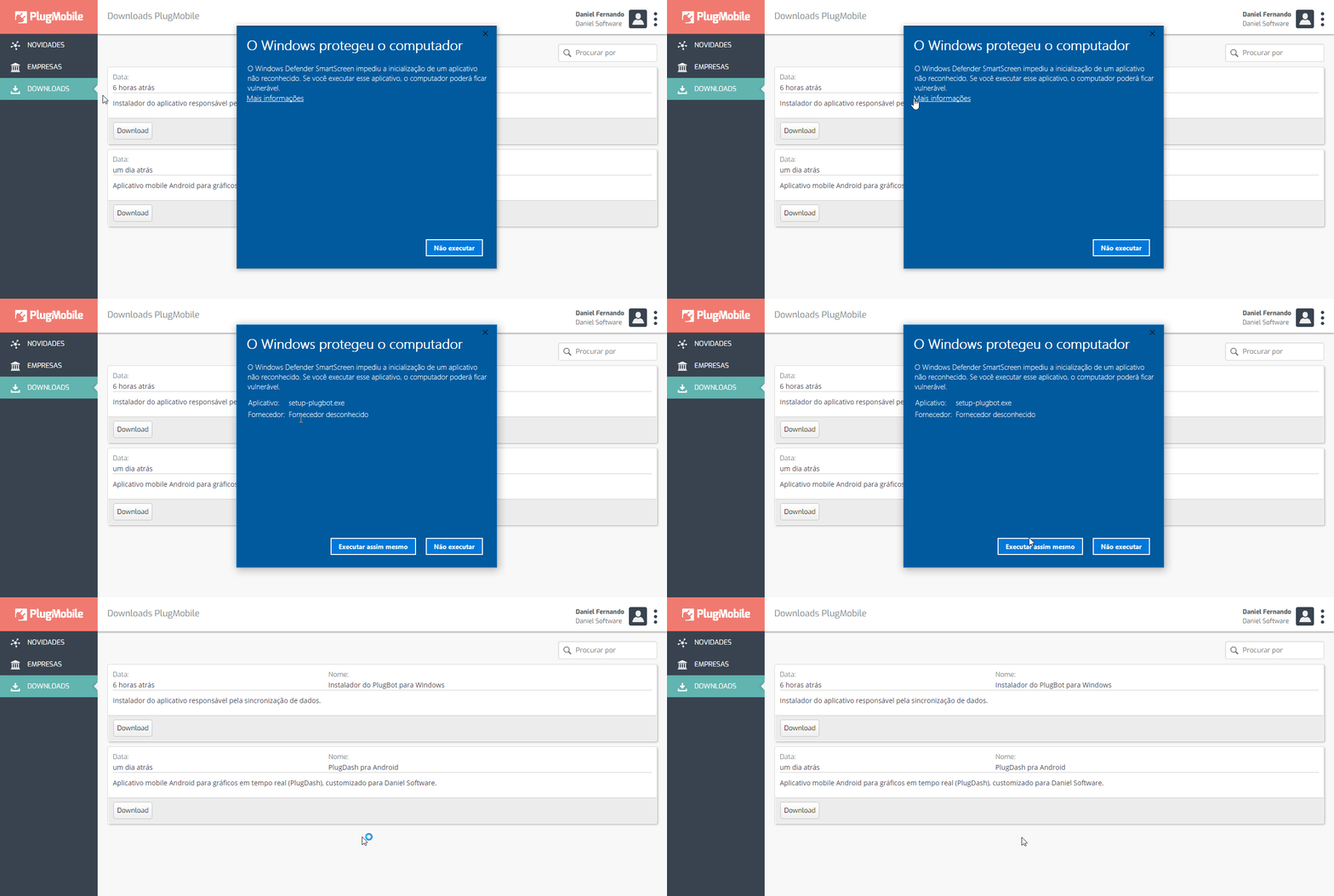
After downloading PlugBot, run the installer to install it and follow the instructions in the images below:
Note: In some operating systems this permission to run screen may appear: After clicking on the “Run anyway” option, your computer will ask for permission to run the program, press “Yes”
The PlugBot installer will ask you which port you want the program to use and the installation location.
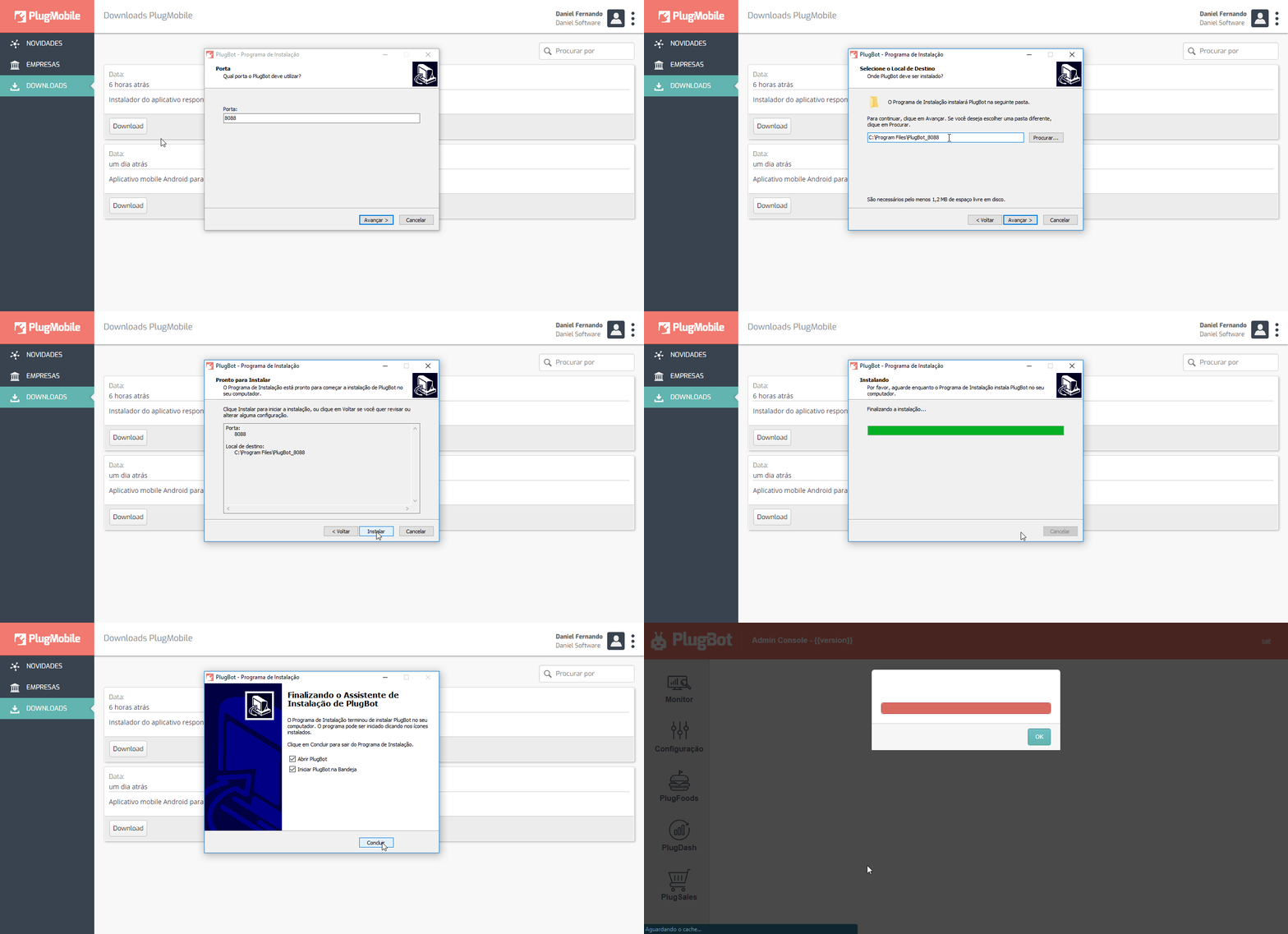
The installer defaults to port 8088 and the installation location as the primary drive.
After installation, PlugBot will automatically open your browser for the next step!