

1. Your application > Installing PlugSales on your cell phone or tablet
This article aims to explain how to install PlugSales on your cell phone or tablet.
Where the application can be installed
Section titled “Where the application can be installed”The PlugSales application can be installed in two ways:
- Via APK file (Android only), downloading directly from the administrative panel
- Via the app store, using the Play Store (Android) or the App Store (iOS)
⚠️ Attention: The PlugSales app is not compatible with Android versions lower than 6.0.
Installation via APK (Android only)
- Access theAdministrative Panel.
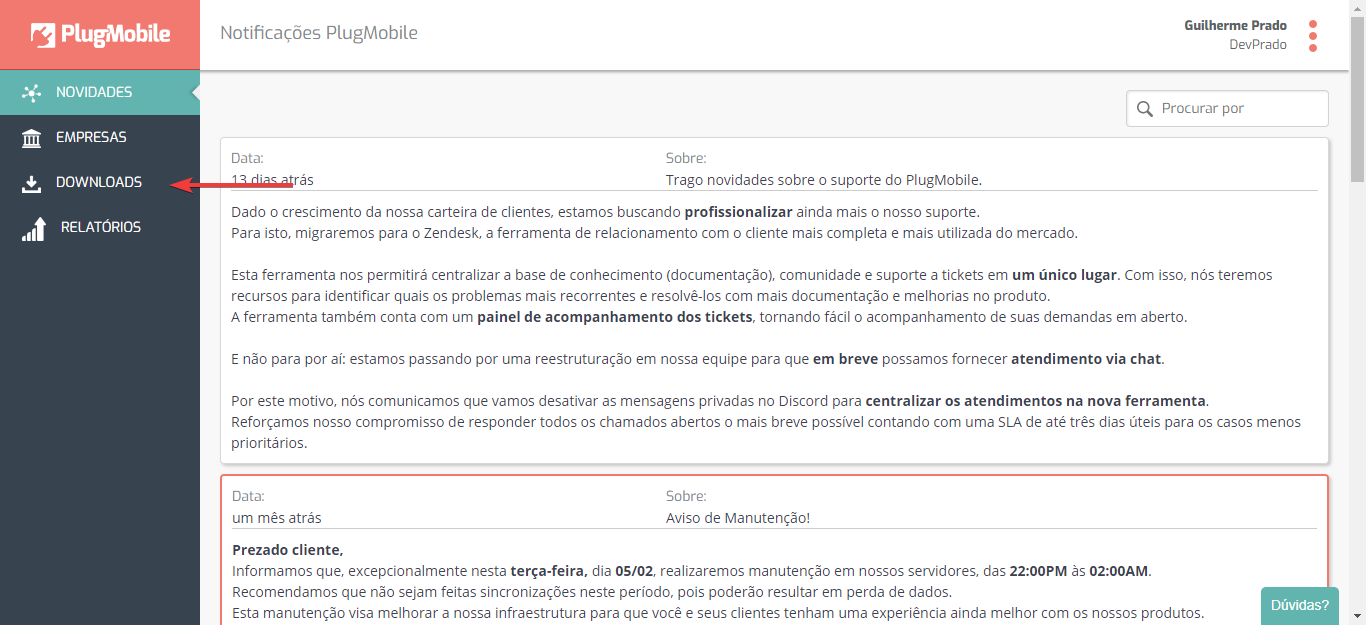
- In the side menu, click on the “Downloads” tab.
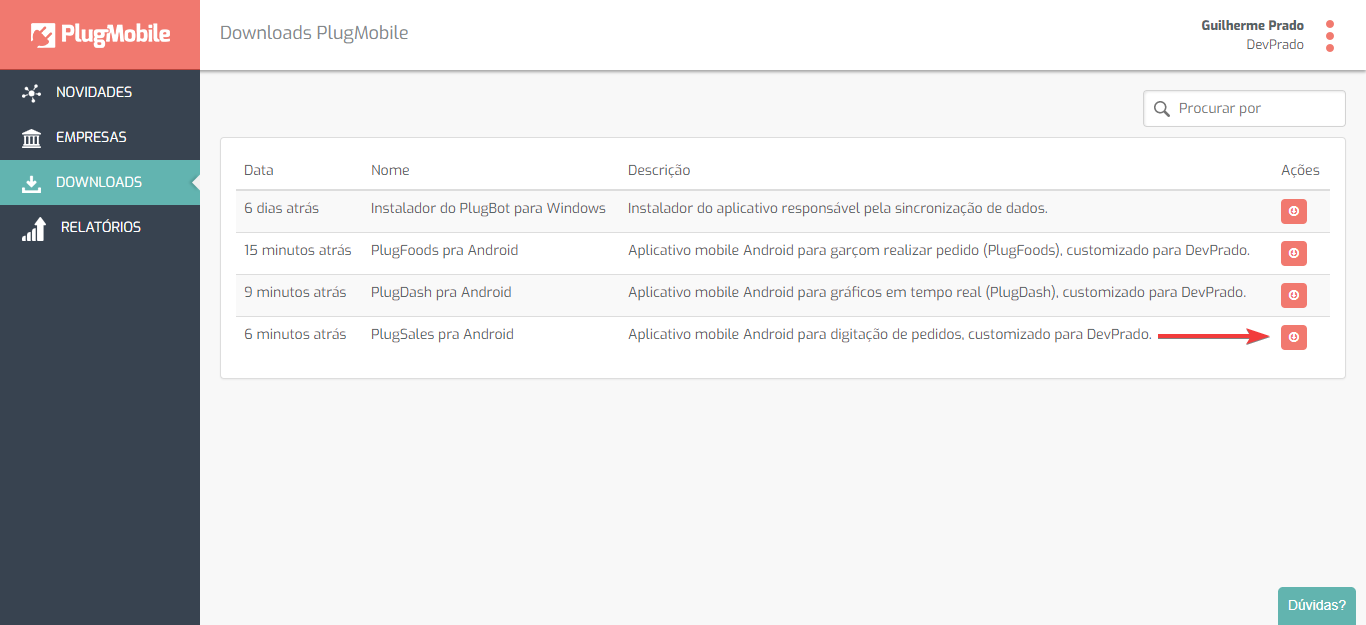
3.On the Downloads page, locate the applications generated for your company.
4.Click the “Download” button to download the .apk file of the application.
- After downloading, you will need to send the .apk file to your cell phone.
How to send the file to your cell phone
Section titled “How to send the file to your cell phone”You can:
- Send the file to yourself by email and open the message on your device;
- Connect the cell phone to the computer via USB cable and transfer the file directly.
With the .apk file on your phone, tap it to start the installation.
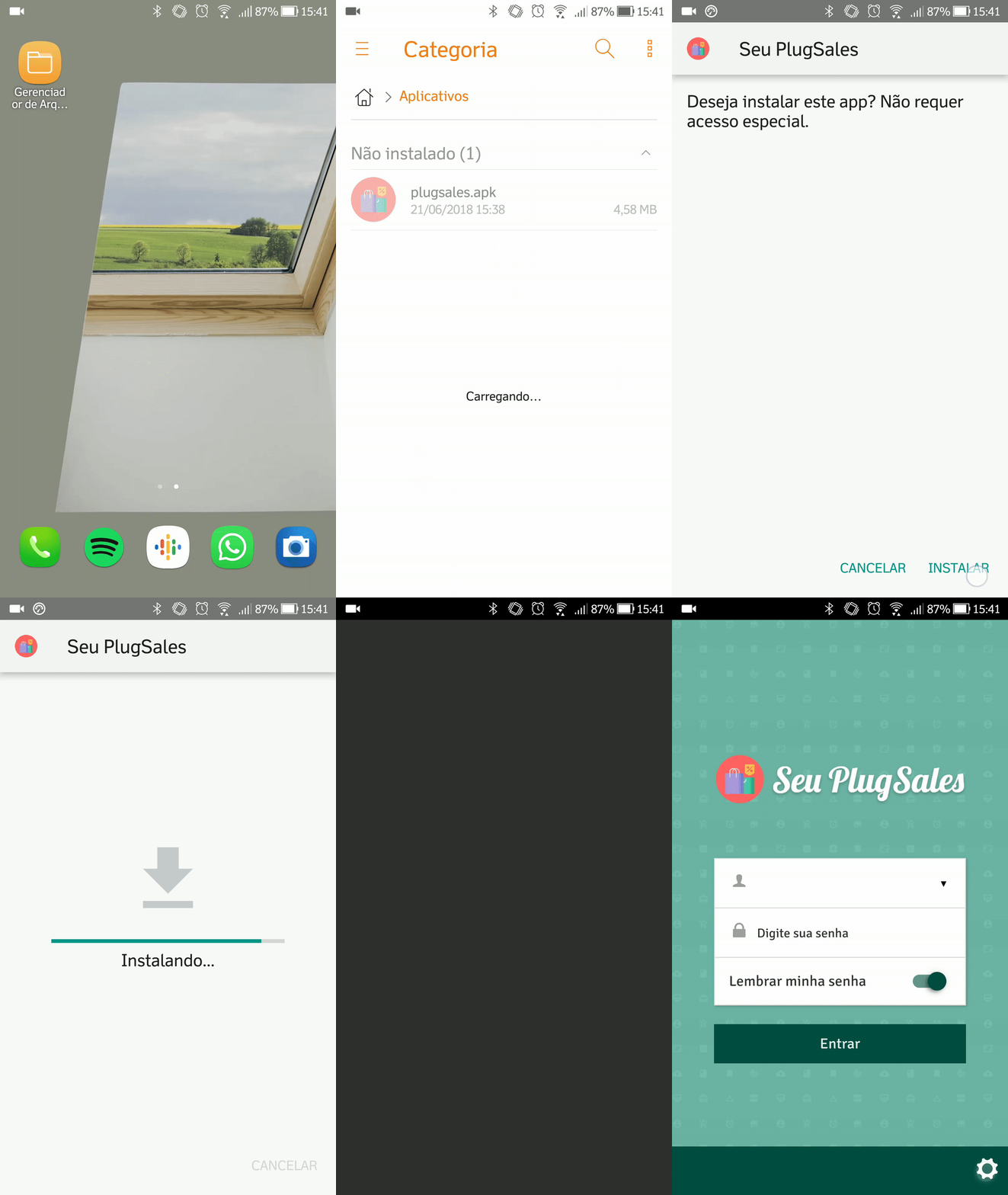
📌Note: If the system does not allow installation, you will need to enable the “Install applications from unknown sources” option in the device settings.
Installation via app stores
To install the application directly from the store, it must be published:
- Android: Publish the application on the PlayStore
- iOS: Publish the application to the AppStore
After publication:
- Access your device’s app store.
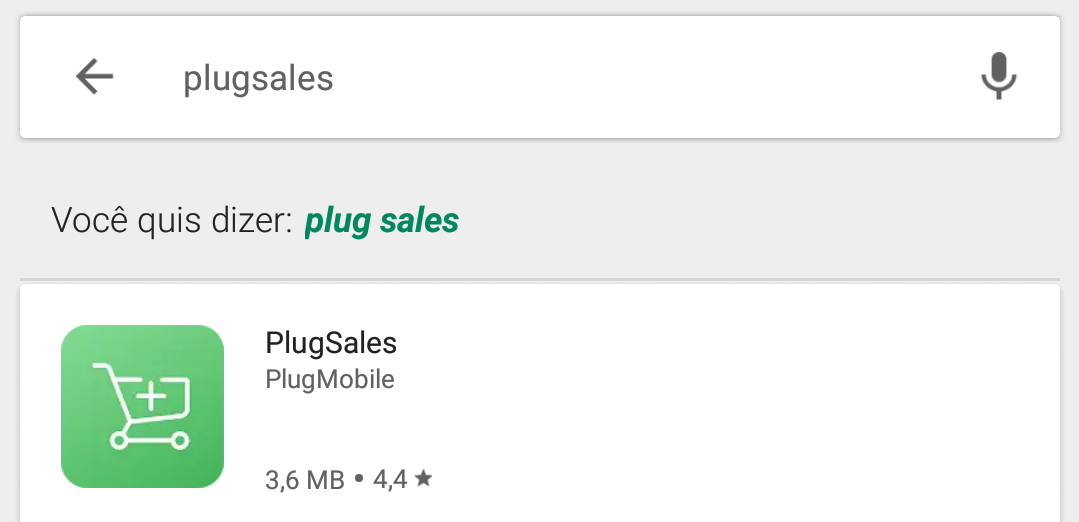
- Search for “PlugSales” (or the name defined in PlugMobile registration).
- Perform the installation normally.
Ready! The PlugSales app will be installed on your cell phone or tablet and ready to be configured.
If you need help at any stage of the process, our team is available 😊