

4. Identifying and fixing errors in PlugSales
One of the most common errors is that of a string that is longer than allowed.
Generally, this is when the insert does not handle the values before they are inserted, when a field comes with invalid values or values greater than those allowed in your bank’s field, an error is thrown, like this:
arithmetic exception, numeric overflow, or string truncation, string right truncation
To check possible errors, you must access the PlugBot monitor, first open PlugBot in your browser:
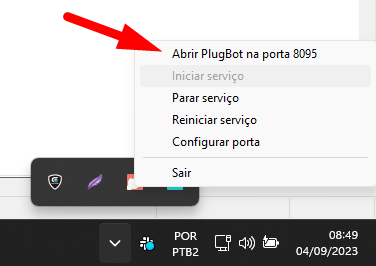
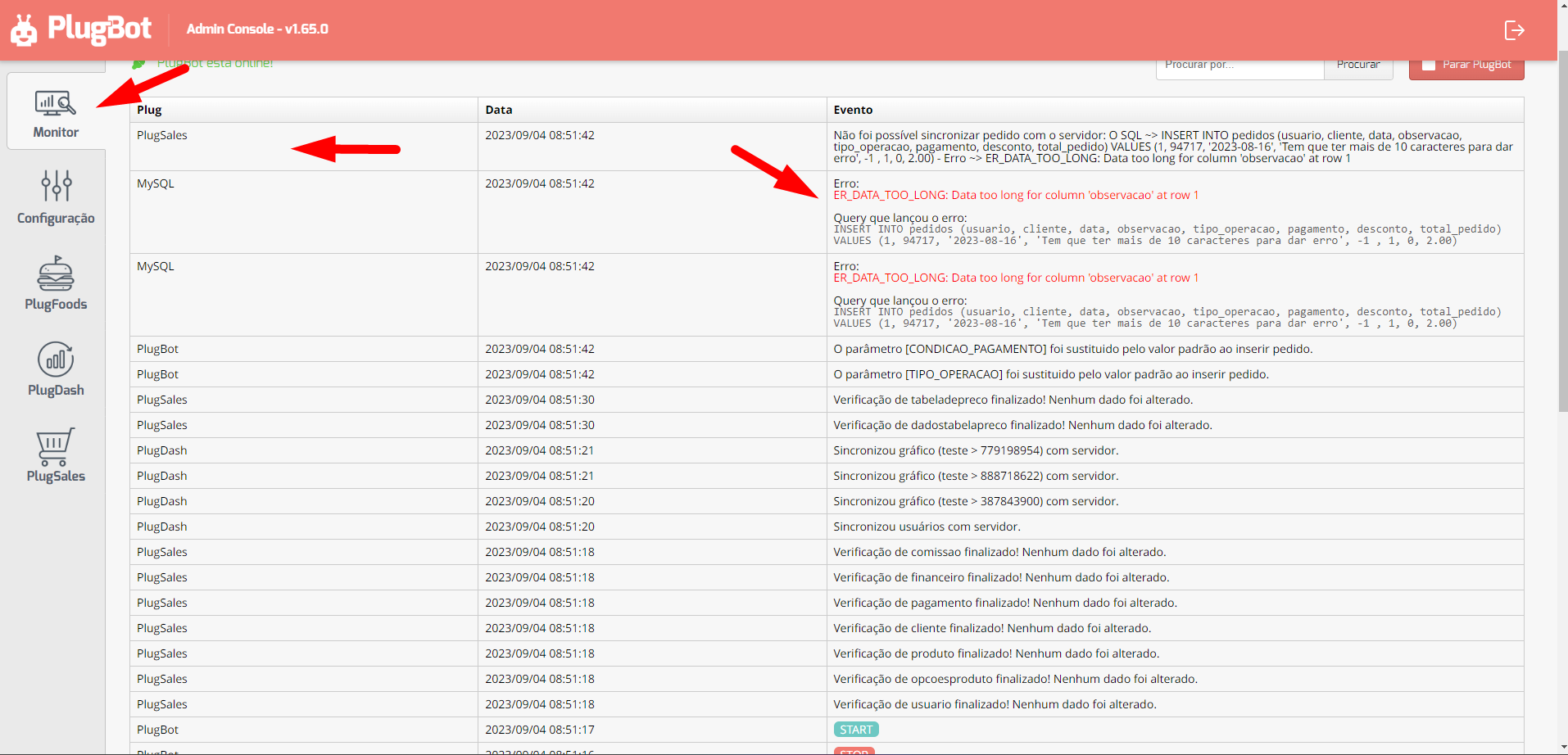
Then open the monitor screen, where you will have the Event options that display a message informing what PlugBot is executing and Plug that identifies where the event comes from.
As in the example below, where there is an ER_DATA_TOO_LONG error, which basically occurred because the bank’s observation field can only store 10 characters, but the information that came from the APP exceeds this limit.
So there are two ways to correct an error like this, first you can perform data processing, using cast () or left () depending on the database, second, you can contact PlugSales support and request to change the data in this field that is having problems within our database.