

1.1.1. Error connecting to SQL Server - PlugSales
This article presents actions that can be taken to correct the error “Request can only be made in LoggedIn state, not the Final state”, common when trying to connect to SQL Server.
What you will see:
Section titled “What you will see:”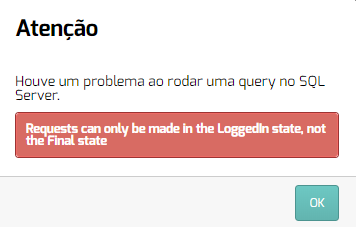
Service without defined port
In some scenarios, SQL Server does not have a connection port configured, which can cause communication to fail.
How to fix
Section titled “How to fix”- Access SQL Server Configuration Manager.
Depending on the version of SQL Server, the application can be found in the following paths:
| SQL Server2019 | C:\Windows\SysWOW64\SQLServerManager15.msc |
| SQL Server2017 | C:\Windows\SysWOW64\SQLServerManager14.msc |
| SQL Server2016 | C:\Windows\SysWOW64\SQLServerManager13.msc |
| SQL Server 2014 (12.x) | C:\Windows\SysWOW64\SQLServerManager12.msc |
| SQL Server 2012 (11.x) | C:\Windows\SysWOW64\SQLServerManager11.msc |
- When you open the application, locate SQL Server Network Configuration.
- Select the instance you want to use.
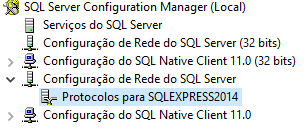
- Enable the TCP/IP protocol.
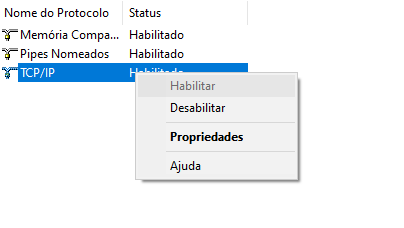
- After enabling, right-click on TCP/IP and access Properties.
- Go to the IP Addresses tab.
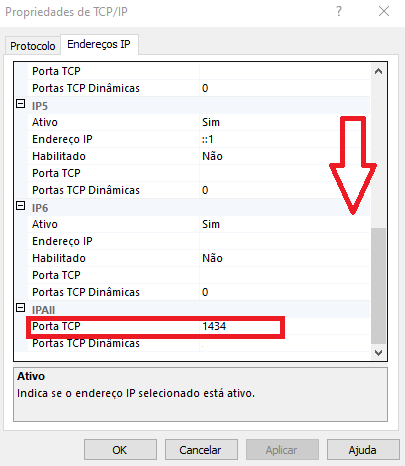
- Scroll to the bottom of the page and locate the TCP Port field.
- If the field is blank, enter a port (examples: 1433 or 1434).
- Click Apply, restart the SQL Server service and try the connection again.
User
For the connection to SQL Server to work correctly:
- The user must have a password configured
- Must have full permissions to the database
📌 We recommend, whenever possible, using the SA user to make the connection.
SQL Server Authentication
Another essential configuration is enabling SQL Server Authentication.
How to configure
Section titled “How to configure”- Right click on the SQL Server instance
- Select Properties
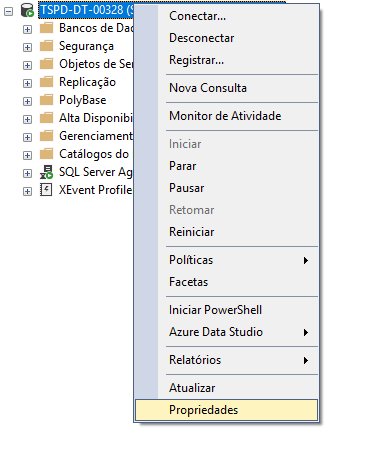
- Access the Security tab
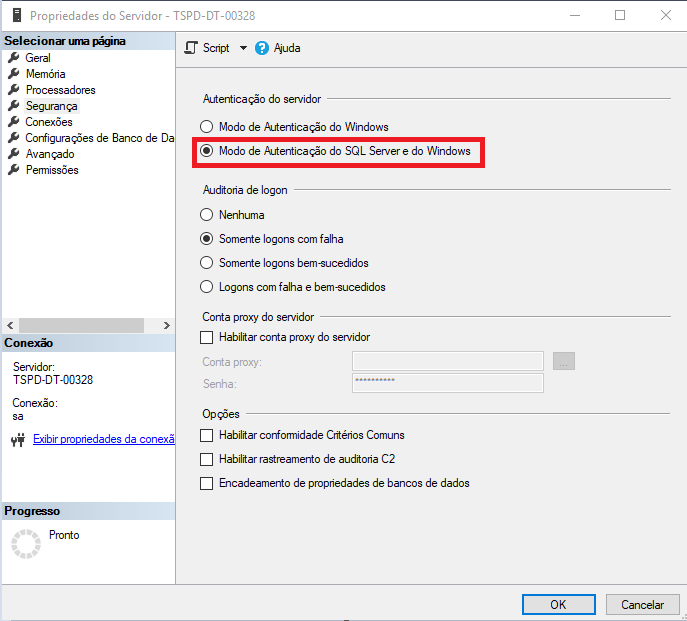
- In Server authentication, check the option: “SQL Server and Windows Authentication Mode”
Port x Instance
The error can also occur due to incorrectly filling out the port or instance parameters.
📌 Recommendation:
- If you use more than one server, prefer the connection via instance
- In this scenario, leave the Port field blank, as per the recommended default
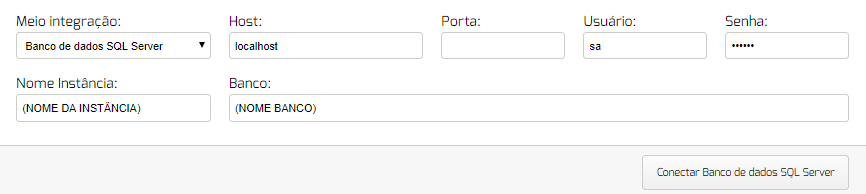
If the error persists after these validations, we recommend reviewing the settings again or contacting our support team. We are available to help 😊