How to add custom fields to customer registration? (PlugSales)
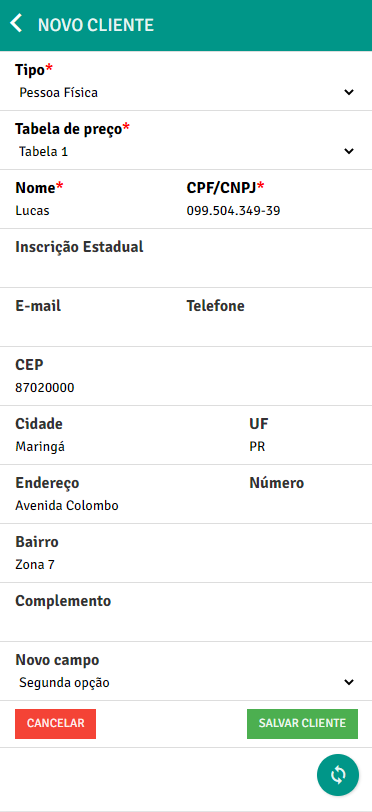
In this article we will teach you how to add custom fields to the customer registration in PlugSales.
To activate a new field, go to the customers tab and click on the “Add custom field (input)” option:
A name must be added for this field and the type of data it will receive must be enabled. It is also possible to define a default value that will be assigned to the custom field if the user does not enter a value through the application:

Type: “Options”
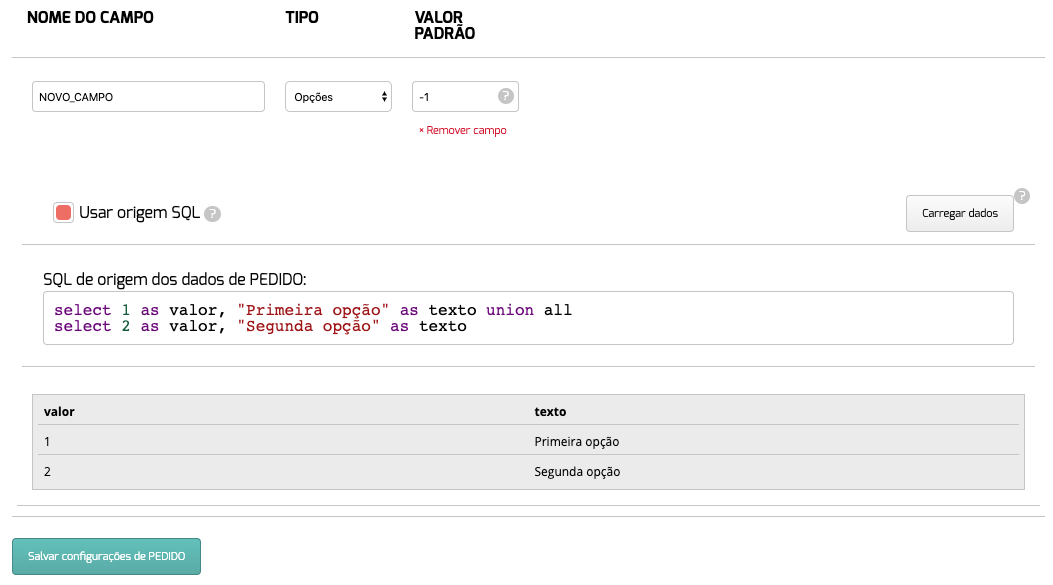
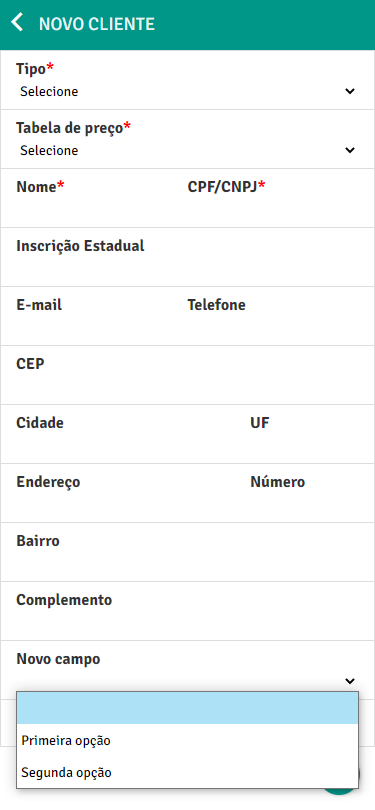
If you want to create a custom selection field in PlugSales, you can select the Options type and then configure the collection of data that will be shown as selectable options in the application.
The data must be records that obrigatoriamente, have two properties:
- value: this property will be used in PlugBot when replacing a client’s insert parameter.
- text: this property will be used in PlugSales to show the user which option they can select.
In PlugBot:
On PlugSales:
Once this configuration is done, it will be necessary to add the field parameter to the client’s insert:

Okay, now when adding a customer it will be possible to add information in the custom field.