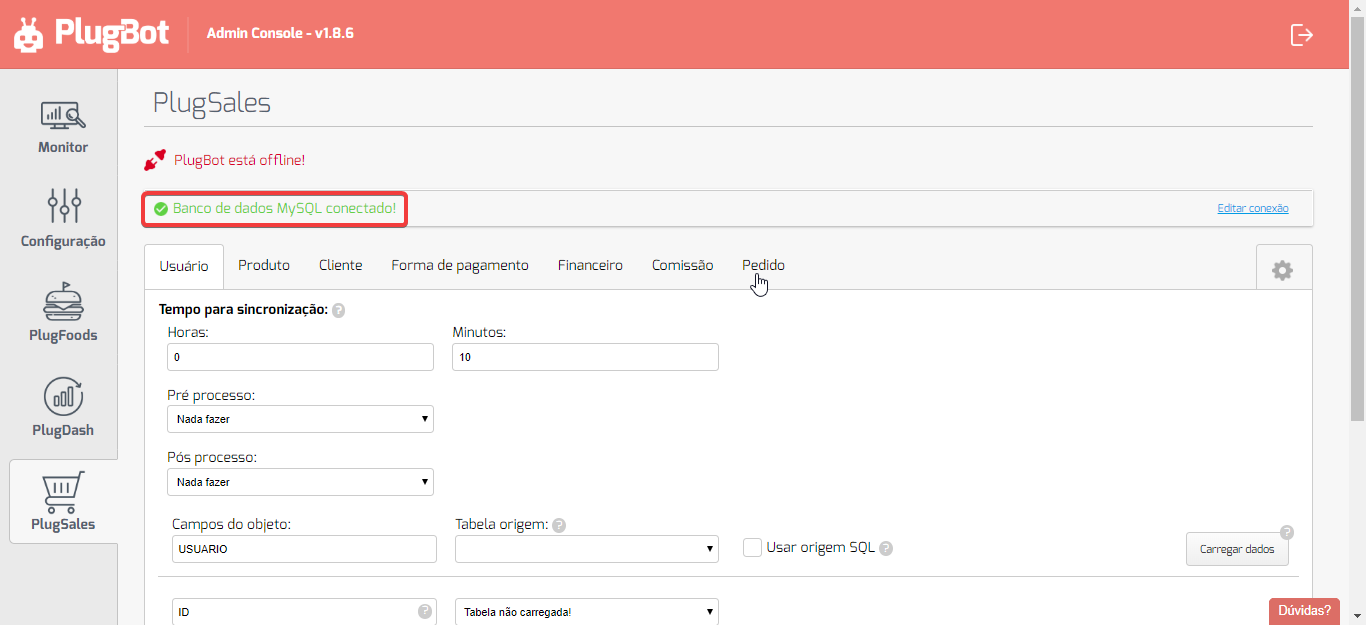
1.4. Integrating with your data > Integrating PlugSales with MySQL
This guide explains how to configure PlugSales integration with the MySQL database through PlugBot, allowing the correct synchronization of information with the application.
Integration with MySQL database
To start the integration with MySQL, access the PlugBot control panel and click on the PlugSales tab.
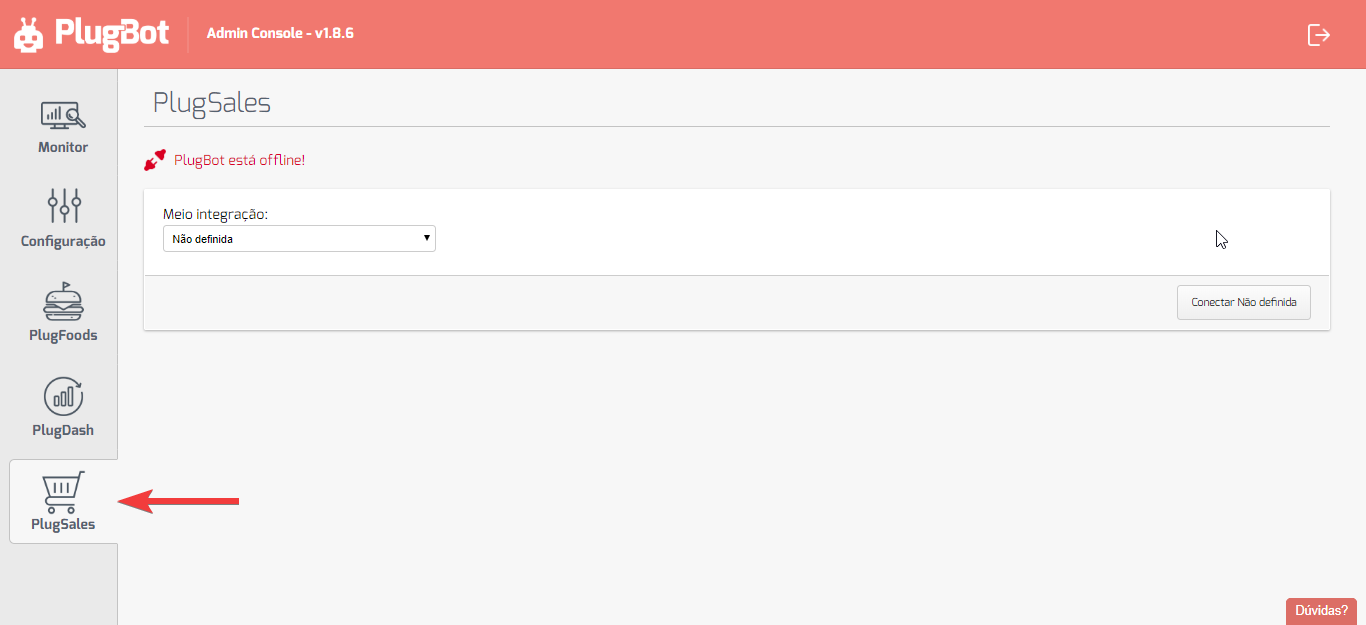
On the displayed page:
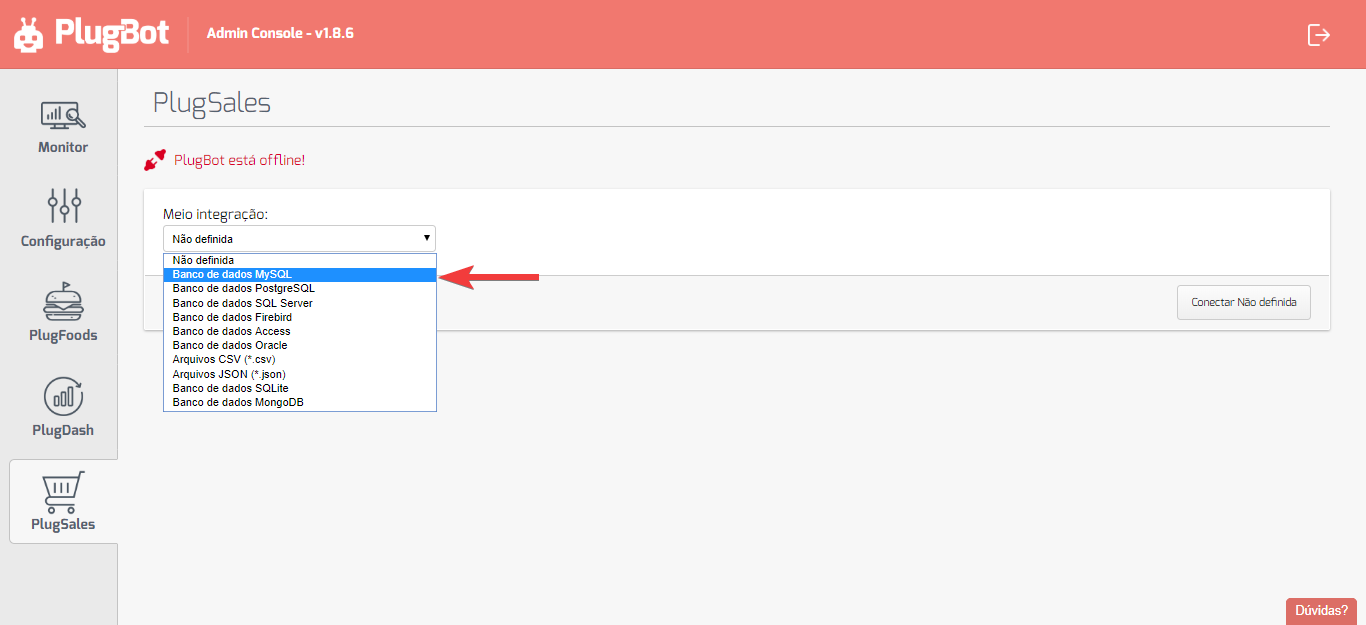
- Click on “Half integration”.
Select the “MySQL Database” option.
After selecting the integration method, fill out the form presented with the information from your MySQL database.
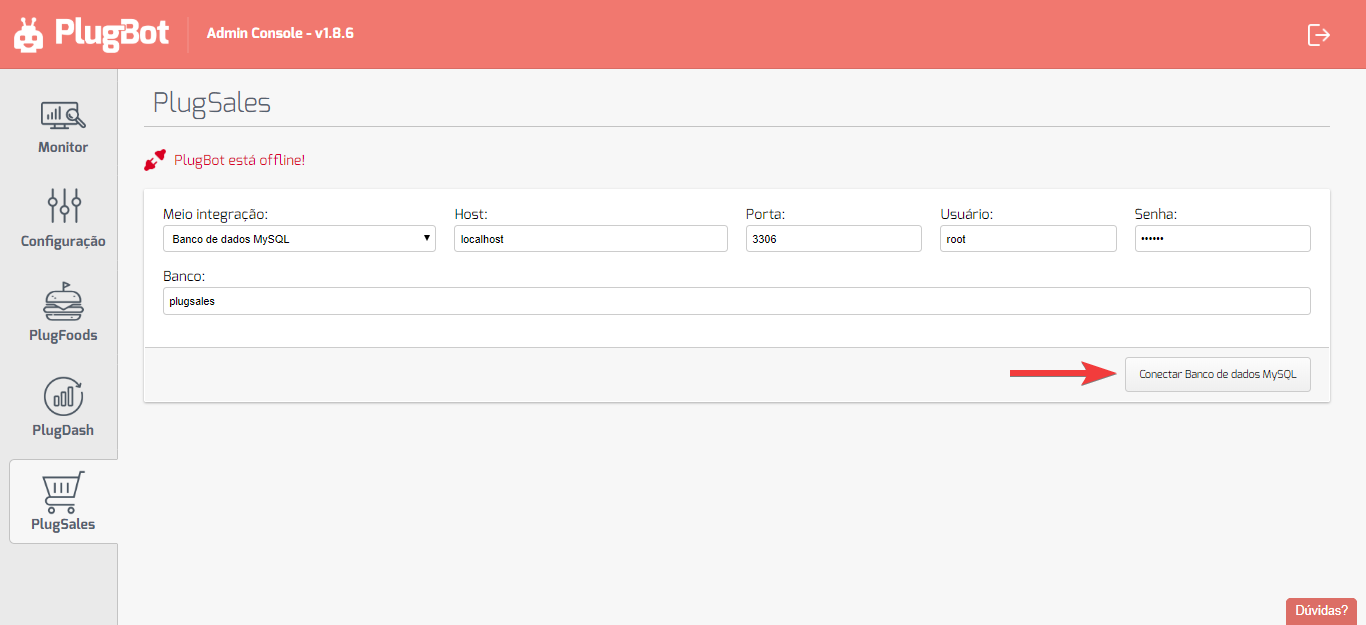
Finalizing the connection
With all the information filled in correctly, click on “Connect MySQL Database”.
Ready! The integration will be configured and PlugSales will be able to synchronize the data normally.
If you have any questions, we are at your disposal.