

Recovery of unsynchronized orders Mobile
With the order recovery functionality, it will be possible to export orders that have not yet been synchronized, without needing our support to connect to the device, the seller will be able to do this alone!
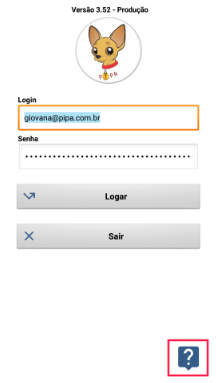
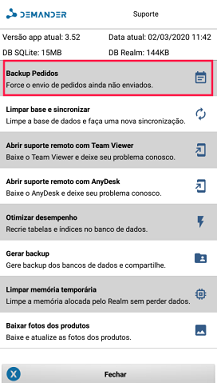
In the image on the left the seller clicks on the support button, in the image on the right it shows some options to help you, in this case he will select the order backup button so that it can be exported if the Demander on his device has an error, or needs to clean the application base. After clicking on ‘Backup Orders’, the following screens will appear…
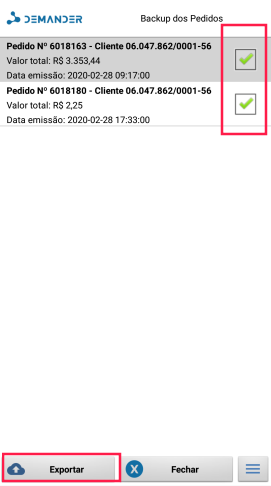
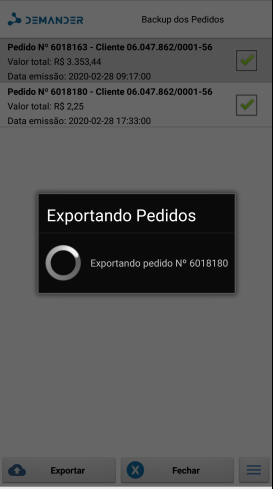
In the image on the right, the seller will select the orders he wants to be exported (remembering that once exported, orders can no longer be edited). The image on the left shows the pop-up for exporting orders. After the export is done, the following pop-up will appear.
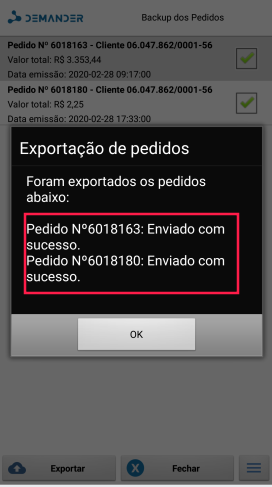
The image shows that the export has completed and all orders have been exported successfully.
Order recovery