

5. Additional Settings (PlugSales)
This article presents additional PlugSales features that can be enabled according to business needs, allowing greater flexibility in sales operations.
What you will see:
Section titled “What you will see:”Change product value when entering the order
Section titled “Change product value when entering the order”Fail to use the user’s maximum discount on the product?
Section titled “Fail to use the user’s maximum discount on the product?”Allow sales to customers with a lockdown situation?
Section titled “Allow sales to customers with a lockdown situation?”Where to configure features
To access additional PlugSales features, open PlugBot and click on the gear located in the left corner of the screen.
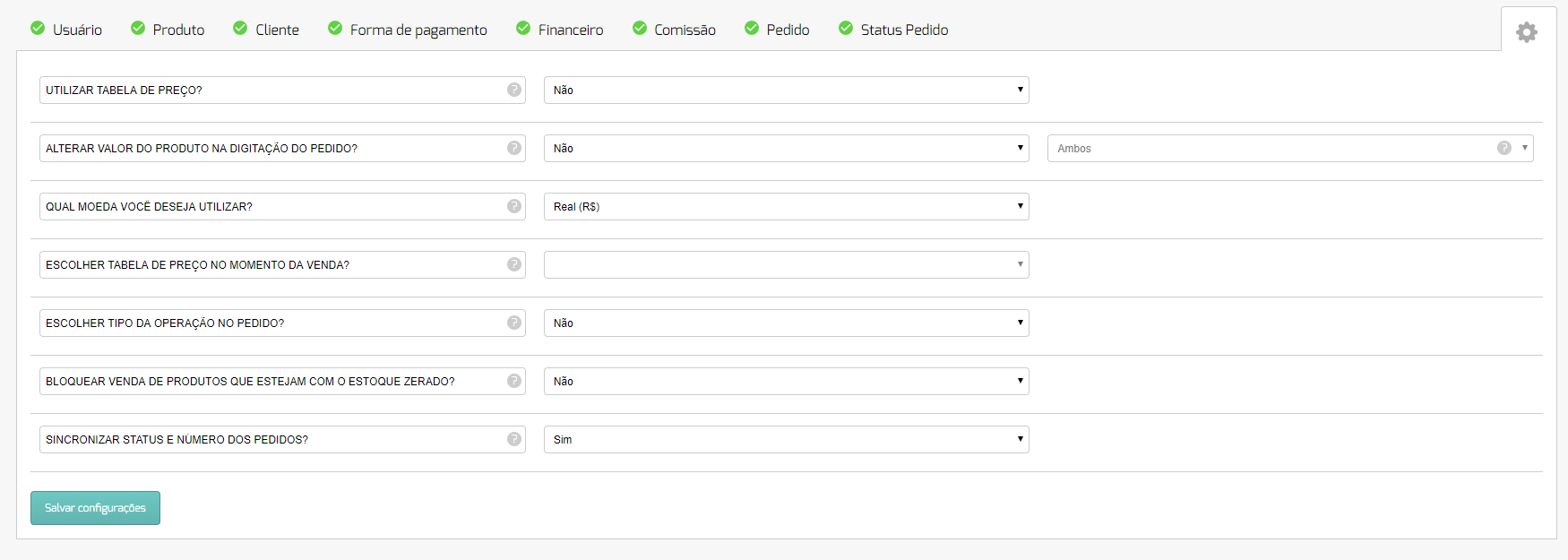
In this tab, you can select which features you want to activate in the system. Below, we explain each of them in more detail.
Available features
- Price table
PlugSales allows you to work with different values for the same product. To do this, it is necessary to configure price tables. Learn more.
- Change product value when entering the order
Allows the user to change the product price directly while entering the order in the application. Learn more.
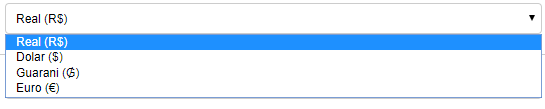
- Which currency do you want to use?
When selecting this option, the possible currency formats available in PlugSales are displayed.
- Choose a price list at the time of sale?
With the pricing table set up, you can define whether:
- The user chooses the table at the time of sale; or
- The sale will be made automatically based on the table linked to the customer.
When enabled, this option allows the user to use products from different price tables in the same order. Learn more.
- Choose type of operation in the order?
Enables the possibility of selecting the type of operation when placing the order. Learn more.
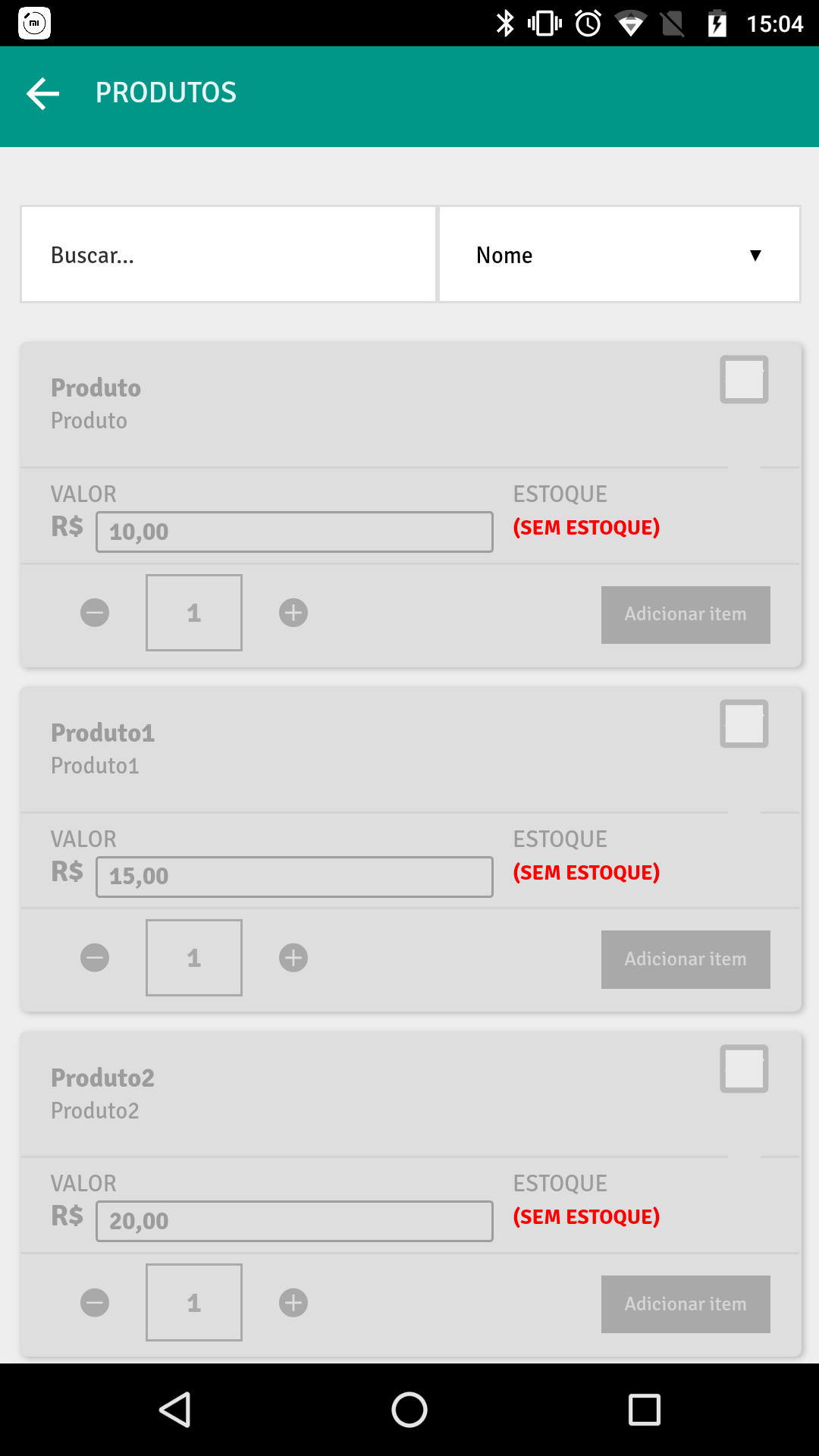
- Block sales of products with zero stock?
When enabled, this functionality prevents the sale of products with less than or equal to zero stock.
- Synchronize order status and number
By enabling this option, it is possible to configure the display of the status and number of each order in the application. Learn more.
- Do products have a barcode?
Allows products to be located using barcodes, facilitating search within the application. Learn more.
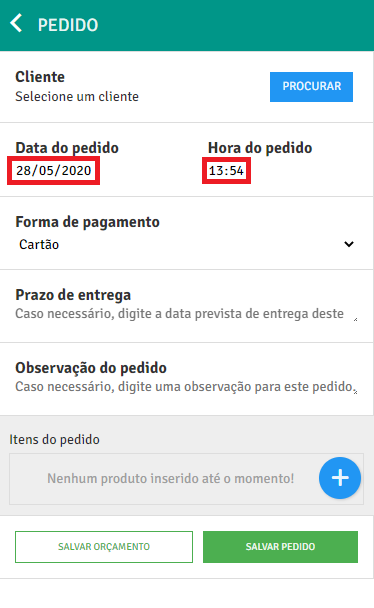
- Block change of order date and time?
When enabled, this option prevents changing the date and time of the order in the application.
- Failing to use the user’s maximum discount on the product?
When enabling this functionality, the system disregards the user’s maximum discount limit on the product. ⚠️ This option is only applied when the maximum discount on the product is null or equal to zero.
- Allow sales to customers with a lockdown situation?
When enabled, this option alerts the seller about the customer’s blocked situation and allows the sale to be carried out anyway. Learn more.
If you have questions about any functionality or need support with configuration, our team is available 😊