

How does the price table work? (PlugSales)
You may notice that some establishments use more than one price for the same product. And so that you can serve the market, PlugSales is prepared for the price list.
Note: The Product Grid cannot be used with Price Tables.
In this article we will teach you the flow used by PlugSales through the price table, and how to use it.
Through this example, you can notice the links between the product tables and price tables.

Through the example presented, we will now show how the price table works in PlugBot.
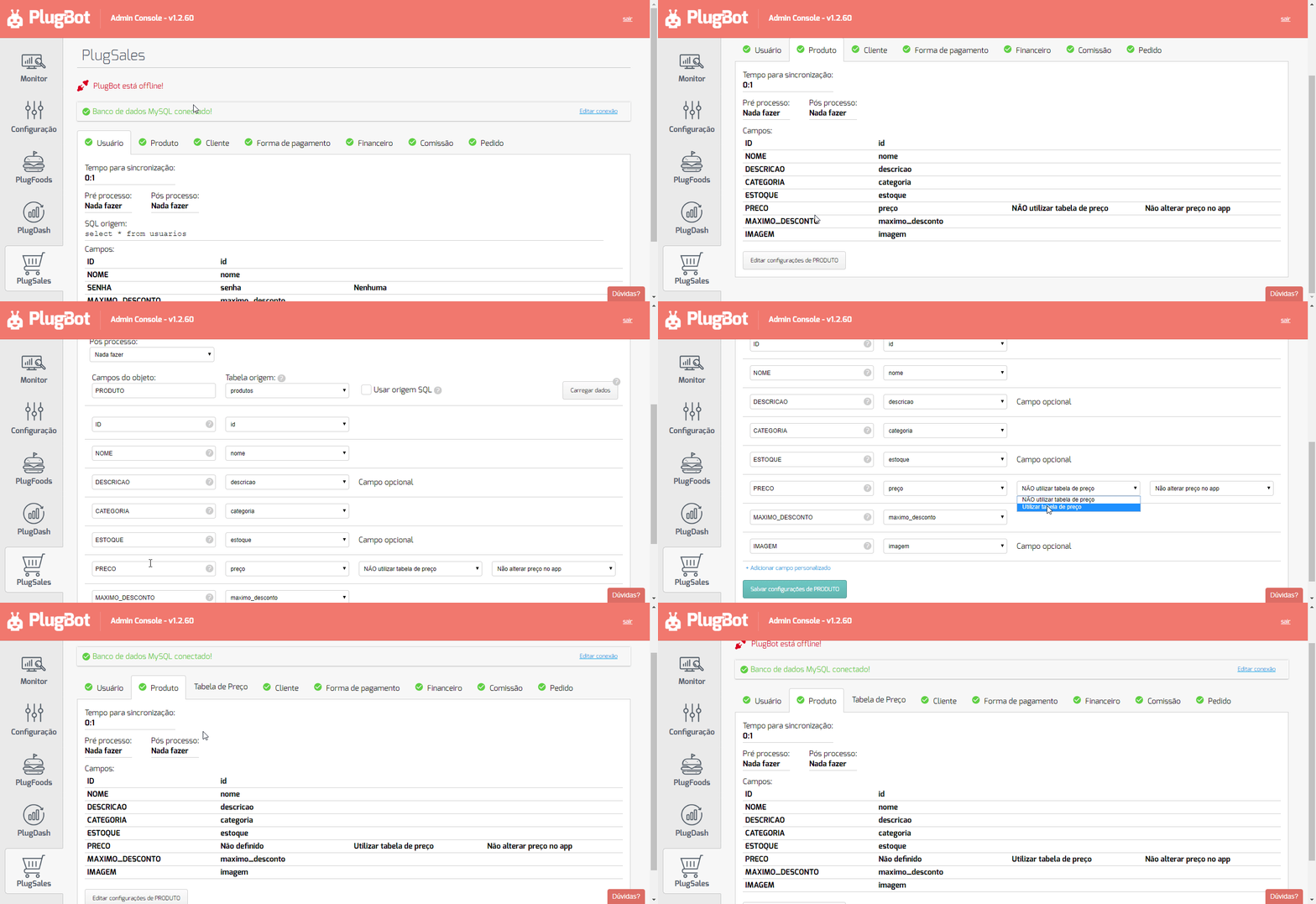
To activate the Price Table in PlugBot, go to the products tab and next to the “Price” field, activate the “Use Price table” field.
- ID
- Numeric field of type inteiro. This field identifies the price table item.
- PRICE_TABLE
- Integer numeric field with the price table ID.
- PRODUCT
- Integer numeric field with the product ID.
- PRICE
- Number field of type real(float/decimal) with the price of the product.
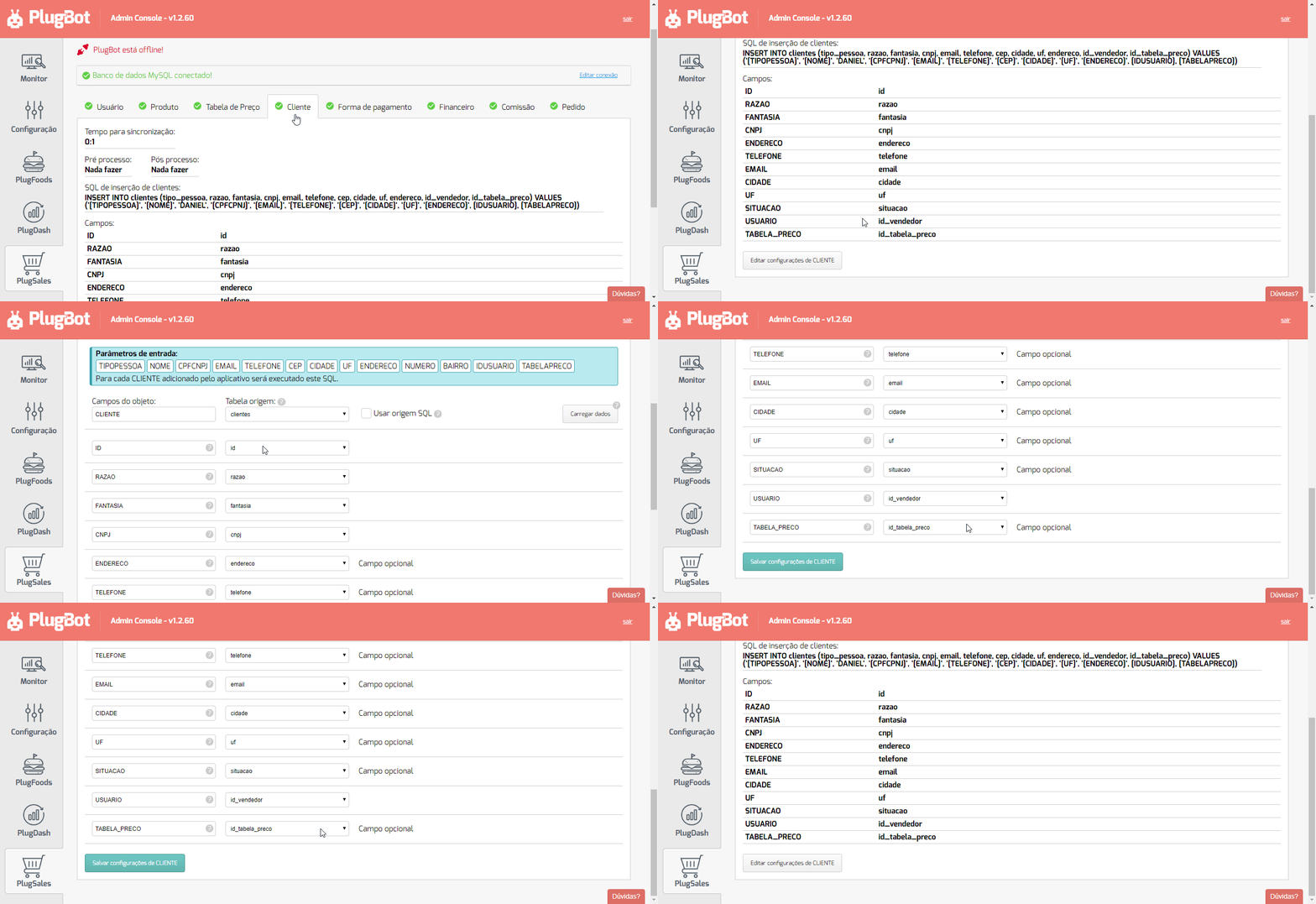
After configuring the “Price Table” tab, it is necessary to link to the client which price table the client will use.
See which field is needed to link the price table, within the “Customer” tab:
After activating the “Use price table” field in the Products tab, you can notice that a new tab is created, the “Price Table” tab.
This tab will configure the price table, with the product table and the link with the customer.
See the fields required to configure the price table:
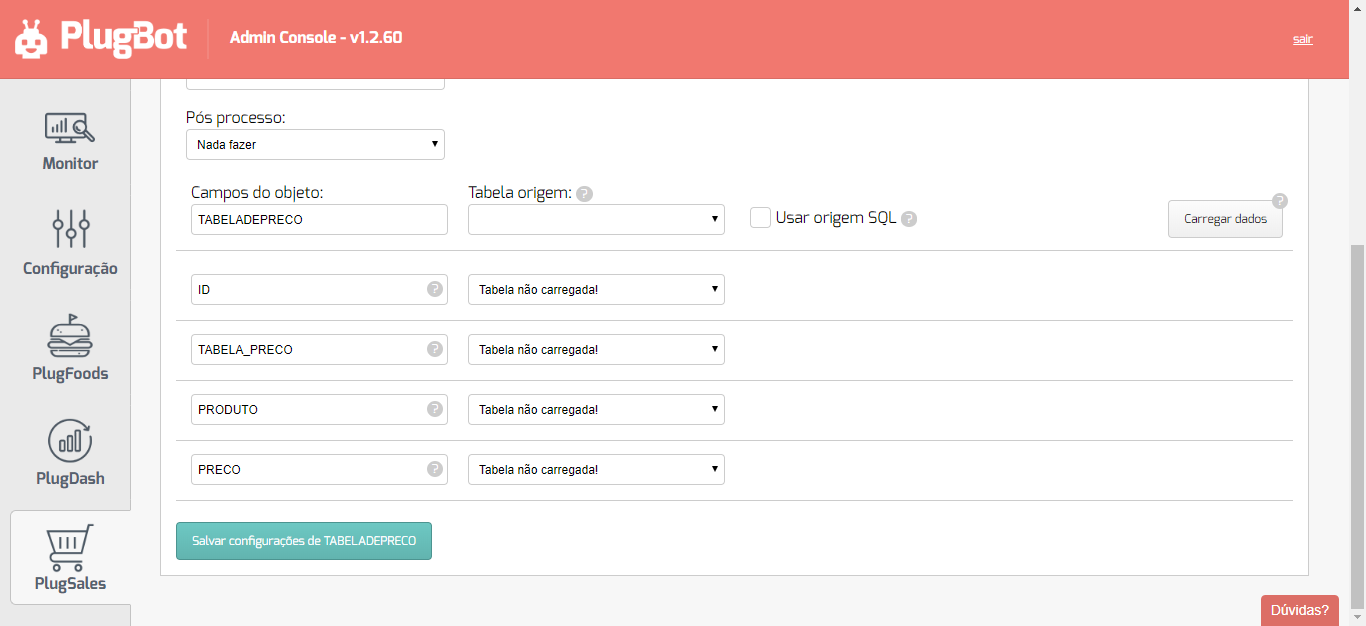
- ID
- Numeric field of type inteiro. This field identifies the price table item.
- PRICE_TABLE
- Integer numeric field with the price table ID.
- PRODUCT
- Integer numeric field with the product ID.
- PRICE
- Number field of type real(float/decimal) with the price of the product.
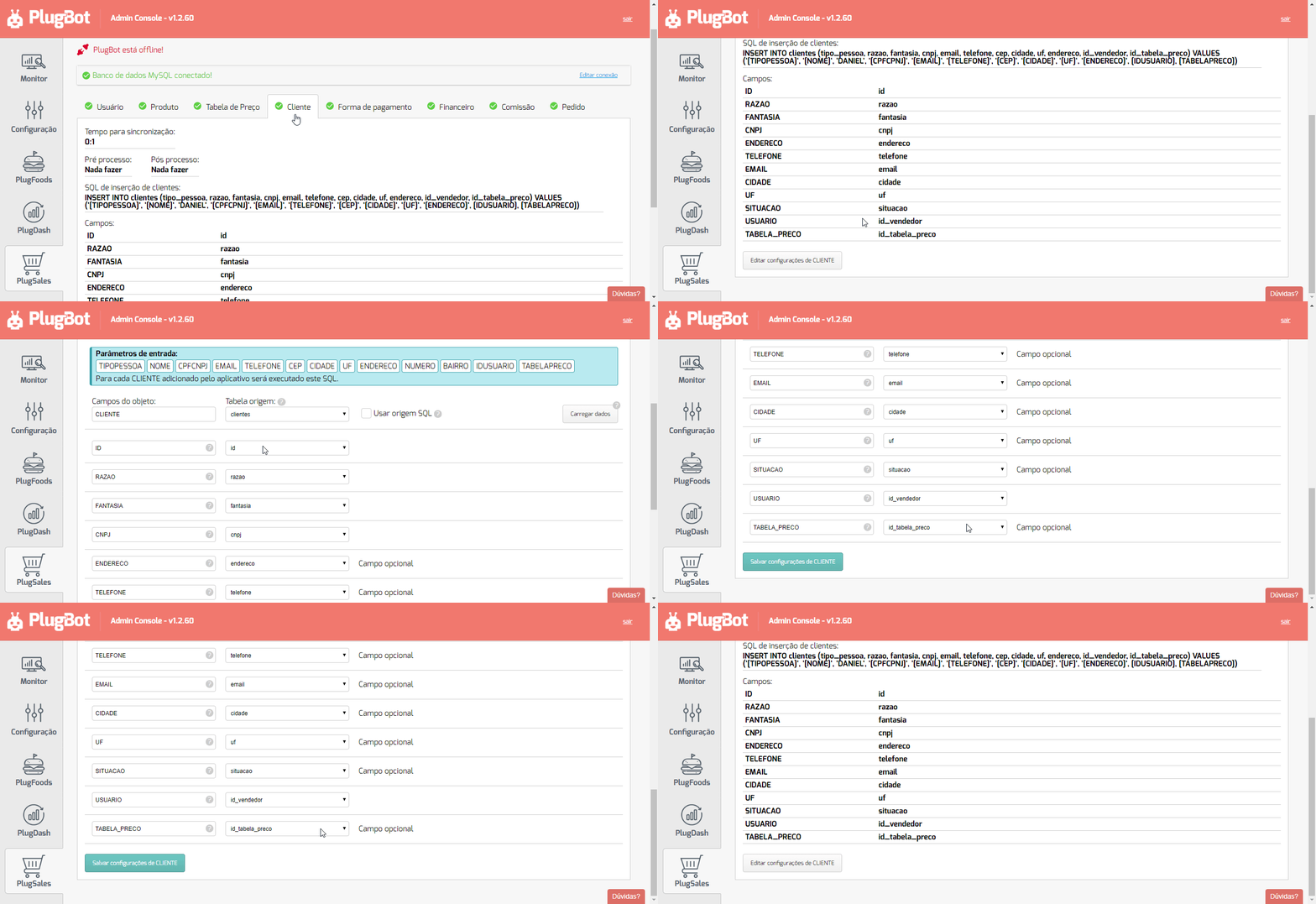
After configuring the “Price Table” tab, it is necessary to link to the client which price table the client will use.
See which field is needed to link the price table, within the “Customer” tab:
Note: If you want to map the names of price tables, access the following post: How to map names of price tables?
After configuring all these steps, the price table is ready to use!