How to use barcode? (PlugSales)
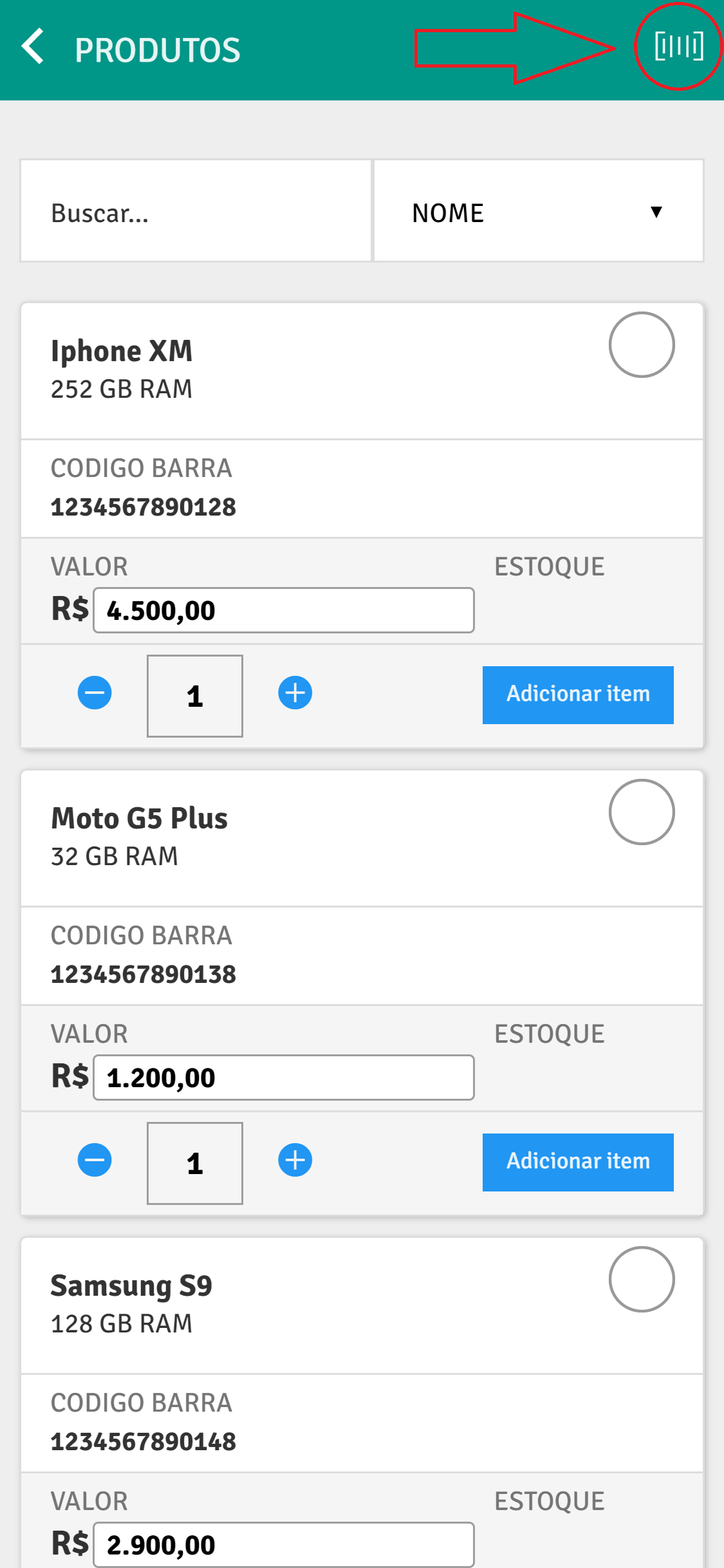
We can notice that in some sales it is easier to search for the product using a barcode, and so that you can use this tool, PlugSales is available to search for the product through your device’s camera.
In this article we will demonstrate how to configure this tool in PlugBot.
To activate this functionality, access the ‘additional settings’ of PlugSales, and enable the option “DO PRODUCTS HAVE BAR CODES?”.
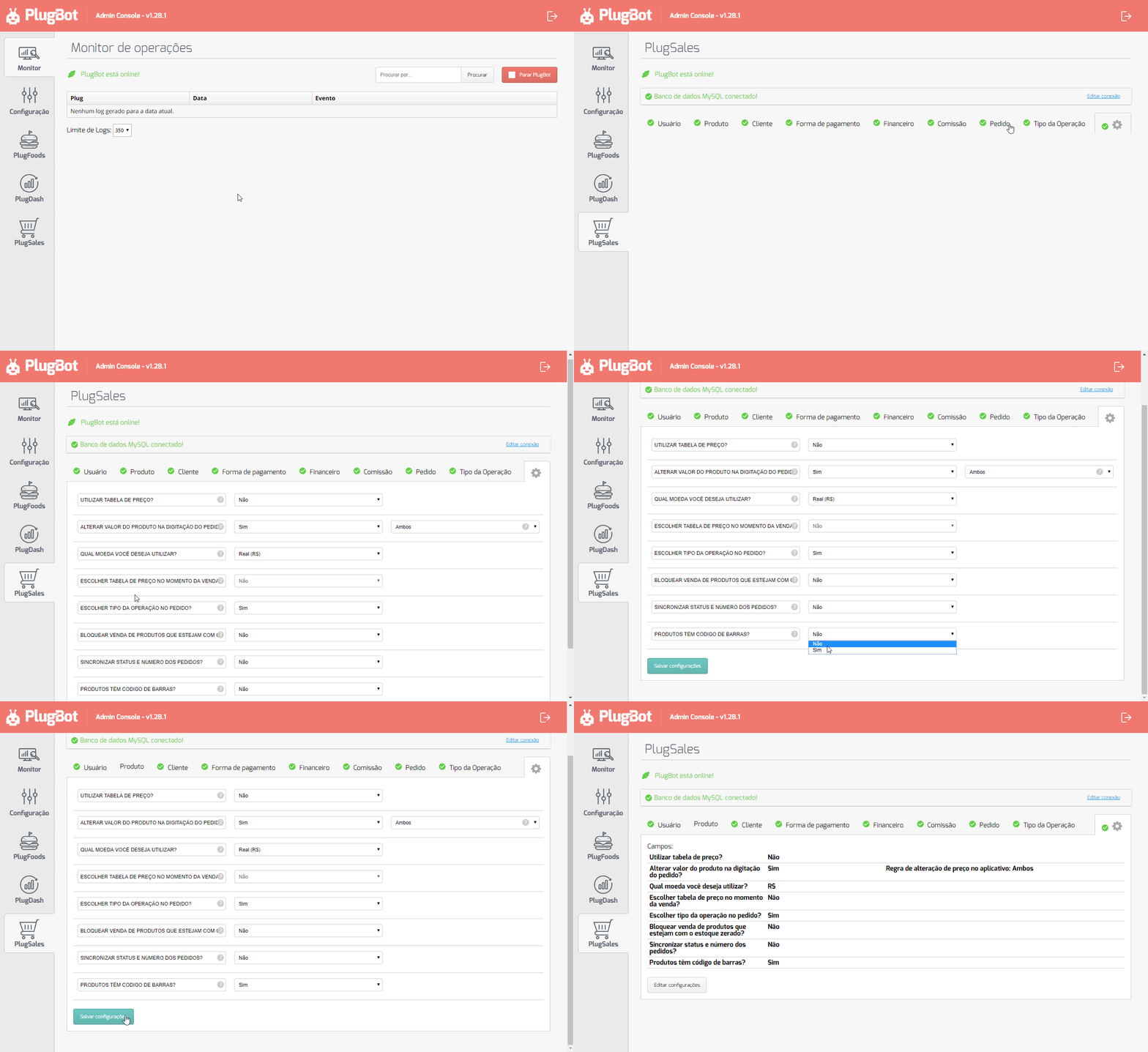
With this functionality active, a new field (BARCODE) will be created in the products tab.
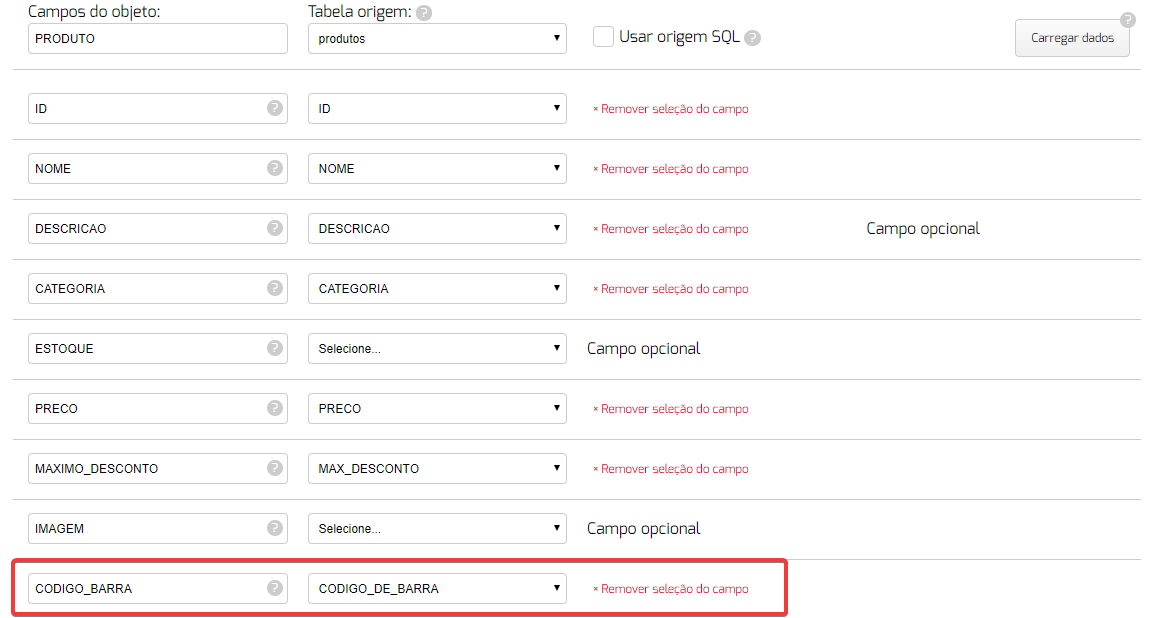
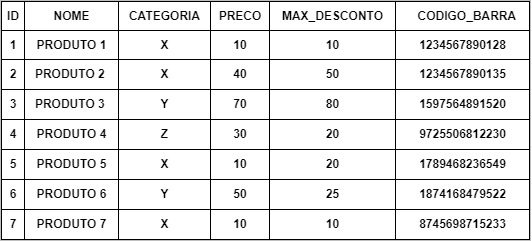
In this field, we will list the column where the product’s ‘barcode’ is stored. This way, our product table should return the following data.
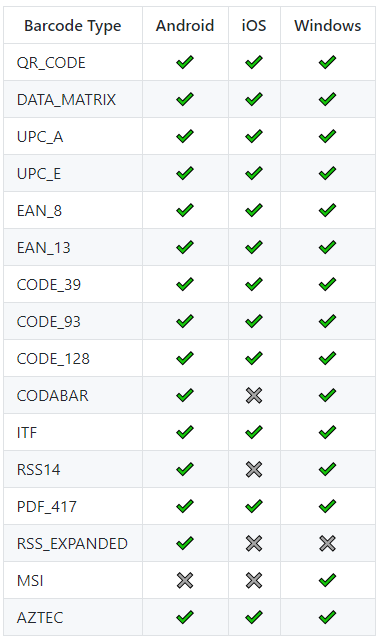
With the device, it is possible to read the following types of code:
To use the functionality in the application, simply place a new order and search for the barcode: