App Demander Version 5.04.0 - 10/13/2026
This post shows what changed in the App Demander look in version 5.04.0.
New identification and actions bar
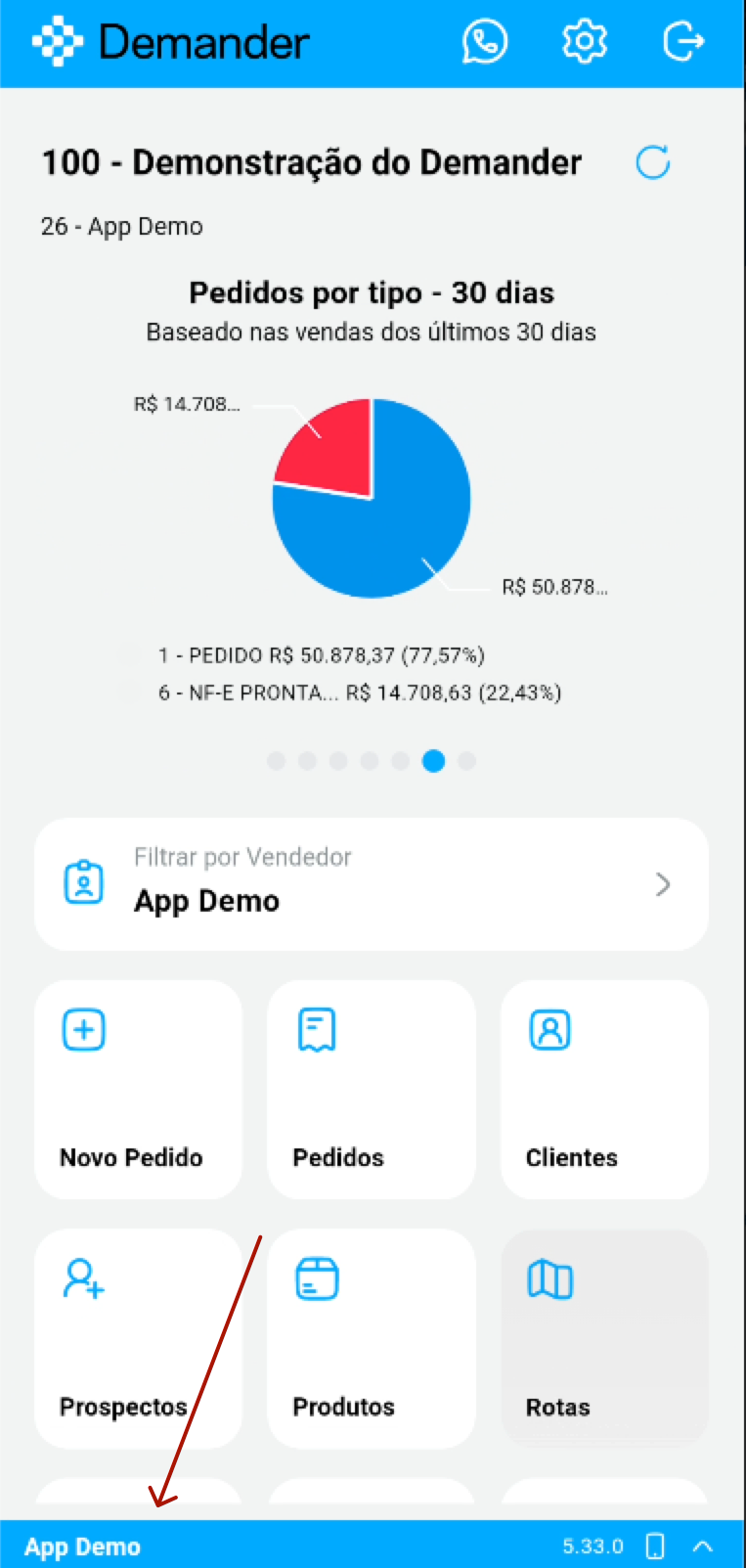
- At the bottom of the screen, a new bar always shows who is using the app: the seller’s name, the installed version, and the device type.
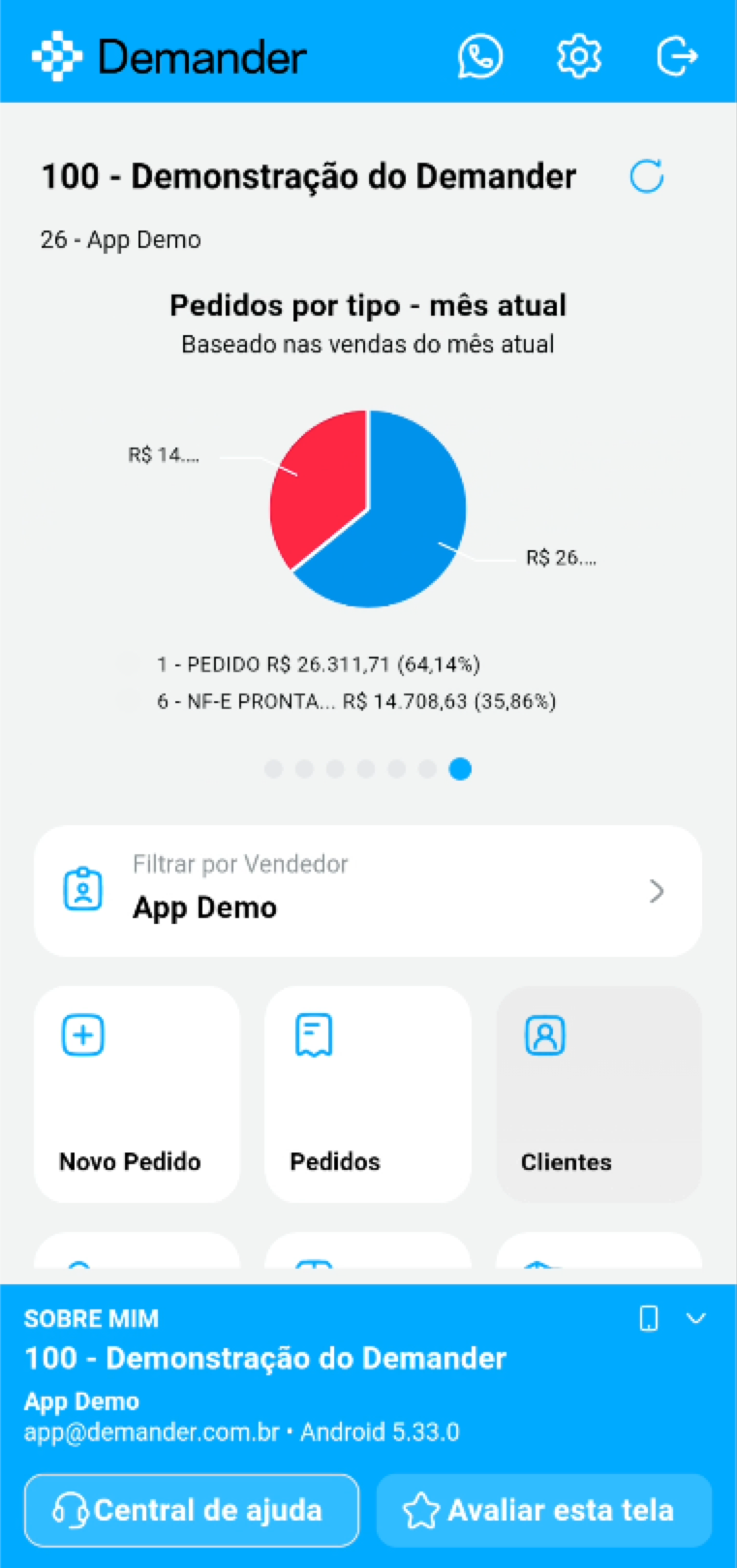
- When you tap the arrow, the bar opens the About me area, with the company, the seller, the login email, and the app version.
- From there you go straight to the Help center and the Rate this screen button, to send your feedback about the screen you are on.
- When the seller’s name starts with an acronym, an initial, or a code, the abbreviation shown keeps that identification.
Help Center and screen recording
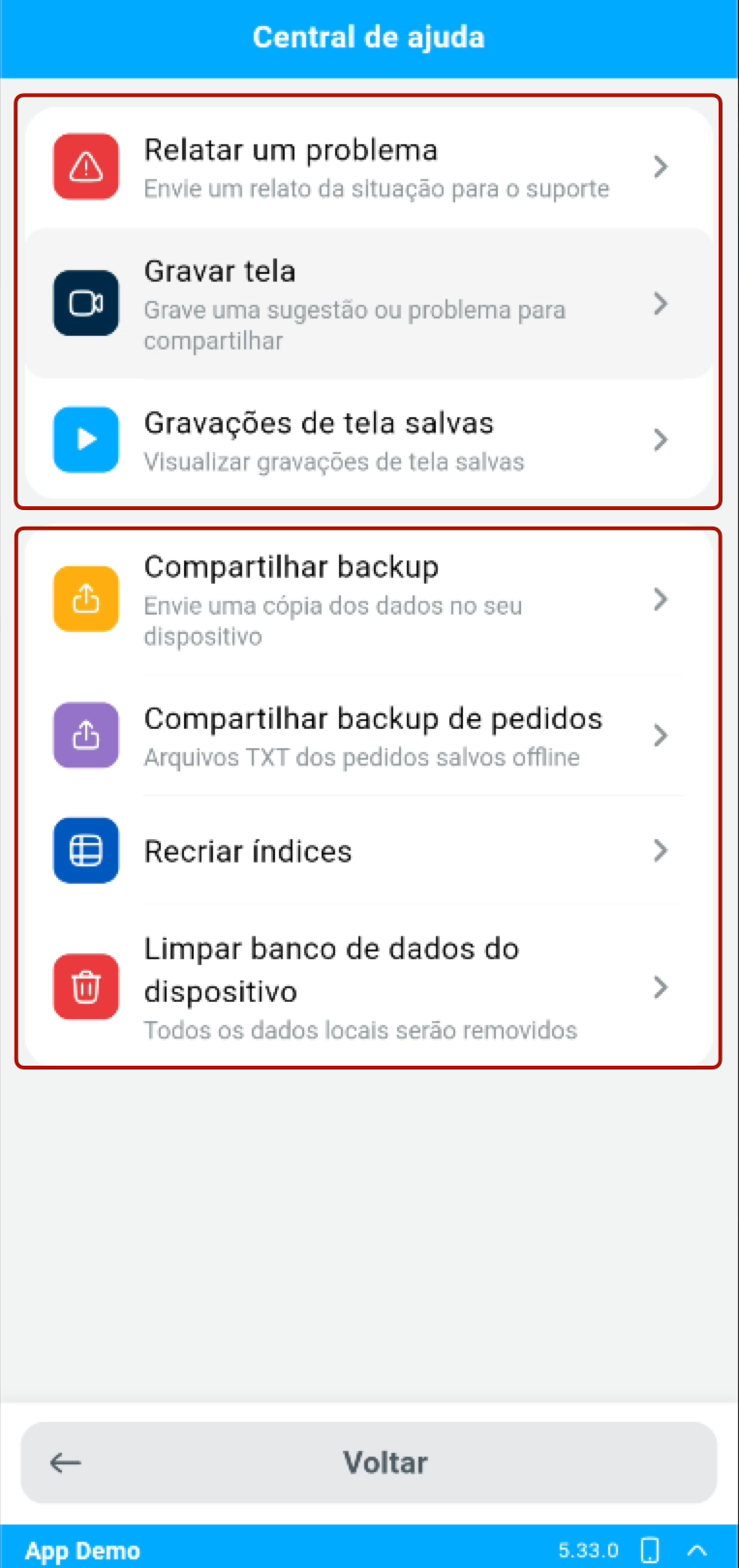
- The Help Center has been reorganized into two sections.
- The first contains the support channels: Report a problem, Record screen, to record a suggestion or a problem and share it, and Saved screen recordings.
- The second gathers the device tools that used to be in Settings: Share backup, Share order backup, Rebuild indexes, and Clear device database.
Displaying the price with taxes in the product list
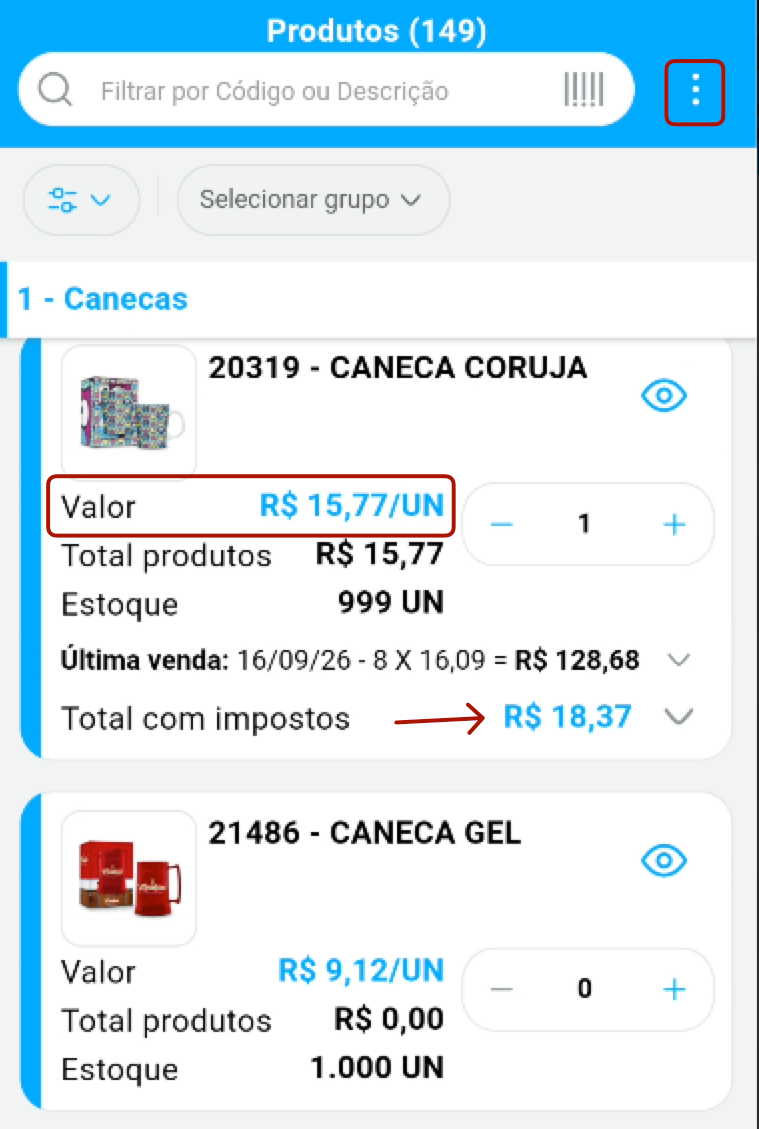
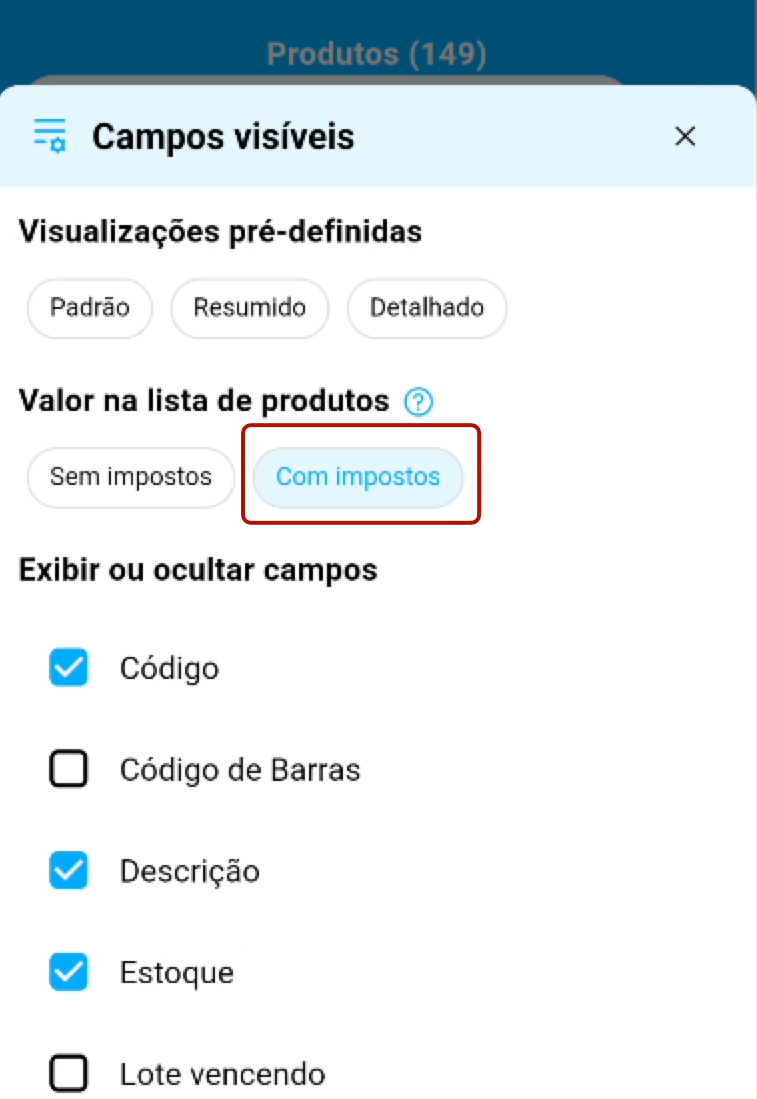
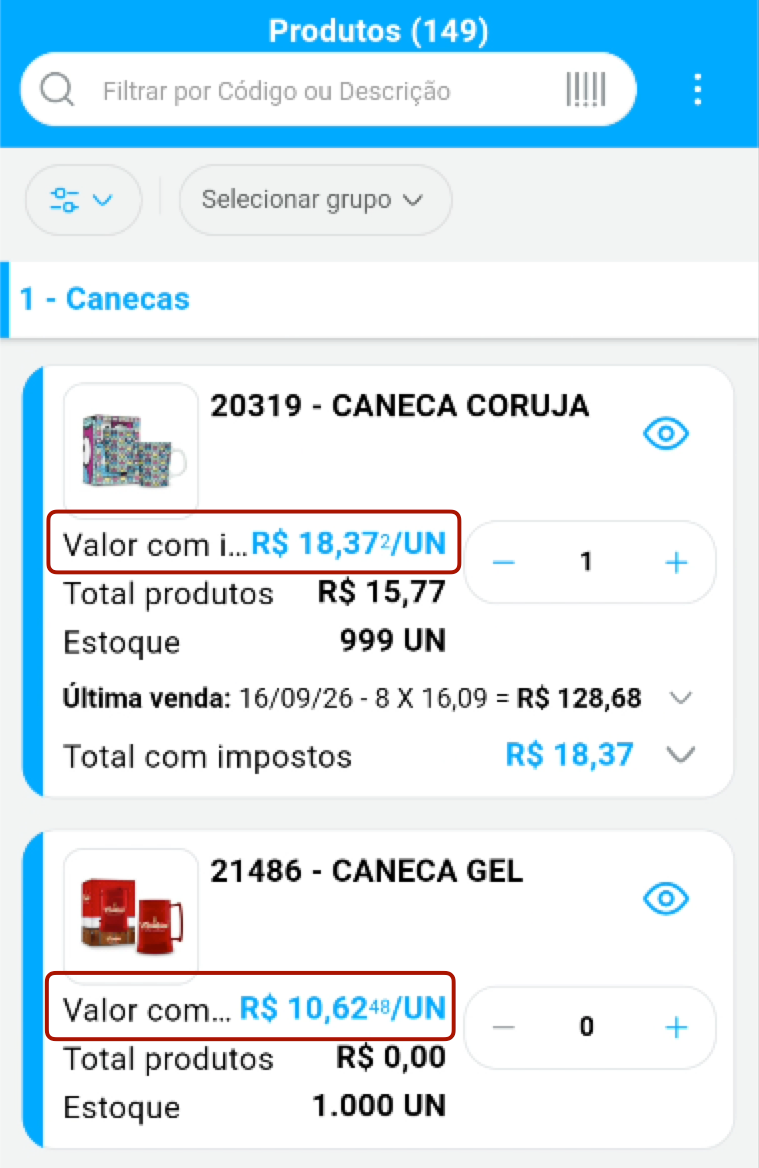
- In the product list Visible fields, the new Price in the product list option lets you choose between Without taxes and With taxes.
- With the With taxes option, each product’s unit price already appears with taxes included, without opening the total-with-taxes detail.
Restock filter kept between orders
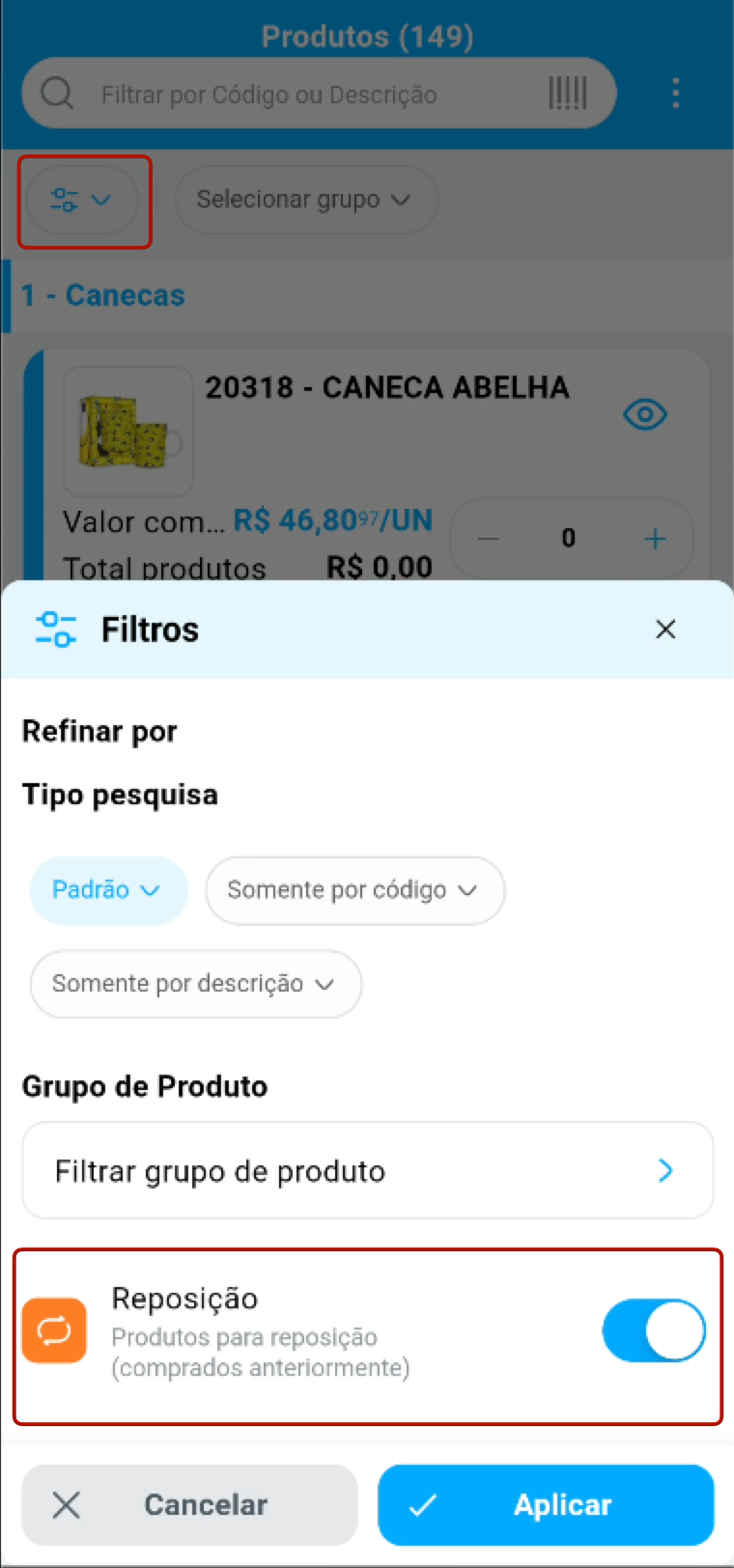
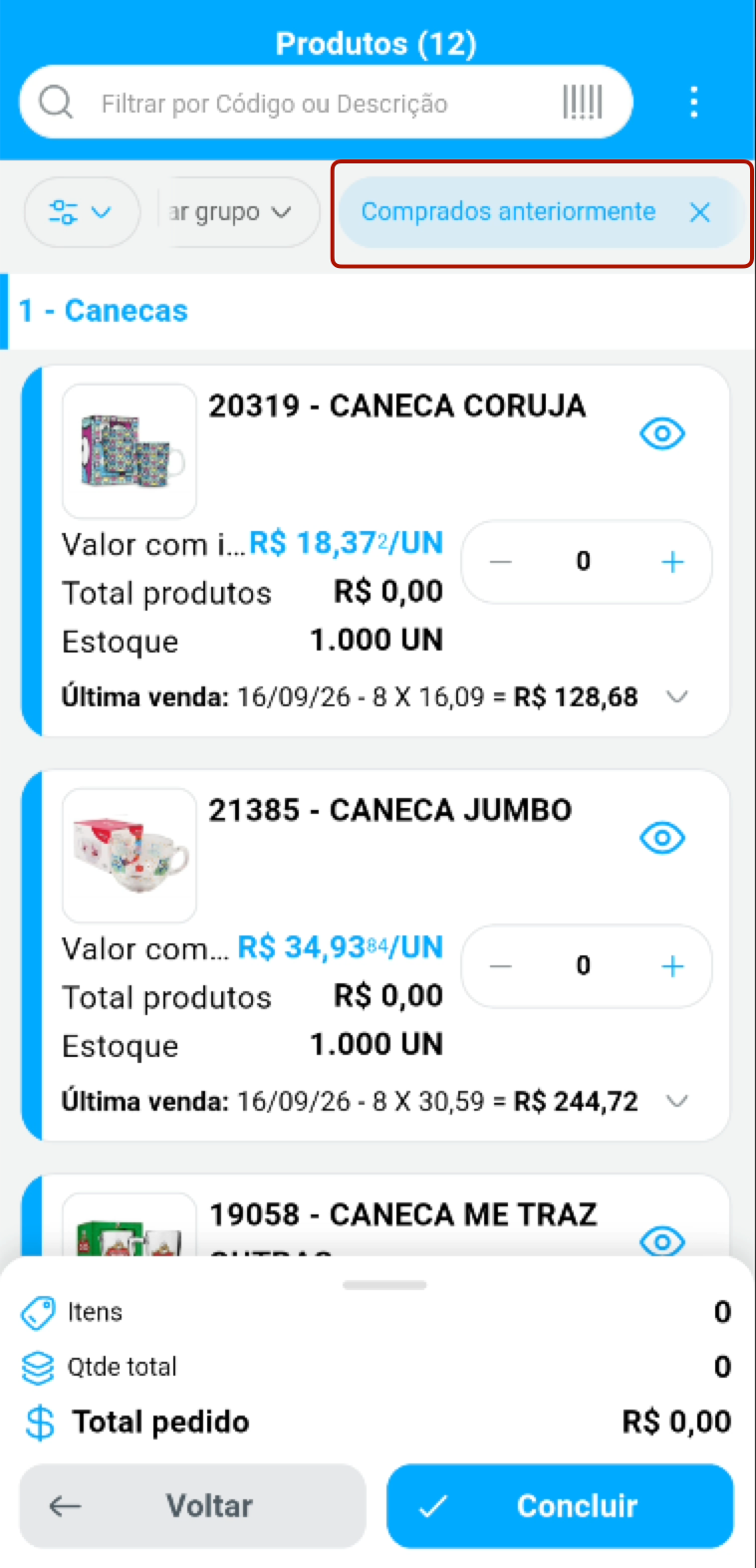
- In the order product list Filters, the Restock option shows only the products the customer has already bought.
- This choice is saved for the seller and is already applied to the next orders, including the Ideal Order, shown at the top of the list as Previously purchased.