

Synchronizer 5.1.1 - 05/19/2025
This article presents a list of new features, improvements and corrections available in version 5.1.1 of the Synchronizer.
New:Integration with Sankhya ERP.
- ERP Sankhya can now be integrated via synchronizer, just configure it.
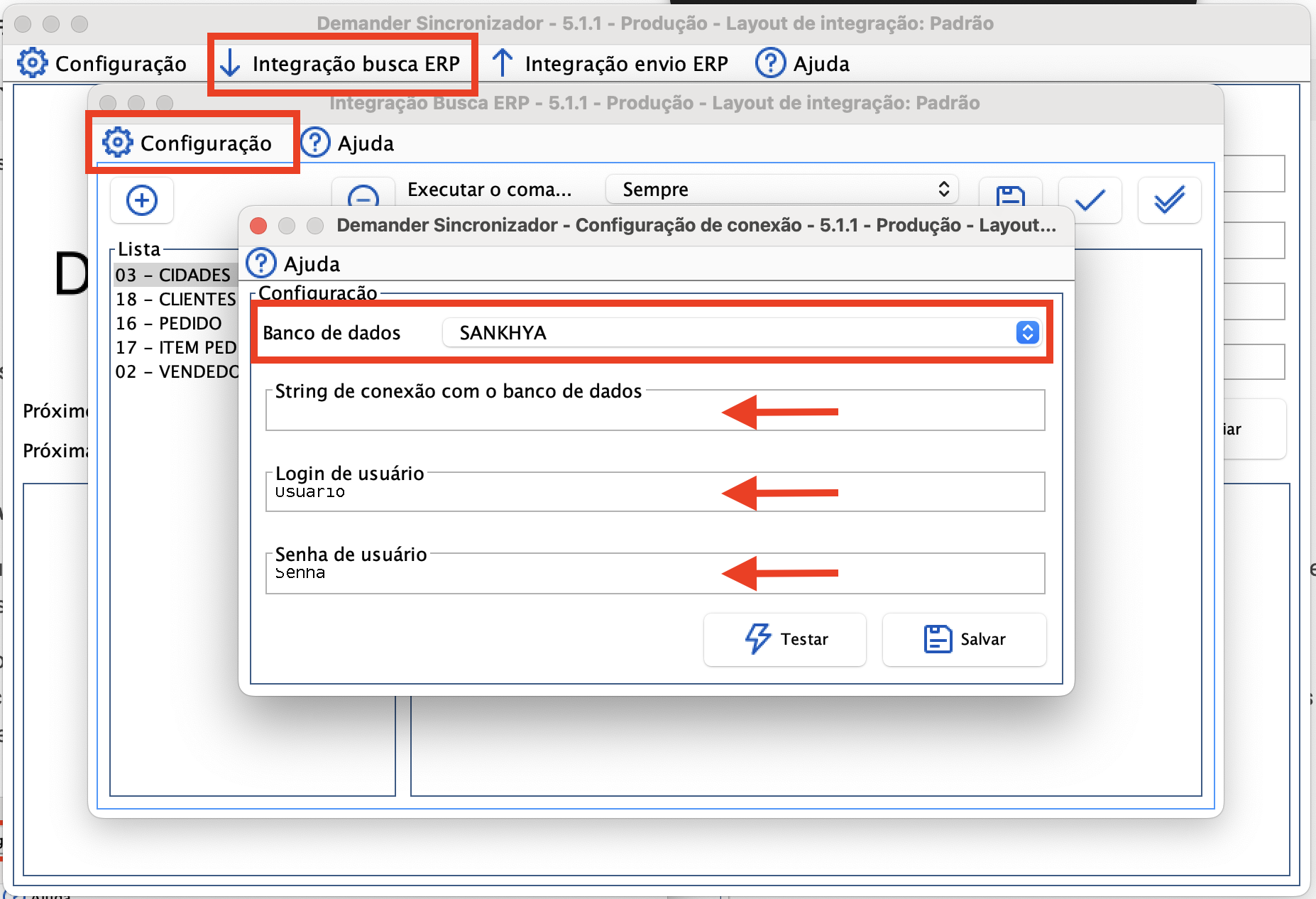
- To do this, access the option “ERP search integration” and click on “Configuration” on the screen that will be displayed.
- Then select “SANKHYA” as the data source and fill in the requested information:
- Connection string -> https://host:porta
- User -> demander
- Password -> test
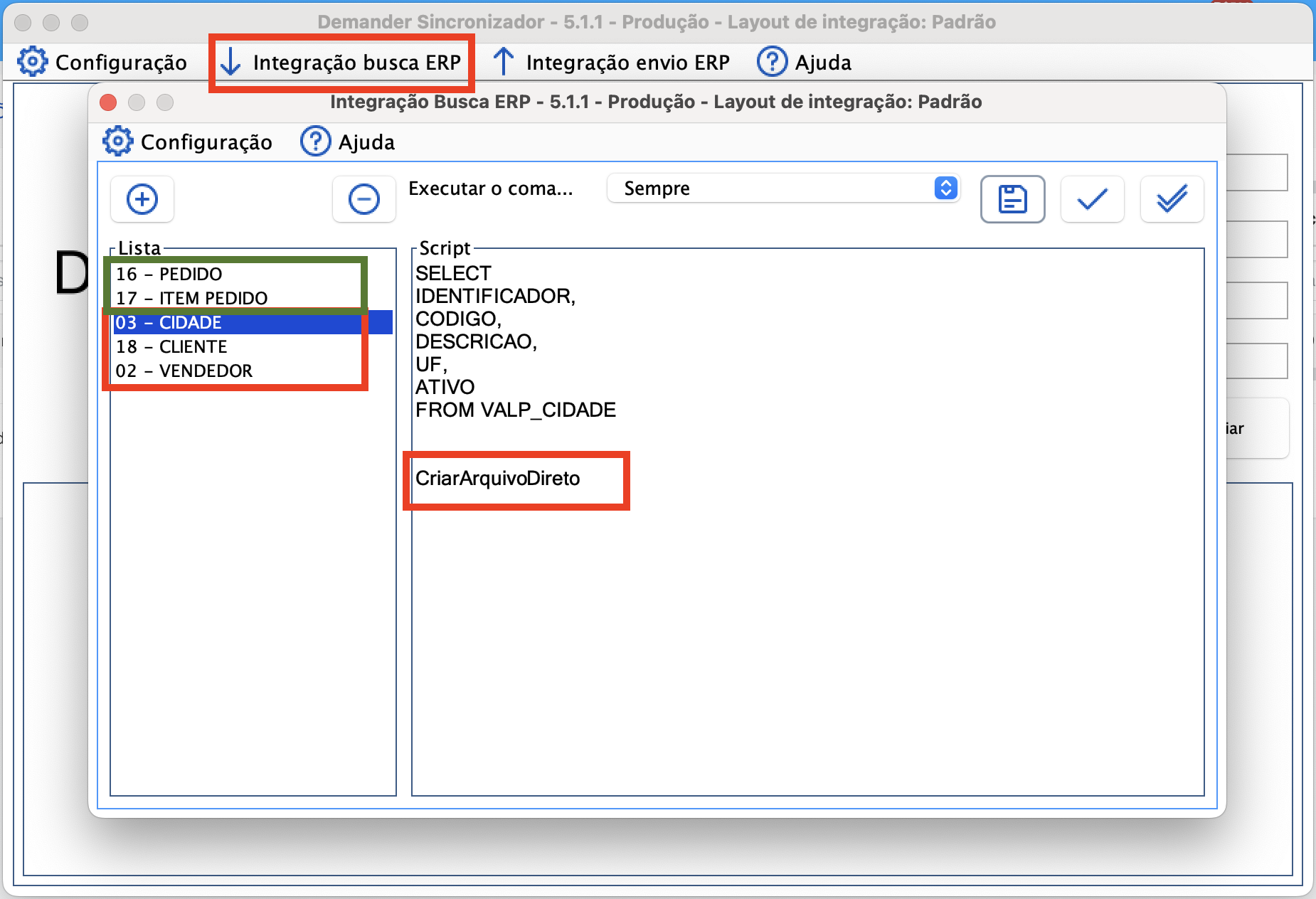
New configuration “CriarArquivoDireto” in the script for generating files via SQL.
- The configuration can be used by adding “CriarArquivoDireto” at the end of the SQL. Without using this configuration, all SQLs are executed generating only 1 file at the end of execution. Using this configuration will cause the SQL in question to generate a separate file from the other registered SQLs.
- This configuration can be better understood when we are dealing with a very large volume of data. In cases where we have files of 10 MB to 15 MB, this file needs to be loaded into memory and then divided into parts: cities, customers, orders, salespeople, commissions, goals, taxes… There are several divisions.
- Using “CriarArquivoDireto”, the final files are directly generated in the “Temp” folder, broken according to the number of configured lines.
- For example:
- We have several SQLs registered, but the scripts “03 - CITY”, “18 - CUSTOMER” and “02 - SELLER” have the command “CriarArquivoDireto”. This means that, at the end of the execution, we will have the Cities, Customers and Vendors files, and another file containing Orders and Order Items.
Also check out the news on Demander’s other platforms: